
@sabrish/power-platform-solution-blueprint
v1.5.0
Published
Generate comprehensive technical documentation for Dataverse and Power Platform solutions with automated discovery, analysis, and export capabilities.
Downloads
211

Maintainers
 sab-xrm-tools
Readme

Power Platform Solution Blueprint (PPSB)
Complete architectural blueprints for your Power Platform solutions.
Version: 1.5.0 · Status: Stable
Generate comprehensive technical documentation for Dataverse and Power Platform solutions with automated discovery, analysis, and export capabilities.
🎯 What is PPSB?
PPSB is an automated documentation tool that generates complete architectural blueprints for Power Platform solutions. It discovers, analyzes, and documents your entire Dataverse environment—from entity schemas to automation pipelines—saving architects and developers hundreds of hours of manual documentation work.
The tool generates comprehensive blueprints including Entity Relationship Diagrams (ERD), complete entity documentation with automation execution pipelines, cross-entity automation mapping, external dependency analysis, and solution distribution breakdowns. All exports are production-ready: Markdown files ready for Azure DevOps Wiki, JSON for programmatic analysis, and self-contained HTML for stakeholder sharing.
PPSB benefits solution architects (system documentation), developers (onboarding and reference), governance teams (compliance and dependency tracking), and consultants (assessment and migration planning). Primary use cases include technical documentation generation, governance and compliance auditing, performance analysis, and migration planning.
✨ Key Features
📋 Discovery & Documentation
- Entities: Complete schema (fields, relationships, keys, alternate keys)
- Plugins: Full registration details with execution order analysis
- Power Automate Flows: Trigger analysis, connection references, external calls
- Business Rules: Client-side and server-side with condition parsing
- Classic Workflows: Documentation with migration recommendations and risk assessment
- Business Process Flows: Stage and step documentation
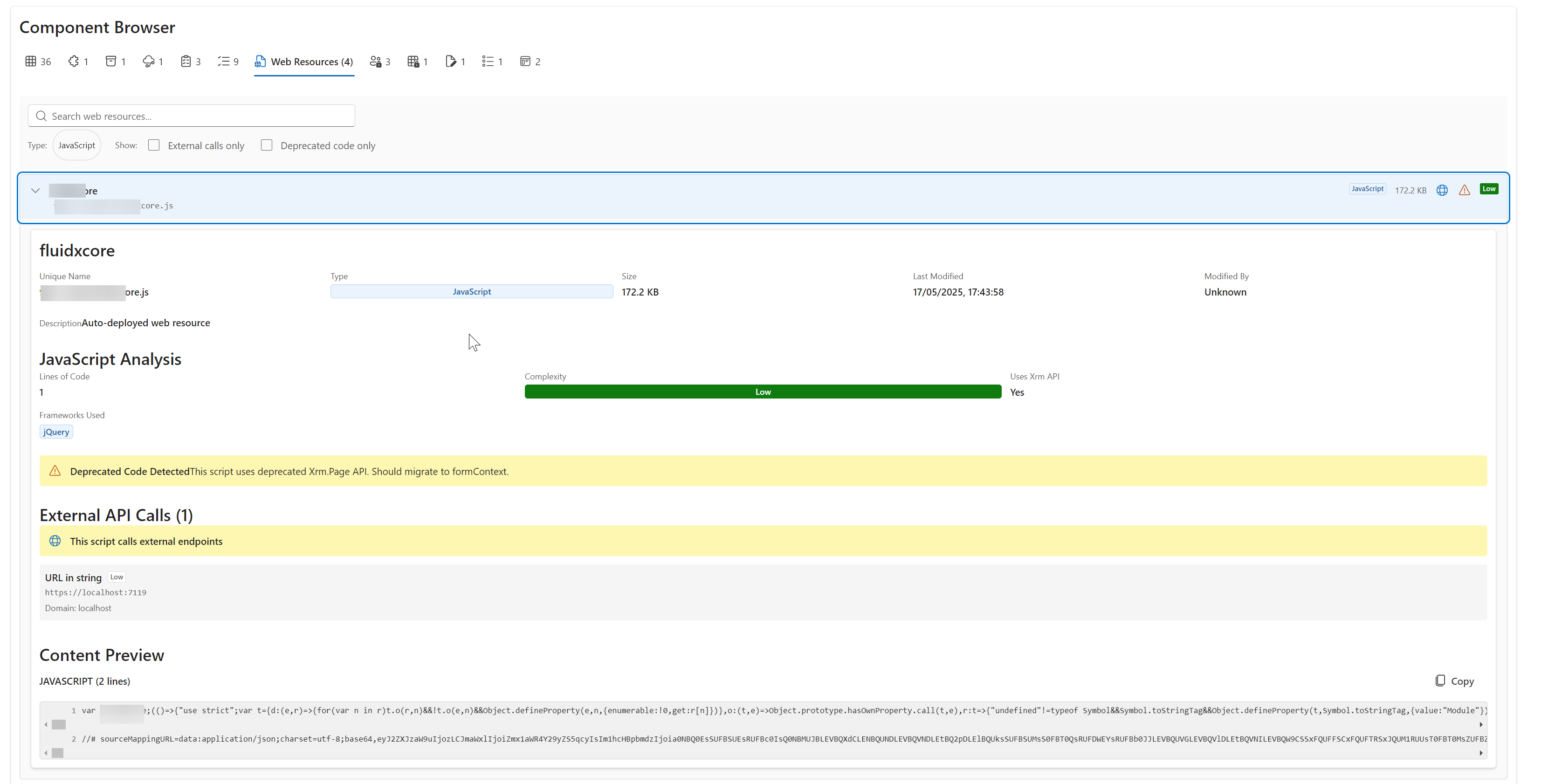
- JavaScript Web Resources: Code analysis with external call detection and deprecated API warnings
- Custom APIs: Complete parameter documentation and privilege requirements
- Environment Variables: Value tracking critical for ALM
- Connection References: Premium connector detection for licensing
- Global Choices: Shared option sets with usage tracking
- Security: Roles, field security profiles, attribute masking, column security
- See SUPPORTED_COMPONENTS.md for the full component status list — Supported, Partial, and Planned.
📊 Analysis & Visualization
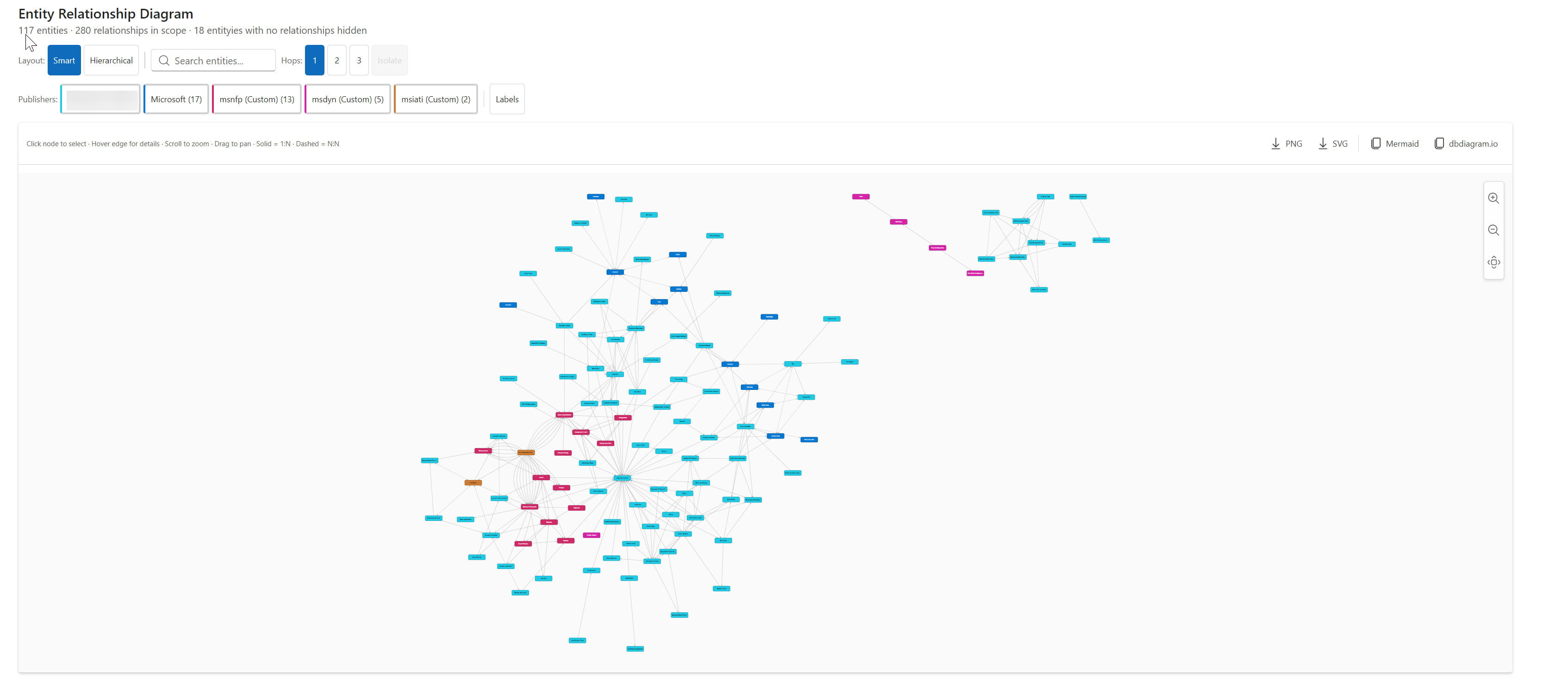
- Entity Relationship Diagram (ERD): Interactive Cytoscape.js force-directed graph with pan, zoom, node isolation, publisher filter, and PNG/SVG export
- Execution Pipeline: Visual representation of client → sync → async automation flow per entity
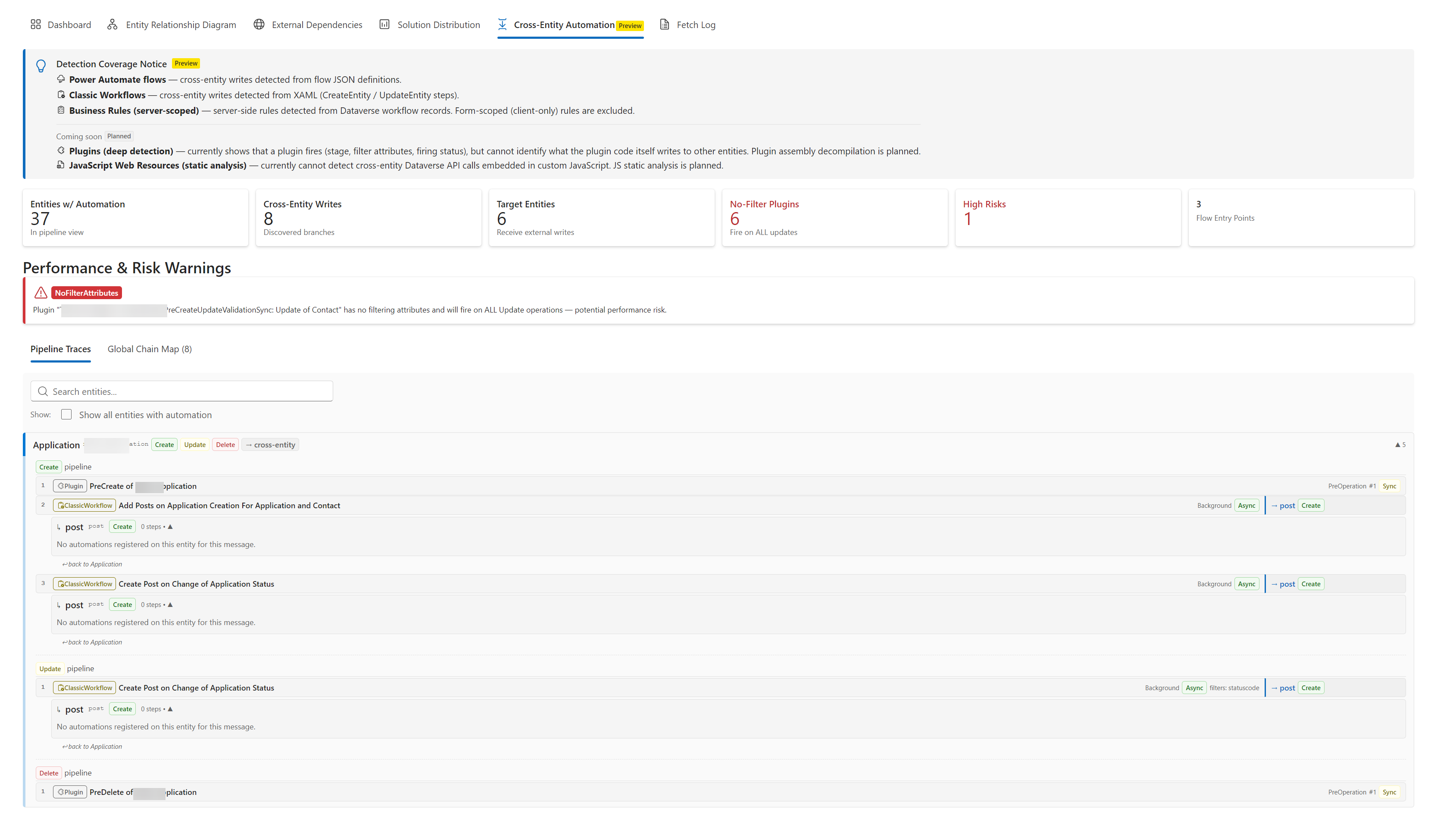
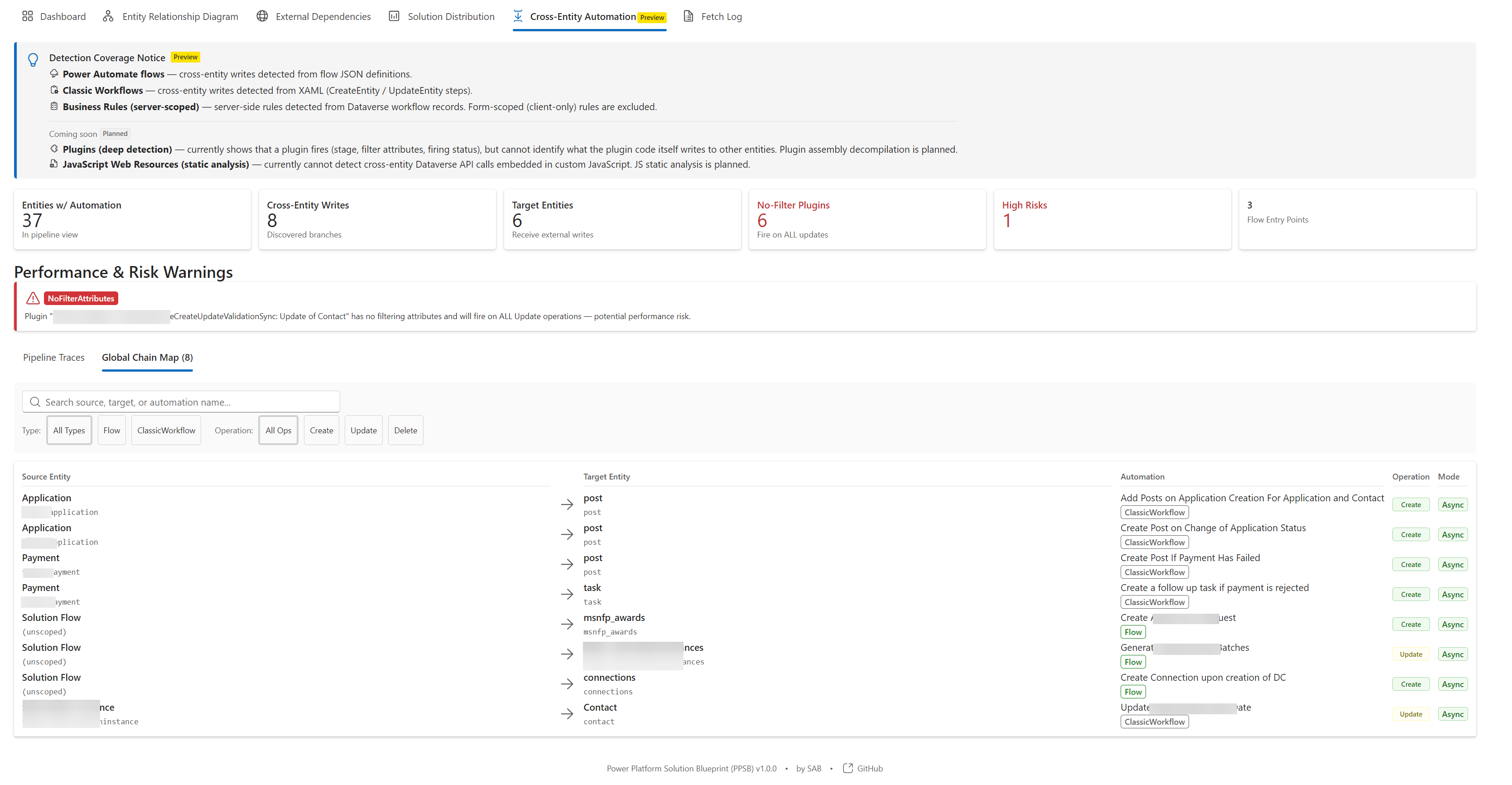
- Cross-Entity Automation: Maps automation chains across entity boundaries — traces how plugins, flows, and classic workflows on one entity trigger automation on related entities, with risk detection and field-match analysis
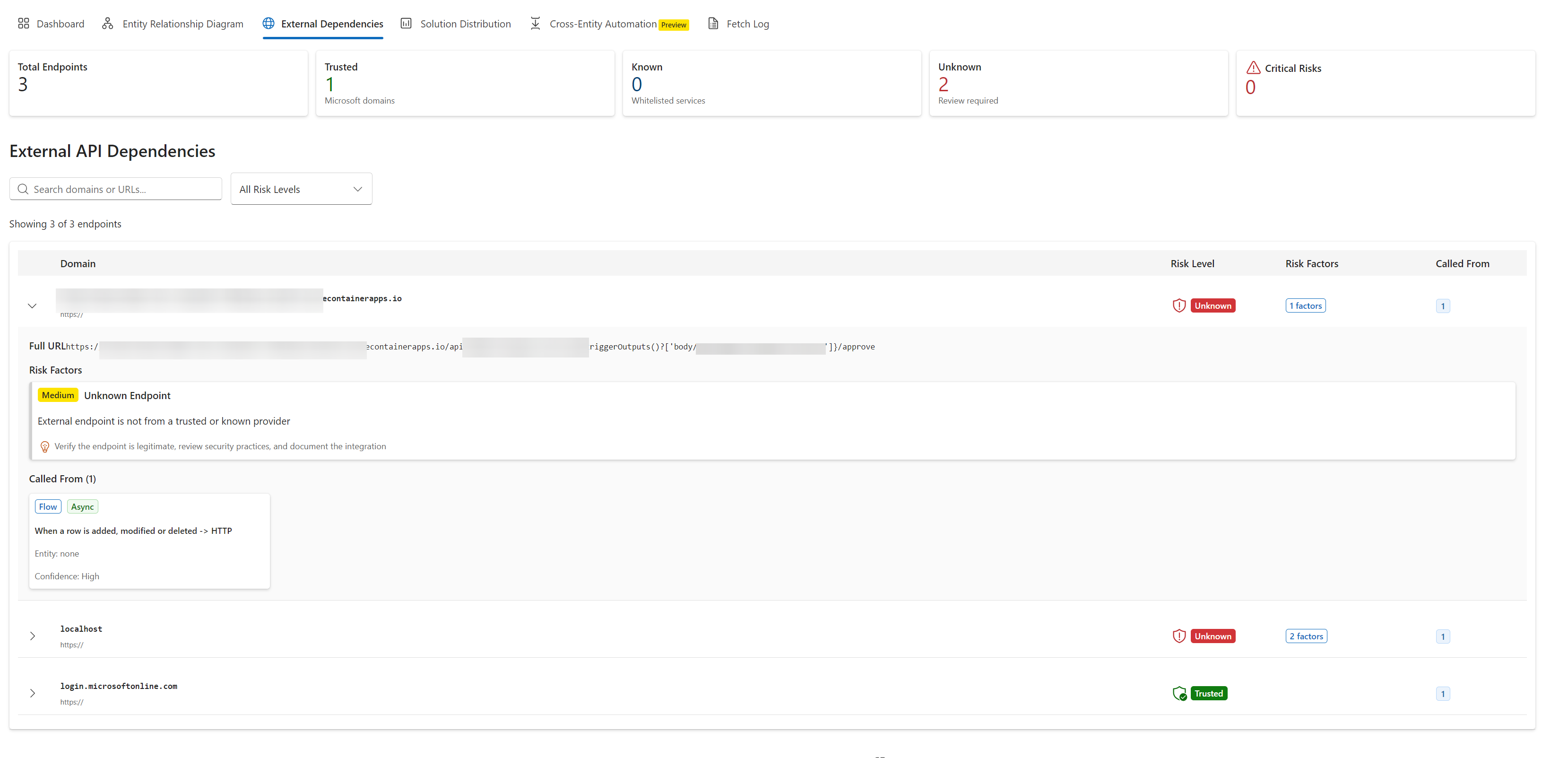
- External Dependencies: Detect and risk-assess all external API calls (flows, plugins, web resources)
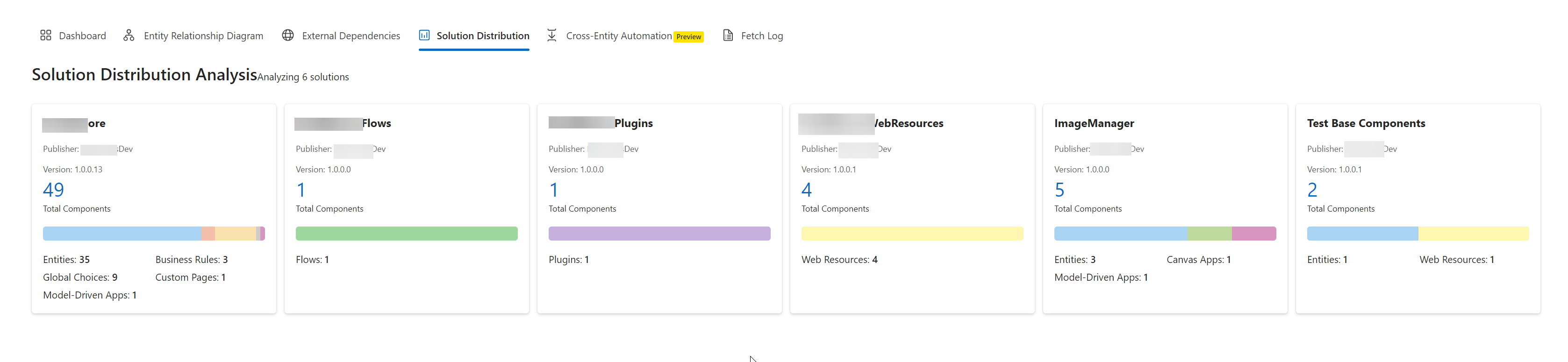
- Solution Distribution: Component breakdown across solutions with dependency mapping
- Entity Complexity: Scoring based on field count, automation density, and relationship complexity
- Performance Risks: Identify synchronous plugins with external calls, long execution chains
💾 Export Formats
- Markdown: Complete file structure ready for Azure DevOps Wiki upload
- JSON: Full data export for programmatic use, baselines, and CI/CD pipelines
- HTML: Single-page interactive document with navigation, search, and accordion sections
- ZIP: All formats bundled together with organized directory structure
🔍 Smart Scope Selection
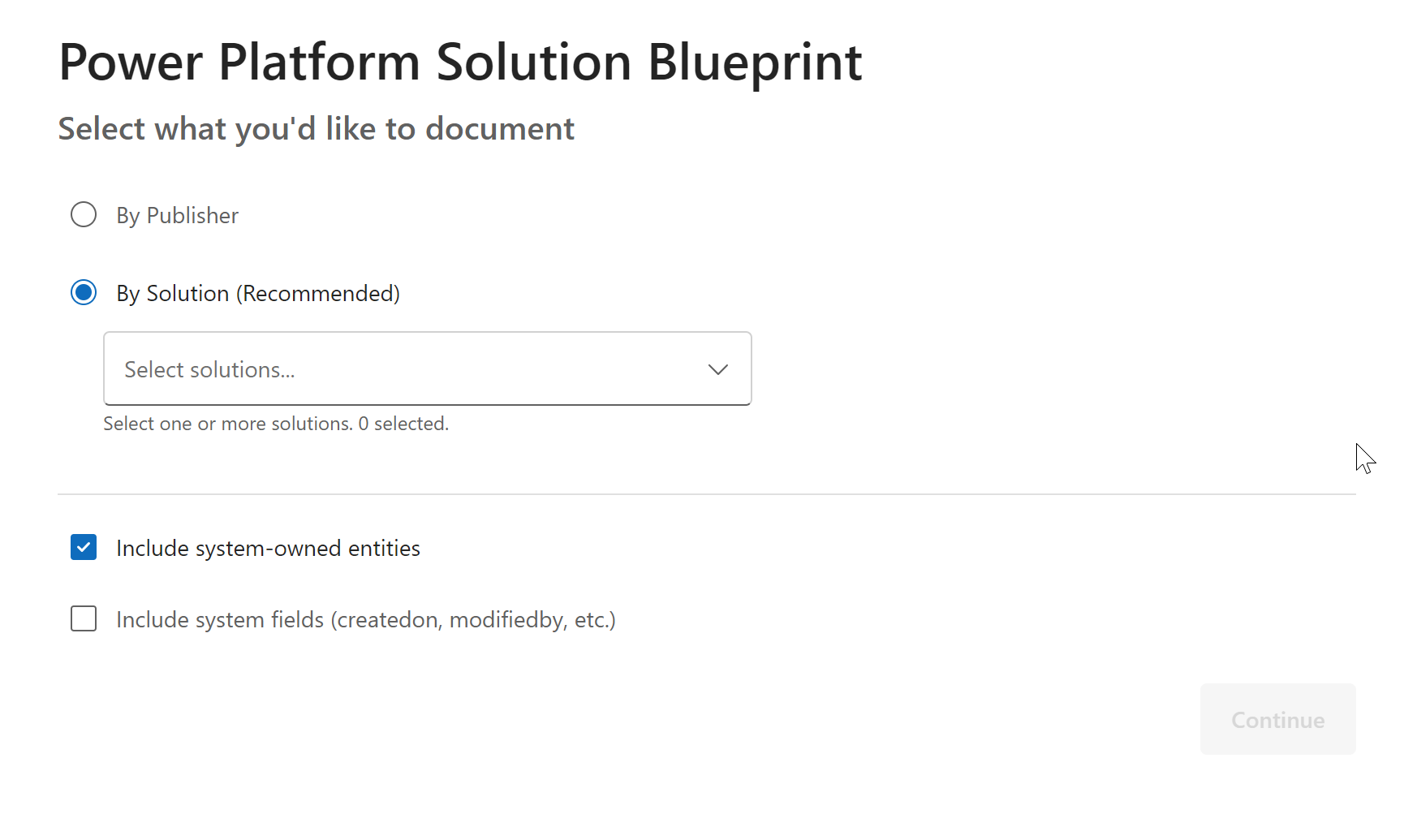
- By Publisher: Select one or more publishers to document all their solutions
- By Solution: Choose specific solutions regardless of publisher
- By Entity: Document all entities (with optional system entity inclusion)
- Filtering: Multi-select with live filtering and selected item management
🚀 Quick Start
- Install: Add PPSB to your PPTB Desktop tools directory
- Launch: Open PPSB from PPTB Desktop with an active Dataverse connection
- Select Scope: Choose publisher(s), solution(s), or all entities
- Generate: Click "Generate Blueprint" and wait for discovery and analysis
- Review: Explore the interactive results with ERD, entity details, and automation analysis
- Export: Download as Markdown, JSON, HTML, or ZIP bundle
- Use: Upload Markdown to Azure DevOps Wiki or share HTML with stakeholders
📖 Detailed User Guide | 🏗️ Architecture Documentation
📸 Screenshots
Scope Selection
Choose what to document - by publisher or solution with multi-select filtering.
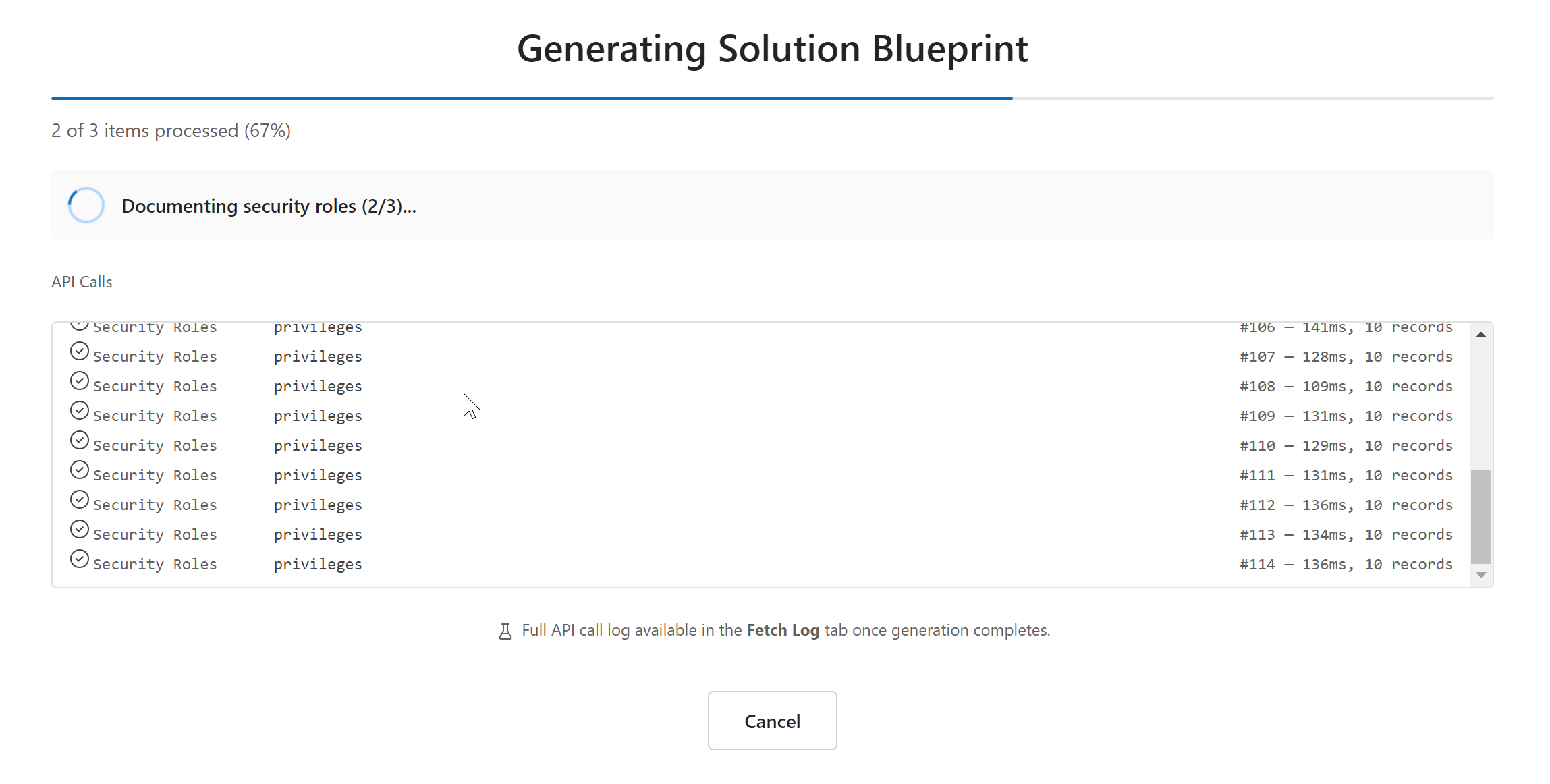
Confirmation Screen
Review your selection before generating the blueprint.
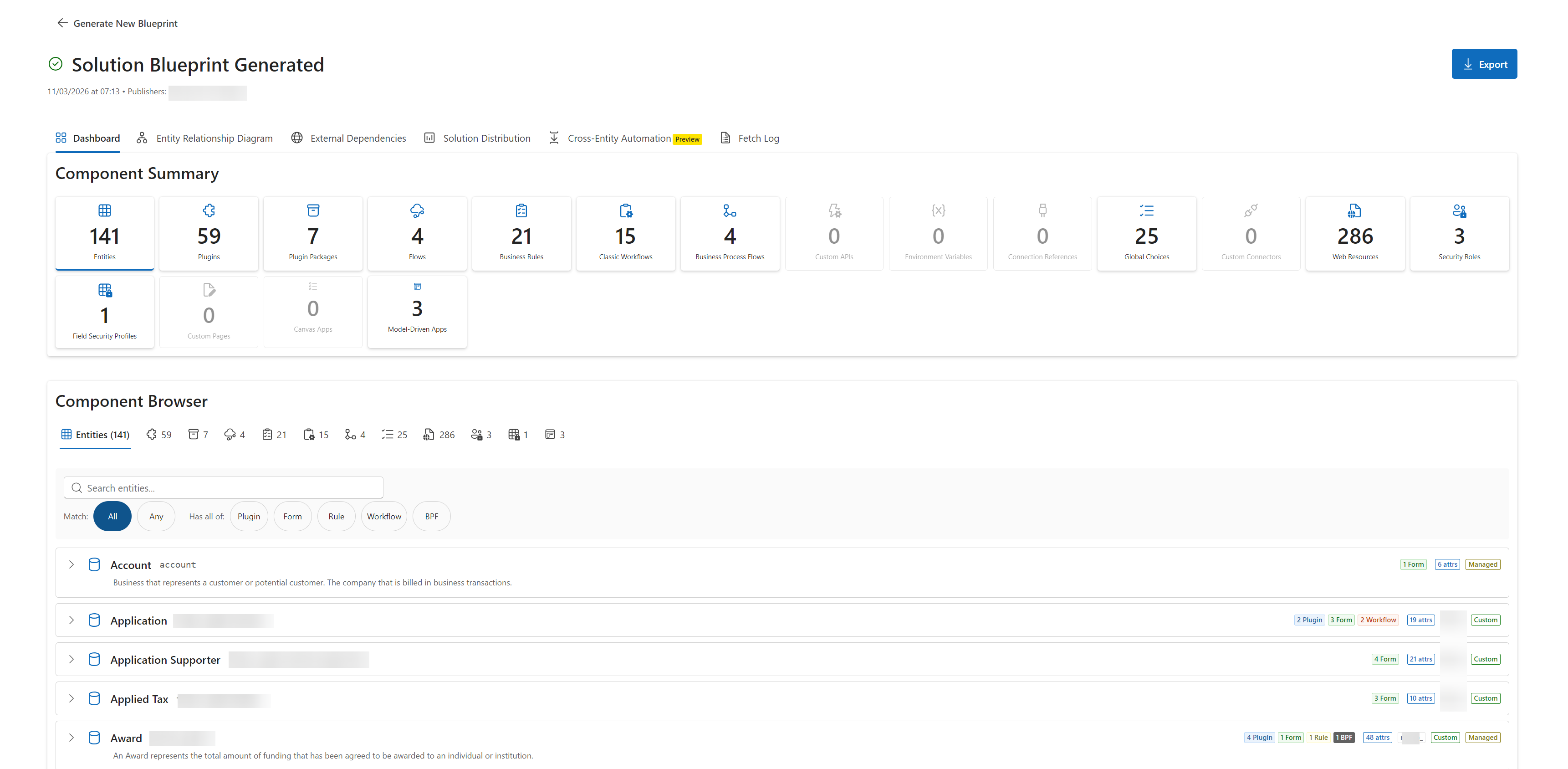
Results Dashboard
Interactive dashboard with summary metrics, ERD visualization, and component browser.
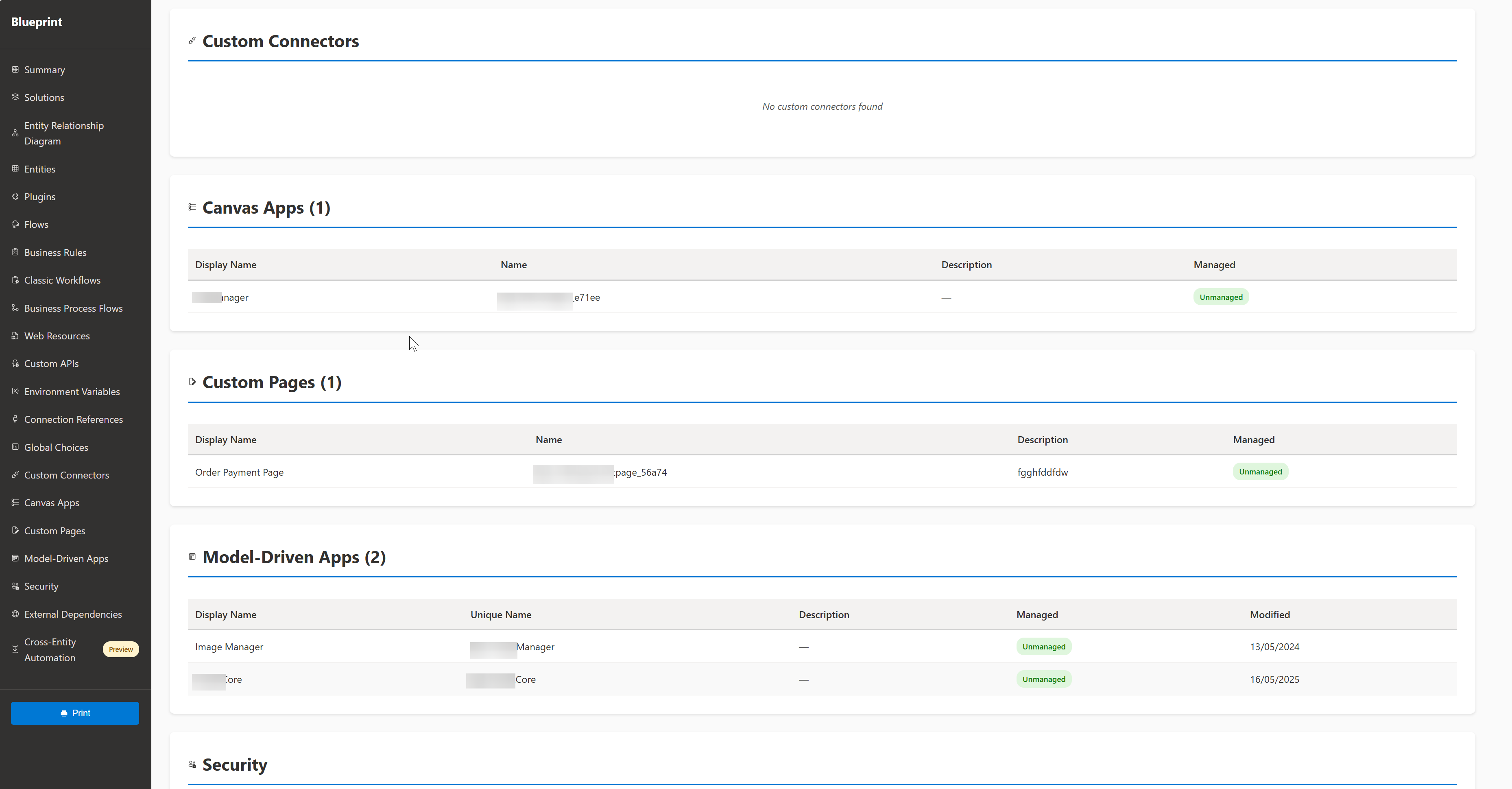
Component Details
Browse and explore all discovered components with expandable details and inline documentation.
Solution Distribution Analysis
Analyze component distribution across solutions with dependency mapping and shared component detection.
External Dependencies Analysis
Identify and assess all external API calls across flows, plugins, and web resources with risk scoring.
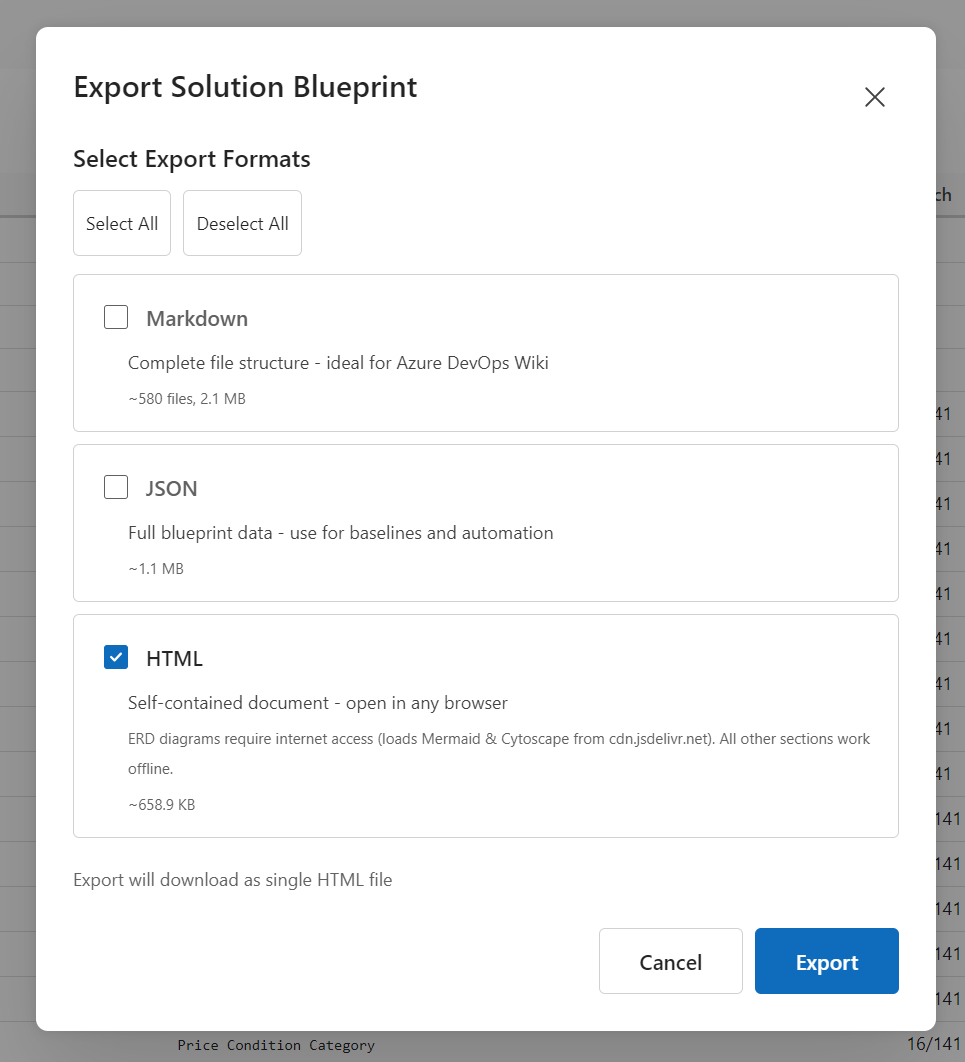
Export Options
Choose your export format - Markdown, JSON, HTML, or ZIP bundle.
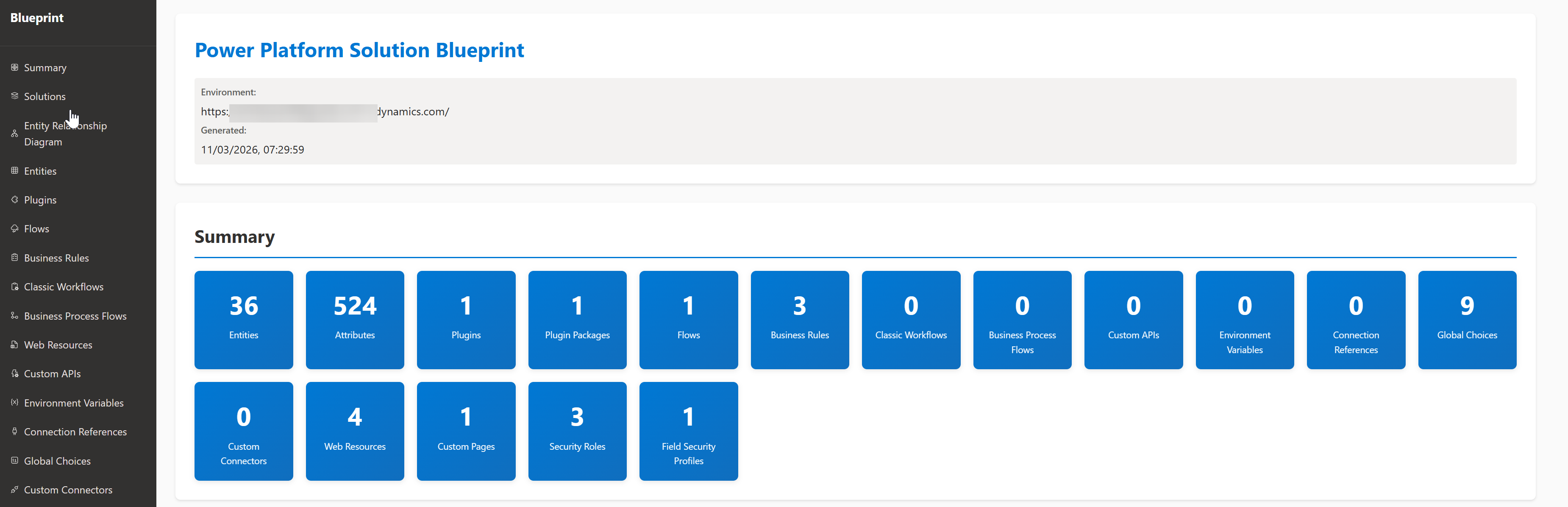
HTML Export
Self-contained, interactive HTML documentation ready to share with stakeholders.
Entity Relationship Diagram
Interactive force-directed ERD with pan, zoom, node isolation, publisher filter, and PNG/SVG export.
Cross-Entity Automation
Trace automation chains that cross entity boundaries — how plugins and flows on one entity trigger automation on related entities.
Global Automation Chain Map
Full cross-entity automation chain map showing all entity pipelines and their inter-entity connections.
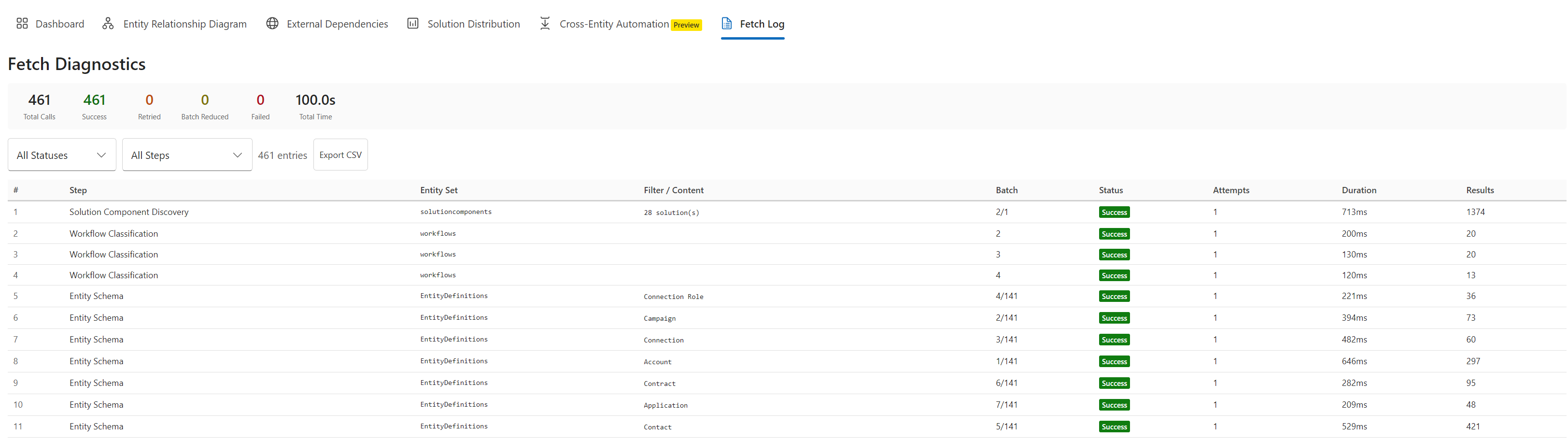
Fetch Diagnostics Log
Real-time fetch diagnostics showing every Dataverse API call with timing, batch sizes, and retry information.
💡 Use Cases
Architecture Documentation
- Onboarding: Generate complete system docs for new team members joining projects
- Proposals: Create technical specifications and architecture diagrams for client proposals
- Handover: Provide comprehensive documentation during project transitions
Governance & Compliance
- External Dependencies: Identify all external API calls for security review and approval
- Premium Connectors: Track premium connector usage for accurate licensing compliance
- Environment Variables: Monitor configuration management and ALM readiness
- Security Audit: Document all security roles, field security, and data masking rules
Performance Analysis
- Bottleneck Detection: Find synchronous plugins with external calls blocking transactions
- Execution Chains: Identify complex automation sequences that may cause performance issues
- Optimization Planning: Prioritize refactoring based on complexity scores and risk levels
Migration Planning
- Classic Workflow Assessment: Identify all workflows requiring migration to cloud flows
- Complexity Analysis: Get detailed migration recommendations with step-by-step guidance
- Dependency Mapping: Understand cross-entity automation before migration
📖 More Use Cases in User Guide
🔧 Technical Stack
- Language: TypeScript 5.x (strict mode)
- UI Framework: React 18 + Vite 5
- Component Library: Fluent UI v9 (Microsoft Design System)
- Diagrams: Cytoscape.js (interactive ERD) · Mermaid (execution pipeline export in HTML/Markdown)
- Export: JSZip (multi-file packages)
- Architecture: Flat structure with separated core logic (
src/core/) and React UI (src/components/)
🏗️ Architecture Details | 🛣️ Roadmap
🤖 AI-Assisted Development
This project uses Claude Code with custom sub-agents defined in .claude/agents/.
Shared agent memory (decisions, patterns, learnings) lives in .claude/memory/.
If contributing, agents will automatically load this context.
🚦 Installation
For PPTB Desktop Users
- Available in the PPTB Marketplace
For Development
# Clone repository
git clone https://github.com/sabrish/power-platform-solution-blueprint.git
cd power-platform-solution-blueprint

# Install dependencies
pnpm install

# Run development server
pnpm dev

# Build for production
pnpm build

# Type check
pnpm typecheck
Development Requirements:
- Node.js 18+ and pnpm 8+
- PPTB Desktop for testing (connects to Dataverse)
- Windows, macOS, or Linux
📚 Documentation
Comprehensive documentation for all aspects of PPSB:
- User Guide - Complete usage instructions from scope selection to export
- Architecture - Technical design, component structure, and extension points
- API Security - Complete API reference, security considerations, and data access documentation
- Roadmap - Future versions (baseline comparison, CLI, CI/CD integration)
- Changelog - Version history and release notes
🙏 Credits & Acknowledgments
Development Team
- Primary Developer: SAB
AI Collaboration
This project was developed with significant AI assistance:
ChatGPT (OpenAI): Initial brainstorming, concept validation, feature ideation, and requirements exploration. Helped refine the vision for what PPSB should be and validated technical approaches.
Claude (Anthropic): Detailed architecture design, comprehensive implementation planning, and hands-on code development via Claude Code. Provided deep technical expertise for TypeScript/React implementation, Dataverse API integration, performance optimization strategies, and accessibility compliance.
The combination of AI tools accelerated development while maintaining high code quality and architectural consistency. ChatGPT helped explore possibilities and refine the product vision, while Claude provided meticulous technical implementation with thousands of lines of production-ready code.
AI Development Approach:
- Architecture designed through iterative collaboration with Claude
- Implementation executed via Claude Code (AI-assisted coding)
- Code reviews and optimization suggestions from both AI assistants
- Documentation structure and content refined with AI input
Technology
- PPTB Desktop - Power Platform Toolbox (platform for PPSB deployment)
- Microsoft Dataverse - Data platform and APIs
- Fluent UI - Microsoft's design system and React components
- Cytoscape.js - Interactive ERD graph engine (force-directed, pan/zoom/export)
- Mermaid - Diagram rendering for execution pipeline visualizations in HTML/Markdown exports
- TypeScript - Language and type system
- React - UI framework
- Vite - Build tool and development server
Open Source Libraries
- JSZip (ZIP file generation)
- Various TypeScript utilities and type definitions
Community
Thanks to the Power Platform community for inspiration, feedback, and the collective knowledge that shaped PPSB's feature set and use cases.
🛣️ Roadmap Highlights
PPSB is under active development with exciting features planned:
Baseline Comparison & Automation
- Baseline comparison (load previous JSON and detect changes)
- Change detection with risk assessment
- Command-line interface (CLI) for automation
- CI/CD integration (GitHub Actions, Azure DevOps)
Enhanced Analysis
- Impact analysis ("What breaks if I delete this?")
- Unused component detection
- Business process mining
- Custom analysis rules
Extended Platform Support
- Canvas Apps (basic metadata discovery now supported; enhanced screen analysis planned)
- Power Pages (forms, lists, Liquid templates)
- Customer Insights & Marketing (journeys, segments, email templates)
- Additional component types (30+ new types)
Enterprise Features
- Performance benchmarking
- Multi-environment comparison
- Multi-tenant support
- Advanced visualizations and AI-powered insights
📄 License
Copyright © 2026 SAB. All rights reserved.
💬 Support
- Issues: GitHub Issues - Report bugs or request features
- Discussions: GitHub Discussions - Ask questions and share ideas
- Documentation: docs/ - Comprehensive guides
🌟 Quick Links
Made with ❤️ for the Power Platform community