
@sandlada/opencode-material-theme
v0.0.3
Published
Material Design 3 (Material You) themes for the OpenCode TUI: 194 static JSON themes across 9 variants x 12 hues, plain + OLED.


Readme
MD3 Themes for OpenCode TUI
194 static Material Design 3 (Material You) themes
for the OpenCode TUI: 9 variants × 12 hues
(monochrome only ships hue 0),
plain + OLED, each file carrying both light and dark appearances
(OpenCode switches itself).
| Light | Dark |
| ------------------------------------------------------------------------------------------------------------------------------------------------ | ---------------------------------------------------------------------------------------------------------------------------------------------- |
| 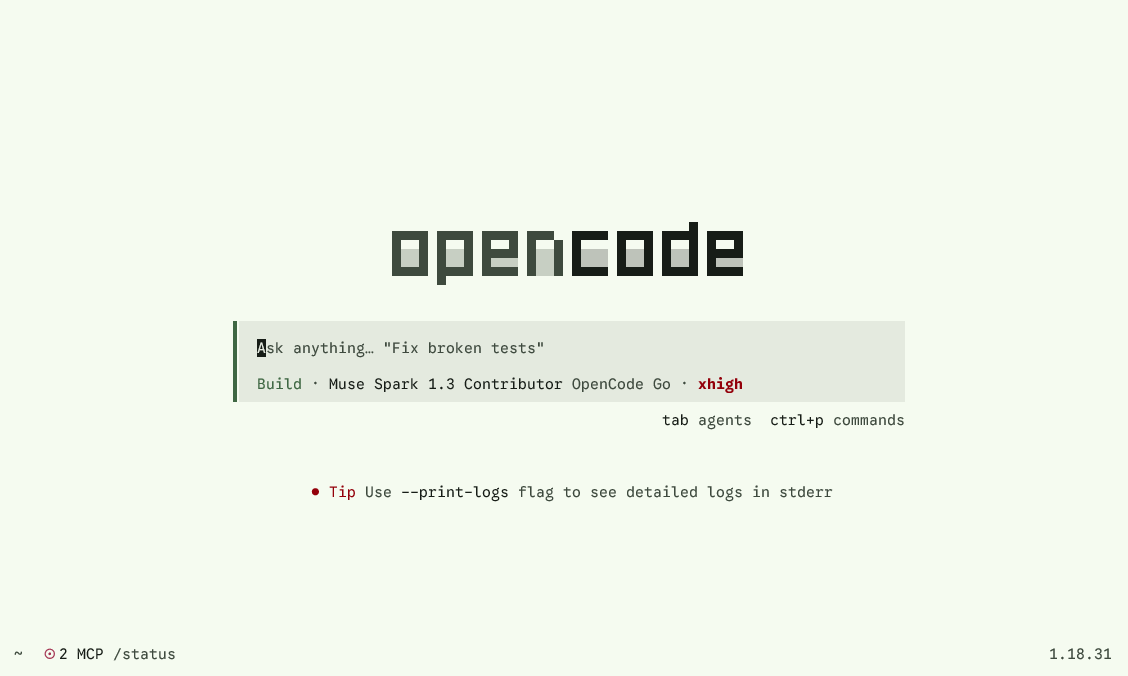 |
| 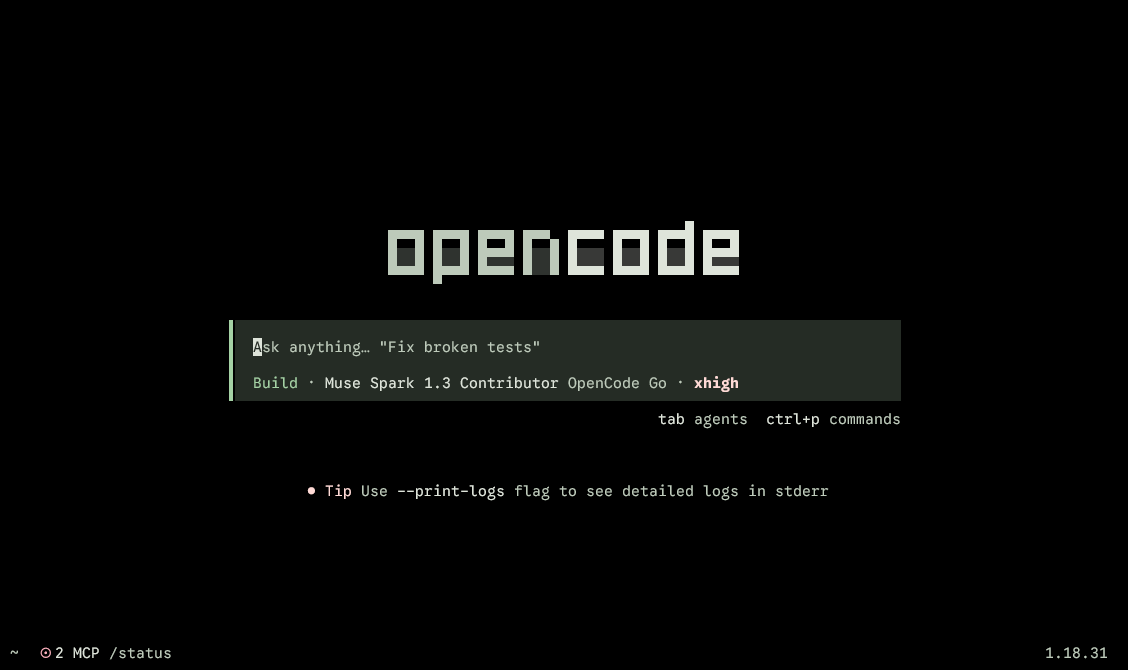 |
|
|
| 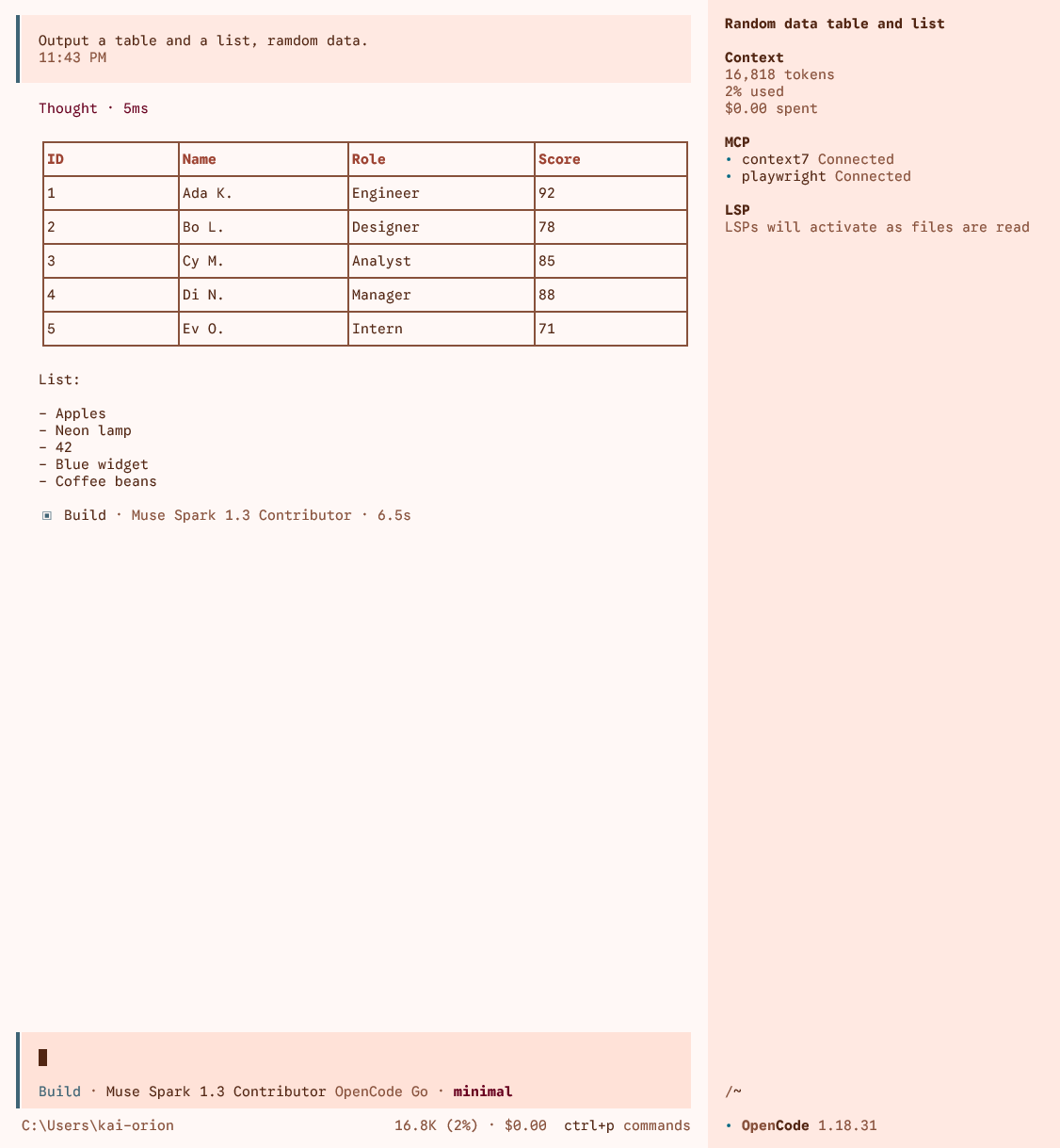 |
| 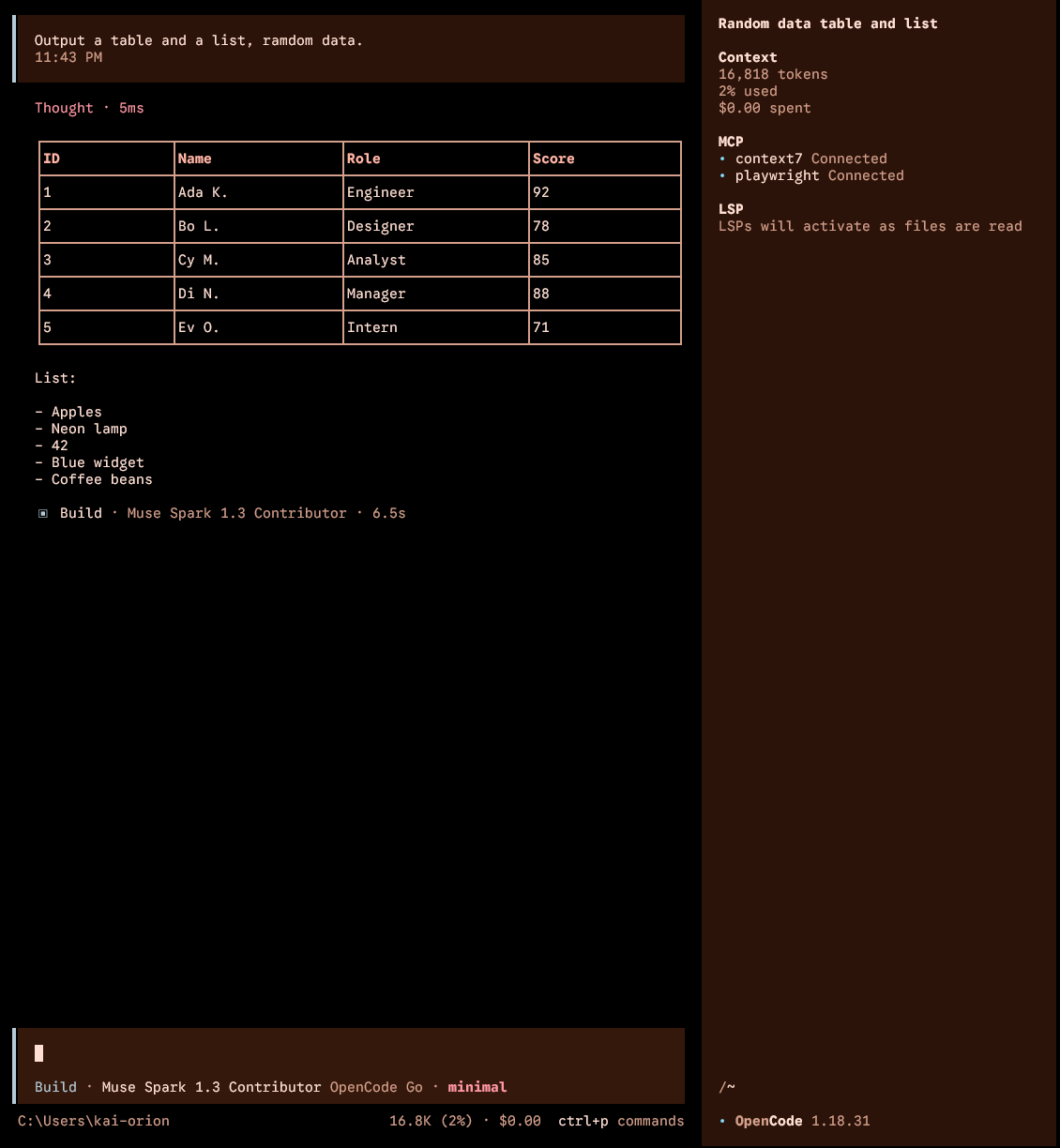 |
|
More screenshots in docs/ on GitHub.
Requirements
- A terminal with truecolor support (
COLORTERM=truecolor), otherwise colors degrade to the nearest 256-color approximation. - Node.js 22+ (installer only; the themes themselves are plain JSON).
Install
One-click full install (194 themes) into your user themes directory (requires the published package, v0.0.1+):
npx -y -p @sandlada/opencode-material-theme opencode-md3-themes installPreview without installing:
npx -y -p @sandlada/opencode-material-theme opencode-md3-themes --dry-runInstall a subset (expressive greens, plain only):
npx -y -p @sandlada/opencode-material-theme opencode-md3-themes install --variant expressive --hue 120,150 --oled plainList what the package ships:
npx -y -p @sandlada/opencode-material-theme opencode-md3-themes listManual install via git (bash):
git clone --depth 1 https://github.com/sandlada/opencode-material-theme.git
mkdir -p ~/.config/opencode/themes
cp opencode-material-theme/tui/*.json ~/.config/opencode/themes/
Manual install via git (PowerShell):
git clone --depth 1 https://github.com/sandlada/opencode-material-theme.git
New-Item -ItemType Directory -Path "$env:USERPROFILE\.config\opencode\themes" -Force
Copy-Item -Path ".\opencode-material-theme\tui\*.json" -Destination "$env:USERPROFILE\.config\opencode\themes\" -Force
Single theme via curl:
mkdir -p ~/.config/opencode/themes
curl -o ~/.config/opencode/themes/md3-expressive-120-oled.json \
  https://raw.githubusercontent.com/sandlada/opencode-material-theme/main/tui/md3-expressive-120-oled.json
Use
Pick a theme inside OpenCode with /theme, or pin one in tui.json:
{ "$schema": "https://opencode.ai/tui.json", "theme": "md3-expressive-120-oled" }Theme names
md3-{variant}-{hue}[-oled][-high|-reduced].json, all lowercase:
{variant}:monochrome,neutral,tonal-spot,vibrant,expressive,fidelity,content,rainbow,fruit-salad{hue}: HCT hue0-330step30(monochromeonly ships hue0); every source isHct.from(hue, 75, 50)- each file holds light and dark (
{ "dark": …, "light": … });-oledmarks the file whose dark half is pitch-black
Regenerate from source
npm install
bun scripts/generate-md3-matrix.mjs --out ./tui
Single hue:
bun scripts/generate-md3-tokens.mjs --variant Expressive --hue 120 --out ./tuiGeneration fails closed on schema drift, unknown roles, and contrast
violations (text 4.5, muted/wash 3.0; reduced text 3.0 by design).
See AGENTS.md for the mapping and naming contracts.
License
MIT, copyright Kai-Orion & Sandlada.