
@sandlada/zed-material-theme
v0.0.1
Published
Material Design 3 (Material You) themes for Zed: 97 static theme families x Light/Dark/OLED across 9 variants x 12 hues.


Readme
MD3 Themes for Zed
97 static Material Design 3 (Material You) theme
families for Zed: 9 variants × 12 hues
(monochrome only ships hue 0).
Each family file carries three themes — Light, Dark and
Dark OLED (pitch-black dark, chrome collapses to pure black) — for 291 selectable themes total.
| Light | Dark OLED |
| ----- | --------- |
| 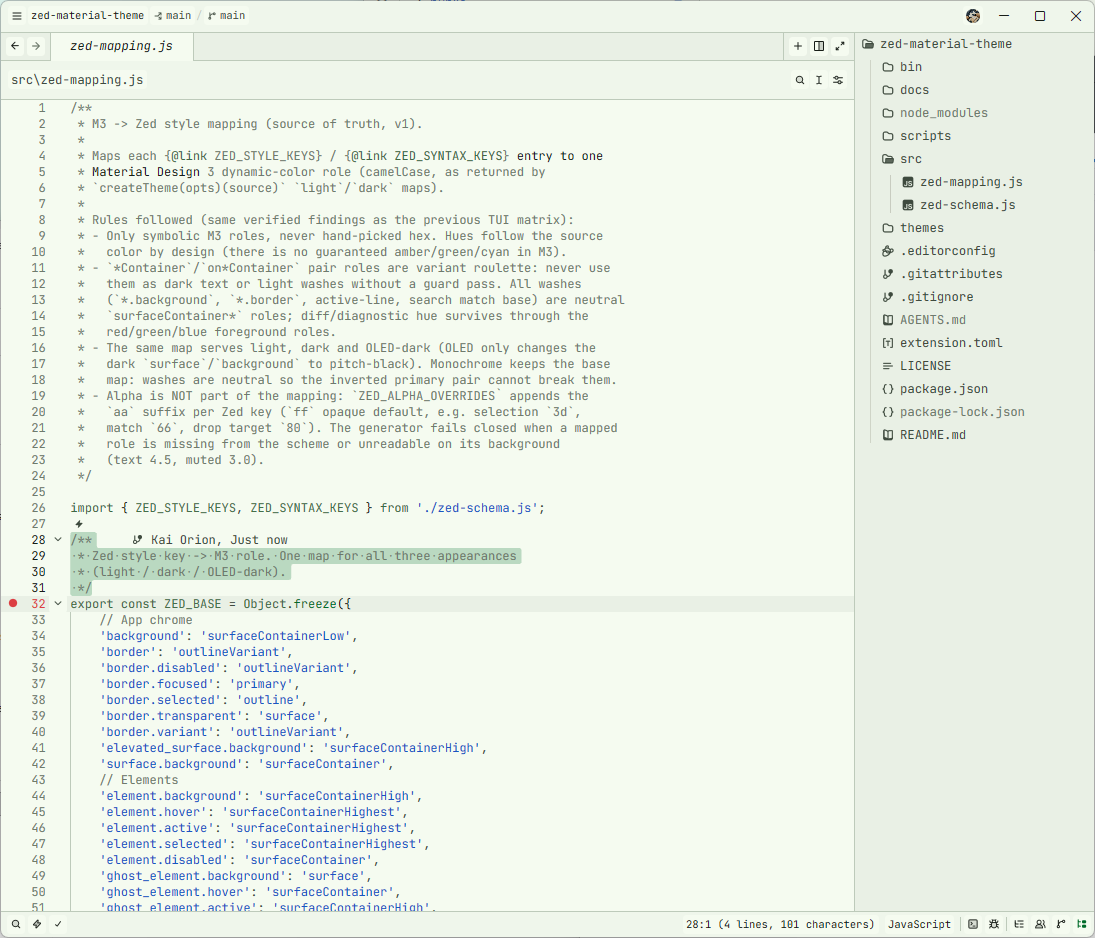 |
| 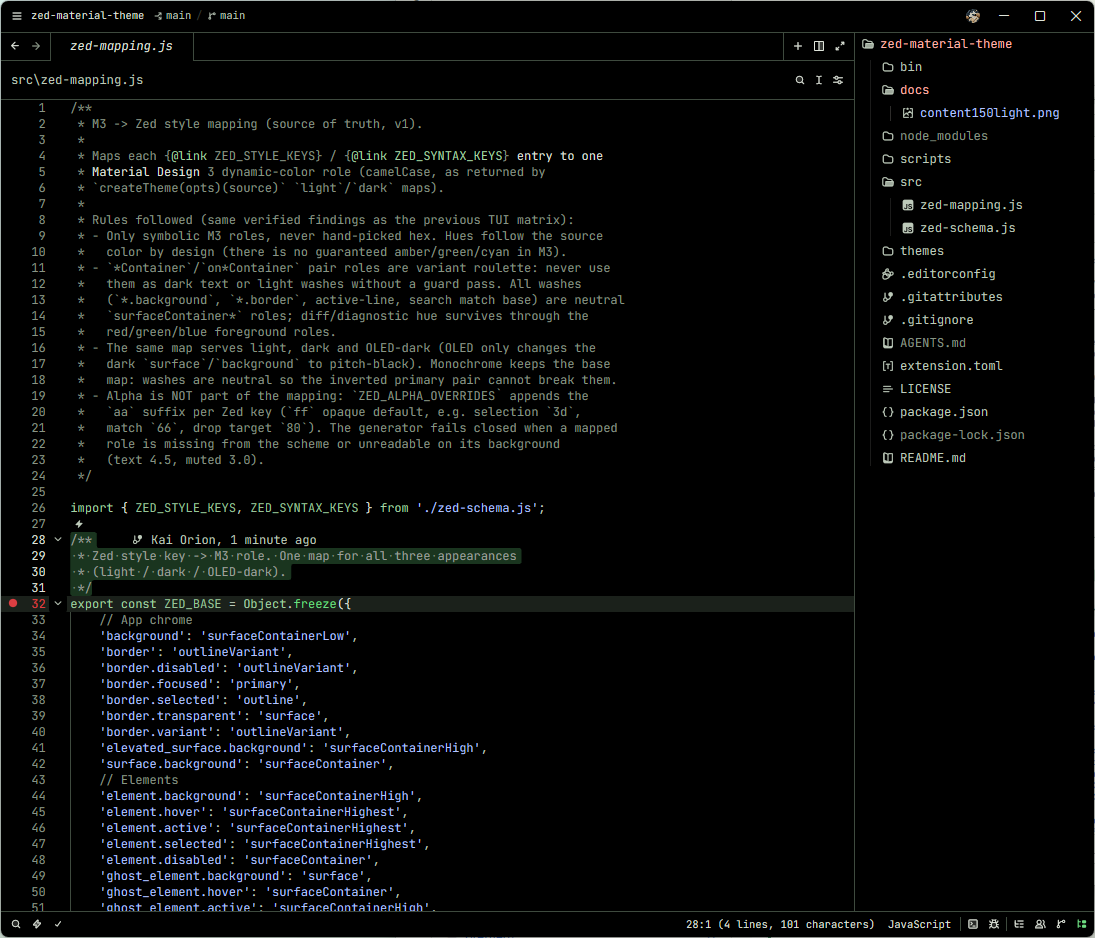 |
|
Requirements
- Zed (any recent version supporting
https://zed.dev/schema/themes/v0.2.0.jsontheme families). - Node.js 22+ (installer only; the themes themselves are plain JSON).
Install
One-click full install (97 families) into your local Zed themes directory (requires the published package, v0.1.0+):
npx -y -p @sandlada/zed-material-theme zed-md3-themes installPreview without installing:
npx -y -p @sandlada/zed-material-theme zed-md3-themes --dry-runInstall a subset (expressive greens):
npx -y -p @sandlada/zed-material-theme zed-md3-themes install --variant expressive --hue 120,150List what the package ships:
npx -y -p @sandlada/zed-material-theme zed-md3-themes listManual install via git (bash):
git clone --depth 1 https://github.com/sandlada/zed-material-theme.git
mkdir -p ~/.config/zed/themes
cp zed-material-theme/themes/*.json ~/.config/zed/themes/
Manual install via git (PowerShell):
git clone --depth 1 https://github.com/sandlada/zed-material-theme.git
New-Item -ItemType Directory -Path "$env:APPDATA\Zed\themes" -Force
Copy-Item -Path ".\zed-material-theme\themes\*.json" -Destination "$env:APPDATA\Zed\themes\" -Force
Dev extension (live from source):
zed: install dev extension, select the repo root (containsextension.toml).zed: reload, then pick a theme in the theme selector.
Single family via curl:
mkdir -p ~/.config/zed/themes
curl -o ~/.config/zed/themes/md3-expressive-120.json \
  https://raw.githubusercontent.com/sandlada/zed-material-theme/main/themes/md3-expressive-120.json
Use
Open the theme selector and pick e.g. MD3 Expressive 120 Dark
(Light / Dark OLED ship in the same family file), or pin in
settings.json:
{
  "theme": {
    "mode": "system",
    "light": "MD3 Expressive 120 Light",
    "dark": "MD3 Expressive 120 Dark"
  }
}
Prefer pure black on dark mode? Pin the Dark OLED member in the dark slot:
{
  "theme": {
    "mode": "system",
    "light": "MD3 Expressive 120 Light",
    "dark": "MD3 Expressive 120 Dark OLED"
  }
}
Theme names
md3-{variant}-{hue}.json family files, all lowercase:
{variant}:monochrome,neutral,tonal-spot,vibrant,expressive,fidelity,content,rainbow,fruit-salad{hue}: HCT hue0-330step30(monochromeonly ships hue0); every source isHct.from(hue, 75, 50)- each file holds Light and Dark and Dark OLED
(
appearance: light|dark|dark); Dark OLED is the pitch-black dark member (all large-area chrome collapses to pure black)
Regenerate from source
npm install
bun scripts/generate-md3-matrix.mjs --out ./themes
Single hue:
bun scripts/generate-md3-tokens.mjs --variant Expressive --hue 120 --out ./themesGeneration fails closed on schema drift, unknown roles, and contrast
violations (text 4.5, muted/wash 3.0) across all three appearances.
See AGENTS.md for the mapping and naming contracts.
License
MIT, copyright Kai-Orion & Sandlada.