
@saptak/egmcp-server
v0.3.1
Published
Envoy Gateway Management Control Plane (MCP) Server, installable via npx.


Readme
Alpha Software - Evaluation Only
Warning: This MCP server is currently in an alpha stage and is not ready for production use. It is provided for evaluation purposes only. The authors and contributors bear no liability for any damages or issues that may arise from its use.
EGMCP Server - MCP Server for Envoy Gateway
A production-ready Model Context Protocol (MCP) server that provides Claude Desktop with comprehensive access to Envoy Gateway configuration, monitoring, and route management capabilities with full write operations support.
🎯 Overview
The EGMCP Server bridges Claude Desktop and Envoy Gateway, enabling natural language queries and complete management of your service mesh infrastructure. Built through Sprint 4: Advanced Traffic Control, it provides real-time access to listeners, routes, clusters, full route lifecycle management, and sophisticated traffic engineering capabilities.
✨ Key Features
🔍 Monitoring & Discovery (Sprint 1 & 2)
- 🔌 Real-time Configuration Access: Live connection to Envoy Gateway admin API
- 📊 Resource Discovery: Dynamic listing of listeners, routes, and clusters
- 🛠️ Interactive Tools: 11 specialized tools for complete Envoy Gateway management
- 🔒 Robust Error Handling: Graceful degradation and timeout protection
🚀 Route Management (Sprint 3)
- 🛣️ HTTPRoute Creation: Create routes via natural language
- 🗑️ Route Deletion: Remove routes with safety validation
- 🔧 Gateway Listener Management: Add/remove ports and protocols
- ⚡ Generate-Apply-Verify Pattern: Reliable write operations
🎯 Advanced Traffic Control (Sprint 4 - NEW!)
- 📊 Traffic Splitting: Canary deployments with percentage-based traffic distribution
- ⚖️ Load Balancing: Configure policies (Round Robin, Least Request, Random, Ring Hash, Maglev)
- 🏥 Health Checks: Backend service health monitoring configuration
- 🛡️ Traffic Policies: Rate limiting, authentication, CORS, and timeout policies
🛡️ Production Safety
- 🔒 Read-Only Mode: Safe monitoring without modification risk (FIXED!)
- 🧪 Dry-Run Mode: Generate YAML manifests without applying (NEW!)
- ✅ Comprehensive Validation: RFC 1123 compliant resource names, hostnames, ports (ENHANCED!)
- 🚫 Conflict Prevention: Duplicate resource detection with intelligent checking
- 🔐 RBAC Error Handling: Clear permission error messages with troubleshooting guidance
- 🏷️ Resource Labeling: Track EGMCP-managed resources for audit trails
- ⚡ Input Sanitization: Real-time validation in both dry-run and live modes
⚡ Enhanced Capabilities
- 🎛️ Multi-Environment Support: Production, staging, development configs
- 🧪 Edge Case Handling: Robust error handling for production use
- 📈 Performance Optimized: Tested for responsiveness with Claude Desktop
- 🔄 Kubernetes Integration: Full Gateway API resource CRUD operations
🎬 Watch the Demo
Check out this YouTube short for a quick demo of the EGMCP server in action:
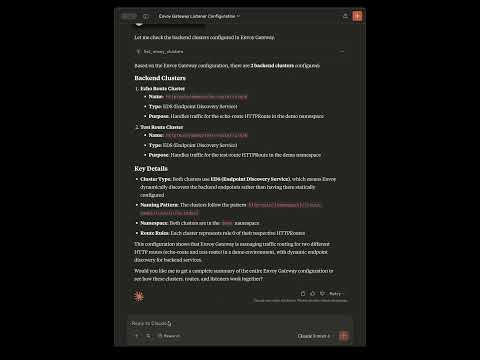
Note: Demo shows Sprint 2 features. Sprint 3 adds comprehensive route management capabilities!
🚀 Quick Start
1. Install the EGMCP Server
Option A: NPX Installation (Recommended - No Install Required)
# Test the server directly
npx @saptak/egmcp-server stdio-tools --envoy-url http://localhost:19001 --kubernetes.kubeconfig ~/.kube/config

# Use specific version
npx @saptak/egmcp-server@latest stdio-tools --envoy-url http://localhost:19001 --kubernetes.kubeconfig ~/.kube/config
Option B: Binary Installation
# Download and run the installer
curl -sSL https://raw.githubusercontent.com/saptak/egmcp-server/main/install.sh | bash

# Or build from source
git clone https://github.com/saptak/egmcp-server
cd egmcp-server
go build -o egmcp-server ./cmd/egmcp-server
2. Configure Claude Desktop
For NPX Installation (Full Capabilities):
{
  "mcpServers": {
    "egmcp-server": {
      "command": "npx",
      "args": [
        "@saptak/egmcp-server",
        "stdio-tools",
        "--envoy-url",
        "http://localhost:19001",
        "--kubernetes.kubeconfig",
        "/Users/yourname/.kube/config"
      ],
      "env": {}
    }
  }
}
For Read-Only Monitoring:
{
  "mcpServers": {
    "egmcp-server": {
      "command": "npx",
      "args": [
        "@saptak/egmcp-server",
        "stdio-tools",
        "--envoy-url",
        "http://localhost:19001",
        "--kubernetes.kubeconfig",
        "/Users/yourname/.kube/config",
        "--kubernetes.read_only"
      ],
      "env": {}
    }
  }
}
For Binary Installation:
The installer automatically configures Claude Desktop, or you can manually add:
{
  "mcpServers": {
    "egmcp-server": {
      "command": "/usr/local/bin/egmcp-server",
      "args": [
        "stdio-tools",
        "--envoy-url", "http://localhost:19001",
        "--kubernetes.kubeconfig", "/Users/yourname/.kube/config"
      ],
      "env": {}
    }
  }
}
3. Set Up Envoy Gateway Access
Automated Setup:
curl -sSL https://raw.githubusercontent.com/saptak/egmcp-server/main/setup-envoy.sh | bashManual Setup:
# Find Envoy Gateway pod
kubectl get pods -n envoy-gateway-system

# Port forward to admin API (note: port 19000, not 9901)
kubectl port-forward -n envoy-gateway-system pod/YOUR_ENVOY_POD 19001:19000
4. Restart Claude Desktop
Claude Desktop will automatically load the EGMCP server and make all tools available.
🛠️ Available Tools
Available Tools Overview
The EGMCP Server provides 11 specialized tools for comprehensive Envoy Gateway management:
Read-Only Monitoring Tools (4 tools)
- Listeners: Discover all listeners with their configurations
- Routes: Analyze traffic routing and virtual hosts
- Clusters: List backend services and clusters
- Summary: Quick configuration overview and health status
Write Operation Tools (3 tools - Sprint 3)
- Route Creation: Create HTTPRoute resources via natural language
- Route Deletion: Remove existing routes with safety validation
- Listener Management: Add/remove Gateway listeners (ports/protocols)
Advanced Traffic Control (4 tools - Sprint 4)
- Traffic Splitting: Canary deployments with percentage-based distribution
- Load Balancing: Configure policies (Round Robin, Least Request, etc.)
- Health Checks: Backend service monitoring configuration
- Traffic Policies: Rate limiting, authentication, CORS, timeouts
📖 For detailed tool documentation, parameters, examples, and safety features, see the Complete User Guide.
💬 Example Queries
Once installed, you can ask Claude Desktop:
Configuration Analysis & Monitoring
- "What's the current status of my Envoy Gateway?"
- "Show me all the listeners in Envoy Gateway"
- "Analyze my traffic routing configuration"
- "List all backend services available"
- "Give me a summary of the gateway configuration"
Route Management (Sprint 3)
- "Create a route for my API service on api.example.com that sends traffic to api-service port 8080"
- "Add a new route named user-api for users.example.com pointing to user-service:3000"
- "Delete the route named test-route"
- "Add HTTPS support to my gateway"
- "Remove the listener on port 8080 from my gateway"
Advanced Traffic Control (Sprint 4 - NEW!)
- "Shift 20% of traffic from api-v1 to api-v2 for canary testing"
- "Configure round robin load balancing for the main gateway listener"
- "Set up health checks for the user-api route with 30 second intervals"
- "Apply rate limiting of 100 requests per second to the api route"
- "Enable CORS for the frontend route allowing example.com origin"
- "Add JWT authentication to the admin route"
Dry-Run Mode & GitOps (Sprint 4 - NEW!)
- "Generate YAML manifest for a new route without applying it"
- "Show me what changes would be made for traffic splitting without applying them"
- "Preview the YAML for adding health checks to my route"
- "Run in dry-run mode to validate configurations before deployment"
Advanced Route Configuration
- "Create a route in the production namespace for payments.app.com pointing to payment-svc:8080 with path /api/v1"
- "Add an HTTPS listener on port 443 to demo-gateway"
- "Show me all routes and then create a new one for my service"
- "Gradually shift 10% of user traffic to the new recommendation service"
Troubleshooting
- "Check if there are any listeners on port 8080"
- "Find routes that point to the product-service cluster"
- "What's the configuration for the https_listener?"
- "Why isn't traffic reaching my service?"
📋 System Requirements
Basic Requirements
- Operating System: macOS, Linux, Windows
- Claude Desktop: Latest version with MCP support
- Envoy Gateway: Any version with admin API enabled
- Network Access: Port forwarding or direct access to Envoy Gateway admin API
For Write Operations (Sprint 3)
- Kubernetes Access: kubectl configuration and permissions
- Gateway API: Kubernetes cluster with Gateway API CRDs installed
- RBAC Permissions: Access to create/modify HTTPRoute and Gateway resources
Optional
- Go: 1.21+ (for building from source)
🔧 Configuration
Key Configuration Options
--envoy-url: Envoy Gateway admin API URL--kubernetes.kubeconfig: Path to kubeconfig file--kubernetes.read_only: Enable read-only mode (safe for production)--kubernetes.dry_run: Enable dry-run mode (generate manifests without applying)--kubernetes.default_namespace: Default namespace for operations--log-level: Logging verbosity (debug, info, warn, error)
Quick Configuration Examples
Production Monitoring (Read-Only)
{
  "args": [
    "stdio-tools",
    "--envoy-url", "http://prod-envoy:19001",
    "--kubernetes.kubeconfig", "/etc/kubernetes/prod-config",
    "--kubernetes.read_only"
  ]
}
GitOps Development (Dry-Run Mode)
{
  "args": [
    "stdio-tools",
    "--envoy-url", "http://localhost:19001",
    "--kubernetes.dry_run"
  ]
}
📖 For complete configuration options, environment variables, multi-environment setup, and detailed examples, see the Configuration Guide.
🏗️ Architecture
Sprint 3 Enhanced Architecture
┌─────────────────┐    ┌─────────────────┐    ┌─────────────────┐
│                 │    │                 │    │                 │
│  Claude Desktop │◄──►│  EGMCP Server   │◄──►│ Envoy Gateway   │
│                 │    │                 │    │                 │
│  • Natural Lang │    │  • MCP Protocol │    │  • Admin API    │
│  • Tool Calls   │    │  • 7 Tools      │    │  • Live Config  │
│  • Route Mgmt   │    │  • Read + Write │    │  • Listeners    │
│                 │    │  • Validation   │    │  • Routes       │
│                 │    │  • Safety       │    │  • Clusters     │
└─────────────────┘    └─────────────────┘    └─────────────────┘
                                │
                                ▼
                       ┌─────────────────┐
                       │                 │
                       │ Kubernetes API  │
                       │                 │
                       │  • HTTPRoutes   │
                       │  • Gateways     │
                       │  • RBAC/Auth    │
                       │  • Validation   │
                       │                 │
                       └─────────────────┘
Component Overview
Core Components
- MCP Protocol Layer: JSON-RPC communication with Claude Desktop
- Read Tools: Envoy Gateway monitoring and inspection
- Write Tools: Kubernetes Gateway API resource management
- HTTP Client: Robust Envoy connection management with retry logic
- Kubernetes Client: Gateway API CRUD operations with RBAC handling
- Configuration Management: Multi-environment deployment configuration
- Safety Engine: Comprehensive validation and error handling
Write Operation Pipeline (Sprint 3)
- Generate: Create resource configuration
- Validate: Check inputs, conflicts, permissions
- Apply: Submit to Kubernetes API
- Verify: Confirm successful creation
- Report: Provide detailed feedback
🧪 Testing
Manual Testing
Basic Functionality
# Test server health
egmcp-server health --envoy-url http://localhost:19001

# Test read operations
echo '{"jsonrpc": "2.0", "id": 1, "method": "tools/call", "params": {"name": "get_envoy_config_summary", "arguments": {}}}' | \
  egmcp-server stdio-tools --envoy-url http://localhost:19001
Write Operations (Sprint 3)
# Test route creation
echo '{"jsonrpc": "2.0", "id": 2, "method": "tools/call", "params": {"name": "create_http_route", "arguments": {"name": "test-route", "gateway_name": "demo-gateway", "hostname": "test.local", "service_name": "test-service", "service_port": 8080}}}' | \
  egmcp-server stdio-tools --envoy-url http://localhost:19001 --kubernetes.kubeconfig ~/.kube/config

# Test listener management
echo '{"jsonrpc": "2.0", "id": 3, "method": "tools/call", "params": {"name": "modify_listener", "arguments": {"gateway_name": "demo-gateway", "port": 443, "protocol": "HTTPS", "action": "add"}}}' | \
  egmcp-server stdio-tools --envoy-url http://localhost:19001 --kubernetes.kubeconfig ~/.kube/config
Comprehensive Testing
The implementation includes comprehensive edge case testing:
- Invalid Inputs: Validation error handling
- Resource Conflicts: Duplicate prevention
- Network Failures: Connection timeout handling
- Permission Issues: RBAC error messages
- Concurrent Operations: Race condition handling
🚨 Troubleshooting
Quick Fixes
"Could not attach to MCP Server"
- ✅ Check binary path is absolute:
/usr/local/bin/egmcp-server - ✅ Restart Claude Desktop after configuration changes
- ✅ Verify kubeconfig path exists and is accessible
"Connection refused" to Envoy Gateway
- ✅ Run automated setup:
curl -sSL https://raw.githubusercontent.com/saptak/egmcp-server/main/setup-envoy.sh | bash - ✅ Test connectivity:
curl http://localhost:19001/ready
"Permission denied" for write operations
- ✅ Use read-only mode for monitoring:
--kubernetes.read_only - ✅ Check kubectl access:
kubectl get httproutes
"Route creation fails with validation errors"
- ✅ Resource Names: Use lowercase, numbers, hyphens only (
api-service✅,Api_Service❌) - ✅ Hostnames: Valid DNS format (
api.example.com✅,invalid hostname❌) - ✅ Ports: Must be 1-65535 (8080 ✅, 70000 ❌)
Testing & Debug
# Health check
egmcp-server health --envoy-url http://localhost:19001

# Debug mode
egmcp-server stdio-tools --log-level debug --envoy-url http://localhost:19001

# Test read-only mode
echo '{"jsonrpc": "2.0", "id": 1, "method": "tools/call", "params": {"name": "create_http_route", "arguments": {"name": "test", "gateway_name": "demo", "hostname": "test.local", "service_name": "svc", "service_port": 8080}}}' | \
  egmcp-server stdio-tools --kubernetes.read_only
📖 For comprehensive troubleshooting, detailed error solutions, validation examples, and testing procedures, see the Complete Troubleshooting Guide.
📚 Documentation
- Complete User Guide - Comprehensive usage documentation with Sprint 3 features
- Installation Guide - Detailed installation instructions
- Configuration Reference - All configuration options
- Troubleshooting Guide - Common issues and solutions
- Developer Guide - Building and contributing
- API Reference - Tool specifications and examples
🤝 Contributing
We welcome contributions! Please see our Contributing Guide for details.
Development Setup
git clone https://github.com/saptak/egmcp-server.git
cd egmcp-server
go mod download
go build ./cmd/egmcp-server
Development Roadmap
✅ Completed Phases
- Sprint 1: Basic MCP server with hardcoded responses
- Sprint 2: Envoy Gateway integration with real-time data
- Sprint 3: Route Creation and Management with write operations ✨ NEW!
- ✅ HTTPRoute creation via natural language
- ✅ Route deletion with safety validation
- ✅ Gateway listener management
- ✅ Generate-Apply-Verify pattern
- ✅ Comprehensive error handling
- ✅ Production safety features
- ✅ Edge case handling and testing
- Distribution System: Complete automated release and installation pipeline
- ✅ Automated GitHub Actions workflow
- ✅ Cross-platform binary builds (macOS, Linux, Windows)
- ✅ NPM package distribution (
@saptak/egmcp-server) - ✅ NPX zero-install usage (
npx @saptak/egmcp-server) - ✅ One-line installation script
- ✅ Comprehensive documentation
🚧 Next Development Sprints
- Sprint 4: Advanced Traffic Management
- Traffic policy management (rate limiting, authentication)
- Advanced routing features (header-based routing, canary deployments)
- Traffic shifting and load balancing
- A/B testing capabilities
- Sprint 5: Monitoring and Observability
- Real-time metrics integration
- Performance monitoring and alerting
- Health check automation
- Observability integration (metrics, tracing)
- Sprint 6: Enterprise Features
- Multi-cluster support
- RBAC integration and advanced security
- Audit logging and compliance
- WebSocket support for real-time updates
- Sprint 7: Enhancement & Stability
- Auto-update system
- Enhanced error handling and recovery
- Digital signatures and security hardening
📄 License
This project is licensed under the MIT License - see the LICENSE file for details.
🆘 Support
- GitHub Issues: Report bugs and request features
- Public Repository: View releases and documentation
- Source Code: Development repository
- Discussions: Community discussions
🙏 Acknowledgments
- Envoy Gateway Team for the excellent admin API and Gateway API integration
- Anthropic for Claude Desktop and the Model Context Protocol
- CNCF for Envoy, Gateway API, and the service mesh ecosystem
- Kubernetes Community for the robust API and ecosystem
Ready to supercharge your Envoy Gateway management with Claude Desktop? Get started with the Quick Start guide and experience the power of Sprint 3 route management! 🚀
New to EGMCP Server? Check out the comprehensive User Guide for detailed examples and use cases.