
@sentisis/react-tags-input
v1.0.6
Published
React input to create tags


Readme
React-Tags-Input
An input control that handles tags interaction with copy-paste and custom type support.
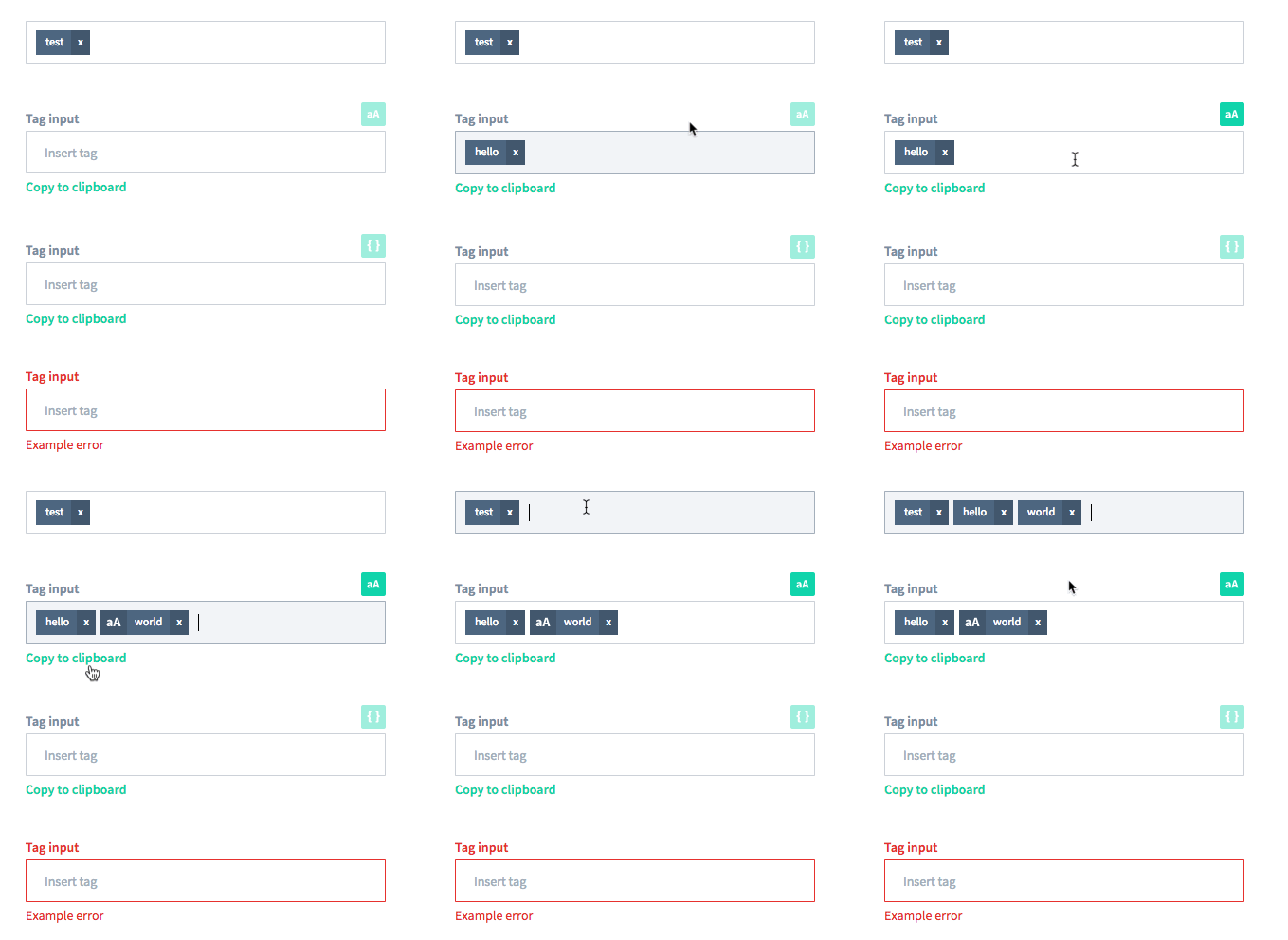
Live Playground
For examples of the tags input in action, check the demo page
Installation
The easiest way to use it is by installing it from NPM and include it in your own React build process.
npm install @sentisis/react-tags-input --saveUsage
Example usage:
import React from 'react';
import TagsInput from '@sentisis/react-tags-input';
// Either a copy of our demo CSS or your custom one
import './TagsInput.css';

export default class Demo extends React.Component {
  constructor(props) {
    super(props);

    this.state = {
      tags: [],
    };
  }

  render() {
    return (
      <TagsInput
        label="Tags"
        placeholder="Write tags"
        tags={this.state.tags}
        onChange={tags => this.setState({ tags })}
      />
    );
  }
}
API
Currently the component listen to the following keys: enter, esc, backspace, mod+a, mod+c and mod+v (for copy/paste).
It supports a keyboard-only copy paste (using mod+a).

Each tag you will be passing should have the following shape:
| Property | Type | Required | Description |
| -------- | ---- | ----------- | -------- |
| value | String | true | Tag value |
| special | Boolean | false | Special marks the tag as different. For example a special tag when using the case-sensitive options is a case-sensitive tag |
The TagsInput component contains the following properties:
| Property | Type | Default | Description |
| ---------| ---- | ------- | ----------- |
| tags | Array<Tags> | [] | Array of tags to display |
| label | String | undefined | Rendered above the field itself |
| placeholder | String | undefined | Input placeholder |
| error | String | undefined | Error message rendered below the field. When the field is set it will also have the class is-error|
| tagRenderer | Function | undefined | Optional function that gets used to render the tag |
| copyButton | Boolean | false | Renders a copy to clipboard button |
| copyButtonLabel | String | Copy to clipboard | Label for the copy to clipboard button |
| blacklistChars | Array<String> | [','] | Characters not allowed in the tags. Must always contain , |
| specialTags | Boolean | false | Enable the creation of special tags |
| specialButtonRenderer | Function | undefined | Function that gets used to render the special button |
| specialButtonLabel | String | Special | Label for the special button. Only used when a specialButtonRenderer is not defined |
| onChange | Function | noop | Fired when changing the tags with the tags array as the argument |
| onBlur | Function | noop | Fired as the standard React SyntheticEvent |
| onFocus | Function | noop | Fired as the standard React SyntheticEvent |
| onSubmit | Function | noop | Fired when the user interaction is considered complete, invoked with tags |