
@serayu/ui
v1.0.2
Published
Serayu UI - Mobile-first React components that make web apps feel native. Dual-theme, PWA-ready, by Serayu Digital - www.serayudigital.com

Maintainers
 serayu-digital
Readme
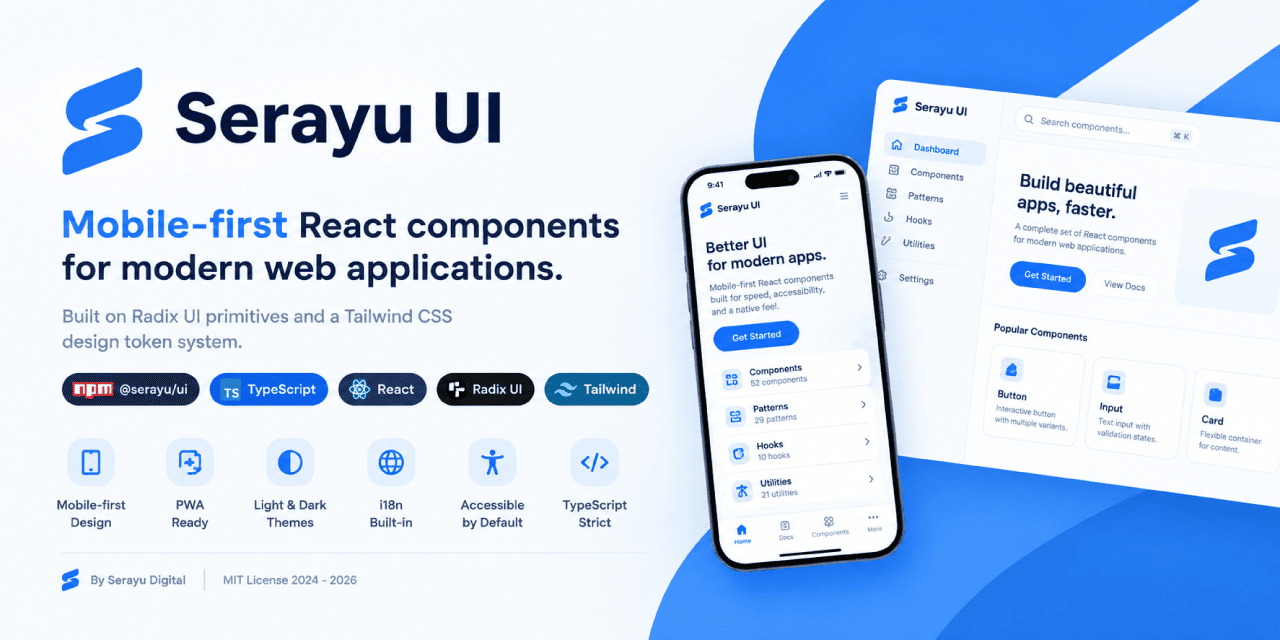
Serayu UI
Mobile-first React components for web applications, built on Radix UI primitives and a Tailwind CSS design token system.
By Serayu Digital. Package @serayu/ui on npm.




OVERVIEW
Serayu UI is a React component library that helps teams ship mobile-first applications with a native feel. It is built on Radix UI for accessibility and interactive behavior, styled with Tailwind CSS, and uses design tokens prefixed with sd- so consumers can override anything via standard CSS variables.
FEATURES
- Mobile-first ergonomics. 44px tap targets, safe-area inset handling, and patterns for bottom navigation, sheets, and pull-to-refresh.
- PWA-ready. Manifest helpers, service worker scaffolding, theme color updates, install prompts, share buttons, and update notifications.
- Dual-theme. Light and dark themes via a
data-themeattribute withprefers-color-schemefallback. - Built-in i18n.
LocaleProviderwithid-IDdefaults and a translation key API. - Accessible by default. Focus traps, keyboard navigation, and ARIA roles inherited from Radix UI primitives.
- Strict TypeScript. 100% strict mode with full type definitions exposed per file.
- Tree-shakable. Only the imports you use are bundled.
- Solid color palette. WCAG AA contrast ratios throughout.
- 56 UI components, 30 patterns, 12 hooks, 24 utilities.
INSTALLATION
npm install @serayu/ui
npm install react@^18.3 react-dom@^18.3
Import the bundled stylesheet from your application entry point:
// main.tsx
import "@serayu/ui/styles.css";
Importable paths exposed through the exports field:
| Path | Purpose |
| ---- | ------- |
| @serayu/ui | Public barrel - all components, hooks, and utilities |
| @serayu/ui/styles.css | Tailwind-compiled CSS exposing the --sd-* tokens |
| @serayu/ui/components/ui/button | Deep import when manual bundle control is required |
| @serayu/ui/components/patterns/tour | Deep import for a single pattern |
| @serayu/ui/hooks/use-theme | Deep import for a single hook |
Type definitions are resolved automatically through exports.types. No additional TypeScript configuration is required.
QUICK START
import {
  Button,
  Card,
  CardContent,
  CardHeader,
  CardTitle,
  useToast,
} from "@serayu/ui";

function Example() {
  const { toast } = useToast();
  return (
    <Card>
      <CardHeader>
        <CardTitle>Hello, Serayu UI</CardTitle>
      </CardHeader>
      <CardContent>
        <Button onClick={() => toast({ title: "Saved", variant: "success" })}>
          Click me
        </Button>
      </CardContent>
    </Card>
  );
}
THEMING
Serayu UI supports two operating modes. The default is system mode, which follows prefers-color-scheme. The alternative is manual mode, controlled via data-theme="light" or data-theme="dark" on the document element.
User preferences persist in localStorage under the sd-theme key and synchronize across tabs through the browser storage event.
To prevent a Flash of Wrong Theme (FOWT), place the following inline script in the document <head> before React mounts:
<script>
  (function () {
    try {
      var pref = localStorage.getItem("sd-theme") || "system";
      var resolved =
        pref === "system" || !pref
          ? window.matchMedia("(prefers-color-scheme: dark)").matches
            ? "dark"
            : "light"
          : pref;
      document.documentElement.setAttribute("data-theme", resolved);
    } catch (e) {}
  })();
</script>
Programmatic control is available through the useTheme hook:
import { useTheme } from "@serayu/ui";

function Header() {
  const { preference, setPreference, toggle } = useTheme();
  return <button onClick={toggle}>Current theme: {preference}</button>;
}
INTERNATIONALIZATION
LocaleProvider makes number, currency, date, and translation formatting reactive to the active locale. The default locale is id-ID. The provider is additive and does not break existing formatters.
import {
  LocaleProvider,
  useLocaleFormatters,
  useT,
} from "@serayu/ui";

const translations = {
  "id-ID": { hello: "Halo" },
  "en-US": { hello: "Hello" },
};

function App() {
  return (
    <LocaleProvider locale="id-ID" translations={translations}>
      <Greeting />
    </LocaleProvider>
  );
}

function Greeting() {
  const { formatCurrency } = useLocaleFormatters();
  const t = useT();
  return (
    <p>
      {t("hello", "Halo")}, total: {formatCurrency(1500000)}
    </p>
  );
}
The formatters formatNumber, formatCurrency, formatDate, and formatRelative automatically follow the active locale without requiring manual Intl calls. The useLocale hook returns the full context, including locale, setLocale, t, and the formatter functions.
PROGRESSIVE WEB APPS
A minimal manifest for PWA integration:
{
  "name": "Serayu App",
  "short_name": "Serayu",
  "start_url": "/",
  "display": "standalone",
  "background_color": "#ffffff",
  "theme_color": "#0064f0",
  "icons": [
    { "src": "/icons/icon-192.png", "sizes": "192x192", "type": "image/png" },
    { "src": "/icons/icon-512.png", "sizes": "512x512", "type": "image/png" },
    {
      "src": "/icons/icon-maskable-512.png",
      "sizes": "512x512",
      "type": "image/png",
      "purpose": "maskable"
    }
  ]
}
The <meta name="theme-color"> tag in the document head automatically swaps based on the resolved theme, following prefers-color-scheme through a media query.
PWA components shipped:
<InstallPrompt />- install button that listens forbeforeinstallprompt.<NetworkStatus />- live online/offline status badge.<OfflineIndicator />- banner that appears automatically when the device is offline.<ShareButton />- native sharing vianavigator.sharewith a clipboard fallback.<UpdateAvailableToast />- notification when a new service worker version is available.
DESIGN TOKENS
All design tokens use the sd- prefix to avoid collisions with other libraries:
--sd-background: #ffffff;
--sd-foreground: #0a0a0a;
--sd-brand: #0064f0;
--sd-radius-lg: 16px;
--sd-shadow-md: 0 2px 8px 0 rgba(0, 0, 0, 0.08);
--sd-duration-standard: 200ms;
Override tokens in your application:
:root {
  --sd-brand: #ff5722;        /* replace brand with orange */
  --sd-radius-lg: 24px;       /* increase corner radius */
}
The bundled Tailwind configuration exposes each token as a utility class without the prefix:
<button class="bg-brand text-brand-foreground rounded-lg">Button</button>COMPONENTS (56)
| Category | Components |
| -------- | ---------- |
| Actions | Button, Badge |
| Layout | Card, Separator, Skeleton, SkeletonGroup, Kbd, ScrollArea |
| Feedback | Alert, Toast, Toaster |
| Forms (basic) | Input, Textarea, Checkbox, Switch, RadioGroup, Select, Label |
| Forms (advanced) | Chip, SegmentedControl, Slider, Rating, Stepper, Combobox, Form, DatePicker, DateRangePicker, TimePicker, MultiSelectCombobox, ColorPicker |
| Navigation | Tabs, Accordion, Collapsible |
| Overlays | Dialog, AlertDialog, Sheet, Popover, DropdownMenu, Tooltip, HoverCard |
| Data | Avatar, AvatarGroup, AnimatedNumber, VirtualList, PhotoViewer, Carousel |
| Charts | Sparkline, ProgressRing, Donut, BarChart, LineChart, Heatmap |
| PWA | InstallPrompt, NetworkStatus, OfflineIndicator, ShareButton, UpdateAvailableToast |
| i18n | LocaleProvider |
| Interaction | SwipeableRow |
| Theme | ThemeToggle, ThemeCustomizer |
Mobile-first patterns (30):
MobileHeader- sticky header with three slots (back, title, action).BottomNav- bottom tab bar with three to five items.MobileNav- left or right drawer with grouped sections.MobileSearch- search bar with optional clear and voice buttons.FilterBar- horizontally scrollable chip row with snap.FilterSheet- sheet with Apply and Reset footer actions.BottomSheet- sheet with small, medium, and full snap points.DataTable- mobile cards below themdbreakpoint, table layout above.EmptyState- icon, title, description, and CTA.LoadingState- spinner with label androle="status".Onboarding- first-launch carousel with skip and progress dots.ProfileHeader- avatar, cover, stats, and follow/message CTAs.SettingsList- settings list with switches, links, and destructive actions.SearchResults- search results with filter slot and empty state.ChatBubble- incoming and outgoing bubbles with read receipts.MediaGrid- two, three, or four column grid with tap-to-lightbox.SwipeActions- swipe row to reveal actions (wrapsSwipeableRow).PullToRefresh- pull-down refresh inside a scrollable container.OTPInput- N-digit OTP input with auto-advance and paste support.CommandPalette- global search dialog bound to Cmd/Ctrl+K.NotificationPermission- button for requesting the Notification API.AuthLoginScreen- email/password form with social buttons and remember-me.AuthOTPForm- four or six digit OTP form with auto-advance and resend countdown.AuthBiometricPrompt- WebAuthn biometric prompt with a passcode fallback.StoryReelsViewer- Instagram-style vertical pager with auto-advance and tap zones.MapPreview- OSM three-by-three tile preview with a pin overlay.CommandBarMobile- iOS share-sheet style command bar.ThemeCustomizer- live preview panel for tweakingsd-*tokens across four presets.Tour- guided product tour with spotlight and auto-positioned bubble.Breadcrumb- hierarchical navigation trail with link, separator, ellipsis, and current slots.
HOOKS (12)
useTheme- theme preference with cross-tab synchronization.useMediaQuery- media query hook withuseIsMobile,useIsDesktop, and breakpoint helpers.useToast- global toast queue.useDebounce- debounce a value with a delay in milliseconds.useLocalStorage- state synchronized withlocalStorage.useClickOutside- trigger a callback when a click lands outside a target element.useKeyboardShortcuts- register global keyboard shortcuts.useIntersectionObserver- lazy trigger when an element enters the viewport.useScrollLock- lock body scroll while an overlay is active (Dialog,Sheet,Tour).useVisibilityPause- pause and resume via the Page Visibility API, useful for autoplay.usePrefersReducedMotion- reactive boolean for theprefers-reduced-motionmedia query.useNetworkStatus- tracksisOnlineplus a stickywasOfflineflag for back-online toasts.
UTILITIES (24)
cn(...)- combinesclsxandtailwind-merge.- Formatters:
formatCurrency,formatRupiah,formatNumber,formatDate,formatTanggal,formatRelative,formatNomorHP,formatPhoneNumber,formatBytes,formatCompactNumber. - Validators:
isValidEmail,isValidIndonesianPhone,isValidNIK,isValidURL. - Theme helpers:
theme-overridesexposingThemeOverrides,OVERRIDE_TO_VAR, andoverridesToInlineStyle, plustheme-presetsexposingTHEME_PRESETS,DEFAULT_THEME,applyDocumentOverrides, andclearDocumentOverrides. - Calendar helpers:
calendar-utilsexposingstartOfMonth,addMonths,isSameDay,isSameMonth,getDayOfWeekMonFirst,stripTime,sortRange,isInRange,MONTH_NAMES_ID,MONTH_NAMES_EN,DAY_NAMES_ID,DAY_NAMES_EN_MON_FIRST, andpickLocale. - Generic helpers:
sleep,isClient,composeEventHandlers,mergeRefs,truncate,capitalize,clamp,uid,noop.
SCRIPTS
| Command | Purpose |
| ------- | ------- |
| npm run dev | Start the Vite dev server with HMR. |
| npm run build | Type-check and produce a production build of the playground into dist/. |
| npm run build:lib | Library-mode build for publishing to npm (ESM, CJS, types, and CSS). |
| npm run preview | Serve the built dist/ locally. |
| npm run typecheck | TypeScript no-emit check. |
| npm run lint | Run ESLint through the eslint-plugin-serayu plugin (four convention rules). |
| npm run lint:serayu | Run unit tests for the plugin (32 tests via RuleTester). |
| npm run test | Run the full Vitest suite (177 tests). |
| npm run generate:icons | Regenerate PWA icons from favicon.ico. |
The maintainer publishing workflow is documented in docs/publishing.md.
BROWSER SUPPORT
- Chrome and Edge 90 or later.
- Firefox 90 or later.
- Safari 15 or later (iOS 15 or later).
- Opera 76 or later.
Modern features in use: prefers-color-scheme, prefers-reduced-motion, env(safe-area-inset-*), CSS variables, :focus-visible, and container queries for selected patterns.
DOCUMENTATION
The full documentation set is available in the docs/ folder:
- Installation
- Theming (dark mode)
- Design Tokens
- UI Components
- Patterns
- PWA
- Publishing to npm (maintainer guide)
- Contributing
LICENSE
MIT (c) Serayu Digital.
Contributions, issues, and pull requests are welcome.