
@serovaai/ficta
v0.3.0
Published
Keep your registered secrets out of the LLM — local redaction proxy for coding agents


Readme
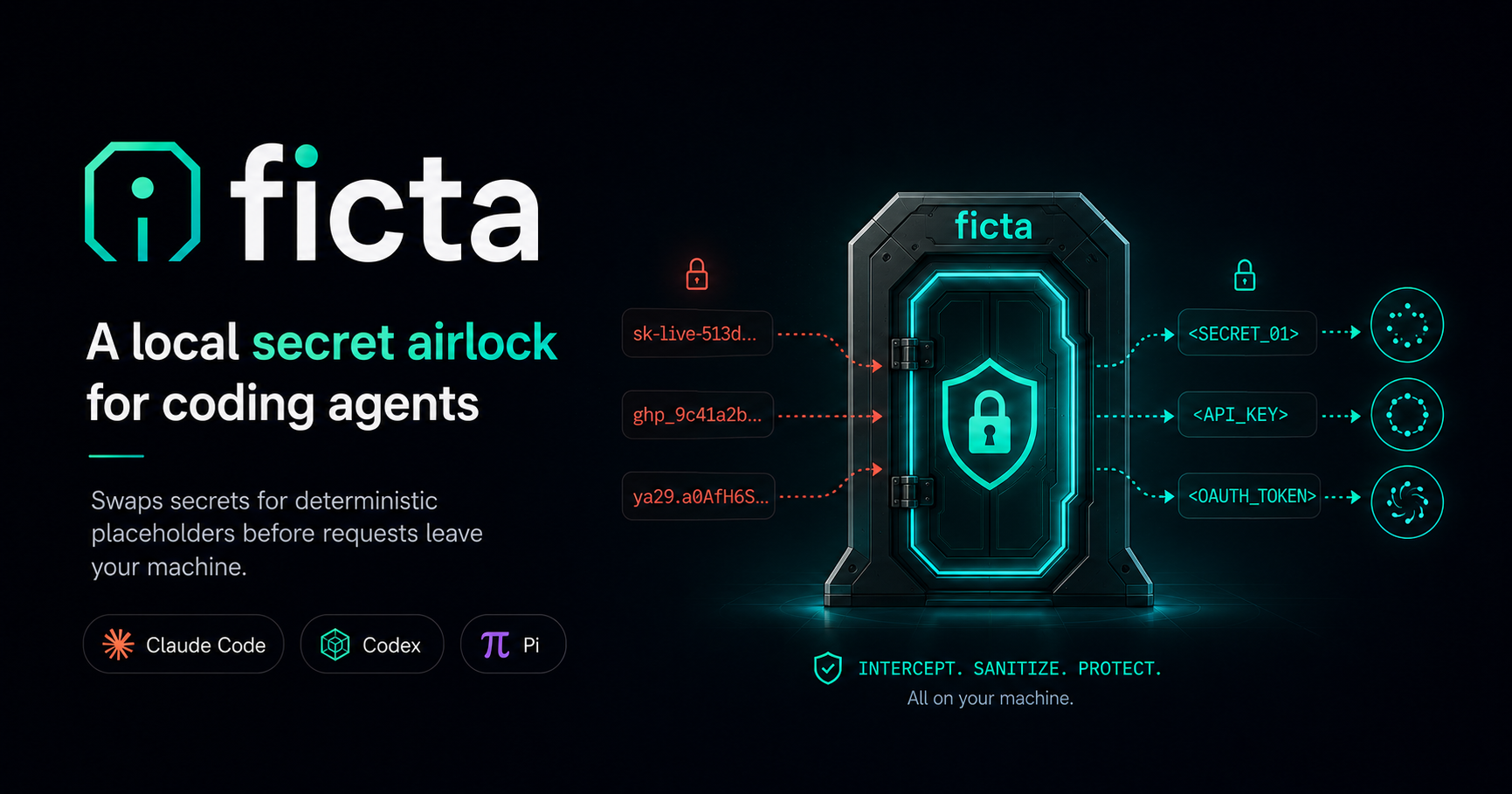
@serovaai/ficta
Local redaction proxy for coding-agent model traffic. ficta sits between a supported CLI agent and
the model provider, replaces registered secret values with deterministic placeholders before requests
leave your machine, and restores them locally on the response — so tools keep seeing those protected
values while the provider sees surrogates. Optional request-time detectors add best-effort tokenization
for pasted secret-shaped values and PII; they are a reduction layer, not the exact-match guarantee
registered secrets receive.
In trusted keyed Gateway chats, structured managed-registry people and organizations use
context-bound entity-family tokens such as FICTA_ORG_<entity-tag>_<surface-tag>. Registered forms
and uniquely anchored, high-confidence detected organization aliases share the entity tag while each
exact replaced surface keeps its own reversible surface tag. The token discloses only the coarse
ORG/PERSON type and within-chat sameness. Literal registry entries, env/Doppler values, explicit
user selections, probabilistic, ambiguous, or detector-only mentions, headers, queries, and unkeyed
agent traffic retain the configured opaque or typed literal style.
For the full pitch, threat model, and what's in/out of scope, see the
project overview and
docs/threat-model.md. This page is the practical install-and-configure
reference. Ficta Gateway, the self-hosted internal chat UI, uses the same proxy but has a separate
operator guide in the repository's
apps/gateway/README.md.
Install
npm install -g @serovaai/ficta
# or: pnpm add -g @serovaai/ficta  /  bun install --global @serovaai/ficta
Setup
ficta setup              # writes ~/.ficta/config.toml; optionally installs shims
ficta doctor claude      # sanity-check registry loading + routing (or: codex / pi)
# restart your shell if setup installed shims
claude                   # now runs through ficta
Without shims, launch explicitly: ficta claude (or ficta codex / ficta pi). Non-model commands
like --help / --version pass straight through without starting a proxy. Shim details are in
docs/install.md.
Configuration
ficta setup writes ~/.ficta/config.toml. Treat that file as the primary policy interface;
reserve environment variables for secrets, deployment wiring, and deliberate one-off overrides.
Every TOML option still has a FICTA_* override for compatibility, and env vars win over the file.
Point at a different file with FICTA_CONFIG_FILE.
For an operator-installed Gateway evaluation, start with the POC contract in the Gateway's own
documentation (apps/gateway/docs/poc-configuration.md in the repository) instead of copying the
full reference into an environment file.
config.toml.example is the authoritative, fully annotated reference for
every advanced option. The normal POC policy surface is intentionally smaller:
| TOML | Env override | Default | What it does |
| ----------------------------- | ----------------------------------- | -------------------------------------------------------------------- | ------------------------------------------------------------------------------------------ |
| registry.require | FICTA_REQUIRE_REGISTRY | false | Block provider requests and agent launch until values load without registry-source errors. |
| registry.managed_file.paths | FICTA_REGISTRY_MANAGED_FILE_PATHS | .data/protected-registry.json | Managed registry JSON files for admin-approved business values. |
| secret_shapes.enabled | FICTA_SECRET_SHAPES_ENABLED | unconfigured: false; after ficta setup: prompted, default true | Best-effort request-time detection of known secret shapes for the standalone/web proxy. |
| pii.enabled | FICTA_PII_ENABLED | unconfigured: false; after ficta setup: prompted, default true | Best-effort PII detection for the standalone/web proxy. |
| pii.backends | FICTA_PII_BACKENDS | regex | PII backend set, e.g. presidio or presidio,openmed. |
| pii.fail_closed | FICTA_PII_FAIL_CLOSED | false | PII-specific detector-outage policy; overrides detection.fail_closed. |
NLP detection removes internal Markdown formatting with an offset map so detected spans re-anchor to the exact raw body range.
Registry sources — managed registry files, env-file, process-env, and Doppler discovery — have
their own config under [registry.*]; see
docs/plugins.md for the per-source options
(Doppler configs / project / timeout_ms, etc.).
Request-time detectors are intentionally per-surface. The standalone/web proxy follows
secret_shapes.enabled and pii.enabled. A launched coding agent gets those detectors only when both the
matching enabled and agents toggles are true, unless you explicitly set FICTA_SECRET_SHAPES_ENABLED
or FICTA_PII_ENABLED for that single run.
Secret-shape detection catches newly pasted values that are not already in the registry, such as common API key prefixes, JWTs, PEM private keys, credential URLs, and secret-ish assignments. It is local and pattern-based; it does not verify credentials and does not replace the stronger exact-match registry layer.
Presidio is a first-class supported PII backend. Select it with pii.backends = ["presidio"] /
FICTA_PII_BACKENDS=presidio, or combine it with OpenMed using
pii.backends = ["presidio", "openmed"]; ficta will call the configured presidio-analyzer URL, check
/health in ficta doctor and the web UI status endpoint, and apply the configured
fail-open/fail-closed detector-outage policy. In a source checkout, pnpm sidecars (repo-root
docker-compose.sidecars.yml) starts the Gateway document converter plus Presidio and OpenMed
health-gated, and root pnpm dev auto-manages the document converter by default plus the PII
sidecars for the backends selected via FICTA_PII_BACKENDS, reusing anything
already running. For coding-agent or installed use, you can
also run the analyzer sidecar explicitly before launching the agent:
docker build -t ficta-presidio packages/ficta/presidio
docker run --rm -p 5002:3000 \
  -v "$PWD/packages/ficta/presidio/default_recognizers.yaml:/app/ficta-presidio-recognizers.yaml:ro" \
  -v "$PWD/packages/ficta/presidio/nlp_engine.za.yaml:/app/ficta-nlp-engine.yaml:ro" \
  -e RECOGNIZER_REGISTRY_CONF_FILE=/app/ficta-presidio-recognizers.yaml \
  -e NLP_CONF_FILE=/app/ficta-nlp-engine.yaml \
  -e FICTA_PRESIDIO_SUPPORTED_COUNTRIES=za,us,mu \
  ficta-presidio

FICTA_PII_ENABLED=1 \
FICTA_PII_BACKENDS=presidio \
FICTA_PII_PRESIDIO_URL=http://127.0.0.1:5002 \
ficta claude
The bundled recognizer config is a reference profile tuned for Southern-Africa legal-document
workloads. FICTA_PRESIDIO_SUPPORTED_COUNTRIES (default za,us,mu, baked into the derived image)
is the deployment scope knob: it decides at load time which country-tagged recognizers run, while
locale-agnostic recognizers always load. Other locales/domains edit that list or supply their own
recognizer YAML (see docs/plugins.md).
The derived sidecar keeps Presidio's structured recognizers and replaces raw generic NER output with
a legal-identity recognizer. It admits contextual people and organizations, document-local aliases,
company registration numbers, birth dates, personal addresses, and cue-scoped OCR fields while
leaving contract mechanics visible. The in-process regex detector remains active as a safety floor
for email, US SSN, and Luhn-validated card values even when a network backend is selected.
With the sidecar running, validate the complete detector→resolver→typed-surrogate→restore path using
pnpm --filter @serovaai/ficta check:presidio.
For medical workspaces that need both general PII and medical/PHI-style identifiers, run the
upstream OpenMed REST service alongside Presidio (published image
ghcr.io/maziyarpanahi/openmed, started by pnpm sidecars:openmed, or by pnpm dev when the
backend set selects it), and set
FICTA_PII_BACKENDS=presidio,openmed. Ficta coordinates both external
analyzers natively, merges
detected values, and applies the same fail-open/fail-closed detector policy. Treat this as
best-effort reduction, not a clinical de-identification guarantee, and use FICTA_PII_FAIL_CLOSED=1
for medical workflows that should block when any selected analyzer is unavailable.
See docs/plugins.md#built-in-detector-plugin-pii
for backend selection, Presidio sidecar setup, and fail-open/fail-closed behavior when a detector
backend is unavailable.
See docs/plugins.md#built-in-detector-plugin-secret-shapes
for the request-time secret-shape detector's web/agent surfaces and pattern-based limits.
One-off overrides
FICTA_REQUIRE_REGISTRY=1 claude   # require a healthy, non-empty registry before provider traffic
FICTA_REDACT_PATHS=1 claude       # also redact path-like tokens on every surface this run
FICTA_LOG_LEVEL=trace claude      # most verbose structured proxy logs
FICTA_PRESERVE_LITERALS=0 claude  # disable the default prompt that preserves exact surrogate tokens
FICTA_SECRET_SHAPES_ENABLED=1 ficta claude # force secret-shape detection for this agent run
FICTA_PII_ENABLED=1 claude        # force PII detection for this one agent run
FICTA_PII_BACKENDS=presidio FICTA_PII_ENABLED=1 ficta claude # use Presidio for this agent run
FICTA_DISABLE=1 claude            # bypass an installed shim once
ficta disable                     # bypass all shims until `ficta enable`
FICTA_LOG_LEVEL (silent < error < warn < info < debug < trace; default info
standalone, silent under a wrapped agent) controls structured log verbosity only. Under wrapped
agents, leave it unset/silent to keep TUIs clean; set info/debug/trace only when you
intentionally want proxy logs in the terminal.
Raw request/response capture is a separate, process-local admin control. It defaults off, remains
active until an administrator disables it or the proxy restarts, and still requires an explicit
per-request x-ficta-trace-capture: 1 selector. Gateway administrators can enable it from Admin settings; a
standalone loopback operator can use PATCH /__ficta/trace-capture with { "enabled": true }.
When a request contains redacted values, Ficta defaults to adding a system/developer instruction that
asks the model to reproduce the exact surrogate literals. Exact reproduction lets Ficta restore the
original values in the response; models can otherwise truncate or editorialize opaque tokens. Set
FICTA_PRESERVE_LITERALS=0 to disable this prompt modification for a run.
Commands
ficta setup        # configure registry sources and optional shims
ficta doctor       # check registry loading and agent routing
ficta install      # install transparent claude/codex/pi shims
ficta uninstall    # remove ficta-owned shims
ficta disable      # globally bypass installed shims without uninstalling
ficta enable       # re-enable installed shims globally
ficta claude       # launch an agent through ficta without shims
Supported agents
| Agent | Status | Notes |
| ----------- | -------- | ------------------------------------------------------------------------------------------------------------------------------------------------------------------------ |
| Claude Code | Verified | Anthropic base-URL routing. Point the anthropic route at a local proxy to run alt models — see docs/anthropic-upstream-proxy.md. |
| Codex | Verified | API-key and ChatGPT/OAuth flows — see docs/codex-oauth-intercept.md. |
| Pi | Verified | Built-in anthropic/openai/openai-codex providers via ephemeral PI_CODING_AGENT_DIR + models.json base-URL override. |
Only CLI agents that route all model traffic through the proxy are supported. IDE clients such as Cursor are not — their agentic features bypass a custom base URL. See the threat model.
Documentation
docs/install.md— ficta shim installation and runtime behaviordocs/threat-model.md— exact promise, covered surfaces, and non-goalsdocs/plugins.md— registry-source, detector, and agent-integration pluginsdocs/control-plane.md— language-neutral frontend integration and conformance contractdocs/plugins.md#built-in-detector-plugin-pii— PII detector surfaces, backends, and failure policydocs/codex-oauth-intercept.md— Codex ChatGPT/OAuth routingdocs/anthropic-upstream-proxy.md— routeficta claudethrough a local Anthropic-compatible proxy to run alt models (e.g. sol via CLIProxyAPI)docs/benchmarks.md— performance notesCONTRIBUTING.md·SECURITY.md
Status
Ficta uses normal semver releases. Core exact-match redaction, restore, and fail-closed behavior is
covered by tests and local agent runs, but run ficta doctor <agent> before relying on a CLI setup.
Treat PII detection as best-effort and verify web-chat deployments with fake PII before sensitive use.
License
MIT — see LICENSE.