
@seungyeop-lee/beads-desk
v0.10.0
Published
Local web UI for Beads (bd)

Maintainers
 seungyeop-lee
Readme
beads-desk
English | 한국어
A local web UI for Beads (bd) for reviewing what your agents leave in the tracker: the plans they lay out, the decisions they record, the diagrams and screenshots they attach, and the questions they leave for you. Read and edit your issues in the browser while you and your agents keep using bd in the terminal.
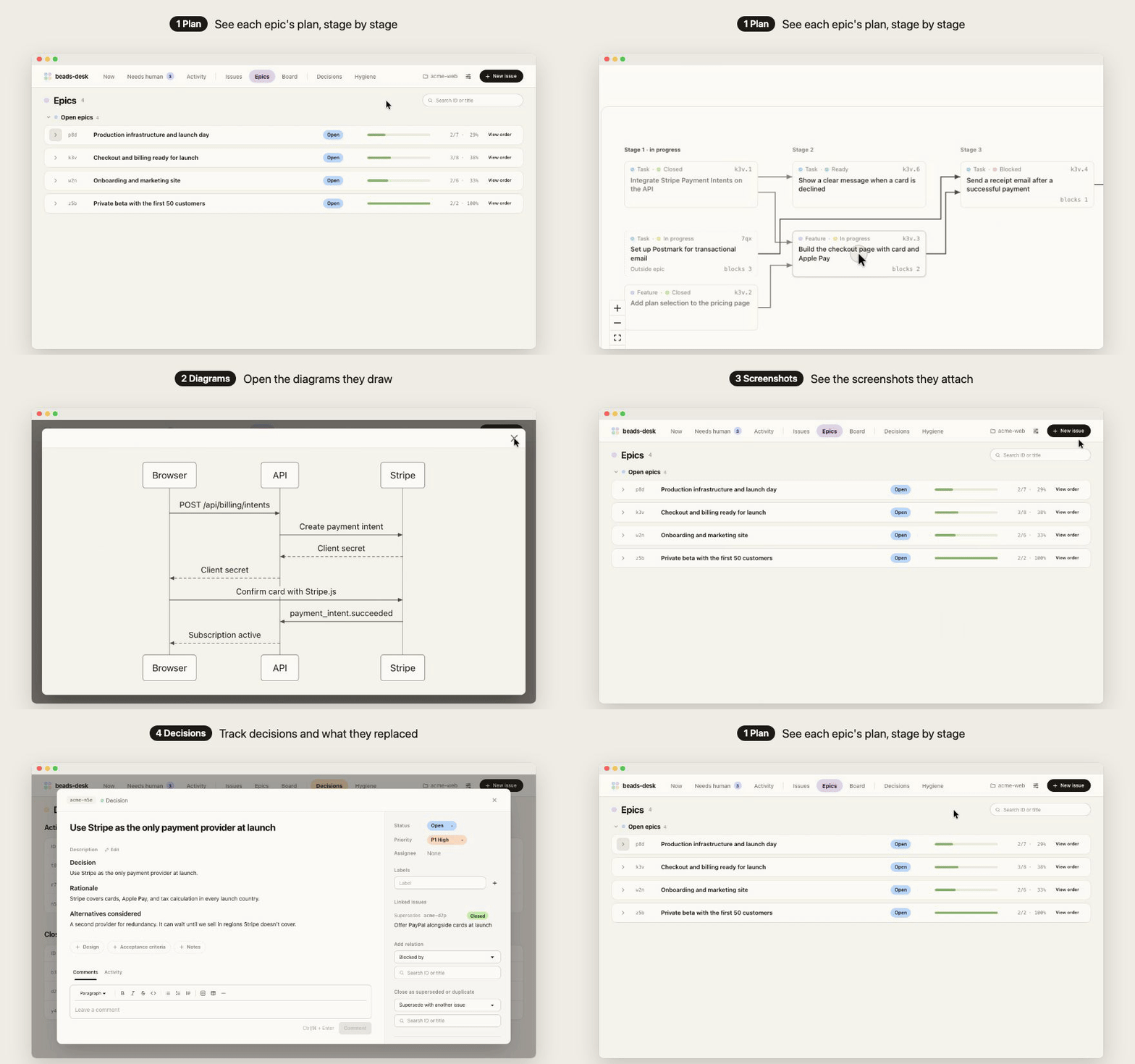
Features
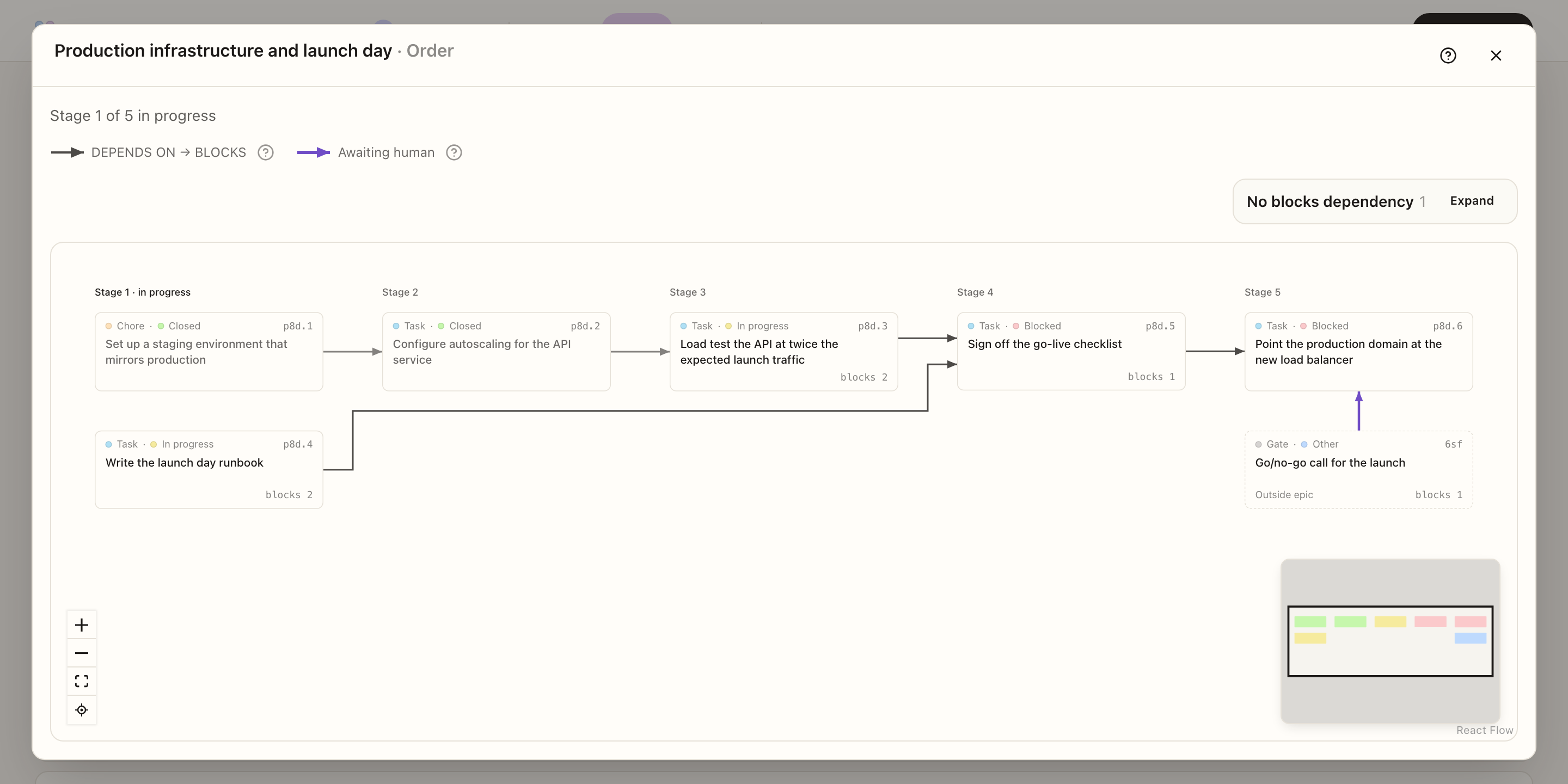
Review the plan stage by stage
- View order on an epic splits its issues into stages by their
blocksdependencies and marks the stage in progress. - Human gates and blockers outside the epic appear in the same graph.
- Blocks graph shows the chain of work before and after any issue.
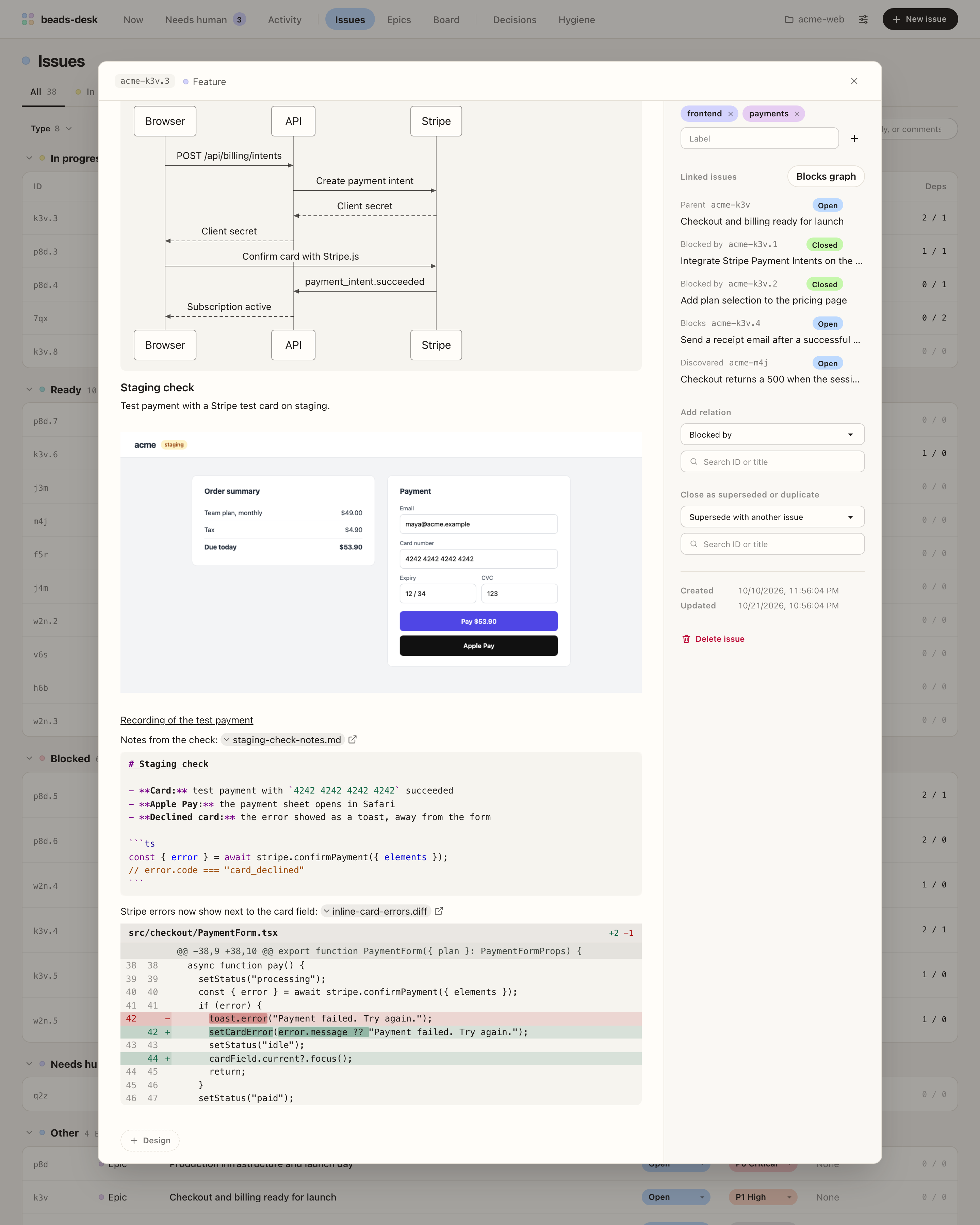
Read what agents attach
- Markdown and Mermaid diagrams render in descriptions and comments. Click a diagram to enlarge it.
- Local file links open in the app: images show in the issue, and
.webmand.mp4recordings play. - Links to
.diff,.patch,.md,.log, and.txtfiles expand below the paragraph, so you can read them without leaving the issue. Diffs show line numbers and highlight the changed words; Markdown files show their source with syntax highlighting.
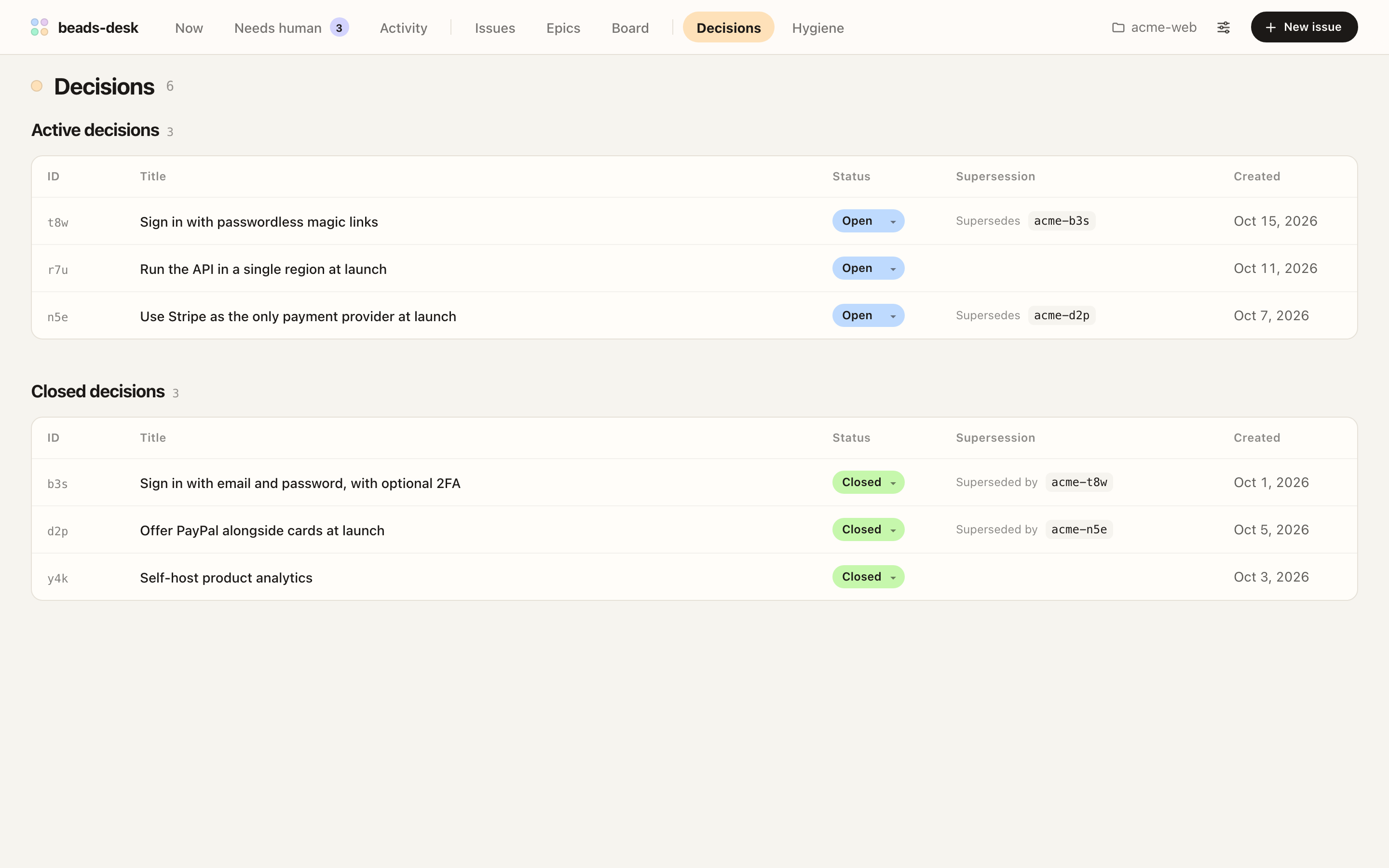
Keep decisions on record
decisionissues get their own screen, split into active and closed decisions.- Each decision links to the decisions it supersedes and the one that superseded it.
Answer what your agents ask
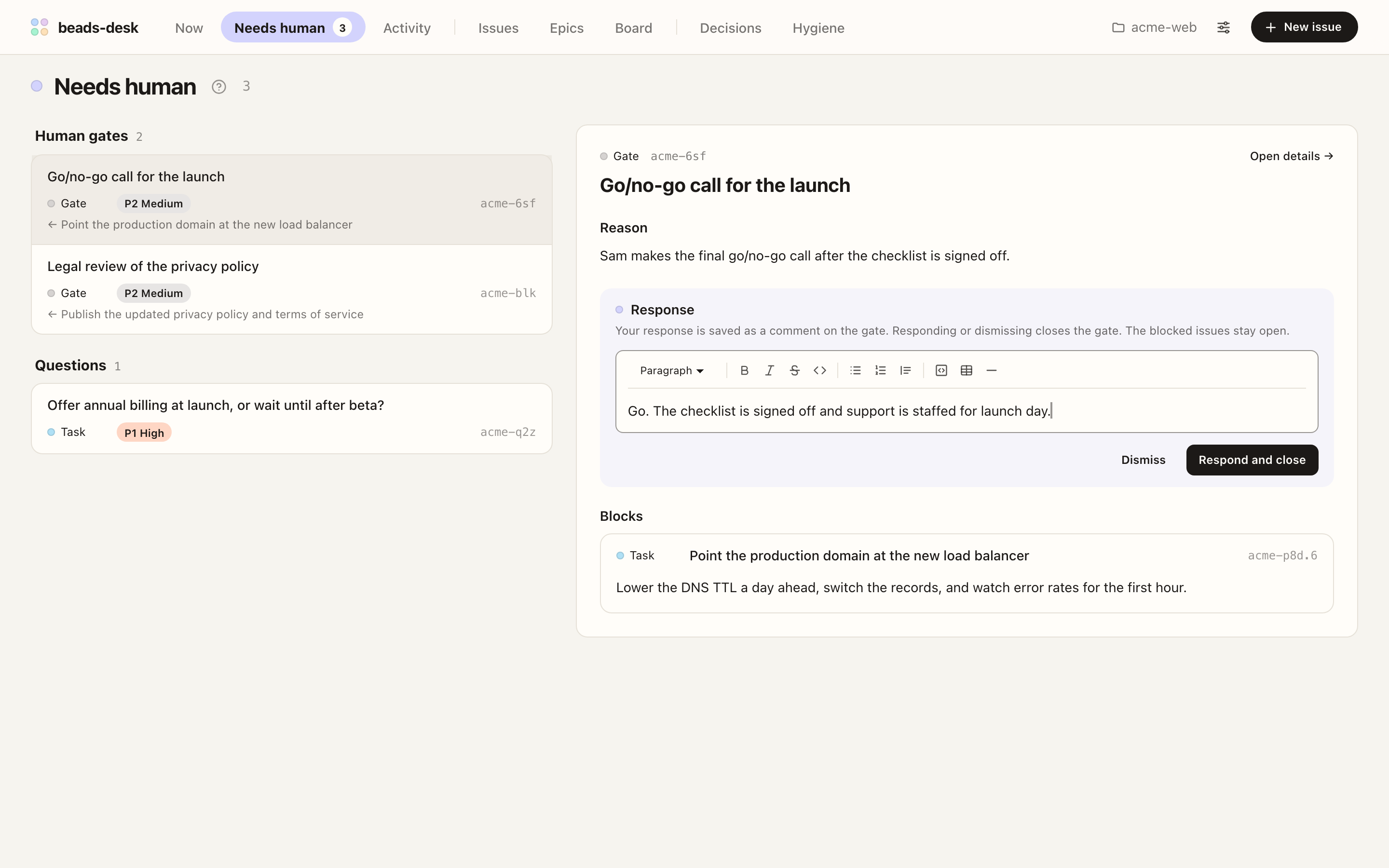
- Needs human collects the questions (issues labeled
human) and human gates left for you, with the work each gate holds. - Respond or dismiss in place. Closing a gate unblocks the work behind it.
- Turn on browser notifications to hear about new items while you work elsewhere.
See what happened while you were away
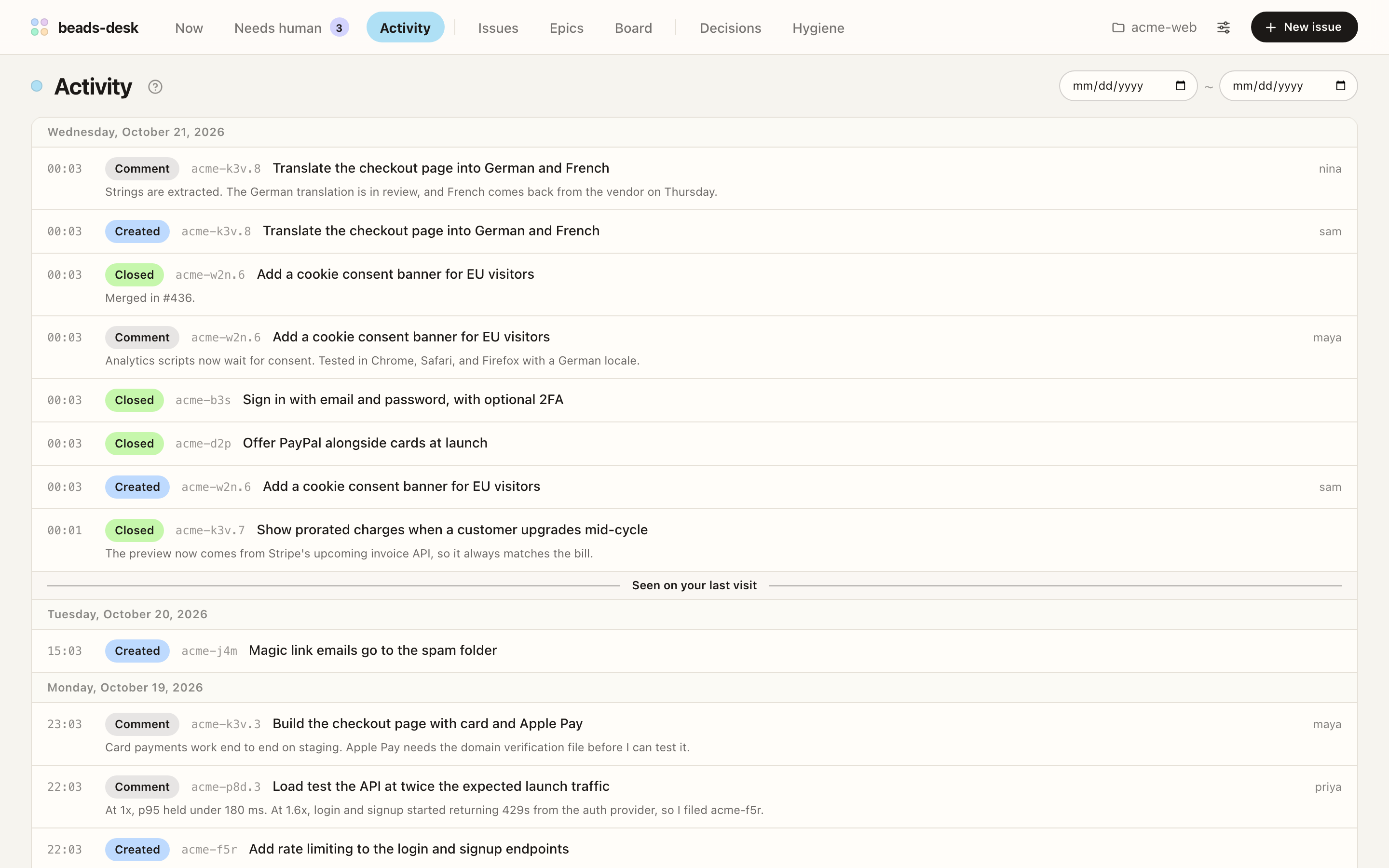
- Activity lists the issues created, closed, and commented on across the workspace, newest first.
- Issue edits (description, status, title, labels, and more) and deletions appear once you turn on bd's events journal with
bd config set events-journal true. Only changes made after that are recorded. - A Seen on your last visit divider marks where you left off.
Keep the tracker tidy
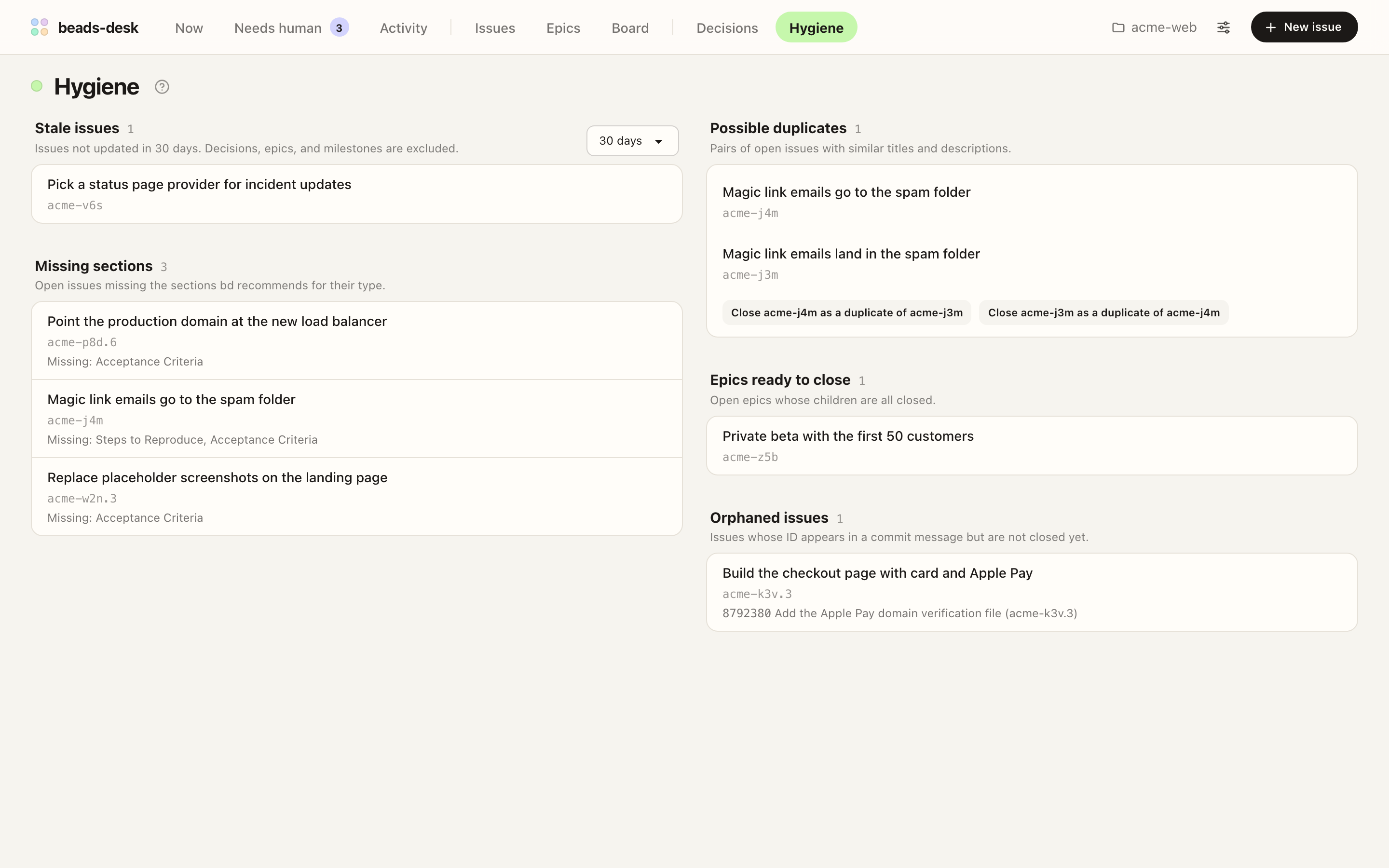
- Hygiene finds stale issues, open issues mentioned in commits, issues missing the sections
bdrecommends, possible duplicates, and epics ready to close. - Close a duplicate from the same screen.
Also in beads-desk
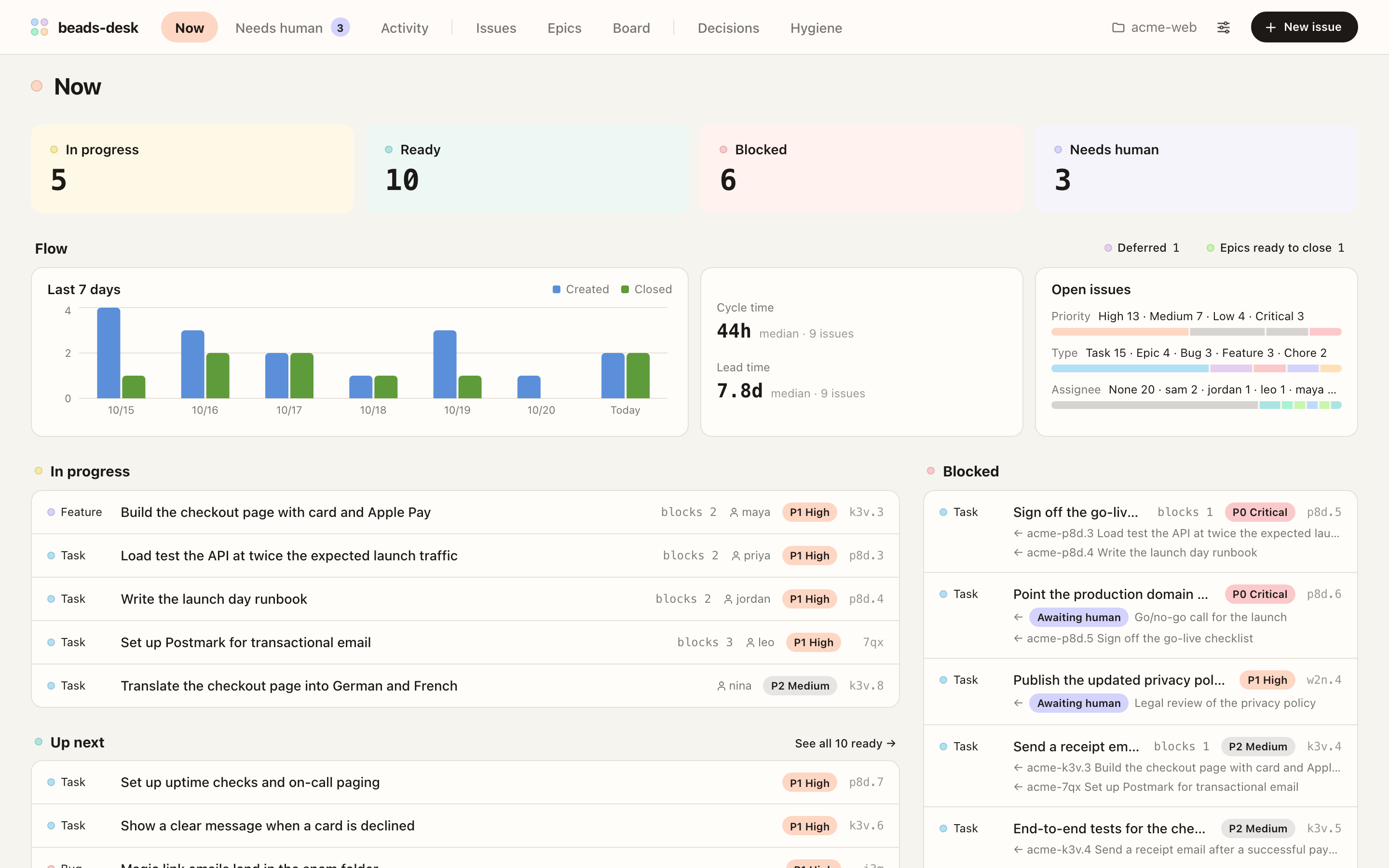
| Screen | What it shows | | ------ | ------------------------------------------------------------------------------- | | Now | What is in progress, up next, and blocked, with epic progress and a 7-day chart | | Issues | All issues by work state, with filters and search through bodies and comments | | Epics | Open and closed epics with their progress, searchable by ID or title | | Board | Cards you drag to change status |
- A side panel opens a linked issue beside the one you are reading.
- Every read and change goes through the
bdCLI, and changes made withbdshow up in open tabs within seconds. - Each tab can show a different workspace.
- English and Korean UI, light and dark themes, set in Settings.
Requirements
- macOS, Linux, or Windows. Tested with
bd1.3.1 on macOS and on the GitHub Actionswindows-latestrunner. The Windows tests install beads-desk with npm and use a workspace in embedded mode. - Node.js 22 or later
- The
bdCLI. Ifbdis not on yourPATH, set theBD_BINenvironment variable to the path of the executable when you start the server.- On Windows,
bdinstalled with npm (npm install -g @beads/bd) is found automatically. If you installedbdanother way and the server cannot find it, setBD_BINto the full path ofbd.exe, as shown in Troubleshooting.
- On Windows,
- A beads workspace: a directory where you ran
bd init
Getting started
Install with npm:
npm install -g @seungyeop-lee/beads-deskOr with pnpm. If you have never installed a global package with pnpm, run
pnpm setuponce and open a new shell first.pnpm add -g @seungyeop-lee/beads-deskIn a beads workspace directory or any of its subdirectories, start the server:
bd-desk start --openThe server runs in the background, opens the UI in your browser, and listens only on
127.0.0.1, so only this computer can reach it.
- Stop: run
bd-desk stop. - Update: run the install command again, then
bd-desk restart. The changelog lists what changed. - More: the usage guide covers commands, options, multiple workspaces, notifications, local file links, uninstalling, and troubleshooting.
Contributing
Bug reports and feature ideas are welcome as GitHub issues; pull requests are not accepted. See CONTRIBUTING.md.
Acknowledgements
beads-desk was inspired by mantoni/beads-ui.