
@seyamali/aurelia-editor
v0.1.5
Published
Aurelia Editor is a framework-agnostic rich text and CMS editor built on Lexical with export, collaboration, image, and template tools.

Maintainers
 seyamali
Keywords
Readme
Aurelia Editor





Aurelia Editor is a framework-agnostic rich text and CMS editor built on top of Lexical. It is designed for content teams, blogs, docs, and page builders that want a polished editing experience with strong publishing tools.
Try the live demo at aurelia-editor.pro.bd.
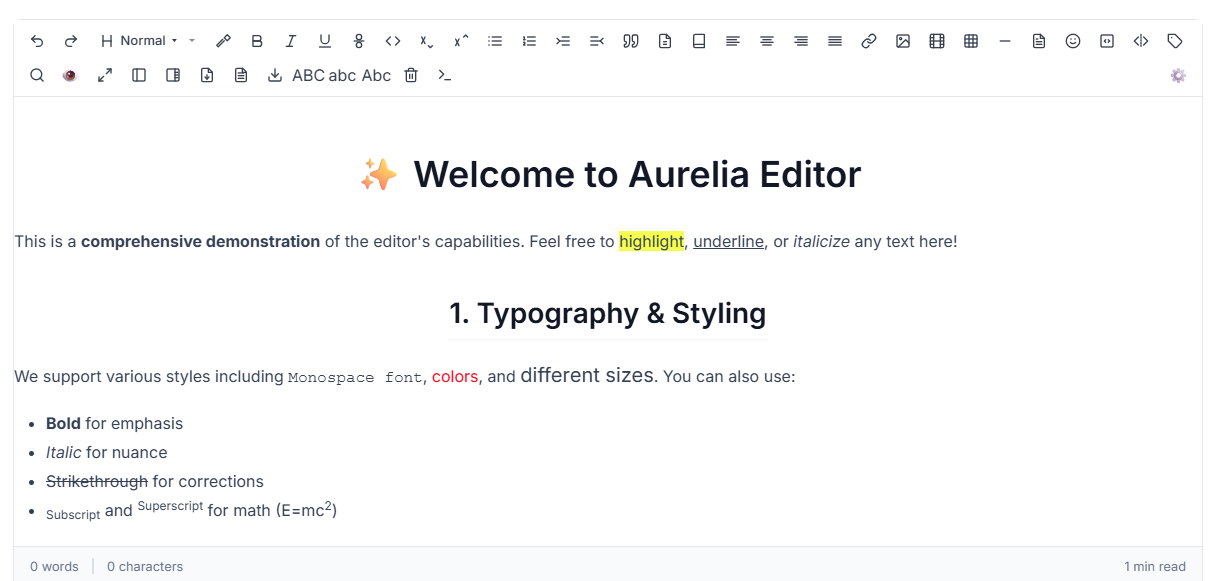
What it includes
- Rich text formatting, typography, lists, alignment, and case conversion
- Image tools, video embeds, HTML snippets, and link editing
- Tables, code blocks, TOC, footnotes, and page breaks
- Comments, track changes, presence, and revision support
- CMS page settings, SEO audit, publish workflow, and export presets
- Command palette, slash commands, format painter, autosave, and document stats
- Template blocks and reusable page snippets
Best for
- CMS and headless CMS editing
- Blog publishing and article drafting
- Documentation and knowledge base pages
- Landing pages and content-heavy marketing sites
- Teams that need an editor with both writing and publishing tools
Install
npm install @seyamali/aurelia-editorUse
import { AureliaEditor } from '@seyamali/aurelia-editor';
import '@seyamali/aurelia-editor/style.css';

const container = document.getElementById('editor-root');

if (!container) {
  throw new Error('Missing #editor-root container');
}

const editor = await AureliaEditor.create(container);
Working with content
const html = await editor.getHtml();
await editor.setHtml(html);
Toolbar presets
Available presets:
minimalstandardbloggingdocumentationfull
Useful shortcuts
Ctrl/Cmd + K: Command paletteCtrl/Cmd + Alt + M: CommentCtrl/Cmd + Alt + T: TemplatesCtrl/Cmd + Alt + S: StatsCtrl/Cmd + F: Find and replace/: Slash menu
Public site
- Live demo: https://aurelia-editor.pro.bd/
- GitHub: https://github.com/seyamali/custom-rich-text-editor
License
MIT