
@shadowcoderr/context-graph
v0.4.0
Published
A deterministic 'Flight Data Recorder' for web applications that transforms manual exploration into structured, AI-ready intelligence.

Maintainers
 shadowcoderr
Readme
ContextGraph
The deterministic "Flight Data Recorder" for web applications
Transform manual browser sessions into structured, AI-ready intelligence — 100% offline, zero telemetry, enterprise-safe






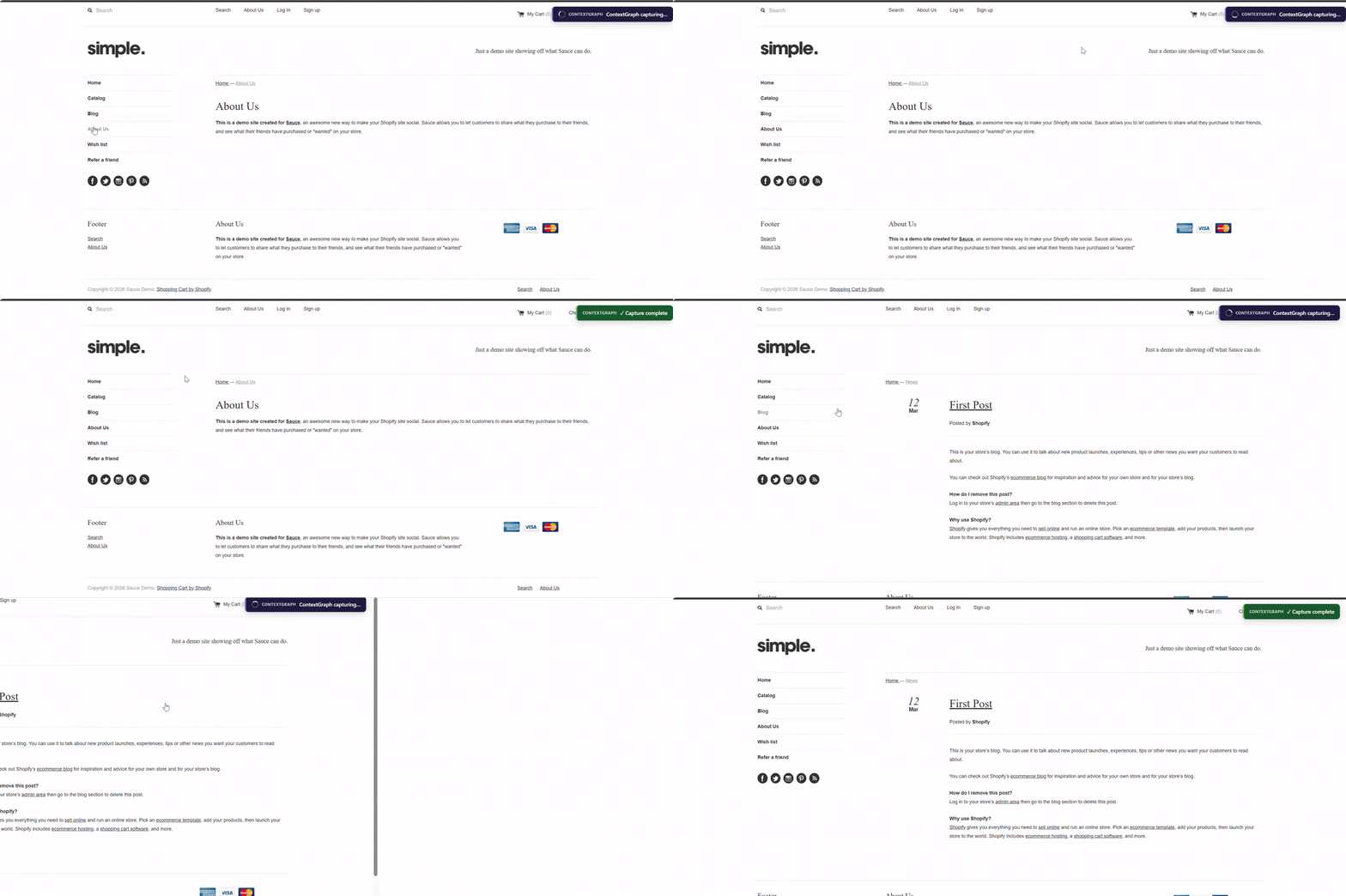
🎬 Demo
Quick Start • Features • Output • AI Integration • Config • Docs
Why ContextGraph?
IDE-based AI agents (GitHub Copilot, Cursor, Claude) are blind to your running browser. Without MCP, they cannot see the live DOM, accessibility tree, or real API traffic of the application you're testing.
In enterprise environments, MCP and cloud-based recording tools are frequently blocked by security policy.
ContextGraph solves this by acting as a pre-processor — bridging the gap between manual exploration and AI-powered test generation using only Playwright, which is already whitelisted on most QA teams' machines.
Your Browser Session → ContextGraph → Structured Output → AI Agent → Generated Tests
How to use the output: Add the context-graph-output/ folder to your IDE workspace. Once indexed, you can reference any captured page, locator, API endpoint, or accessibility tree directly in your AI prompts — treating the output as an offline knowledge base. Your AI agent can now "see" your application's UI/UX structure without needing live browser access or MCP integration.
Zero cloud. Zero telemetry. Zero MCP required. Everything stays inside your enterprise perimeter.
✨ Key Features
🎯 Guided Capture Captures only what you navigate — no autonomous crawling, no surprises.
🧹 Clean DOM Output Scripts, event handlers, and noise stripped before saving. Shadow DOM included.
🔑 Smart Locators 5+ selector strategies per element, ranked by resilience (TestID → Role → Label → Text → CSS).
♿ Accessibility Tree Three-strategy extraction: Playwright API → CDP → DOM fallback. Full ARIA/role hierarchy.
🌐 Network Intelligence All HTTP traffic captured. Concurrent request timing fixed via WeakMap. Failed requests tracked.
🔒 Security by Design JWT, Bearer tokens, credit cards, SSNs, API keys, URL query params — all redacted before any disk write.
🤖 AI Context Bundle Export entire session as a single Markdown file, ready to paste into any AI agent.
📊 API Inventory Auto-generates structured API surface documentation with path-parameter normalisation.
| Feature | Description |
|---|---|
| 📸 Full Page Screenshots | Automatic per-page + optional per-element captures |
| 🧩 Component Registry | Tracks reusable UI patterns across all captured pages |
| 🔄 Change Detection | Structural content hashing — skips unchanged pages automatically |
| 📦 100% Offline | Zero cloud dependencies, zero telemetry, runs inside enterprise perimeter |
| 🎭 Recorder Mode | Playwright Codegen integration — convert manual walkthroughs to .spec.ts |
| 🩺 Console Logging | JS errors, warnings, and uncaught exceptions captured per page |
⚡ Quick Start
Install
npm install -g @shadowcoderr/context-graphVerify:
context-graph --versionCapture Your First Page
# Start a capture session (browser will open)
context-graph --mode browser --url https://your-app.com

# Navigate freely — every page you visit is captured automatically
# Press Ctrl+C when done
Use the AI Context Bundle
# The bundle is automatically generated when you close the browser!
# Find it at:
# → context-graph-output/bundles/ai_context_bundle.md
Paste ai_context_bundle.md into Copilot Chat, Cursor, or Claude to immediately generate tests.
🗺️ Architecture
CLI (Commander.js + Inquirer.js)
  └── RuntimeController
        ├── BrowserAdapter          Playwright lifecycle, event hooks
        ├── CaptureEngine
        │     ├── DOMAnalyzer       Sanitise + Shadow DOM serialisation
        │     ├── A11yExtractor     3-strategy: Playwright → CDP → DOM
        │     ├── LocatorGenerator  Multi-strategy selector ranking
        │     ├── NetworkLogger     HTTP interception (WeakMap timing)
        │     ├── ScreenshotCapturer Full-page + element screenshots
        │     └── SecurityRedactor  PII / credential / URL param redaction
        ├── NetworkPatternAnalyzer  API surface documentation
        ├── AIContextBundler        Single-file LLM export
        ├── ComponentsRegistry      Cross-page UI pattern tracking
        └── StorageEngine           Filesystem persistence + statistics
📁 What You Get
For each captured page, ContextGraph saves a self-contained directory:
context-graph-output/
├── global_manifest.json                ← Master index of all captures
├── bundles/
│   └── ai_context_bundle.md            ← Ready-to-paste LLM context
├── <domain>/
│   ├── api_inventory.json              ← Structured API surface docs
│   ├── components_registry.json        ← Cross-page UI patterns
│   ├── network/
│   │   └── traffic_log.jsonl           ← HTTP traffic (redacted)
│   ├── user_interactions.json          ← Recorder mode interactions
│   └── pages/
│       └── <page-name>/
│           ├── metadata.json           ← URL, title, timing, viewport
│           ├── DOM                     ← Beautified, sanitised HTML
│           ├── a11y_tree.json          ← Full ARIA hierarchy
│           ├── locators.json           ← Ranked Playwright selectors ⭐
│           ├── frames.json             ← iframe + Shadow DOM structure
│           ├── console_errors.json     ← JS errors & warnings
│           ├── screenshot_manifest.json← Screenshot paths + metadata
│           └── screenshots/
│               └── screenshot.png      ← Full-page capture
└── scripts/
    └── <domain>.spec.ts                ← Recorder mode output
File Reference
| File | Purpose |
|---|---|
| metadata.json | URL, page title, timing metrics, performance counters |
| DOM | Sanitised HTML — scripts removed, Shadow DOM inlined |
| a11y_tree.json | Full ARIA tree — the most semantically dense representation |
| locators.json | 5+ selector strategies per element, ranked by resilience |
| api_inventory.json | All observed API endpoints with normalised path params |
| ai_context_bundle.md | Single-file LLM export of the entire session |
🤖 AI Integration
The 2-Step Workflow
# 1. Capture your application (you drive, ContextGraph records)
context-graph --mode browser --url https://app.example.com
# Close the browser when done — bundle auto-generates!

# 2. Open your AI IDE, paste the bundle, and ask for tests
# Bundle location: context-graph-output/bundles/ai_context_bundle.md
Example Prompt (after pasting the bundle)
I am testing the app shown in this session context.

Using ONLY the locators from the "Interactive Elements" tables above,
generate Playwright TypeScript tests that:
  1. Navigate to the login page and log in with valid credentials
  2. Assert the dashboard renders correctly
  3. Test the shopping cart add/remove flow
  4. Cover the checkout form submission

Use test.describe() groups per page. Include assertions for
visible elements and navigation outcomes.
What to Feed Your AI Agent
| File | When to Include |
|---|---|
| ai_context_bundle.md | Always — the complete single-file export |
| locators.json | When you need precise selector details |
| api_inventory.json | When generating API integration tests |
| a11y_tree.json | When generating accessibility tests |
🚀 Operating Modes
Browser Mode — Passive Observer
Best for: understanding app structure, feeding AI with full UI context.
context-graph --mode browser --url https://app.example.comAutomatically captures on every page navigation: DOM, A11y tree, smart locators, network traffic, screenshots, and console errors.
Recorder Mode — Action Capture
Best for: converting manual test walkthroughs into replayable scripts.
context-graph --mode recorder --url https://app.example.com

# Optionally replay the recording to capture full artifacts too:
context-graph --mode recorder --url https://app.example.com --recorder-capture
⚙️ Configuration
Create a context-graph.config.json file in your project root:
{
  "browser": {
    "channel": "msedge",
    "headless": false,
    "viewport": { "width": 1920, "height": 1080 },
    "slowMo": 0
  },
  "capture": {
    "screenshots": {
      "enabled": true,
      "fullPage": true,
      "elementTargeting": false
    },
    "network": {
      "enabled": true,
      "captureHeaders": true,
      "captureBody": false
    },
    "accessibility": {
      "enabled": true,
      "includeHidden": false
    },
    "components": {
      "enabled": true,
      "minOccurrences": 1
    },
    "forceCapture": false
  },
  "security": {
    "redactPatterns": ["jwt", "bearer", "creditcard", "ssn", "email", "api_key"],
    "redactHeaders": ["authorization", "cookie", "set-cookie", "x-api-key"],
    "customPatterns": [
      {
        "name": "employee_id",
        "pattern": "EMP-\\d{6}",
        "replacement": "[REDACTED:EMP_ID]",
        "severity": "high"
      }
    ]
  },
  "storage": {
    "outputDir": "./context-graph-output",
    "prettyJson": true
  }
}
Run with config:
context-graph --config ./context-graph.config.json --mode browserConfiguration Reference
| Option | Type | Default | Description |
|---|---|---|---|
| channel | msedge \| chromium \| firefox | msedge | Browser engine |
| headless | boolean | false | Run without visible UI |
| viewport.width | number | 1920 | Browser width |
| viewport.height | number | 1080 | Browser height |
| slowMo | number | 0 | Slow motion delay (ms) |
| Option | Type | Default | Description |
|---|---|---|---|
| screenshots.enabled | boolean | true | Capture full-page screenshots |
| screenshots.fullPage | boolean | true | Include off-viewport content |
| screenshots.elementTargeting | boolean | false | Also capture key element screenshots |
| network.captureBody | boolean | false | Include response body (JSON/text only) |
| accessibility.includeHidden | boolean | false | Include aria-hidden elements |
| forceCapture | boolean | false | Re-capture even if content hash matches |
Built-in redaction patterns: jwt, bearer, creditcard, ssn, email, phone_number, api_key, aws_key
Always-redacted headers: authorization, cookie, set-cookie, x-api-key, x-auth-token, x-csrf-token, x-access-token, x-refresh-token, proxy-authorization
URL query parameters: token, api_key, auth, secret, password, session, code, client_secret, and more — values are redacted before any disk write.
🖥️ CLI Reference
context-graph [startUrl] [options]

Options:
  -m, --mode <type>         browser | recorder            (required)
  -u, --url <url>           Starting URL                  (If not provided by user, will be prompted)
  -o, --output <path>       Output directory              (Optional) [default: ./context-graph-output]
  -c, --config <path>       Config file path              (Optional)
  -v, --viewport <WxH>      Viewport size                 (Optional) [default: 1920x1080]
  --slow-mo <ms>            Slow motion delay in ms       (Optional)
  --no-screenshots          Disable screenshot capture    (Optional)
  --no-network              Disable network logging       (Optional)
  --recorder-capture        (Recorder) Replay script to capture full artifacts (Optional)
  --verbose                 Enable debug logging          (Optional)
  --version                 Show version                  (Optional)
  --help                    Show help                     (Optional)
🔒 Security Model
ContextGraph enforces a multi-layer redaction pipeline — all redaction happens before any disk write. There is no "raw then redact" staging.
Raw Data
  ↓ 1. Header stripping     (authorization, cookie, x-api-key, etc.)
  ↓ 2. URL sanitisation     (sensitive query params: ?token=, ?api_key=)
  ↓ 3. Pattern matching     (JWT, Bearer, credit cards, SSNs, emails, AWS keys)
  ↓ 4. Key-based redaction  (object properties with sensitive names)
  ↓ 5. Custom rules         (user-defined patterns from config)
  ↓
Redacted Data → Audit Log → Filesystem Write
Security invariants (hardcoded, cannot be disabled):
<script>content is always stripped from DOM snapshotstype="password"input values are always replaced with[REDACTED]authorization,cookie, andset-cookieheaders are always removed- Zero outbound connections, zero telemetry, zero update checks
Every redaction event is logged to logs/redaction_audit.jsonl for compliance review.
🏢 Enterprise STLC Patterns
Pattern A — AI-Assisted Test Generation
context-graph --mode browser --url https://app.example.com
# Close browser when done — bundle auto-generates at:
# context-graph-output/bundles/ai_context_bundle.md
# → Paste into Copilot Chat → get .spec.ts tests
Pattern B — Regression Detection Between Releases
# Capture baseline before release
context-graph --mode browser --url https://staging.example.com
mv context-graph-output context-graph-baseline

# Deploy release candidate, then capture again
context-graph --mode browser --url https://staging.example.com

# Compare the two captures to find locator drift
# Elements whose best locator strategy changed = tests likely to break
Pattern C — Undocumented App Onboarding
# Capture 1–2 hours of navigation through an unfamiliar enterprise app
context-graph --mode browser --url https://internal-erp.corp.com

# Generate API inventory — no Swagger/OpenAPI docs needed
# api_inventory.json shows every endpoint, method, and status code observed
Pattern D — Manual Test Script Conversion
# Follow your manual test script step-by-step
context-graph --mode recorder --url https://app.example.com --recorder-capture

# Output: <domain>.spec.ts with your steps as Playwright actions
# Add assertions, or ask AI to add them given the a11y tree context
📖 Documentation
Full technical documentation including architecture deep-dive, module reference, all identified issues and their fixes, proposed features, output schema reference, security model, and STLC integration patterns:
📄 Complete Technical Documentation
📖 User Guide — Advanced configuration, CLI reference, troubleshooting
🤝 Contributing & Support
📄 License
MIT © Shadow Coderr
Built for QA engineers who believe AI should work smarter, not just faster.
ContextGraph gives your AI the eyes it was missing.