
@shihangw/rowrunner
v0.6.0
Published
Turn cumulative progress into smooth live speed estimates, procedural 3D scenes, and animated mascots.

Maintainers
 shihangw
Readme
Rowrunner
Make long-running work fun to watch.
Try the live Solana example in your browser.
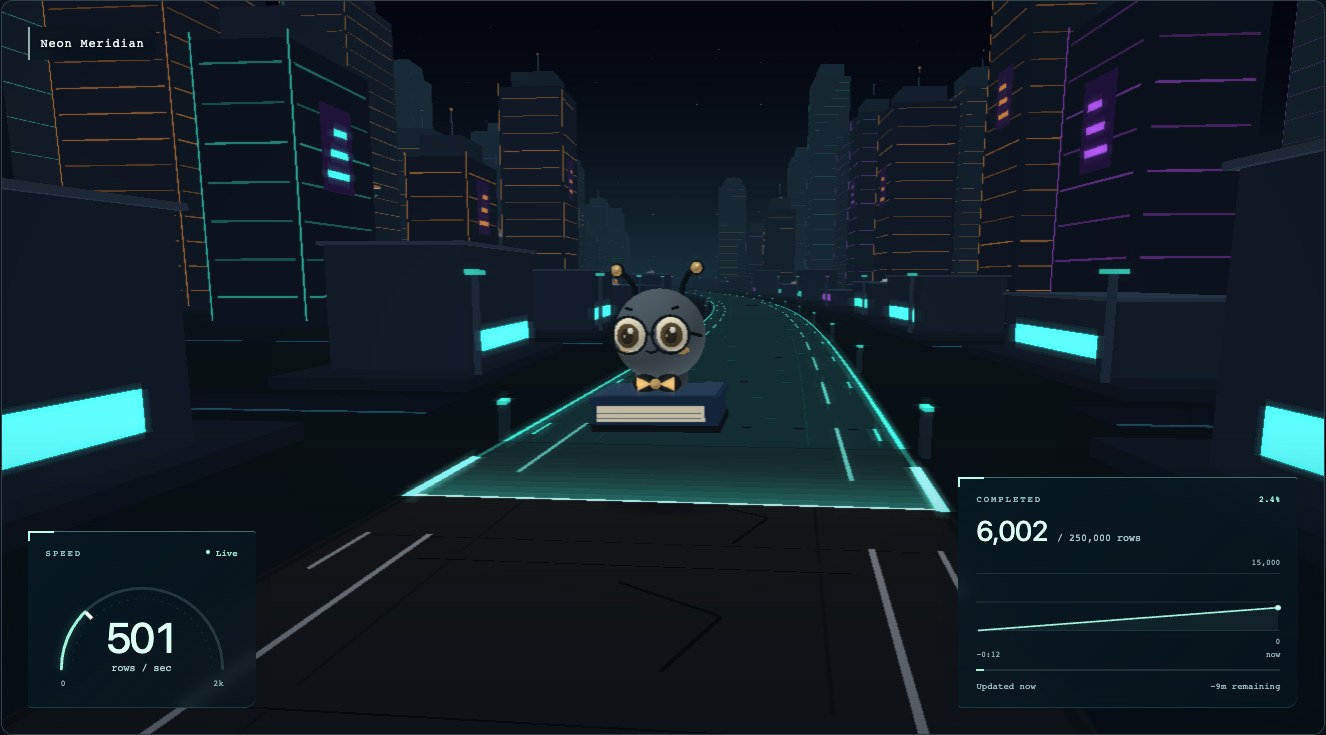
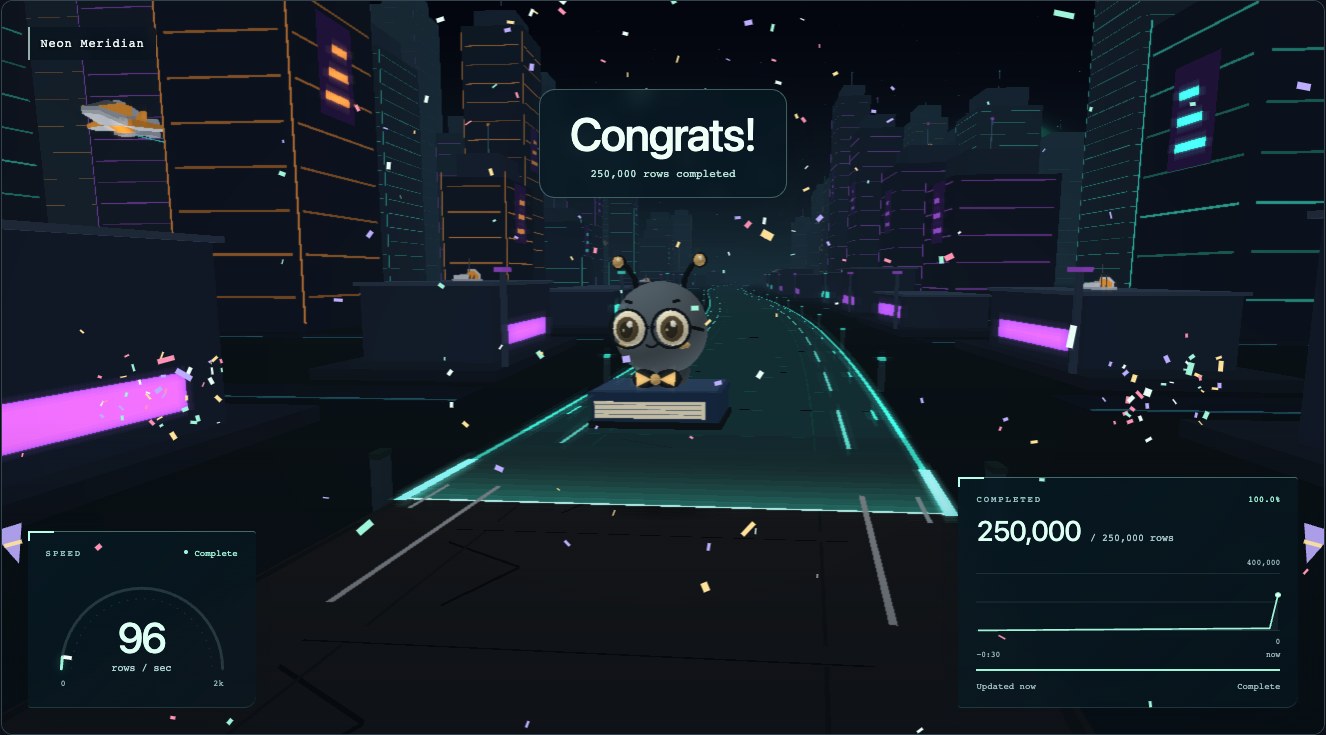
Rowrunner turns a stream of progress counts into a moving 3D world. Your migration processes 500 rows a second; Bookie flies down a neon road, the speedometer shows the pace, and the progress chart climbs toward completion. When the job finishes, the camera moves in and the confetti keeps going.
Why use it?
A migration, backfill, or import can run for hours. Rowrunner gives that waiting time something to look at—and makes changes in pace visible at a glance.
- Watch a job run. Put a migration, batch processor, or queue drain on a dashboard or shared screen. See it speed up, slow down, stall, and finish.
- Bring a live counter to life. Show ongoing activity without a fixed target. The example can follow public Solana transaction totals, polling every 2 seconds.
- Make it yours. Choose a world and protagonist, use your own Three.js models, give each world its own music, and customize the completion message. The road can light up behind the runner as work gets done.
Send cumulative counts and timestamps; Rowrunner estimates throughput and smooths movement between updates. It handles uneven reporting, counter resets, pauses, and stale data. Confirmed counts stay exact; movement and speedometer effects are presentation. A missing update never creates fictional progress.
A few places to go
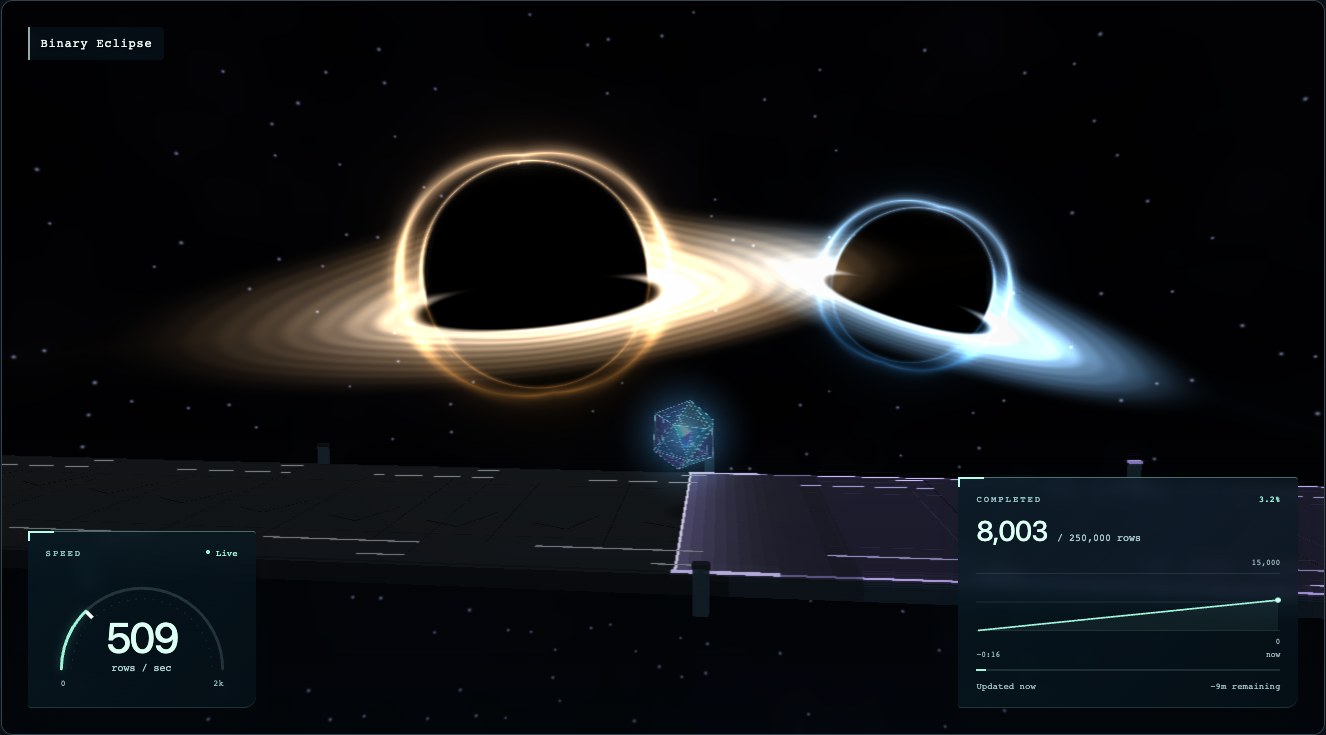
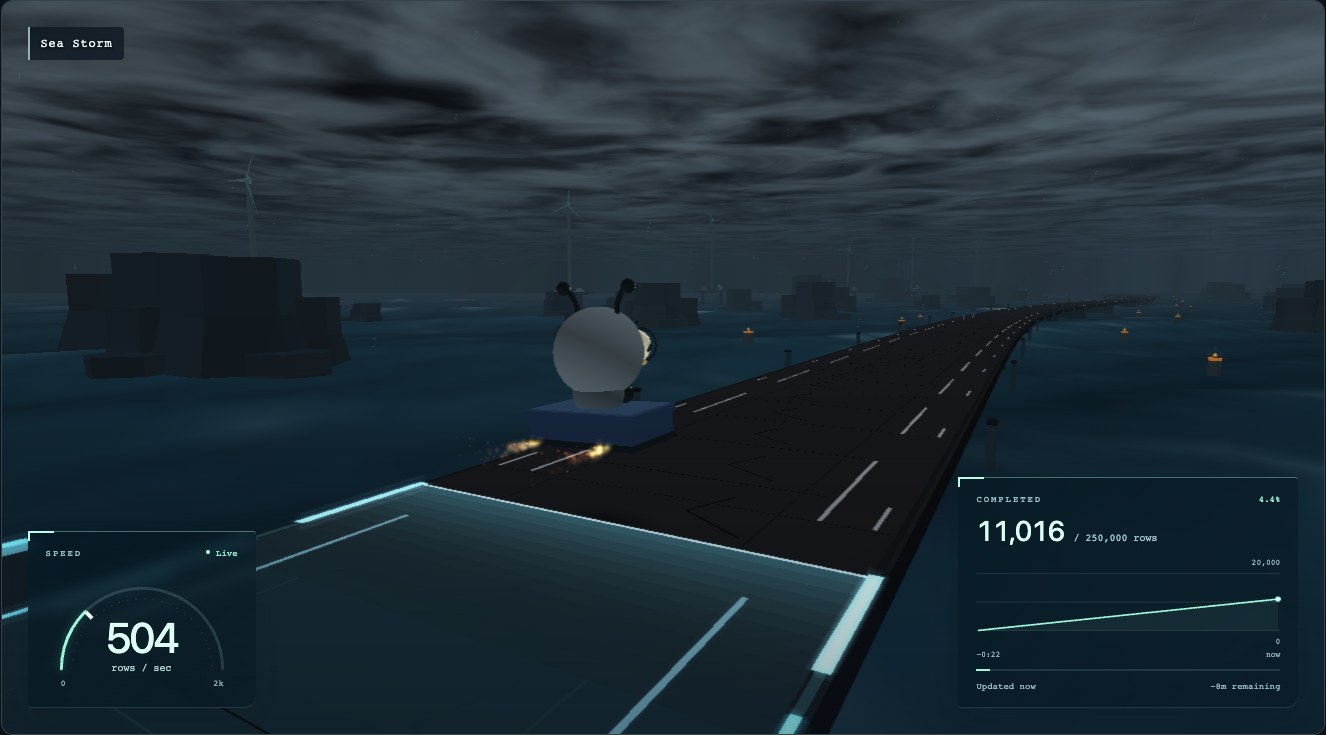
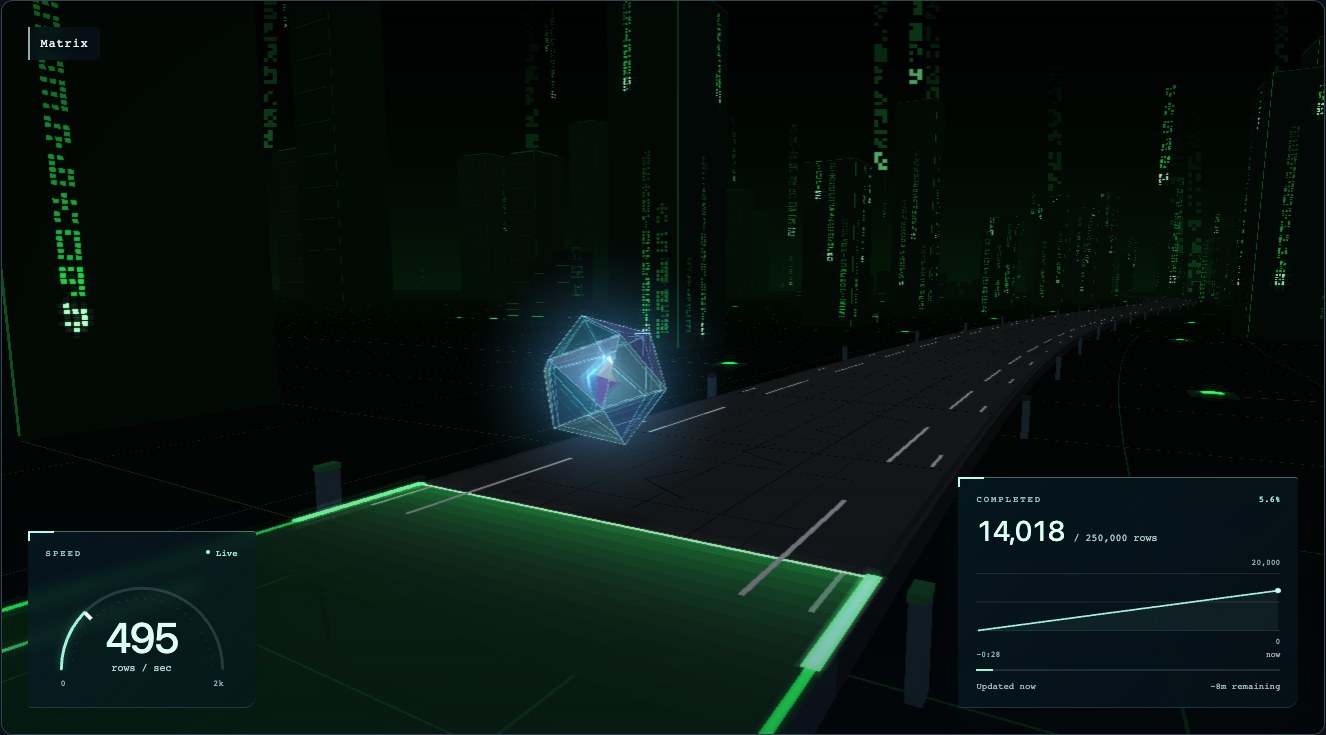
The example includes seven worlds and four runners: Bookie, Prism, Paper Plane, and Survey Drone. Cinematic cameras rotate through tracking, approaching, and passing views, with scheduled fades between worlds.
| Binary Eclipse · Prism | Sea Storm · Bookie |
| --------------------------------------------------------------------------------------------------------------------------------------------------------------------------------------------------------------------------------------------------------------------- | ------------------------------------------------------------------------------------------------------------------------------------------------------------------------------------------------------------------------------------------------------------------------------------------------- |
|  |
|  |
| Matrix · Prism | Job complete · Bookie |
|
|
| Matrix · Prism | Job complete · Bookie |
|  |
|  |
|
These screenshots were captured from the running demo with simulated migration progress. Click an image to view it at full size. Worlds and runners are ordinary application files, so adding one doesn't require changing the library.
Try it locally
You need Node.js 22.13+ and a browser with WebGL 2.
git clone https://github.com/shihangw/rowrunner.git
cd rowrunner
npm ci
npm start
Open http://127.0.0.1:3000. One Node process serves the demo and its progress API.
- The demo starts automatically. Try Cruise, Boost, Pause, and Finish.
- Open Customize to change the world, runner, camera, and road effect.
- Choose Live input → Solana transactions for a public live counter.
- Choose Live input → Custom progress to connect your own job.
Connect your progress
With the demo running, select Live input → Custom progress, keep the run ID
migration, and click Connect. In another terminal, start the sample producer:
npm run producer --workspace examplesFor your own producer, send a cumulative count and its measurement time to the
same endpoint. targetTotal is optional:
curl http://127.0.0.1:3000/api/runs/migration/progress \
  -H 'Content-Type: application/json' \
  -d "{\"completed\":1000,\"targetTotal\":250000,\"timestamp\":$(node -p 'Date.now()')}"
Send another count with a newer timestamp to establish the rate, then keep reporting while the job runs. Use a new run ID for a new job. For Datadog or another metrics source, map the measured cumulative count and timestamp into this format. See the input contract and HTTP API for details.
Use it in your app
Rowrunner is a TypeScript library with Three.js rendering and Zod-validated input. You can use its progress estimator independently of the 3D scene:
npm install @shihangw/rowrunnerimport {ProgressSink} from '@shihangw/rowrunner';
const progress = new ProgressSink();
const now = Date.now();
progress.push({runId: 'migration', completed: 1000, timestamp: now - 2000});
progress.push({runId: 'migration', completed: 2000, timestamp: now});
console.log(progress.snapshot().rate); // 500 rows/secondFor a visual integration, start with the TypeScript example or define your own world and runner. The example supplies the HUD and scene content; the core supplies the estimator, renderer, cameras, and plugin API.
Documentation
- Example setup and customization
- Progress inputs, rate estimation, and HTTP/SSE API
- Worlds, runners, cameras, and Three.js models
- Contributing and development
MIT licensed. Example scenery and music include CC0 assets.