
@shinjinseop/page-dep-map-vite-plugin
v1.0.0
Published
Vite plugin that injects the page-dep-map inspect helper into the host app during dev
Downloads
465

Maintainers
 shinjinseop
Readme
@shinjinseop/page-dep-map-vite-plugin
Vite plugin that injects the page-dep-map inspect helper into your host React app during dev, so the page-dep-map dashboard can highlight components on the running page in real time.
page-dep-map 대시보드에서 실행 중인 React 앱의 컴포넌트를 실시간으로 하이라이트할 수 있도록, helper 스크립트를 dev 시점에 호스트 앱 HTML에 주입하는 Vite 플러그인입니다.
Install
npm install -D @shinjinseop/page-dep-map @shinjinseop/page-dep-map-vite-plugin
# or
pnpm add -D @shinjinseop/page-dep-map @shinjinseop/page-dep-map-vite-plugin
This plugin is paired with @shinjinseop/page-dep-map. Install both — CLI
serves the dashboard + SSE broker, this plugin is what makes your dev app
reachable from the dashboard.
이 플러그인은 @shinjinseop/page-dep-map 과 짝을 이룹니다. CLI가
대시보드와 SSE 브로커를 띄우고, 이 플러그인이 dev 앱을 대시보드와
연결합니다. 둘 다 설치해야 inspect 기능이 동작합니다.
Usage
// vite.config.ts
import { defineConfig } from 'vite';
import react from '@vitejs/plugin-react';
import pdmInspect from '@shinjinseop/page-dep-map-vite-plugin';

export default defineConfig({
  plugins: [
    react(),
    pdmInspect({
      // Dashboard URL — match the port passed to `page-dep-map run`/`serve`.
      // 대시보드 URL — page-dep-map run/serve 에 넘기는 포트와 일치시키세요.
      baseUrl: 'http://localhost:3399',
    }),
  ],
});
Then run dashboard and app in two terminals:
두 터미널에서 각각 실행하세요:
# Terminal A
npx page-dep-map run .

# Terminal B
npm run dev
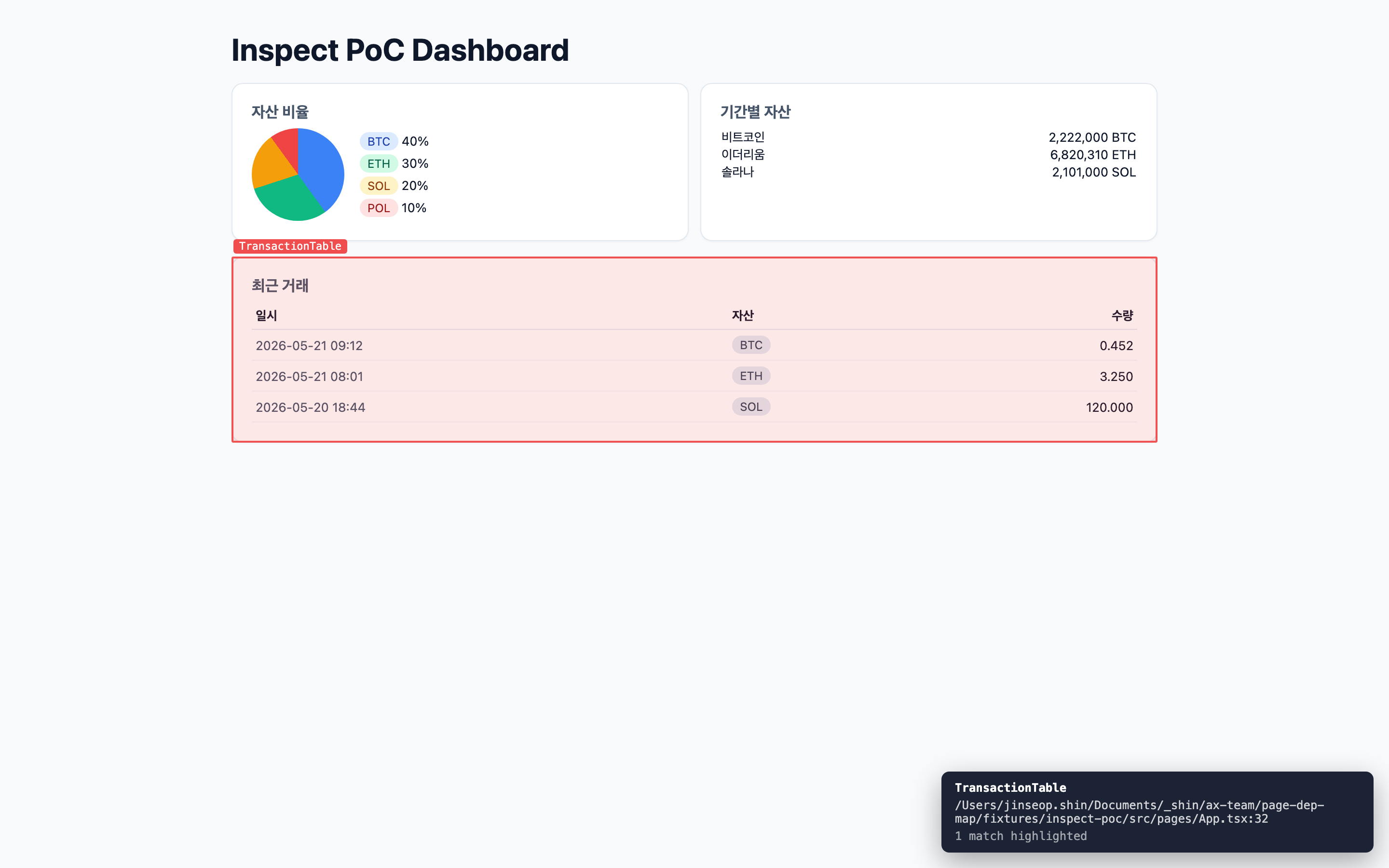
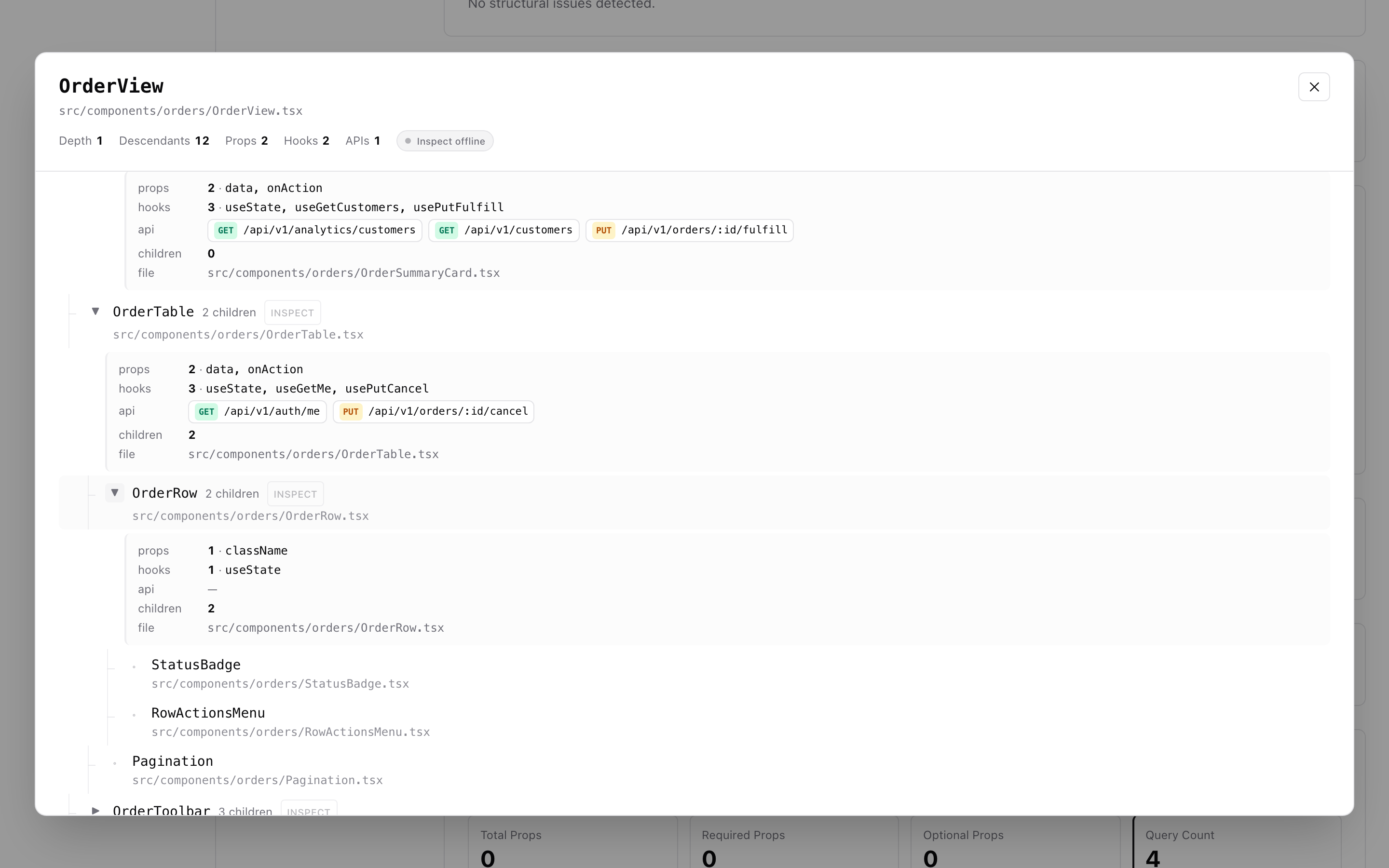
Open both URLs in the same browser, navigate to a page detail in the dashboard, open the Child subtree modal, and click the red INSPECT button next to a parent component.
같은 브라우저에서 두 URL을 모두 연 뒤 대시보드의 페이지 상세 화면에서 Child subtree 모달을 열고, 부모 컴포넌트 옆 빨간 INSPECT 버튼을 클릭합니다.
Options
interface PdmInspectOptions {
  /**
   * URL of the page-dep-map dashboard. The helper script will be loaded
   * from `${baseUrl}/pdm-inject.js`.
   * page-dep-map 대시보드 URL. helper 스크립트는
   * `${baseUrl}/pdm-inject.js` 에서 로드됩니다.
   */
  baseUrl?: string;

  /**
   * Enable the plugin in production builds too. Defaults to false (dev only).
   * 프로덕션 빌드에도 helper를 주입할지 여부. 기본값은 false (dev 전용).
   */
  enableInProd?: boolean;
}
How it works
During
vite serve, the plugin transformsindex.htmlto add a<script src="${baseUrl}/pdm-inject.js" defer data-pdm="inspect-helper">tag.The dashboard server (CLI) serves that script with permissive CORS.
The helper opens a Server-Sent Events connection to
${baseUrl}/api/inspect/streamand posts back to${baseUrl}/api/inspect/send, bridging dashboard ↔ host across origins.vite serve시 플러그인이index.html에 helper 스크립트 태그를 추가합니다.대시보드 서버(CLI)가 CORS를 허용한 채로 helper 스크립트를 제공합니다.
helper는 SSE로 대시보드 서버에 연결하고 fetch POST로 메시지를 보냅니다. 이를 통해 origin이 달라도(3000 ↔ 3399) 양방향 통신이 가능합니다.
Pick mode
Once injected, focus the host page and press Alt + Shift + I to enter pick mode. Click any element; the helper finds the nearest user component in the React fiber owner chain and posts it to the dashboard.
helper가 주입된 뒤 호스트 페이지에서 Alt + Shift + I 를 누르면 pick 모드가 켜집니다. 화면의 아무 요소나 클릭하면 React fiber owner chain에서 가장 가까운 사용자 컴포넌트를 찾아 대시보드로 전송합니다.
Compatibility
Vite
^4 || ^5 || ^6React 17 / 18 (Babel JSX with
__sourcedebug info enabled — the default for@vitejs/plugin-reactin dev)Dev-only by default; pass
enableInProd: trueto opt-in for prod buildsVite 4 / 5 / 6
React 17 / 18 (dev 시 fiber
__source정보가 켜진 상태,@vitejs/plugin-react기본값)기본적으로 dev 전용.
enableInProd: true로 프로덕션도 가능.
License
MIT