
@shko.online/pptb-miw
v1.2.1
Published
A PPTB tool to simplify configuring Dataverse Managed Identity for Plugin Assemblies or Plugin Packages.
Downloads
409


Readme
Copyright Notice
Copyright 2026 Shko Online LLC [email protected]
Licensed under the Apache License, Version 2.0 (the "License"); you may not use this file except in compliance with the License. You may obtain a copy of the License at
http://www.apache.org/licenses/LICENSE-2.0Unless required by applicable law or agreed to in writing, software distributed under the License is distributed on an "AS IS" BASIS, WITHOUT WARRANTIES OR CONDITIONS OF ANY KIND, either express or implied. See the License for the specific language governing permissions and limitations under the License.
Managed Identity Wizard
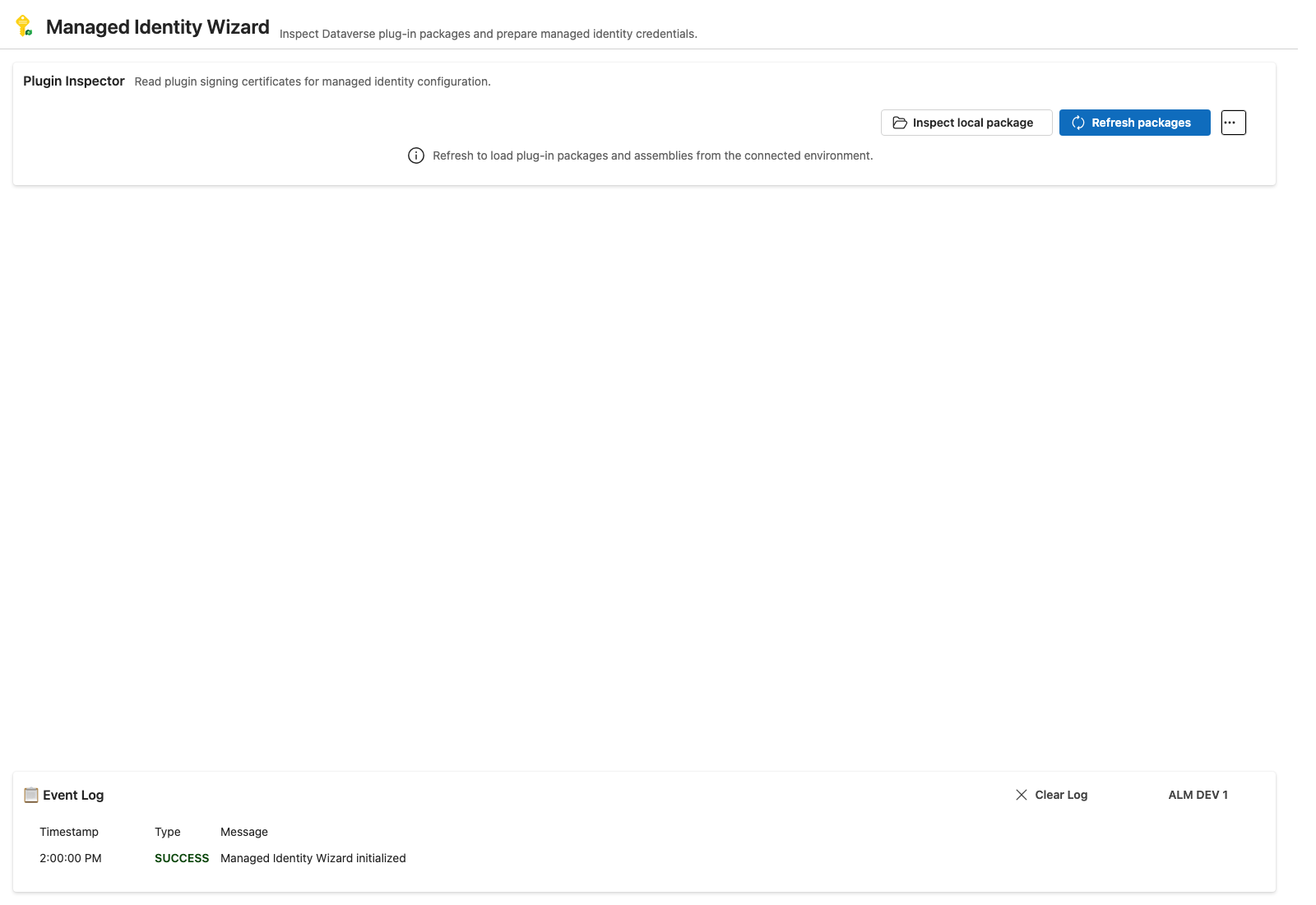
A PPTB tool to help Dataverse administrators and developers review plugin packages, plugin assemblies, and managed identities, and to configure the correct managed identity subject identifiers for signed custom code.
What this tool does
The wizard helps you:
- Review plugin packages and plugin assemblies in a Dataverse environment
- Filter by solution, package, assembly, or managed identity state
- Inspect signatures and certificate details for signed components
- Review the active connection and a compact event log with a full-history popup when troubleshooting
- Calculate managed identity subject identifiers from signed plugin content
- Create, edit, and review managed identities
- Assign or dissociate managed identities only when the component is signed and allows customizations
- Export package or assembly content for offline investigation
- Validate the signed/unsigned and managed/unmanaged state of each component before making changes
Latest features
Solution-aware filtering
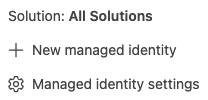
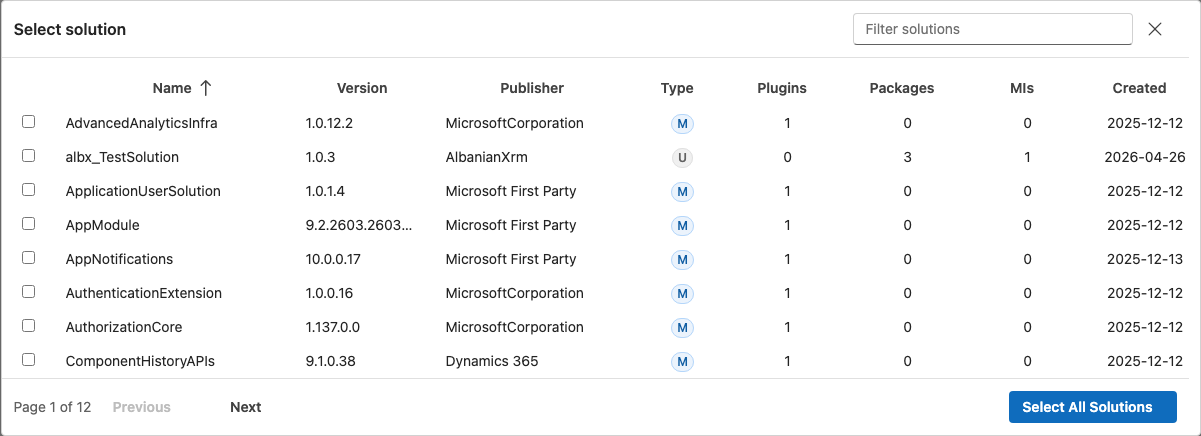
The main inspector can load plugin packages and assemblies for the selected solution or all solutions. The solution filter is available from the flyout menu and can be applied to the relevant component set.
Package and assembly inventory
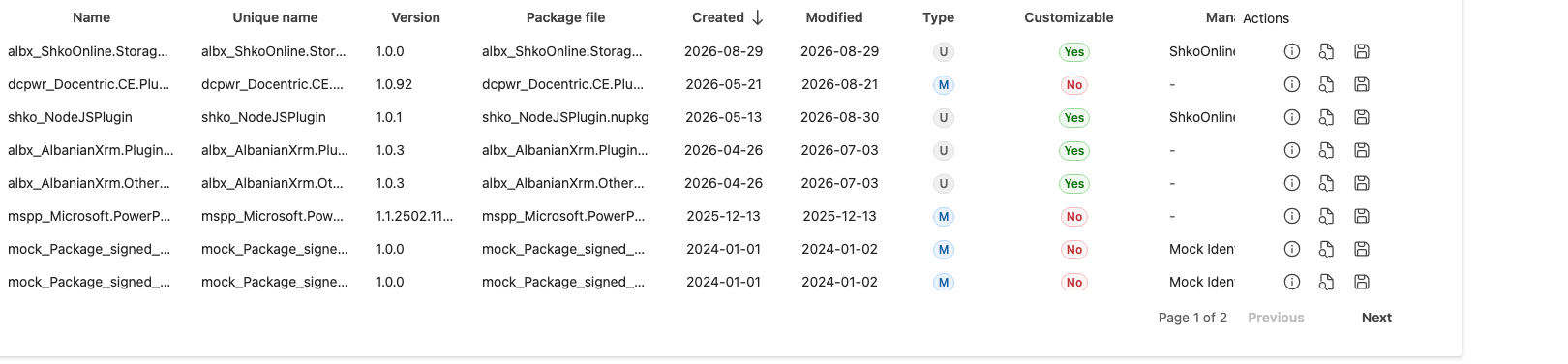
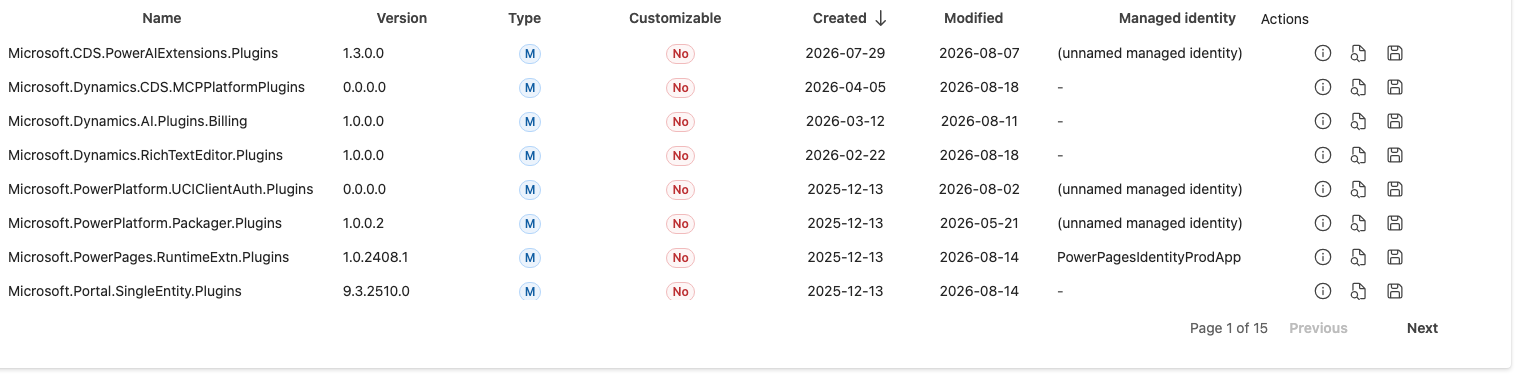
The main grid shows plugin packages and plugin assemblies in tabs with:
- Name, version, unique name, and package file metadata
- Managed/unmanaged and customizable/non-customizable indicators
- Managed identity column with a direct link to the related identity
- Search/filtering across all visible rows
- Client-side sorting on all columns
- Pagination for large result sets
- Action buttons for details, inspect, and export
Connection details and diagnostics
The main app shell keeps the active Dataverse connection and the recent operational history close at hand. Users can open the connection details popup to review the environment name, URL, and tenant metadata, and the event log keeps the latest activity visible while still allowing access to the full event history when needed.
Signature inspection and certificate review
Each package or assembly can be inspected to determine whether it is signed or unsigned. When the item is signed, the tool shows:
- Signature status
- Issuer and subject identifier values
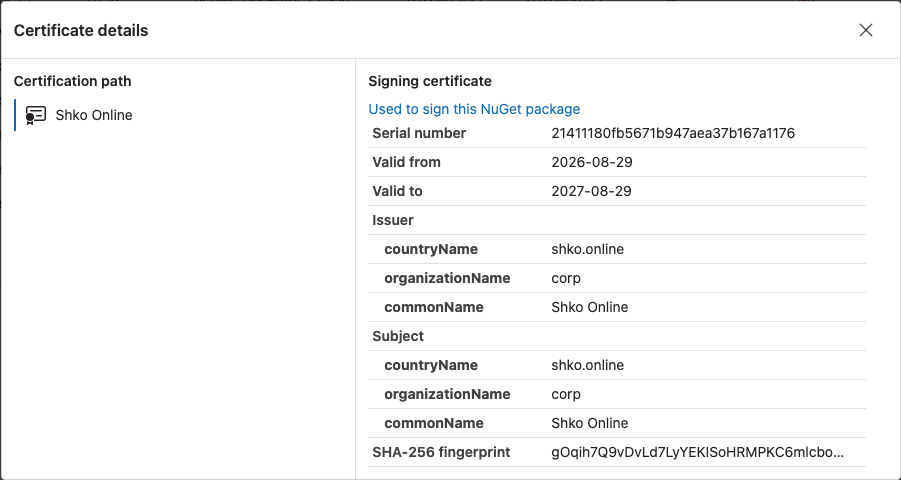
- Certificate details
- Potential managed identity subject settings issues
The details popup retains a compact action row with clear tooltips for:
- Inspect
- Download
- Certificate
- Identity
- Assign identity

If we are interested in the signer certificate, the certificate details popup provides path and certificate information.
Local file inspection
If the plugin package or assembly is available locally, the tool can inspect the .nupkg or .dll directly without connecting to the environment.

Managed identity management
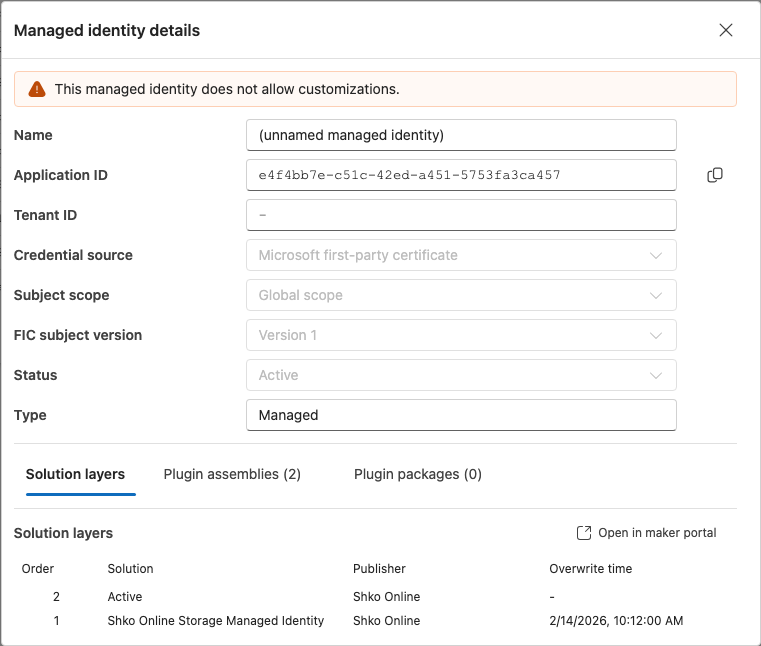
The tool includes a dedicated managed identity view with support for:
- Creating a new managed identity
- Editing an existing identity
- Viewing identity details
- Filtering identity records
- Sorting and pagination inside the identity table
- Usage counts and solution-layer context
- Only allowing edit actions when the identity is customizable
The details dialog also keeps edit mode and details mode in one place, so the user can review and update a managed identity without leaving the popup flow.

Assignment rules enforced by the tool
The wizard applies the business rules consistently:
- Only signed components can be assigned a managed identity
- Only customizable components can be assigned or edited
- Unsigned packages or assemblies show the appropriate guidance instead of allowing assignment
- Managed identities can be associated or dissociated only when the target is signed and customizable
- Invalid combinations are filtered out in the Storybook mock data and the UI rules reflect the real Dataverse constraints
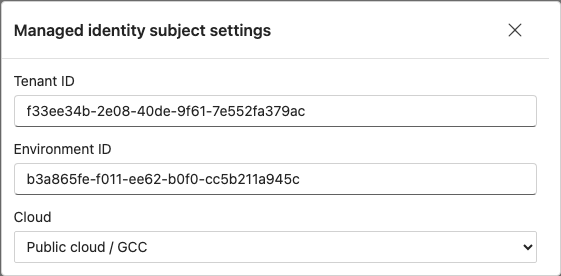
Managed identity settings
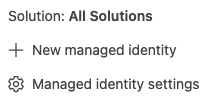
The application exposes the subject settings required to calculate the correct managed identity subject identifier. These settings can be opened from the flyout action menu.
Typical workflow
- Connect to a Dataverse environment.
- Open the solution filter and narrow the data set.
- Click Refresh packages to load plugin packages and assemblies.
- Inspect a signed component to review the certificate and subject identifier.
- Open the details popup for the item.
- Assign or manage the related managed identity when the component is both signed and customizable.
- Review the managed identity details and solution-layer usage before saving changes.
- Export or inspect the package or assembly as needed for troubleshooting.
Storybook and mock support
The project includes Storybook scenarios with realistic mock Dataverse data and browser stubs for:
- Solution data
- Plugin package and assembly records
- Managed identities and associations
- Signed and unsigned component combinations
- Browser opening for external links and exports
This allows the UI states to be exercised without a live Dataverse connection.
Try it now on chromatic here.
AI Assistance
Parts of this tool were generated with GitHub Copilot and reviewed, tested, and maintained by the contributors listed in package.json. If you find anything wrong with our solution that our quality review process might have missed please feel free to inform us, we will promptly take action.
License
Apache-2.0