
@shxd/mmit
v0.6.0
Published
AI-powered git workflow tool


Readme
mmit
AI-powered git workflow tool: commit messages, changelogs, and releases from your diffs


Install
npm install -g @shxd/mmit

# or use directly
npx @shxd/mmit
Setup
mmit init     # pick a provider, key, and model (connection tested before saving)
mmit doctor   # re-check your setup anytime (touches nothing)
init shows a model list per provider (powered by models.dev, cached for offline use). You can also authenticate with an environment variable:
| Provider | Environment Variable |
|----------|---------------------|
| OpenAI | OPENAI_API_KEY |
| Anthropic | ANTHROPIC_API_KEY |
| Gemini | GEMINI_API_KEY |
| OpenRouter | OPENROUTER_API_KEY |
Usage
git add .
mmit
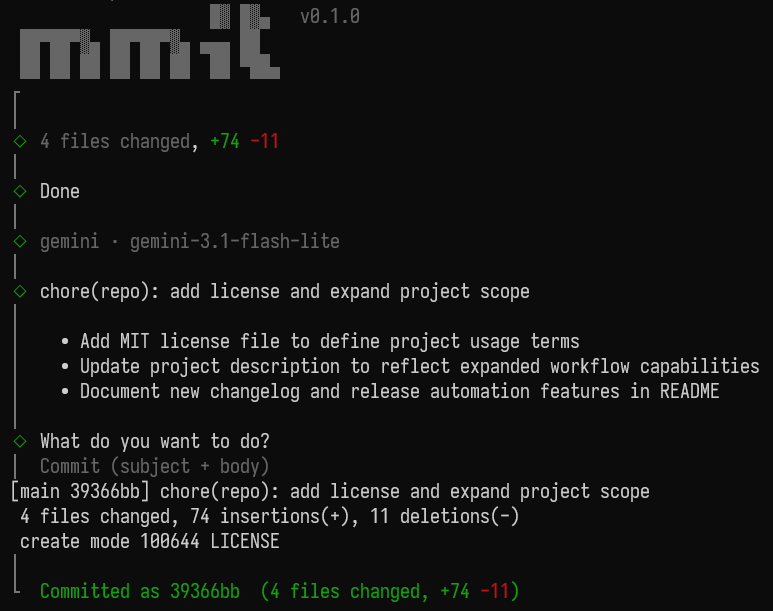
mmit reads the staged diff, generates a Conventional Commits message, and lets you commit it (subject only or with body), edit it, or regenerate with guidance before committing.
mmit --dry-run    # preview without committing
mmit --auto       # skip the interactive prompt
mmit amend        # regenerate the message for the last commit
Commands
| Command | Description |
|---------|-------------|
| mmit | Generate a message for staged changes and commit |
| mmit amend | Regenerate the message for the last commit |
| mmit changelog | Generate a changelog from conventional commits (--all, --write, --verbose, --compact, --from/--to, --output) |
| mmit release [patch\|minor\|major] | Bump version, write changelog, commit, and tag (--dry-run, --no-tag, --compact) |
| mmit doctor | Check provider setup with a sample diff (-p, -m) |
| mmit config [list\|get\|set] | View or change saved config, e.g. mmit config set model |
Options
| Flag | Description |
|------|-------------|
| -p, --provider <name> | AI provider (openai, anthropic, gemini, openrouter) |
| -m, --model <name> | Override the default model |
| --dry-run | Generate without committing |
| --auto | Skip the interactive prompt |
| --diff-only | Print the staged diff and exit |
| --config | Print the current config |
Configuration
Global: ~/.mmit.json
Project: .mmit.json in the project root (overrides global)
{
  "provider": "gemini",
  "model": "gemini-3.1-flash-lite",
  "commitTypes": ["feat", "fix", "chore", "refactor", "docs", "style", "test", "perf", "ci", "build", "revert"]
}
mmit config set <key> <value> edits the global config with validation (provider, model, apiKey, maxDiffTokens, commitTypes, autoConfirm).
Release flow
mmit release auto-detects the bump from commits since the last tag (breaking → major, feat → minor, else patch), then writes the changelog, bumps package.json, commits as chore(release): v<version>, and tags. Push tags yourself: git push --tags.