
@simba-dev/react-native-media-player
v1.9.0
Published
React Native video & audio player powered by libmpv — Picture-in-Picture, MediaSession, foreground service, and a customizable TypeScript UI. Built for Android. Designed as a drop-in replacement for react-native-video / react-native-track-player / expo-av

Maintainers
 pavalep
Readme
@simba-dev/react-native-media-player
React Native video & audio player powered by libmpv, with first-class Picture-in-Picture, MediaSession, foreground service, and a customizable TypeScript UI. Built for Android. Designed to be a drop-in replacement for react-native-video / react-native-track-player / expo-av.
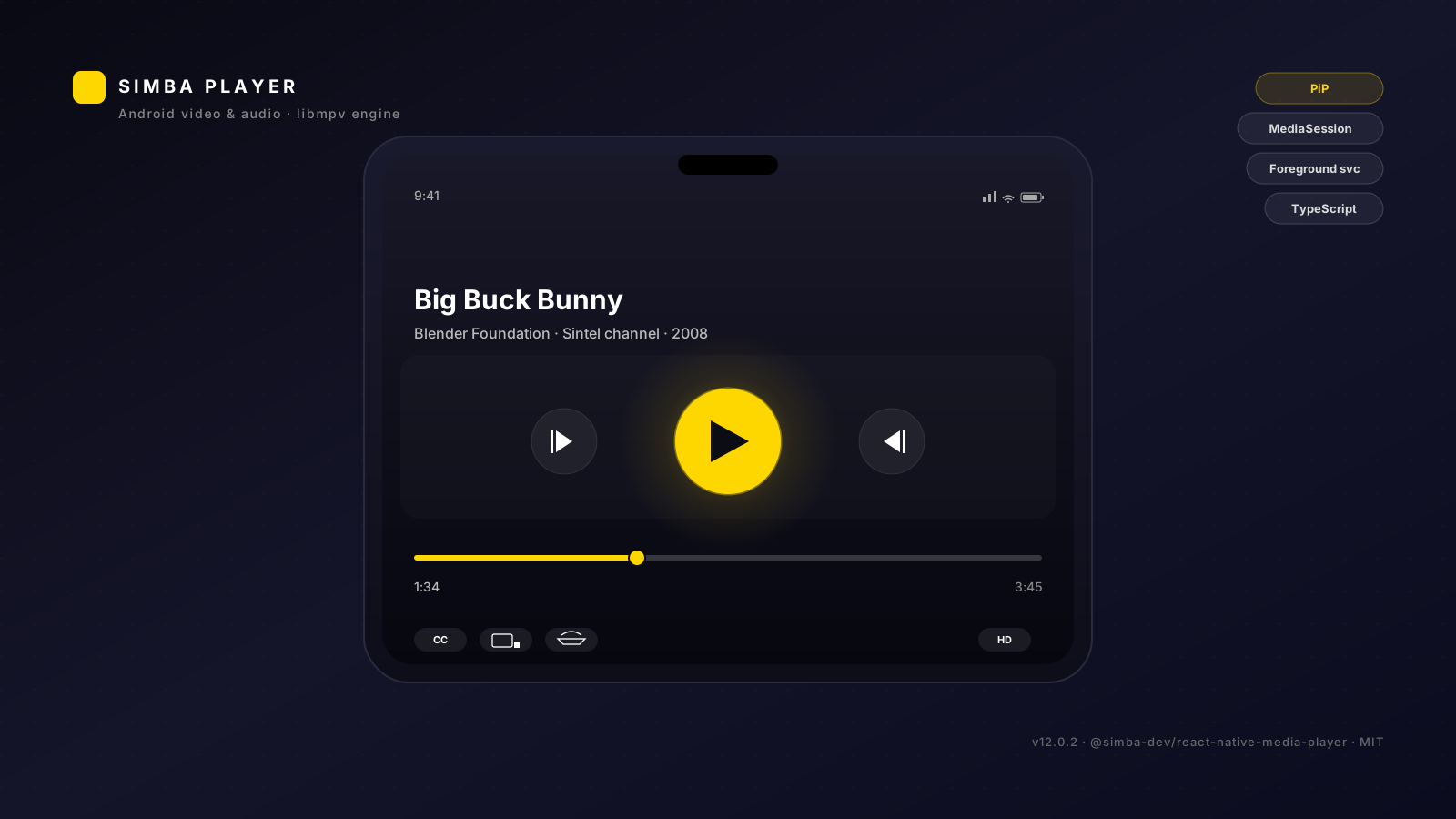
Table of contents
- What is
@simba-dev/react-native-media-player? - Installation
- Basic usage
- Custom UI
- Configuration
- Picture-in-Picture
- Background audio
- Theming
- API reference
- Troubleshooting
- Limitations
- Sponsor & support
- Contributing
- License
What is @simba-dev/react-native-media-player?
A standalone NPM package that gives your React Native Android app a unified video + audio playback engine backed by libmpv. The same engine, the same MediaSession, the same foreground service — for both video and audio playback.
Highlights:
- Dedicated
PlayerActivity— extendsReactActivity, mounts the mpv-poweredSurfaceViewat the content root (the proven pattern for stable PiP on Android). No more black-screen PiP bugs. - Unified audio + video — one engine, one set of controls. Audio files use the same
libmpvinstance with the surface hidden; no second player to maintain. - Picture-in-Picture — auto-enter on background (configurable), manual toggle, custom RemoteActions. Works correctly with the React Native view tree (no nested-SurfaceView surprises).
- MediaSession + lock-screen controls — title / artist / album on the lock screen; play / pause / skip / seek from Bluetooth headphones, wired headsets, Android Auto, etc.
- Foreground service — keeps audio alive when the activity backgrounds (Spotify-style behavior, opt-in).
- Customizable UI — use
<DefaultControls>out of the box, swap in your own via therenderControlsprop, or build fully from scratch withusePlayer+useTheme. - TypeScript-first — every prop, hook, and config field is fully typed.
Installation
npm install @simba-dev/react-native-media-playerAutolinking handles the rest — RN's react-native config will find the package via the shipped react-native.config.js and register com.simba.player.PlayerPackage in your MainApplication.kt automatically on next build.
Requirements
- React Native ≥ 0.76 (bridgeless mode required)
- Android
minSdk24 (Android 7.0 Nougat — needed for Picture-in-Picture) - Kotlin 1.9+ in the consumer app
Consumer setup
Add the player to your AndroidManifest.xml (the package ships its own <service> and <receiver> declarations, but the launchable activity has to be registered in your app's manifest so the consumer can launch it):
<!-- MOBILE_APP_REACT_NATIVE/android/app/src/main/AndroidManifest.xml -->
<activity
    android:name="com.simba.player.PlayerActivity"
    android:configChanges="orientation|screenSize|screenLayout|keyboardHidden|navigation"
    android:launchMode="singleTask"
    android:supportsPictureInPicture="true"
    android:resizeableActivity="true"
    android:autoRemoveFromRecents="true"
    android:theme="@style/AppTheme"
    android:exported="false" />
If you plan to use background audio, declare the foreground-service permissions:
<uses-permission android:name="android.permission.FOREGROUND_SERVICE" />
<uses-permission android:name="android.permission.FOREGROUND_SERVICE_MEDIA_PLAYBACK" />
<uses-permission android:name="android.permission.POST_NOTIFICATIONS" />
For API 33+ (Android 13+) the app must request POST_NOTIFICATIONS at runtime before the first media-style notification is shown. The bridge's requestNotificationPermission() helper does this:
import { getMpvPlayerModule } from '@simba-dev/react-native-media-player';
getMpvPlayerModule().requestNotificationPermission?.(); // graceful no-op on older APIs
Basic usage
// App.tsx — V15+ (one wrapper, one import, zero glue code)
import React from 'react';
import {
  SimbaPlayer,
  SimbaPlayerRoot,
  useOpenFromUrl,
} from '@simba-dev/react-native-media-player';

export default function App() {
  return (
    <SimbaPlayer
      getResumePosition={(uri) =>
        store.getState().bookmarks.byFileUri[uri]?.positionMs
      }
    >
      <AppContent />
    </SimbaPlayer>
  );
}

function AppContent() {
  // Deep links: open incoming content:// + file:// URIs in the player.
  const openFromUrl = useOpenFromUrl();
  React.useEffect(() => {
    Linking.getInitialURL().then(url => url && openFromUrl(url));
    const sub = Linking.addEventListener('url', ({ url }) => openFromUrl(url));
    return () => sub.remove();
  }, [openFromUrl]);

  // <SimbaPlayerRoot> handles the activity-launch branch
  // (renders <PlayerRoot /> when launchParams is set, otherwise children).
  return (
    <SimbaPlayerRoot>
      <YourNavigator />
    </SimbaPlayerRoot>
  );
}
That's it — <SimbaPlayer> is the one-import, one-wrapper integration point. It composes the PlayerProvider (config + state) and PlayerResumeProvider (bookmark-aware resume lookup). <SimbaPlayerRoot> (V14) absorbs the useLaunchParams() + activity-branch switch. useOpenFromUrl() (V14) absorbs the deep-link URI-scheme filter + title-derivation + extension-classification. getResumePosition (V14) is the new function-prop shape for the resume lookup (replaces V13's lookup={...} object shape).
Per-screen usage (V15+)
Every player-related call is a one-line module hook. No useAppDispatch in player files. No useAppSelector(state => state.player.X). No V11-mirrored redux state.
import {
  usePlayerActivity,   // single-track play
  useOpenPlaylist,     // play all from a list
  useQueue,            // add / remove / reorder queue items
  useSleepTimer,       // arm a sleep timer
  useEqualizer,        // 10-band EQ
  useIsLiked,          // per-file "liked" state
  useShuffle,          // shuffle flag
} from '@simba-dev/react-native-media-player';

// Single-track play (V14, unchanged)
const {openPlayer} = usePlayerActivity();
const handlePlay = (item) => openPlayer({uri: item.uri, title: item.title, type: 'audio'});

// Play all from a list (V15 — the "play all" two-step absorption)
const {openPlaylist} = useOpenPlaylist();
const handlePlayAll = () => openPlaylist(sortedTracks, {type: 'audio'});

// Add to queue (V15 — zustand-backed, no Redux)
const {addToQueue} = useQueue();
const handleAddToQueue = (item) => addToQueue({uri: item.uri, title: item.title, ...});

// Set sleep timer (V15 — public surface; the consumer hasn't wired UI yet)
const {endTime, setTimer, clear} = useSleepTimer();
const handleSet30Min = () => setTimer(30 * 60);  // 30 minutes
Launching a file from JS
import { usePlayerActivity } from '@simba-dev/react-native-media-player';

function TrackRow({ track }) {
  const { openPlayer } = usePlayerActivity();
  return (
    <Pressable onPress={() => openPlayer({
      uri: track.uri,
      title: track.title,
      type: 'audio',        // 'video' | 'audio'
      startPositionMs: 0,   // optional
    })}>
      <Text>{track.title}</Text>
    </Pressable>
  );
}
// PlayerActivity launches, plays the file, supports PiP, etc.
Resume-aware openPlayer (with bookmarks)
If your app has a bookmarks/history feature, wrap your tree in <SimbaPlayer> with a lookup adapter and use useOpenWithResume(). The hook accepts a resumeId and looks up the saved position via your adapter — no manual position plumbing in every call site.
// App.tsx
import { SimbaPlayer, type PlayerResumeLookup } from '@simba-dev/react-native-media-player';

const resumeLookup: PlayerResumeLookup = {
  getResumePosition: (resumeId) => {
    // resolve the resume position (ms) for the given item
    // — return undefined for "no saved position"
    return store.getState().bookmarks.byFileUri[resumeId]?.positionMs;
  },
};

<SimbaPlayer lookup={resumeLookup}>
  <AppContent />
</SimbaPlayer>

// TrackRow.tsx
import { useOpenWithResume } from '@simba-dev/react-native-media-player';

function TrackRow({ track }) {
  const openPlayer = useOpenWithResume();
  return (
    <Pressable onPress={() => openPlayer({
      uri: track.uri,
      title: track.title,
      type: 'audio',
      resumeId: track.uri,  // module looks up the saved position
    })}>
      <Text>{track.title}</Text>
    </Pressable>
  );
}
Mapping content kinds to V13 stream types
If your items have content kinds like 'music', 'movie', 'podcast' (not the V13 stream types 'audio' | 'video'), use the resolveStreamType helper:
import { usePlayerActivity, resolveStreamType } from '@simba-dev/react-native-media-player';

const { openPlayer } = usePlayerActivity();
openPlayer({
  uri: item.uri,
  title: item.title,
  type: resolveStreamType(item.kind),  // 'music' -> 'audio', 'movie' -> 'video', etc.
});
Custom UI
Two ways to swap the controls:
1. renderControls prop (recommended)
import React from 'react';
import { Pressable, Text, View } from 'react-native';
import {
  PlayerProvider,
  PlayerRoot,
  usePlayer,
  useTheme,
} from '@simba-dev/react-native-media-player';

function MyCustomControls() {
  const { state, commands } = usePlayer();
  const theme = useTheme();
  return (
    <View style={{ flex: 1, justifyContent: 'center', alignItems: 'center' }}>
      <Text style={{ color: theme.text }}>{state.title}</Text>
      <Pressable onPress={state.isPlaying ? commands.pause : commands.play}>
        <Text style={{ color: theme.accent, fontSize: 24 }}>
          {state.isPlaying ? '⏸' : '▶'}
        </Text>
      </Pressable>
    </View>
  );
}

export default function App() {
  return (
    <PlayerProvider renderControls={() => <MyCustomControls />}>
      <PlayerRoot />
    </PlayerProvider>
  );
}
The renderControls function takes no arguments — your component reads what it needs (usePlayer, useTheme, usePlayerProgress) from the provider context. When omitted, <PlayerRoot> falls back to <DefaultControls>.
2. Build fully from scratch
Skip <PlayerRoot> entirely and lay out your own tree:
import React from 'react';
import { View } from 'react-native';
import { PlayerProvider, PlayerSurface } from '@simba-dev/react-native-media-player';
import { MyControls } from './MyControls';

export default function App() {
  return (
    <PlayerProvider>
      <View style={{ flex: 1 }}>
        <PlayerSurface />
        {/* your own controls, positioned absolutely over the surface */}
        <View style={{ position: 'absolute', top: 0, left: 0, right: 0, bottom: 0 }}>
          <MyControls />
        </View>
      </View>
    </PlayerProvider>
  );
}
Configuration
Pass a config prop to <PlayerProvider>:
<PlayerProvider
  config={{
    theme: { accent: '#00FF88' },
    pip: { enabled: true, autoEnterOnLeave: true },
    audio: { backgroundPlayback: true, respectAudioFocus: true },
    hardwareDecoding: 'auto', // 'auto' | 'mediacodec' | 'no'
    notifications: { enabled: true, channelId: 'my_app_media' },
    subtitle: { preferredLanguages: ['en'], fontSize: 18 },
    debug: { verboseLogging: false },
  }}
>
  {children}
</PlayerProvider>
Every field is optional and falls back to the defaults in DEFAULT_PLAYER_CONFIG. See the API reference for the full type definitions.
Spread-and-override pattern
For minor overrides, spread the defaults:
import { DEFAULT_PLAYER_CONFIG } from '@simba-dev/react-native-media-player';

<PlayerProvider
  config={{
    ...DEFAULT_PLAYER_CONFIG,
    audio: { ...DEFAULT_PLAYER_CONFIG.audio, backgroundPlayback: false },
  }}
>
Picture-in-Picture
Picture-in-Picture is on by default. Two configuration knobs:
<PlayerProvider
  config={{
    pip: {
      enabled: true,         // master switch — when false, all PiP entry requests are ignored
      autoEnterOnLeave: true, // auto-enter on home/recents/app-switcher
    },
  }}
>
Manual PiP control
import { NativeModules } from 'react-native';
const { MpvPlayerModule } = NativeModules;

MpvPlayerModule.enterPip();             // enter PiP right now
MpvPlayerModule.exitPip();              // expand back to fullscreen
MpvPlayerModule.exitPipAndFinish();     // close the player session
PiP RemoteActions
The module's lock-screen / PiP notification exposes Play / Pause / Skip-Back / Skip-Forward actions out of the box. Custom actions are not yet exposed via the public TS API — see the Limitations section.
Background audio
Audio files keep playing when the user backgrounds the app (Spotify-style). Video files always pause on background — this is intentional, see the audio unification rationale.
To disable background audio:
<PlayerProvider
  config={{ audio: { backgroundPlayback: false } }}
>
When backgroundPlayback is enabled, the module starts a foreground service (com.simba.player.MediaPlaybackService) that hosts the MediaSession + media-style notification. The notification's transport controls work on the lock screen, in Android Auto, on Bluetooth headphones (play / pause / skip), and via Google Assistant.
Theming
Every color in <DefaultControls> comes from the PlayerTheme slice of the config:
<PlayerProvider
  config={{
    theme: {
      accent: '#FFD700',                       // play button, progress fill
      background: '#121216',                   // surface background
      text: '#FFFFFF',                         // primary text
      textSecondary: 'rgba(255,255,255,0.6)',  // subtitles, time labels
      surface: 'rgba(255,255,255,0.1)',        // floating cards, icon backgrounds
      icon: '#FFFFFF',                         // optional — defaults to `text`
    },
  }}
>
Read the theme from a custom component:
import { useTheme } from '@simba-dev/react-native-media-player';

const theme = useTheme();
<View style={{ backgroundColor: theme.background }} />;
Default theme is dark with a golden accent (DEFAULT_THEME).
API reference
Every public export lives in src/index.ts. The V13+ surface is the recommended way to integrate; the V12 surface (PlayerProvider + usePlayer() directly) still works for backward compatibility but is undocumented for new consumers.
Components (V13+ recommended, V14 additions in bold)
| Component | Purpose |
|---|---|
| <SimbaPlayer> | One-import, one-wrapper integration. Composes PlayerProvider + PlayerResumeProvider. V14 adds the getResumePosition function prop (alongside the legacy lookup object prop). Use this at the app root. |
| <SimbaPlayerRoot> | V14 — activity-branch wrapper. Calls useLaunchParams() internally; renders <PlayerRoot /> when the activity was launched with playback params, otherwise renders its children. Replaces the V13 if (launchParams) return <PlayerRoot /> boilerplate. |
| <PlayerRoot> | Renders <PlayerSurface> + the controls overlay (default <DefaultControls> or custom via renderControls). |
| <PlayerSurface> | <View flex:1> placeholder for the native SurfaceView. a11y-hidden. |
| <DefaultControls> | Pre-built controls (top bar, scrubber, transport, auto-hide). |
| <PlayerProvider> | (V12 surface) Wraps the app; provides resolved config + renderControls slot. Use <SimbaPlayer> instead unless you need the raw provider. |
Hooks (V13+, V14 additions in bold, V15 additions in bold-italic)
| Hook | Returns | Throws outside provider? |
|---|---|---|
| usePlayerActivity() | { openPlayer(opts), getLaunchParams() } | ❌ No (no-op fallback) |
| useOpenWithResume() | (opts: OpenPlayerOptions & { resumeId? }) => Promise<boolean> | ❌ No (no-op lookup) |
| useOpenFromUrl() | (uri: string) => Promise<boolean> — deep-link helper that filters content:// + file:// URIs, derives a title from the basename, classifies audio/video by extension, and forwards to useOpenWithResume().openPlayer(...) | ❌ No |
| useOpenPlaylist() | V15 — { openPlaylist(entries, opts) } — "play all from a list" two-step absorption. opts: { type?, startIndex?, startPositionMs?, shuffle?, startExtras? } | ❌ No |
| useSimbaPlayerLookup(selector?) | PlayerResumeLookup — factory hook that wraps an optional selector in a memoized lookup object. Without a selector, returns no-op. | ❌ No |
| useQueue() / useQueueItems() / useQueueLength() / usePlaybackHistory() | V15 — queue + playback history state (zustand-backed). useQueue() returns the full store (queue, history, 9 actions: addToQueue, prependToQueue, removeFromQueue, reorderQueue, clearQueue, shuffleQueue, playFromQueue, addToPlaybackHistory, clearPlaybackHistory). | ❌ No |
| useQueueSelection() / useQueueSelectedIndices() | V15 — multi-select state for the queue (selected indices + 4 actions: setSelection, clearSelection, removeSelected, moveSelectedToTop). | ❌ No |
| useSleepTimer() / useSleepTimerEnd() / useSleepTimerMode() | V15 — sleep timer state (endTime + mode) + actions (setTimer, setMode, clear). | ❌ No |
| useEqualizer() / useEqualizerEnabled() | V15 — 10-band equalizer (gains + enabled) + actions (setGains, toggle). | ❌ No |
| useIsLiked(uri) / useToggleLiked() | V15 — per-file "liked" state (Record<uri, boolean>) + toggle action. | ❌ No |
| useShuffle() / useShuffleEnabled() | V15 — shuffle flag + toggle action. | ❌ No |
| usePlayItem() | (item, opts) => Promise<boolean> | ❌ No (sugar on useOpenWithResume) |
| useLaunchParams() | LaunchParams \| null | ❌ No (returns null) |
| usePlayer() | { state: PlayerState, commands: PlayerCommands, progress: PlayerProgress } | ❌ No (returns defaults) |
| usePlayerProgress() | { positionMs, durationMs, isBuffering, isSeeking, seekable, cacheRanges, cacheFill } | ❌ No (returns 0/0) |
| usePlayerConfig() | ResolvedPlayerConfig | ✅ Yes (programmer error) |
| useTheme() | PlayerTheme | ✅ Yes (programmer error) |
| useRenderControls() | RenderControlsFn \| null | ❌ No (falls back to default controls) |
Types (V13+)
| Type | Notes |
|---|---|
| PlayerState | 20 fields: isPlaying, title, artist, album, positionMs, durationMs, isBuffering, isSeeking, seekable, volume, isMuted, speed, loopMode, playlist, currentIndex, tracks, chapters, currentChapter, videoParams, error |
| PlayerProgress | 7 fields: positionMs, durationMs, isBuffering, isSeeking, seekable, cacheRanges, cacheFill |
| PlayerCommands | 38 methods: play, pause, seek, skipBackward, skipForward, togglePlayPause, stop, seekBy, seekToChapter, next, previous, setVolume, setMuted, toggleMute, setSpeed, setLoopMode, loadFile, loadPlaylist, playlistRemove, shuffle, clear, cycleTrack, setTrack, enterPip, exitPip, exitPipAndFinish, setKeepScreenOn, setOrientation, setImmersive, setScreenBrightness, requestNotificationPermission, openPlayer, getLaunchParams, getProperty, setProperty, observeProperty, unobserveProperty, grantPersistablePermission, verifyContentUri |
| OpenPlayerOptions | { uri, title, type: 'video' \| 'audio', startPositionMs? } — the V13 openPlayer arg shape (replaces V11's positional args) |
| LaunchParams | { uri, title, type, startPositionMs } — read from the activity via useLaunchParams() |
| ContentKind | 'video' \| 'audio' \| 'music' \| 'movie' \| 'podcast' \| 'live-tv' \| 'radio' \| 'audiobook' \| 'archive-audio' \| 'episode' \| 'video-file' \| string |
| PlayerResumeLookup | { getResumePosition(itemId: string): number \| undefined } — adapter for the bookmark-aware resume lookup |
| GetResumePosition | V14 — (itemId: string) => number \| undefined — the function reference shape for <SimbaPlayer getResumePosition={...}> |
| SimbaPlayerProps | { config?, lookup?, getResumePosition?, children } — V14 adds getResumePosition (function prop, recommended). If both lookup and getResumePosition are passed, getResumePosition wins. |
| SimbaPlayerRootProps | V14 — { children: React.ReactNode } — the children are rendered when the activity was launched WITHOUT playback params |
| MpvPlayerModuleBridge | Typed view of the native module (78 methods) |
| PlayerConfig, ResolvedPlayerConfig, PlayerTheme, PipConfig, AudioConfig, SubtitleConfig, NotificationConfig, DebugConfig, HardwareDecodingPolicy | V12 surface — same as before |
| MpvTrack, MpvChapter, MpvFileInfo, MpvVideoParams, MpvAudioDevice, MpvPlaybackState, MpvLoopMode, MpvEventName, MpvEvents, MpvEventPayloads, PlayerEventName, PlayerEventPayloads | Low-level mpv types |
Constants
| Constant | Description |
|---|---|
| DEFAULT_THEME | Dark theme with golden accent |
| DEFAULT_PLAYER_CONFIG | Fully-resolved default config (useful for spread-and-override) |
Functions
| Function | Description |
|---|---|
| resolvePlayerConfig(config) | Merge a partial config with defaults — useful for tests / debug overlays |
| getMpvPlayerModule() | Typed wrapper over NativeModules.MpvPlayerModule. Returns a no-op stub on non-RN platforms (jest, web). |
| resolveStreamType(kind: ContentKind): 'video' \| 'audio' | Map a content kind to the V13 stream type. Idempotent — 'video' and 'audio' pass through unchanged. Use this when your items have 'music', 'movie', etc. but V13 openPlayer expects 'video' | 'audio'. |
| subscribePlayerEvent(name, handler) → unsubscribe | Subscribe to a native mpv event (22 events). Returns an unsubscribe function. |
| removeAllListeners(event?) | Remove all listeners for an event (or all events if no arg). |
Troubleshooting
"MpvPlayerModule is undefined" on JS side
You probably haven't rebuilt the native side after npm install. Run:
cd android && ./gradlew :app:assembleDebugOr do a full Metro reset:
npm start --reset-cachePlayer launches but video is black
- Permissions: on API 33+ the app must request
POST_NOTIFICATIONSbefore showing the media-style notification. UseMpvPlayerModule.requestNotificationPermission(). - Codec: if the device can't decode the format (rare - libmpv handles most), try
hardwareDecoding: 'no'to force software decoding. - HTTPS: libmpv's curl backend rejects malformed URLs. Ensure your media URLs are valid
https://(orcontent://for local files).
App is stuck at a white screen after splash (no JS error, just white)
This is almost always a dlopen failed: cannot locate symbol on the libmpv.so chain — visible in adb logcat -d --pid=$(adb shell pidof <your.package>) | grep dlopen as:
dlopen failed: cannot locate symbol
  "_ZNSt6__ndk127__from_chars_floating_pointIfE..."
referenced by ".../libmpv.so"
Cause: the lib's bundled prebuilts (from mpv-android releases) are built against LLVM 17+ libc++ (NDK r28+), which has __from_chars_floating_point. If your APK's lib/<abi>/libc++_shared.so is missing that symbol, libsimbaplayer_mpv.so fails to load, the MpvBridgeModule TurboModule never registers, and the app can't render past splash.
Fix: remove any excludes += ["lib/*/libc++_shared.so"] from your android/app/build.gradle packagingOptions { jniLibs { } } block if you have one. The lib ships its own LLVM 17+ libc++_shared.so via the postinstall hook (scripts/download-native.js downloads the matching jniLibs.tar.gz from the GitHub release) and your APK should bundle that copy. Also delete any pre-v1.5.14 leftover app/src/main/jniLibs/<abi>/<abi>/libc++_shared.so (NDK r27 LLVM 16, missing the symbol) if you kept one around from a prior workaround.
After this, gradle :app:assembleDebug will bundle the lib's libc++_shared.so and libsimbaplayer_mpv.so will resolve symbols cleanly.
PiP doesn't auto-enter on home press
Make sure:
- The activity has
android:supportsPictureInPicture="true"andandroid:resizeableActivity="true"in yourAndroidManifest.xml(the consumer must declare these — the library doesn't force them). config.pip.autoEnterOnLeave === true(the default).- The app targets API 24+ on a device that supports PiP (most modern Android devices do).
Debug logging
Enable verbose logging from JavaScript:
import { setDebugLogging } from '@simba-dev/react-native-media-player';

// Enable verbose logging (sets mpv msg-level=all + logs every bridge call)
setDebugLogging(true);

// ... your code ...

// Disable for production
setDebugLogging(false);
Or via the PlayerProvider config:
<PlayerProvider config={{ debug: { verboseLogging: true } }}>Then watch logcat:
adb logcat -v color MpvBridgeModule:V MPVLib:V PipManager:V MediaPlaybackService:V ReactNativeJS:V *:SThe [PlaybackTrace] prefix tags every bridge call so you can trace end-to-end.
Property dump
To dump all currently-observed mpv properties to logcat (useful for debugging state divergence between native and JS):
import { dumpObservedProperties } from '@simba-dev/react-native-media-player';

const count = dumpObservedProperties();
console.log(`Dumped ${count} properties to logcat`);
Output looks like:
[PlaybackTrace][Bridge][dumpObservedProperties] 12 properties observed:
[PlaybackTrace][Bridge][dumpProperties] property=time-pos value="123.456" requested=true
[PlaybackTrace][Bridge][dumpProperties] property=duration value="600" requested=true
...
Memory-pressure response
When the system signals memory pressure via ComponentCallbacks2.onTrimMemory(), the bridge automatically reduces mpv's cache:
| Level | Cache-secs |
|---|---|
| TRIM_MEMORY_RUNNING_MODERATE | 10 |
| TRIM_MEMORY_RUNNING_LOW | 5 |
| TRIM_MEMORY_RUNNING_CRITICAL | 2 |
| TRIM_MEMORY_BACKGROUND | 10 |
| TRIM_MEMORY_COMPLETE | 0 |
No configuration needed — the bridge listens via PlayerActivity registration and adjusts mpv.setPropertyString('cache-secs', ...).
Native module init log
On every React Native init, the bridge logs:
[PlaybackTrace][Bridge][initialize] MpvPlayerModule v0.1.0 init: package=com.simba.app isHeadlessJsTask=false debugLogging=falseThis confirms the module is wired + reports the package name + current debug-logging state. Use adb logcat -s MpvBridgeModule to filter.
TypeScript "Cannot find module '@simba-dev/react-native-media-player'"
Make sure the package is in your dependencies (not devDependencies) and Metro has been restarted. The package.json field "react-native": "src/index.ts" lets Metro resolve to the source directly without a build step.
Limitations
- Android-only. iOS is not supported (no plans — the libmpv backend is the only reason this package exists; iOS has
AVPlayer). Thereact-native.config.jsreturnsios: nullto skip iOS autolinking entirely. - No DRM. libmpv does not implement Widevine / FairPlay / PlayReady. Widevine is on the libmpv roadmap but not stable.
- No casting. Chromecast and AirPlay are out of scope. The MediaSession integrates with Android Auto and Bluetooth headphones, but not Cast.
- GPL considerations. libmpv is GPLv2+ by default. Bundling libmpv in your APK makes any consumer app that links against it subject to GPL terms unless you choose an LGPL-compatible build path. See the License section below and the bundled
MPV_NATIVE_PROVENANCE.mdfor the exact provenance of the binary. - Audio vs video background behavior. Video files always pause on background (no PiP, no audio continuation) — this is intentional. The V11 codebase had separate engines for audio vs video; V12 unifies them on libmpv but keeps the "video = foreground-only" rule because the SurfaceView's GPU compositing stops when the activity backgrounds.
- PiP custom RemoteActions. The lock-screen / PiP notification exposes a fixed set of actions (Play / Pause / Skip-Back / Skip-Forward). Custom actions are a W7+ feature.
- React Native ≥ 0.76 only. Bridgeless mode is required (the TurboModule path uses
TurboReactPackage, which doesn't work on the legacy bridge).
Sponsor & support
@simba-dev/react-native-media-player is free, open source software made possible by Paval E P and the contributors who help maintain it. If you find it useful in your own work, consider supporting its continued development.
Every contribution — large or small — helps me spend more time maintaining, experimenting, and shipping the next set of fixes and features. 🙏
About the maintainer
I'm an independent developer building software, experimenting with ideas, and working on projects through Varna Labs, my sole proprietorship registered under India's Udyam/MSME framework. 🇮🇳
If you like my projects, find something I've built useful, or simply want to support independent development, consider making a contribution. 🙌
It doesn't have to be much — every little bit helps me spend more time building, experimenting, maintaining projects, and bringing new ideas to life. ✨
💡 Have a viable project or something interesting you'd like to build together? Feel free to reach out. I'm always happy to discuss potential collaborations and see where a good idea can go. 🤝
Your support keeps independent work moving. 🦋 Gracias for being here! ❤️
Contributing
Local development
The module is a sibling of the consumer app at SIMBA/react-native-media-player/. To work on the module and test it in the consumer app:
# 1. Make changes in react-native-media-player/

# 2. Typecheck
cd react-native-media-player
npx tsc --noEmit -p .

# 3. Build the AAR
cd ../MOBILE_APP_REACT_NATIVE/android
./gradlew :react-native-media-player:assembleDebug

# 4. Build the consumer APK (catches consumer-side regressions)
./gradlew :app:assembleDebug

# 5. Run on device
cd ..
npm run android
Tests
Wave 7 (Phases 33-34) adds JUnit + Jest tests. Until then, manual testing via the consumer app is the gate.
# Type check only
cd react-native-media-player
npx tsc --noEmit -p .

# Verify the package is publishable (without actually publishing)
npm pack --dry-run
Pull request guidelines
- One phase per PR (matches the spec's phase structure).
- Update SPEC + TRACKER docs as part of the change.
- Verify
./gradlew :react-native-media-player:assembleDebug :app:assembleDebugpasses. - Verify
npx tsc --noEmit -p .passes from the module root.
License
MIT for the Java/Kotlin/TypeScript code in this package. See LICENSE.
Note on bundled native libraries (see LICENSE for full text):
- libmpv — GPLv2+ by default. Bundling it makes any consumer app that links against it subject to GPL terms unless an LGPL-compatible build path is chosen.
- Bundled FFmpeg libraries (
libavcodec,libavformat,libavutil,libavfilter,libavdevice,libswresample,libswscale) — LGPLv2.1+ unless configured otherwise at build time. libOpenCL— Apache-2.0.libc++_shared— Apache-2.0 with LLVM exceptions.
Consumers are responsible for ensuring their app's license obligations are met when shipping these binaries. See android/src/main/jniLibs/MPV_NATIVE_PROVENANCE.md for the exact provenance of each bundled binary.
Status: latest published version is 1.5.20 on npmjs and GitHub Releases. See CHANGELOG.md for the full per-version notes.