
@simplesmoothsafe/pptb-solution-xray
v1.2.1
Published
Offline Dataverse solution zip analysis: component inventory, compare/diff, upgrade risk score and multi-solution install order. No connection required.

Maintainers
 dataverse-mcp-pro
Readme
Solution XRay
Offline analysis of Dataverse solution zips inside Power Platform ToolBox. No connection required. The zip never leaves your machine.
What it does
Load one or more exported solution zips (managed or unmanaged) and get:
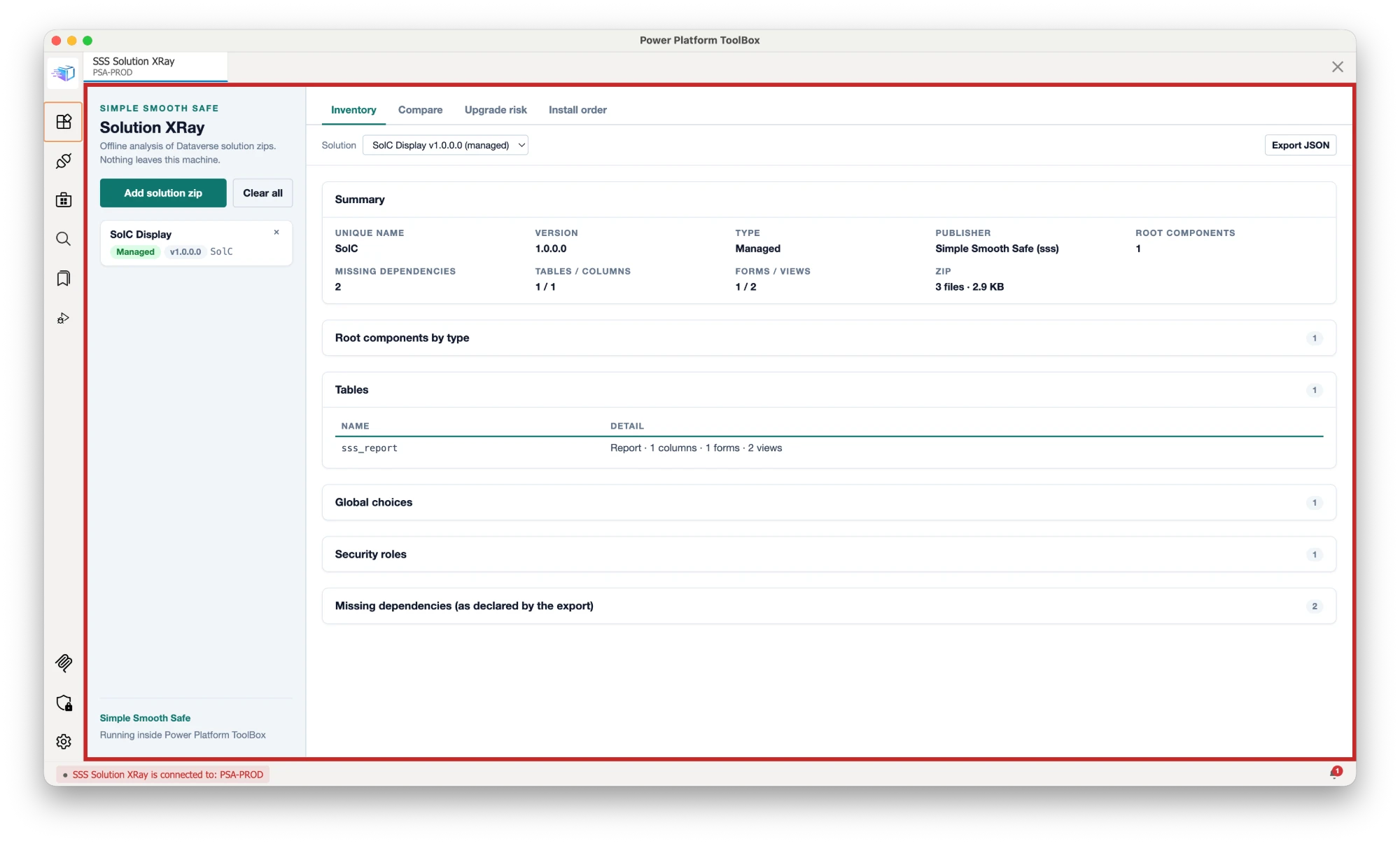
- Inventory — solution header (unique name, version, managed flag, publisher), root components by type, tables with column/form/view counts, relationships, global choices, processes and cloud flows (with the connection references each flow uses), model-driven and canvas apps, web resources, security roles, column security profiles, connection references, environment variables (default/value present?), plugin assemblies and steps, PCF controls, and the export's own declared missing dependencies.
- Compare — diff two zips (two versions of the same solution, or two different ones): added / removed / changed components per category, down to individual columns. Flags upgrade vs downgrade vs same version.
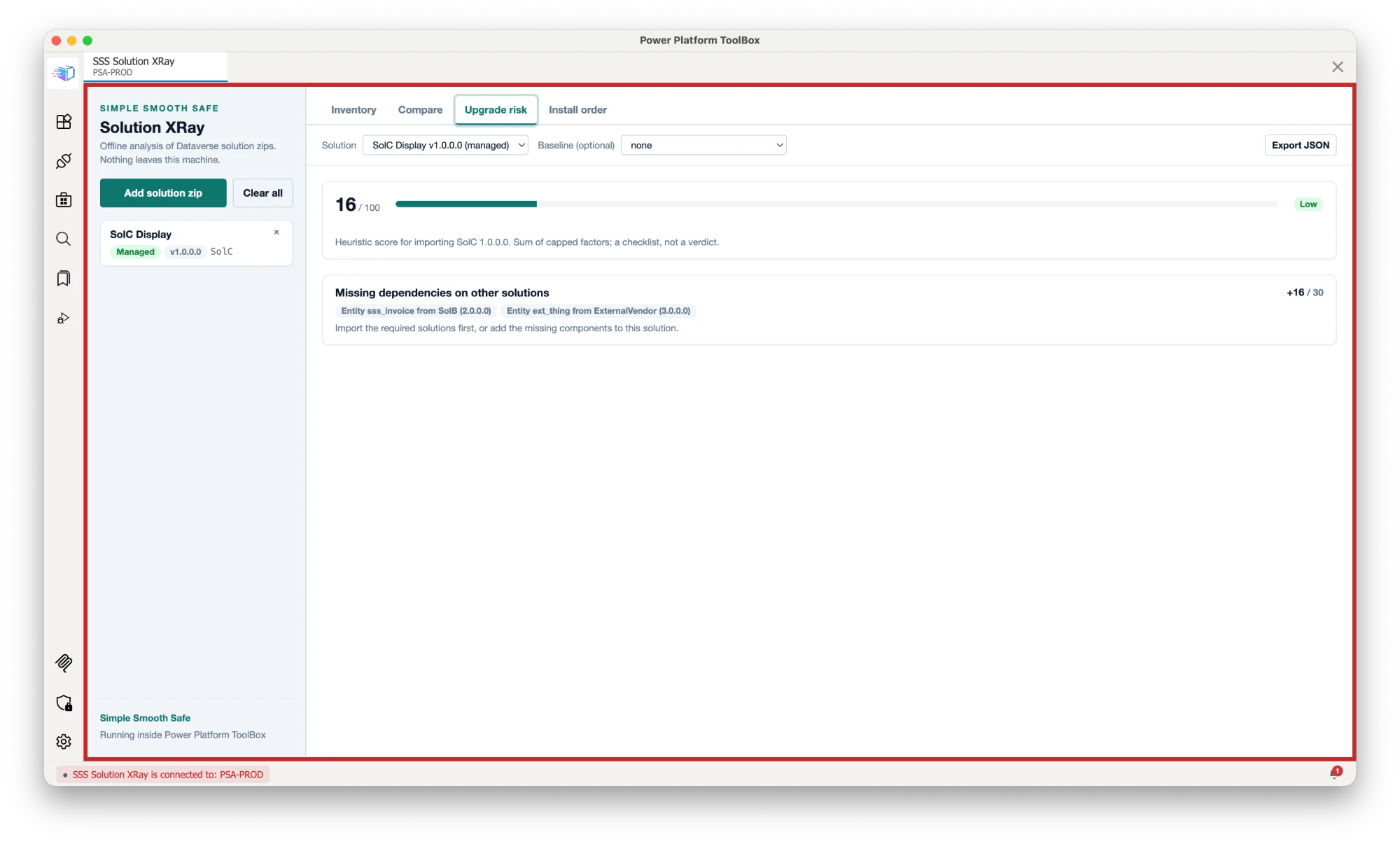
- Upgrade risk — a 0–100 heuristic score built from capped factors with evidence and advice for each: missing dependencies (a dependency on solution
Activeis scored as a blocker: the component exists only as unmanaged customization in the source environment and must be added to the solution or a prerequisite solution), unmanaged import, system (non-prefixed) tables included with all subcomponents, plugins, cloud flows whose connection references are not shipped, environment variables without values, canvas apps, size, publisher-prefix hygiene. Pick a baseline zip (the previous version) to also score removed tables, removed columns, version regressions (a lower version is blocked for managed imports; the same version is allowed but flagged lightly) and managed/unmanaged flips. - Install order — load every solution you plan to import; the tool builds the dependency graph from
MissingDependenciesand shared tables (a table belongs to the solution that creates it; system tables such asaccountnever create edges), runs a topological sort (Kahn) and reports the order, the reason for each edge, dependencies on solutions you did not load (includingActive, i.e. unmanaged components missing from the export), and any dependency cycle with a concrete path.
Every tab exports its result as JSON. The Compare export is named <A>-<version>_vs_<B>-<version>.diff.json and honours the Hide root-component rows filter (recorded in its filter field).
What this tool changes
Nothing in any environment. The tool is offline: it reads exported solution zips from disk and sends no request to Dataverse or Power Platform, so it makes no create, update, delete, import, publish, layer, schema, ownership or security change anywhere. It does not modify the zip files you load either; they are read into memory and discarded when you remove them, click Clear all or close the tool.
The only things it writes:
- Files you save — Export JSON on each tab (
<solution>-<version>.xray.json,<A>-<version>_vs_<B>-<version>.diff.json,<solution>-<version>.risk.json,install-order.json) and Save log in the debug footer (solution-xray-debug-<timestamp>.txt; its header lists the ToolBox connections by name and URL, read from ToolBox, not from Dataverse). Each is written only where you choose in the ToolBox save dialog (in a plain browser, the standard download). - Browser localStorage (per viewer, this tool only) — view settings (Compare filters and search, Hide root-component rows, Inventory search, Hide system tables) under
sss-view:solution-xray, and the Debug log switch undersss-debug:solution-xray. The theme follows ToolBox and is not stored.
Nothing else: no network calls, no telemetry, no other files, no settings outside this tool.
Screenshots
Captured inside Power Platform ToolBox with the sample zips.
Install
From the ToolBox marketplace — search for "Solution XRay" once listed.
From npm (ToolBox Debug menu) — Settings → enable Show Debug Menu → Debug → Install from npm → @simplesmoothsafe/pptb-solution-xray.
From source
cd tools/solution-xray
npm install
npm run build
Then in ToolBox: Debug → Load Local Tool → select the tools/solution-xray folder (the one with package.json; files are served from dist/).
The built dist/index.html also runs in a plain browser (file picker and downloads fall back to standard browser APIs), which is how the smoke test drives it.
Usage
- Add solution zip — native file dialog inside ToolBox (one file per pick; repeat to add more). In a browser, multi-select and drag-and-drop also work.
- Pick a tab. Inventory and Upgrade risk work with one zip; Compare and Install order need two or more.
- Export JSON saves the current analysis.
Notes:
- The tool reads
solution.xml,customizations.xml,Workflows/*.jsonandenvironmentvariabledefinitions/*/(definition XML andenvironmentvariablevalues.json). Anything else in the zip is only counted. - If the same unique name is loaded twice (two versions), Install order uses the highest version (the first loaded on a tie); remove the other to change that.
- Component type codes of 10000 and above are environment-specific (connection references, custom APIs, ...). They show as Custom component (type N) unless the zip reveals the table (a matching
connectionreferencesentry or acustomapis/folder). - The risk score is a checklist, not a verdict. Read the evidence.
Debug log
For troubleshooting, tick Debug log in the footer, reproduce the problem, then Save log: a solution-xray-debug-<timestamp>.txt file with every ToolBox, Dataverse and Power Platform API call the tool made (the exact query or request, the response or error, timing), notifications, connection events and uncaught errors. The switch is remembered for this tool; ?debug=1 also turns it on. Off, nothing is recorded.
The file is written only where you save it. Secrets (keys named like password, secret, token, authorization) are redacted, and long strings, arrays and binary payloads are truncated, but responses still contain record data such as names and ids: review the file before you share it.
Privacy
All processing happens in the tool's page. There is no network access: no telemetry, no CDN, no fonts, no API calls, and no CSP exceptions are requested. The zip is read from disk through the ToolBox file API (or the browser file picker) and stays in memory for the session.
Development
npm run build       # typecheck + Vite IIFE bundle + dist checks (no eval, no remote URLs, single script)
npm run dev-watch   # rebuild on change; reload the tool tab in ToolBox
npm run validate    # @pptb/validate manifest rules (does live HEAD checks on the README/repo URLs)
npm run e2e         # Playwright smoke test against dist/ (needs playwright + Chromium available)
Stack: TypeScript, Vite, JSZip. Types from @pptb/types. No framework.
AI Assistance
Substantial parts of this tool's code and documentation were generated with Claude Code (Anthropic) and reviewed and maintained by the contributors listed in package.json. Real-environment testing status is stated in this README where a feature has not yet been verified.
Credits
Built and maintained by Duarte Clemente (Simple Smooth Safe).
License
MIT. See LICENSE.