
@sky-mavis/tanto-widget
v0.0.5
Published
Tanto Widget
Downloads
1,421


Readme
Tanto Widget
Tanto Widget is a React component library designed to provide a seamless Connect Wallet experience for Web3 applications, with a focus on Ronin Wallets and Ethereum-compatible wallets.
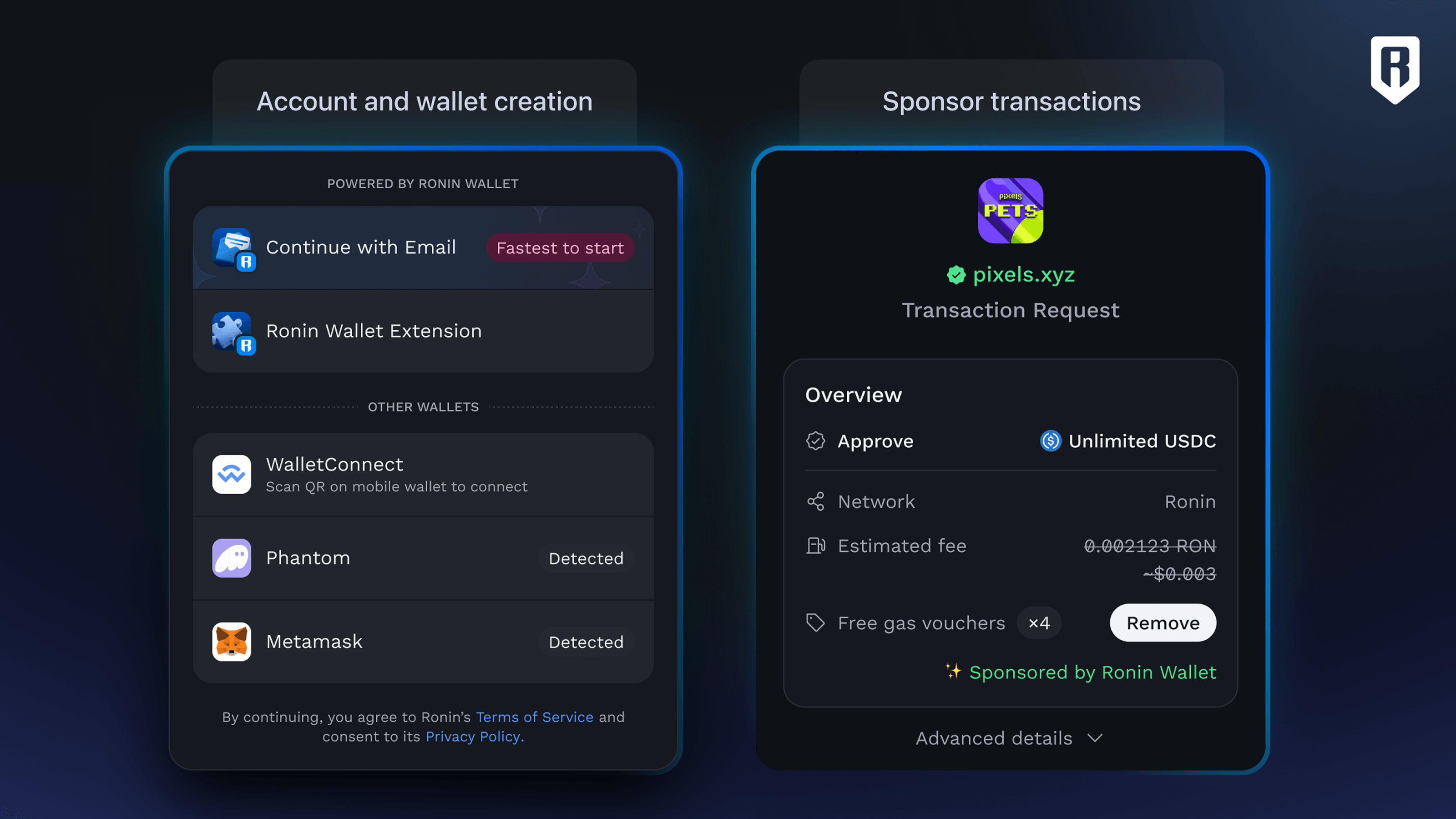
Features
- Unified Ronin Wallet Integration: Connect to Ronin Wallets effortlessly, handling edge cases for desktop, mobile, and in-wallet browsers.
- Supported Wallets:
- Ronin Waypoint
- Ronin Wallet
- WalletConnect
- Coinbase Wallet
- Safe Wallet
- Injected Wallets (EIP-6963 compliant)
- Responsive Design: Optimized for all screen sizes and devices.
- Customizable Themes: Tailor the widget's appearance to match your application's branding.
- Powered by Wagmi: Leverages Wagmi's React hooks for wallet state management, signing, transactions, and blockchain interactions.
Demo
- Live Demo: Tanto Widget Playground
- Demo Source Code: GitHub Repository
- SDK Source Code: GitHub Repository
Installation
Prerequisites
Install the required peer dependencies:
yarn add wagmi [email protected] @tanstack/react-queryInstall Tanto Widget
yarn add @sky-mavis/tanto-widgetSetup
Wrap your application with the necessary providers (WagmiProvider, QueryClientProvider, and TantoProvider) to enable Tanto Widget functionality.
import { getDefaultConfig, TantoProvider } from '@sky-mavis/tanto-widget';
import { QueryClient, QueryClientProvider } from '@tanstack/react-query';
import { WagmiProvider } from 'wagmi';

const config = getDefaultConfig();
const queryClient = new QueryClient();

function App() {
  return (
    <WagmiProvider config={config}>
      <QueryClientProvider client={queryClient}>
        <TantoProvider>{/* Your App Components */}</TantoProvider>
      </QueryClientProvider>
    </WagmiProvider>
  );
}

export default App;
Usage
TantoConnectButton
Add wallet connection functionality with the TantoConnectButton component.
import { TantoConnectButton } from '@sky-mavis/tanto-widget';

function Page() {
  return <TantoConnectButton label="Connect Wallet" />;
}Behavior:
- Disconnected: Displays a "Connect Wallet" button that opens a modal for wallet selection.
- Connected: Shows the wallet's avatar and address. Clicking it opens a Profile Modal with wallet details and a disconnect option.
Blockchain Interactions
Use Wagmi hooks to interact with the blockchain, such as reading wallet state, signing messages, or sending transactions.
Example: Signing a Message
import { useSignMessage } from 'wagmi';

function SignMessageButton() {
  const { signMessage } = useSignMessage();

  const handleSign = () => {
    signMessage({ message: 'Hello, Web3!' });
  };

  return <button onClick={handleSign}>Sign Message</button>;
}
For more hooks (e.g., useAccount, useSendTransaction), see the Wagmi Documentation.
Customization
Theme
Tanto supports three themes out of the box:
dark– Dark modelight– Light mode
Default Theme:
dark
To set the theme, wrap your application with the TantoProvider and pass the desired theme as a prop:
import { TantoProvider } from '@tanto/widget';

<TantoProvider theme="light">{/* Your App */}</TantoProvider>;
Custom Themes
Customize the widget's appearance by extending from lightTheme or darkTheme.
import { TantoProvider, lightTheme } from '@sky-mavis/tanto-widget';

const customTheme = lightTheme({
  mode: 'light',
  fontFamily: ["'Nunito'", 'sans-serif'],
  fontSize: '1em',
  buttonPrimaryBackground: 'oklch(0.71 0.097 111.7)',
  buttonPrimaryColor: 'oklch(0.98 0.005 0)',
  modalBackground: 'oklch(0.92 0.042 83.6)',
  modalBorderRadius: '0.625rem',
  // Add more theme tokens as needed
});

function App() {
  return (
    <WagmiProvider config={config}>
      <QueryClientProvider client={queryClient}>
        <TantoProvider theme={customTheme}>
          {/* Your App */}
        </TantoProvider>
      </QueryClientProvider>
    </WagmiProvider>
  );
}
See TantoWidgetCustomTheme for a full list of theme tokens.
Custom Wallet Configuration
Customize wallet connection options via getDefaultConfig.
import { getDefaultConfig } from '@sky-mavis/tanto-widget';
import { ronin, saigon } from 'viem/chains';

const config = getDefaultConfig({
  appMetadata: {
    appName: 'My DApp',
    appIcon: '<https://my-dapp.com/icon.png>',
    appDescription: 'A decentralized application for Web3 enthusiasts',
    appUrl: '<https://my-dapp.com>',
  },
  keylessWalletConfig: {
    chainId: 2020, // Ronin Mainnet
    clientId: 'YOUR_CLIENT_ID',
    waypointOrigin: '<https://waypoint.roninchain.com>',
    popupCloseDelay: 1000,
  },
  walletConnectConfig: {
    projectId: 'YOUR_WALLETCONNECT_PROJECT_ID',
  },
  coinbaseWalletConfig: {
    enable: true,
  },
  chains: [ronin, saigon],
});Parameters:
chains(optional): An array of supported blockchain networks.- Default:
[ronin, saigon] - You can import and use any EVM-compatible chain from
viem/chainsor define your own custom chain object.
- Default:
appMetadata(optional): Metadata for your DApp.appName(optional): Name of your DApp (e.g., "My DApp"). Defaults to "Ronin Wallet".appIcon(optional): URL to your DApp's icon (e.g., "https://my-dapp.com/icon.png"). Defaults to Ronin Wallet icon.appDescription(optional): Brief description of your DApp. Defaults to "Your passport into a digital nation".appUrl(optional): Your DApp's URL. Defaults tohttps://wallet.roninchain.com.
walletConnectConfig(optional): Configuration for WalletConnect.projectId(optional): WalletConnect project ID from WalletConnect Cloud. Defaults to a predefined Ronin project ID.enable(optional): Enable or disable WalletConnect (default:true).
keylessWalletConfig(optional): Configuration for Waypoint (keyless) wallet.- Check out Ronin Keyless Wallet guideline
chainId(optional): Blockchain chain ID (2020 or 2021).clientId(required): Your client ID for authentication.popupCloseDelay(optional): Delay (ms) before closing the popup (e.g., 1000).enable(optional): Enable or disable Waypoint (default:true).
coinbaseWalletConfig(optional): Configuration for Coinbase Wallet.enable(optional): Enable or disable Coinbase Wallet (default:false).
multiInjectedProviderDiscovery(optional): Enable/disable multi-injected provider discovery (default:true).
See Wagmi Configuration Docs for advanced options.
TantoProvider Configuration
Customize the widget's behavior with the config prop.
<TantoProvider
  config={{
    clientId: "<your_client_id>"
    initialChainId: 2020,
    createAccountOnConnect: true
  }}
>
  {/* Your App */}
</TantoProvider>Options:
hideConnectSuccessPrompt(boolean): Skips the success animation (~1.5s) after connection.initialChainId(number): Target chain ID for the widget (e.g., 2021 for Ronin Testnet).createAccountOnConnect(boolean): Automatically creates a Ronin Account upon connection. Set this to true if you want to enroll in the Ronin Referral Program for Studios (Earn Up to 10% Revenue Share).clientId: required whencreateAccountOnConnectis enabled. It is used for tracking purposes in the Referral program.
Custom Connect Button
Create a custom connection button using the render prop pattern.
import { TantoConnectButton } from '@sky-mavis/tanto-widget';

function CustomButton() {
  return (
    <TantoConnectButton>
      {({ isConnected, showModal, address, rns, chainId }) =>
        isConnected ? (
          <p>
            {rns || address} ({chainId})
          </p>
        ) : (
          <button onClick={showModal}>Connect Wallet</button>
        )
      }
    </TantoConnectButton>
  );
}
TantoEmbeddedWidget
Embed the wallet connection UI directly in your page instead of a modal.
import { TantoEmbeddedWidget } from '@sky-mavis/tanto-widget';

function Page() {
  return <TantoEmbeddedWidget />;
}
useTantoModal Hook
Programmatically control the wallet connection modal.
import { useTantoModal } from '@sky-mavis/tanto-widget';

function ModalControl() {
  const { open, show, hide } = useTantoModal();

  return (
    <div>
      <button onClick={show}>Open Modal</button>
      <button onClick={hide}>Close Modal</button>
      <p>Modal is {open ? 'open' : 'closed'}</p>
    </div>
  );
}
🔗 RNS - Ronin Name Service
Tanto Widget provides convenient hooks for working with Ronin Name Service (RNS):
useRnsName– Retrieves the primary name associated with a given wallet address.useRnsAddress– Resolves a Ronin name to its corresponding wallet address.
const name = useRnsName({ address: '0x123...abc' }); // Returns e.g. "vitalik.ron"
const address = useRnsAddress({ name: 'vitalik.ron' }); // Returns e.g. "0x123...abc"
Migrating from Ethers.js
If your project currently uses Ethers.js, you can migrate to Viem (the default provider for Wagmi v2) by following the official Wagmi migration guide. This guide covers how to update your hooks and provider setup for compatibility with Wagmi.
Troubleshooting
Resolving Module not found: Can't resolve 'pino-pretty' in Next.js and PNPM
When using Next.js with pnpm, you may encounter the following error: Can't resolve 'pino-pretty'
This error occurs due to optional dependencies such as pino-pretty, lokijs, and encoding included in WalletConnect packages. These dependencies are not required in a browser environment but can cause resolution issues during the build process.
Update your Next.js configuration to exclude these modules by marking them as externals.
const nextConfig = {
  webpack: (config) => {
    config.resolve.fallback = { fs: false, net: false, tls: false };
    config.externals.push('pino-pretty', 'lokijs', 'encoding')
    return config
  }
}