
@skynettechnologies/lovable-all-in-one-accessibility
v1.0.0
Published
All in One Accessibility® widget and admin settings page for Lovable apps. Helps improve WCAG 2.0, 2.1, 2.2, ADA and EAA accessibility.

Maintainers
 skynettechnologies
Readme
All in One Accessibility® for Lovable
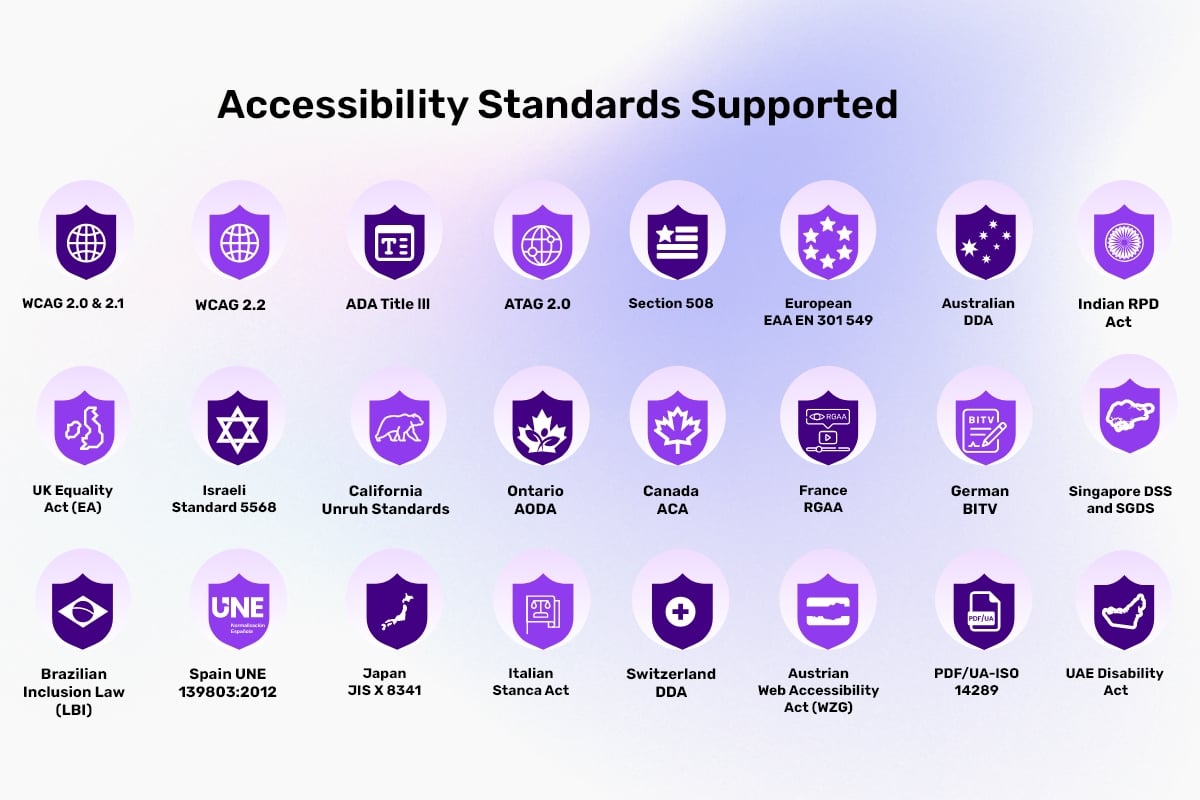
This free Lovable accessibility plugin adds an accessible experience to your Lovable app or website for users with visual, auditory, motor, or cognitive disabilities. It supports assistive technologies, offers customizable updates, and enhances overall usability according to WCAG 2.1, 2.2, ADA, EAA, Section 508, France RGAA, California Unruh, European EAA EN 301 549, UK Equality Act, Spain UNE 139803:2012, Australian DDA, Israeli Standard 5568, Ontario AODA, Canada ACA, German BITV, Brazilian Inclusion Law (LBI 13.146/2015), JIS X 8341 (Japan), Italian Stanca Act, Indian RPwD Act, Switzerland DDA and other accessibility standards. It installs into any Lovable project with one prompt, enabling quick, WCAG-aligned accessibility improvements and ongoing support for inclusive digital experiences.
This free accessibility widget quickly adds essential accessibility features through a lightweight, easy to install solution that supports inclusive browsing and compliance efforts.
What you get with the free accessibility Lovable widget?
- Auto-detect language
- Supports 190+ languages - ideal for global Lovable apps.
- Skip to Navigation / Content / Footer
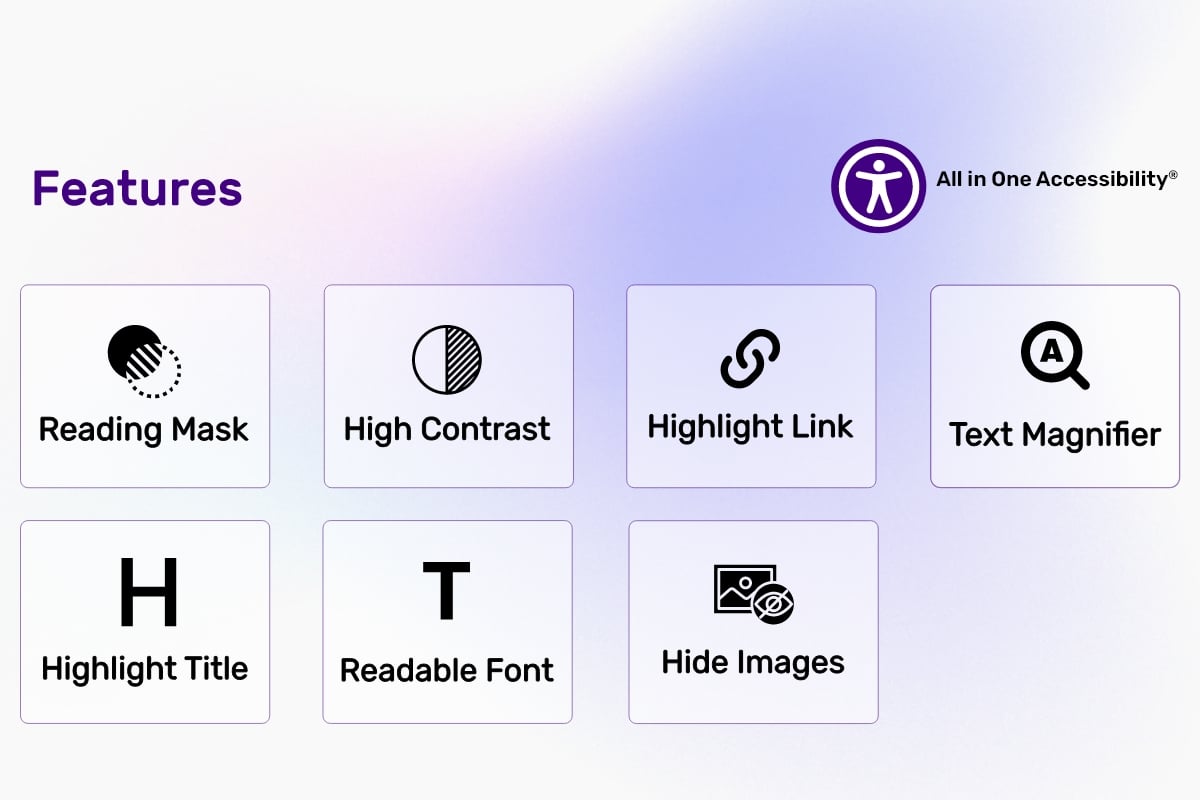
- Content Adjustment Options
- Visual & Color Adjustments
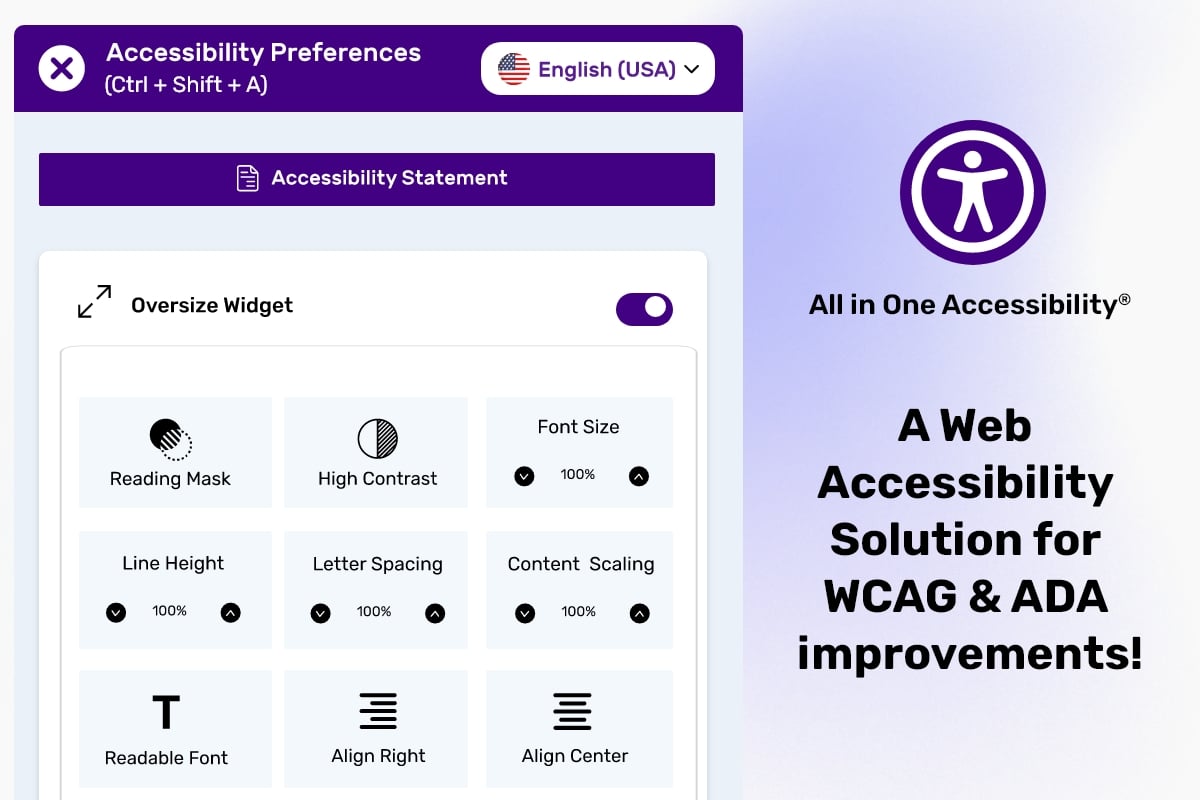
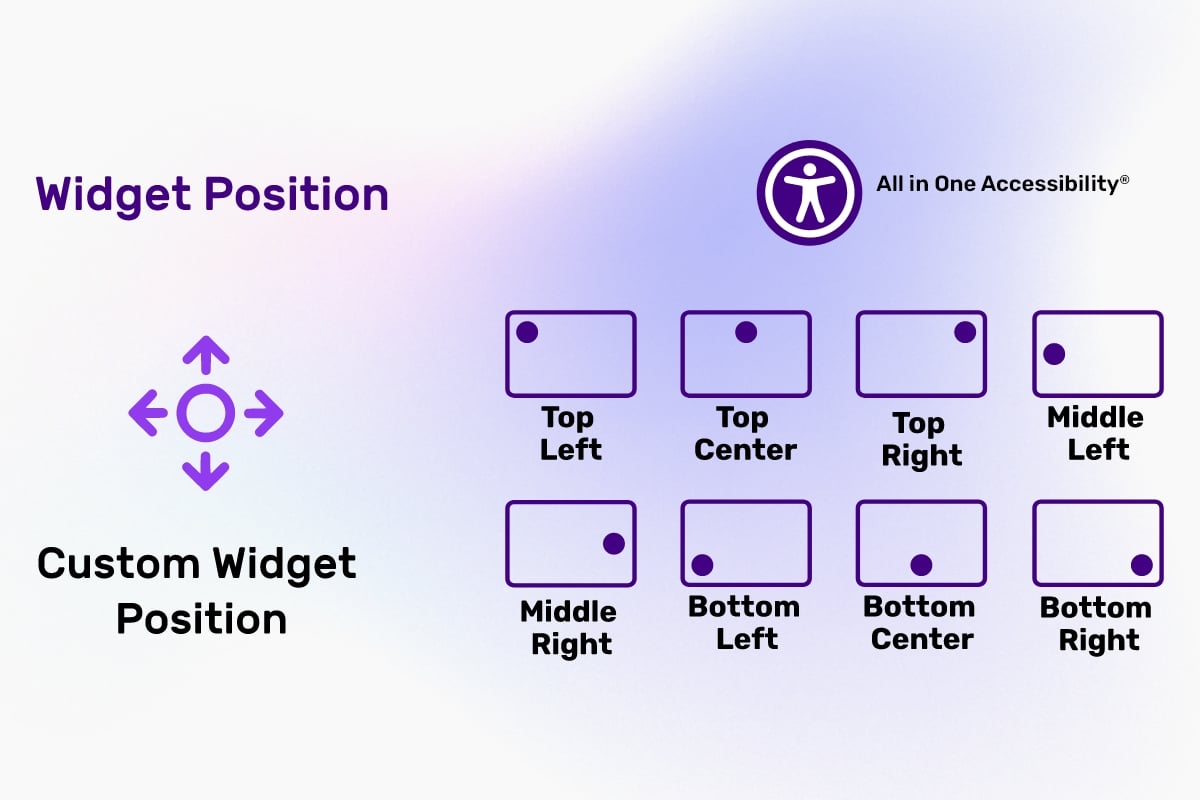
- Free Lovable accessibility plugin customization including colors, size, icon, and position
- Reading mask
- Accessibility statement
Explore the free accessibility widget features guide.
This free accessibility Lovable plugin is a great fit for:
- Founders, businesses, developers, agencies, content teams, ecommerce brands, educational institutions, and public-facing organizations building with Lovable who want to improve WCAG accessibility, usability, and user experience quickly without complex development.
Why select the free Lovable WCAG accessibility plugin - All in One Accessibility?
- Supports alignment with global accessibility standards
- Improves usability for users with visual, cognitive, and motor impairments.
- Works with any Lovable app: React, Vite, Tailwind and shadcn/ui, light or dark admin themes.
- Settings page opens inside your app's own admin panel - no separate dashboard to log in to.
- Supports 190 plus languages for global accessibility reach.
- Available at no cost for core accessibility features.
SECURITY & PRIVACY NOTES
- This free accessibility Lovable plugin follows several data and application security practices, including ISO 9001:2015 & ISO 27001:2013, GDPR, CCPA, COPPA, HIPAA, and SOC 2 Type II.
- Skynet Technologies USA LLC is an organizational member of IAAP and of W3C.
- No personal data is intentionally stored by the plugin itself. The settings page only remembers your live domain in the admin's browser. Site owners are responsible for reviewing their own compliance requirements.
LIMITATIONS
- Some advanced features require a commercial subscription.
For more details, visit All in One Accessibility.
FAQS
Does this free Lovable accessibility plugin support multilingual Lovable apps?
Yes. It supports 190+ languages.
How can I upgrade from the free to the paid Lovable accessibility widget for more accessibility features?
Upgrade to a paid subscription with 70 plus advanced features and take your website's accessibility to the next level. Use Upgrade to paid plan on the plugin's settings page, or check out the steps for upgrading from the free to the paid accessibility widget.
What additional features are available in the paid version of the Lovable WCAG accessibility plugin?
The paid version of the Lovable accessibility widget includes features like screen reader, voice navigation, talk & type, virtual keyboard, accessibility profiles tailored for different users with disabilities group, Libras (Brazilian sign language), dictionary search, multi-language support (190+ languages), and many more. Pricing starts from $25 / month. Explore more information about the accessibility widget and buy now.
Does it work in the Lovable editor preview?
The widget loads in the preview, but settings are saved for your live domain. Enter the domain visitors use (for example example.com or myapp.lovable.app), not the editor preview address.
Supported Languages (190+ Languages)
English (USA), English (UK), English (Australian), English (Canadian), English (South Africa), Español, Español (Mexicano), Deutsch, عربى, Português, Português (Brazil), 日本語, Français, Italiano, Polski, Pусский, 中文, 中文 (Traditional), עִברִית, Magyar, Slovenčina, Suomenkieli, Türkçe, Ελληνικά, Latinus, Български, Català, Čeština, Dansk, Nederlands, हिंदी, Bahasa Indonesia, 한국인, Lietuvių, Bahasa Melayu, Norsk, Română, Slovenščina, Svenska, แบบไทย, Українська, Việt Nam, বাঙালি, සිංහල, አማርኛ, Hmoob, မြန်မာ, Eesti keel, latviešu, Cрпски, Hrvatski, ქართული, ʻŌlelo Hawaiʻi, Cymraeg, Cebuano, Samoa, Kreyòl ayisyen, Føroyskt, Crnogorski, Azerbaijani, Euskara, Tagalog, Galego, Norsk Bokmål, فارسی, ਪੰਜਾਬੀ, shqiptare, Hայերեն, অসমীয়া, Aymara, Bamanankan, беларускі, bosanski, Corsu, ދިވެހި, Esperanto, Eʋegbe, Frisian, guarani, ગુજરાતી, Hausa, íslenskur, Igbo, Gaeilge, basa jawa, ಕನ್ನಡ, қазақ, ខ្មែរ, Kinyarwanda, Kurdî, Кыргызча, ພາສາລາວ, Lingala, Luganda, lëtzebuergesch, македонски, Malagasy, മലയാളം, Malti, Maori, मराठी, Монгол, नेपाली, Sea, ଓଡିଆ, Afaan Oromoo, پښتو, Runasimi, संस्कृत, Gàidhlig na h-Alba, Sesotho, Shona, سنڌي, Soomaali, basa Sunda, kiswahili, тоҷикӣ, தமிழ், Татар, తెలుగు, ትግሪኛ, Tsonga, Türkmenler, Ride, اردو, ئۇيغۇر, o'zbek, isiXhosa, יידיש, Yoruba, Zulu, भोजपुरी, डोगरी, कोंकणी, Kurdî, Krio, मैथिली, Meiteilon, Mizo tawng, Sepedi, Ilocano, دری
Installation
Prerequisites
- A Lovable project (React 18 or later).
- An admin or dashboard area in your app, with login, for the settings page.
Steps
You can install this plugin in two ways.
1. With a Lovable prompt (recommended)
- Open your project in Lovable.
- Copy the prompt from
LOVABLE_INSTALL_PROMPT.mdand paste it into the project chat. - Lovable installs the package, adds the widget to every page, and adds All in One Accessibility to your admin sidebar.
- Publish your app.
2. Manually (if you edit the code yourself)
- Install the package:
npm install @skynettechnologies/lovable-all-in-one-accessibility- Load the widget on every page, in your root component:
// src/App.tsx
import { AllInOneAccessibility } from "@skynettechnologies/lovable-all-in-one-accessibility";

export default function App() {
  return (
    <>
      <AllInOneAccessibility />
      {/* your routes */}
    </>
  );
}- Add the menu item and settings page inside your admin layout:
import {
  AllInOneAccessibilitySettings,
  AioaMenuIcon,
} from "@skynettechnologies/lovable-all-in-one-accessibility";

// In your admin sidebar, next to the other links:
<NavLink to="/admin/all-in-one-accessibility">
  <AioaMenuIcon /> All in One Accessibility
</NavLink>

// In your admin routes (inside the protected admin layout route):
<Route path="all-in-one-accessibility" element={<AllInOneAccessibilitySettings />} />
Configuration
To configure the widget, sign in to your app's admin area and go to All in One Accessibility in the sidebar.
- The first time, enter your live website domain and select Connect domain. The site is registered on the free plan automatically.
- Choose the widget color, icon position (preset or exact pixels), widget size, icon type and icon size.
- Select Save changes. It may take a few seconds for changes to appear on your website. If you don't see them, clear your browser cache or check in a private browsing window.
Component reference
<AllInOneAccessibility /> loads the widget script once at the end of <body>. It is safe with route changes and React Strict Mode, and renders nothing itself.
| Prop | Type | Default | Description |
| --- | --- | --- | --- |
| delay | number (ms) | 0 | Wait before loading the widget. 3000 matches the "advanced script". |
| disabled | boolean | false | Skip loading, e.g. on admin routes. |
| token | string | "" | License token for paid plans. |
| colorCode | string | "#420083" | Fallback color. Saved settings take priority. |
| position | string | "bottom_right" | Fallback position. Saved settings take priority. |
<AllInOneAccessibilitySettings /> renders the settings page inside your admin layout.
| Prop | Type | Default | Description |
| --- | --- | --- | --- |
| domain | string | none | Live domain. When set, the domain step is skipped. |
| onDomainChange | (domain) => void | none | Called when the admin enters a domain, so you can save it in your database. |
| adminName | string | domain | Name used when the site is first registered. |
| title | string or null | "All in One Accessibility" | Page heading. null hides it. |
| storageKey | string | "aioa:domain" | Where the domain is remembered in the browser. |
<AioaMenuIcon /> is the sidebar icon. It uses currentColor, like lucide-react icons. size defaults to 18.
Helpers are also exported: injectAioaWidget(), getAioaScriptTag() (the simple <script> snippet for non-React pages), fetchWidgetSettings(), saveWidgetSettings() and normalizeDomain().
Installation Steps
- Check out the All in One Accessibility installation guide.
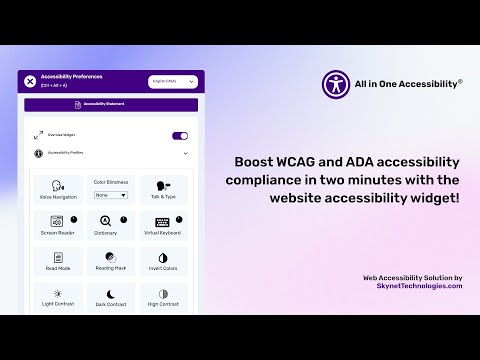
Visit the All in One Accessibility demo to see how it performs with improved accessibility features:
CORS Policy Configuration
To avoid CORS policy issues, ensure the following URLs are allowed in your website. If your app sets a Content-Security-Policy, add these to it as well.
| Domain | Description | Usage | | --- | --- | --- | | https://*.skynettechnologies.com | Skynet Technologies (Global Domain) | API access and resources | | https://*.skynettechnologies.us | Skynet Technologies (US Domain) | API access and resources | | https://*.googleapis.com | Google APIs | Services like Fonts, Translation | | https://*.gstatic.com | Fonts APIs | Custom Fonts | | https://vlibras.gov.br | VLibras - Brazilian Sign Language Service | Sign Language |
Instructions
- Update your server's CORS configuration to include these URLs.
- Ensure wildcard subdomains (*) are supported where necessary.
- Verify the application functionality by testing requests to these domains.
- If issues persist, consult the documentation for CORS configuration guidance.
Documentation
Submit a Support Request
Please visit our support page and fill out the form. Our team will get back to you as soon as possible.
Send Us an Email
Alternatively, you can send an email to our support team: [email protected]
Accessibility Paid Add-on Services
Lovable app manual accessibility audit
- Enhance inclusivity and user experience by evaluating your Lovable website's accessibility with a web accessibility consultant.
- WCAG 2.0 / WCAG 2.1 / WCAG 2.2 Level AA conformance testing
- Automated, semi-automated testing
- Manual testing
- Simple before-after UI/UX recommendations on how to fix the issues
- Comprehensive audit report
Lovable site manual accessibility remediation
Enhance your Lovable website's accessibility and inclusivity with our manual accessibility remediation add-on. This service includes fixing accessibility issues and thorough remediation of the website manually. Our experts ensure accessibility with WCAG standards, improve user experience for those with disabilities, and provide a detailed report on the improvements made.
PDF/Document Accessibility Remediation
The PDF / Document Remediation provides a list of inaccessible PDFs and remediated PDFs from where you can request PDF remediation service.
VPAT Report/Accessibility Conformance Report (ACR)
The Voluntary Product Accessibility Template (VPAT), also known as an ACR (Accessibility Conformance Report) starts with an audit and provides current details for an accessible website, application, or any other digital assets.
Accessibility Lovable Widget Paid Add-ons
Remove the Skynet Technologies logo as well as all of the footer links, popups, report a problem link and more for full white label control.
Instant live site translations for Lovable sites
Translate your Lovable site into over 190 languages instantly to enhance accessibility for non-native speakers, individuals with language acquisition difficulties, and those with learning disabilities.
Modify Accessibility Menu for Lovable websites
Build and fine-tune the widget with the Modify Menu option. Reorder, remove and restructure the widget buttons to fit users' specific accessibility needs.
Lovable Accessibility Partnership Opportunities
Lovable accessibility agencies partnership
Partner with us as an agency to provide comprehensive Lovable ADA, EAA, WCAG accessibility solutions to clients. Get access to exclusive resources, training, and support to implement and manage accessibility features effectively.
Lovable accessibility affiliate partnership
Sign up for our affiliate program and earn commissions by promoting the accessibility plugin. Share our widget with your network and help businesses improve their website accessibility while generating revenue.
For more details, explore Lovable accessibility partnership opportunities
Screenshots
Development
npm install
npm test          # unit and UI tests
npm run build     # outputs dist/ (ESM, CJS and type definitions)
npm publish       # runs typecheck, tests and build first
example/demo.html shows the settings page inside a sample admin layout with a mocked API (run npx esbuild example/demo.tsx --bundle --jsx=automatic --outfile=example/demo.js first).
License
The plugin source code is released under the MIT License. The All in One Accessibility® widget, its hosted services and the All in One Accessibility® name and logo belong to Skynet Technologies USA LLC and are provided under their own terms.
Credits
This plugin is developed and maintained by website accessibility remediation company - Skynet Technologies USA LLC
Current Maintainers