
@smoke-monkey/mcp
v1.1.1
Published
MCP server for Smoke Monkey Harness (stdio). Lets Claude Code, Codex, opencode, or any Model Context Protocol client build, scaffold, verify, and run looping TypeScript AI agents directly.

Maintainers
 rajdeepsadhu
Readme
@smoke-monkey/mcp
@smoke-monkey/mcp — build, scaffold, verify, and run looping TypeScript
AI agents on Smoke Monkey Harness
from any MCP client.



MCP server for Smoke Monkey Harness — an embeddable, framework-agnostic TypeScript agent runtime.
🌐 Interactive Documentation: https://smoke-monkey-harness.vercel.app/#mcp — see the interactive MCP server guide, 22 tools reference, and live agent simulator.
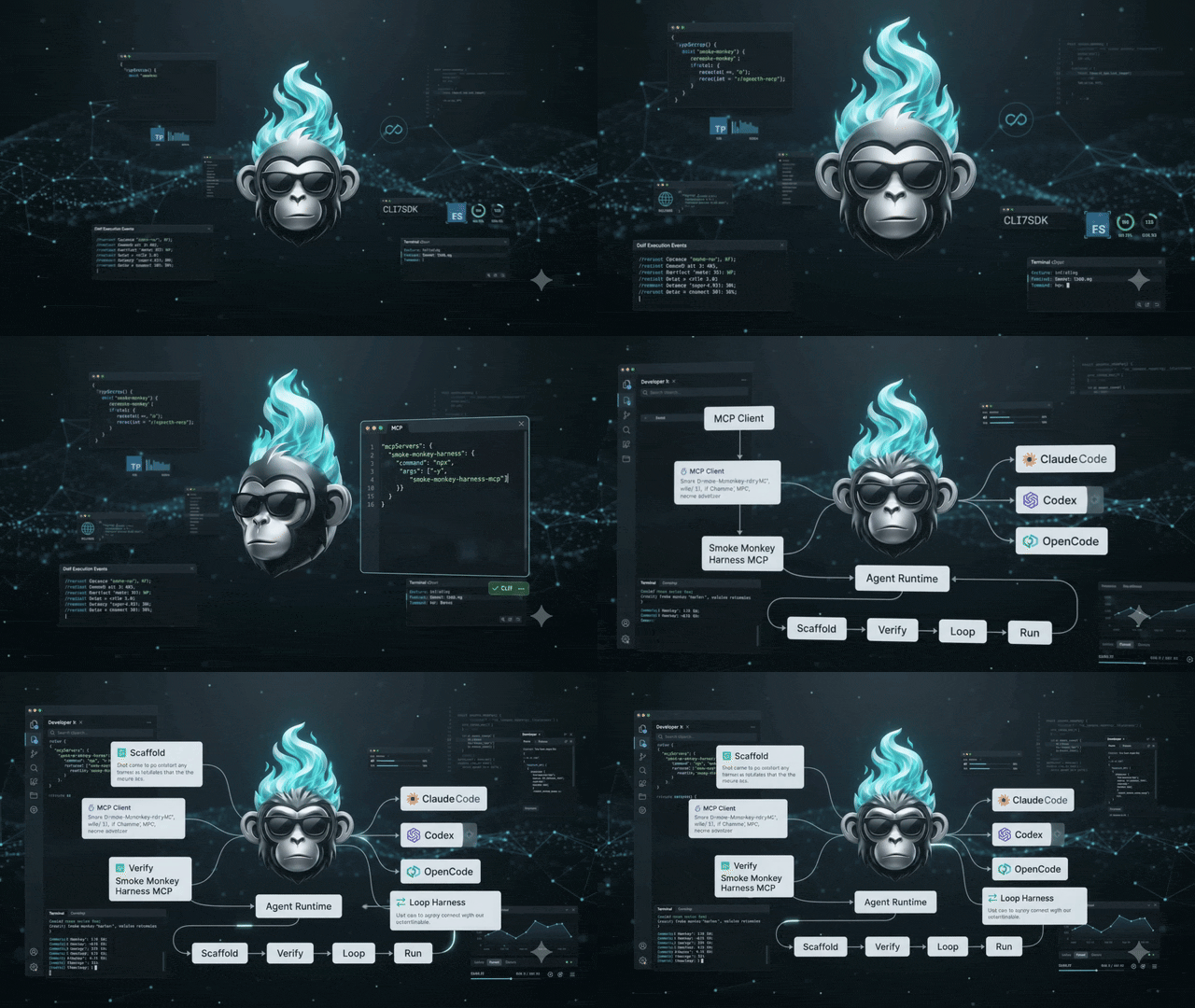
Build an AI agentic workflow in seconds
Point Claude Code, Codex, opencode, Cursor, or any Model Context Protocol client at this server and it turns the full smoke-monkey-harness toolset into native MCP tools. Your agent can go from an idea to a running, looping agent end-to-end:
- Plan —
harness_planturns your product goal into a concrete build plan. - Scaffold —
harness_scaffoldwrites the starter project on disk. - Wire —
harness_guide/harness_apisupply the exact API details for the looping flow (explore → plan → edit → verify → recover → complete). - Verify —
harness_verifytypechecks/builds the project and closes the loop. - Apply skills — browse and load the 25 bundled production-engineering skills category-wise, so the agent follows the right methodology as it ships.
The looping agent workflow (run loop, tool execution, permissions, context management, MCP integration, sessions, recovery) is already built into the library — this server just drives it from any MCP client.
Run with npx
Two names, one server. New installs should use the scoped
@smoke-monkey/mcpvianpx -y @smoke-monkey/mcp. The older unscopedsmoke-monkey-harness-mcpis still published and still works, so existing setups need no change. Note the command name: the scoped package installs asmoke-monkey-mcpbinary, since npm strips the scope from bin names and a baremcpwould be too generic. The instructions below use the scoped name, which both packages accept.
npx -y @smoke-monkey/mcpThe scoped package installs a smoke-monkey-mcp binary. The older unscoped
smoke-monkey-harness-mcp still works unchanged:
npx -y smoke-monkey-harness-mcpTalk to it with any MCP client over stdio:
{
  "mcpServers": {
    "smoke-monkey-harness": {
      "command": "npx",
      "args": ["-y", "@smoke-monkey/mcp"]
    }
  }
}
Tools (22)
Build the agent (harness workflow)
| Tool | Purpose |
| --- | --- |
| harness_guide | Master instructions for building a looping agent (read first) |
| harness_plan | Turn a product goal into a concrete build plan |
| harness_scaffold | Generate a starter agent project on disk |
| harness_verify | Typecheck/build an existing agent project |
| harness_api | Authoritative API reference (optionally sliced by area) |
| harness_events | Complete agent event catalog for UI wiring |
| harness_status | Installed library + server capabilities |
| harness_examples | List the bundled example agents |
| harness_read_example | Read one bundled example agent verbatim |
Apply the bundled agent skills (category-wise)
| Tool | Purpose |
| --- | --- |
| harness_skills_by_category | Browse the 25 bundled agent-skills (plugin/agent-skills/skills) by category (agent-skills-backend/frontend/devops/qa) or raw domain |
| harness_skill_content | Load one bundled skill's full SKILL.md workflow |
Deep dives (harness_guide_<feature>_<detail>)
Each guide tool takes no arguments; the name states the job, so a truncated list still routes correctly.
| Tool | Purpose |
| --- | --- |
| harness_guide_subcontexts_activation_and_switching | On-demand guidance blocks, context_manage, built-in catalog |
| harness_guide_skills_skill_md_discovery | SKILL.md format, discovery, list_skills/use_skill loading |
| harness_guide_mcp_servers_and_discovery | MCP server config, lazy activation, the enable-vs-add approval flow, stock catalog |
| harness_guide_providers_models_and_api_keys | Provider list, env keys, streaming, model selection |
| harness_guide_tools_custom_tool_implementation | ToolDefinition shape, built-in factories, the two group enums, custom tools, UI presentation |
| harness_guide_loop_phases_guards_and_compaction | Loop phases, automatic guards, compaction, budgets |
| harness_guide_permissions_the_three_pauses | The three pauses and how to resolve each |
| harness_guide_storage_sessions_runs_messages | Storage interface, sessions/runs/messages, resume |
| harness_guide_events_streaming_and_ui_wiring | Event catalog + reference UI wiring |
| harness_guide_ui_bridge_and_components | Connecting @smoke-monkey/ui: help chat, widget, or full app |
| harness_guide_errors_validation_and_pauses | Structured errors, tool-input validation, the three pauses |
Every tool description carries PURPOSE / WHEN TO CALL / RELATED so agents
route correctly between the harness-library tools and the generic
development-skill tools. The category-wise skills are the same set the library
loads via loadAgentSkills({ category }) / buildAgentSkillRegistry({ category })
and that plugin/install.sh drops under <skills-dir>/agent-skills/<skill>/.
No runtime dependencies of its own — the server itself ships inside the
smoke-monkey-harness package (which is published as a dependency).
License
MIT — see the Smoke Monkey Harness repository for details.