
@sourcemeta/jsonschema
v17.2.0
Published
The CLI for working with JSON Schema. Covers formatting, linting, testing, and much more for both local development and CI/CD pipelines. By a member of the JSON Schema Technical Steering Committee

Maintainers
 jviotti
Readme










The command-line tool for working with JSON Schema, the world most popular schema language. It is a comprehensive solution for maintaining repositories of schemas and ensuring their quality, both during local development and when running on CI/CD pipelines. For example:
- Ensure your schemas are valid
- Debug unexpected schema validation results
- Unit test your schemas against valid and invalid instances
- Enforce consistent indentation and keyword ordering in your schema files
- Detect and fix common JSON Schema anti-patterns
- Inline external references for conveniently distributing your schemas
Check out the documentation to learn more
Pairs with Sourcemeta One for a complete schema registry workflow.
[!TIP] Do you want to level up your JSON Schema skills? Check out learnjsonschema.com, our growing JSON Schema documentation website, our JSON Schema for OpenAPI video course, and our O'Reilly book Unifying Business, Data, and Code: Designing Data Products with JSON Schema.

Version support
We aim to fully support every version of JSON Schema and combinations between them.
| Dialect | Support |
|---------------------|-------------------------------------------------------------------------------------|
| JSON Schema 2020-12 | Full |
| JSON Schema 2019-09 | Full |
| JSON Schema Draft 7 | Full |
| JSON Schema Draft 6 | Full |
| JSON Schema Draft 4 | Full |
| JSON Schema Draft 3 | Partial (except codegen) |
| JSON Schema Draft 2 | Partial (except validate, test, metaschema, upgrade, codegen, and lint) |
| JSON Schema Draft 1 | Partial (except validate, test, metaschema, upgrade, codegen, and lint) |
| JSON Schema Draft 0 | Partial (except validate, test, metaschema, upgrade, codegen, and lint) |
What our users are saying
Amazing product. Very useful for formatting and bundling my schemas, plus it surfaced various referencing issues. 10 out of 10!
@alombarte, co-founder of the KrakenD API Gateway.
Huge shout out to this tool. Our governance pipeline uses it to produce better analysis of the examples in our OpenAPI documents. While Spectral does some basic validation of examples, the diagnostics from this tool are far superior.
@DavidBiesack, Chief API Officer at Apiture.
Usage
The functionality provided by the JSON Schema CLI is divided into commands. The following pages describe each feature in detail. Additionally, running the JSON Schema CLI without passing a command will print convenient reference documentation:
jsonschema versionjsonschema validatejsonschema metaschema(ensure a schema is valid)jsonschema compile(for pre-compiling schemas)jsonschema test(write unit tests for your schemas)jsonschema fmtjsonschema lintjsonschema bundle(for inlining remote references in a schema)jsonschema upgrade(for upgrading schemas to a newer JSON Schema dialect)jsonschema inspect(for debugging references)jsonschema rdf(for turning instances into Linked Data / JSON-LD)jsonschema codegen(for generating code from schemas)jsonschema encode(for binary compression)jsonschema decodejsonschema install(for fetching external schema dependencies)jsonschema llm(interact with LLMs using schema-driven structured outputs)
See Resolving External References for how the CLI locates the schemas that your schemas reference, covering the
--resolve/-roption, URI remapping, and HTTP resolution.
See
jsonschema.jsonfor an experimental manifest for describing JSON Schema data models inspired by NPM'spackage.json, including dependency management. Every command takes a--configuration/-Coption to select one explicitly instead of looking for it next to your schemas.
Note that YAML is supported in most commands!
We also support a growing amount of pre-commit
hooks. Take a look at the
.pre-commit-hooks.yaml
configuration file for what's available right now. Keep in mind that to use the
pre-commit hooks, you need to install the CLI first.
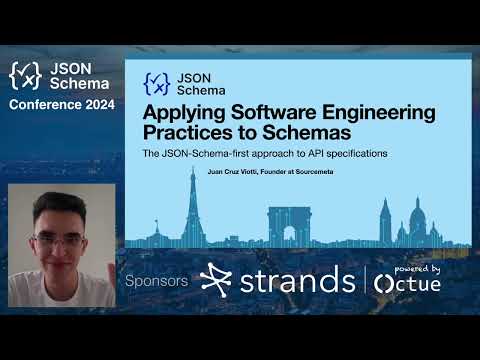
If you are looking for more of a tutorial and overview of what the CLI is capable of, take a look at the Applying software engineering practices to JSON Schemas talk from the 2024 JSON Schema Conference. It covers advise on ontology design, linting, unit testing, CI/CD integration, and more:
Going Further
The JSON Schema CLI handles the local development and CI/CD side of schema management. For teams that need to publish, discover, and govern schemas across an organisation, Sourcemeta One is a self-hosted JSON Schema registry that pairs directly with this CLI. It is designed by the same team, requires no database, deploys as a single Docker container, and is free to deploy.
Installation
The JSON Schema CLI is written using C++ and CMake, and supports macOS, Windows, and GNU/Linux.
From Homebrew
brew install sourcemeta/apps/jsonschemaFrom GitHub Actions
- uses: sourcemeta/[email protected]Where X.Y.Z is replaced with the desired version. For example:
- name: Checkout Repository
  uses: actions/checkout@v4

- name: Install the JSON Schema CLI
  uses: sourcemeta/[email protected]

# Then use as usual
- run: jsonschema fmt path/to/schemas --check
From npm
npm install --global @sourcemeta/jsonschemaFrom PyPI
pip install sourcemeta-jsonschemaFrom mise
mise use jsonschemaFrom GitHub Releases
We publish precompiled binaries for every supported platform to GitHub Releases, including a continuous that is updated on every commit from the main branch.
For convenience, we also provide a POSIX shell script capable of installing the latest pre-built binaries, which you can run as follows:
curl -fsSL https://raw.githubusercontent.com/sourcemeta/jsonschema/main/install -H 'Cache-Control: no-cache, no-store, must-revalidate' | /bin/shKeep in mind that it is hard to provide binaries that work across GNU/Linux distributions. We conservatively target Ubuntu and Alpine, but you might need to build from source if your distribution of choice is different.
[!NOTE] On GNU/Linux (and other non-macOS, non-Windows platforms), the CLI performs HTTP requests through your system's cURL library, which it loads at runtime. This keeps the binaries distribution-independent and makes them respect your system's TLS trust store.
libcurlis present on most systems, but if it is missing you can install it through your package manager (for exampleapt install libcurl4,dnf install libcurl, orapk add libcurl). If it lives in a non-standard location, point the CLI at it by setting theSOURCEMETA_CORE_CURL_SOenvironment variable to the full path oflibcurl.so.4.
To verify the GPG signature of the checksums file:
curl --silent --show-error --location 'https://www.sourcemeta.com/gpg.asc' | gpg --import
gpg --verify CHECKSUMS.txt.asc CHECKSUMS.txt
From Dockerfile
Starting from v7.2.1, we publish a Docker image to GitHub
Packages
(amd64 and arm64), which you can use as follows:
docker run --interactive --volume "$PWD:/workspace" \
  ghcr.io/sourcemeta/jsonschema:vX.Y.Z lint --verbose myschema.json
Replace vX.Y.Z with your desired version. You can mount any directory as /workspace.
[!WARNING] Make sure to NOT allocate a pseudo-TTY when running the CLI through Docker (i.e. the
--tty/-toption) as it might result in line ending incompatibilities between the container and host, which will affect formatting. Plus a TTY is not required for running a tool like the JSON Schema CLI.
From Snap
Starting from v10.0.0, we publish to the Snap store:
sudo snap install jsonschemaKeep in mind that due to Snap
confinement requirements, the Snap
is only able to access files under your $HOME directory.
With gah
If you are using gah:
gah install jsonschemagah does not require sudo, but you need to have $HOME/.local/bin/ in your PATH.
Building from source
git clone https://github.com/sourcemeta/jsonschema
cd jsonschema
cmake -S . -B ./build -DCMAKE_BUILD_TYPE:STRING=Release
cmake --build ./build --config Release --parallel 4
cmake --install ./build --prefix <prefix> \
  --config Release --verbose --component sourcemeta_jsonschema
Where <prefix> can be any destination prefix of your choosing, such as /opt
or /usr/local.
For performance reasons, the build will take as much advantage of your specific
machine capabilities. If you desire to build a portable binary, or if the
aggressive processor-specific optimisations cause any issues (we heard of some
Illegal instruction cases), then configure the project with
-DJSONSCHEMA_PORTABLE:BOOL=ON.
License
This project is released under the terms of the GNU Affero General Public License v3.0. By contributing to this project, you agree to our organisation-wide contribution guidelines.
A note for enterprises: Using the JSON Schema CLI as a tool during local development or as part of your CI/CD pipelines does not trigger the AGPL copyleft requirements. Your schemas, data, and surrounding code remain entirely yours. This is the same way that managing your proprietary code with Git does not make your code subject to the GPL. For any other use, please refer to the full license.
If you still require a non-copyleft license to run this tool inside your organisation, see our licensing page and reach out to [email protected] to discuss further