
@spences10/pi-mcp
v0.0.60
Published
MCP server integration for Pi that exposes configured MCP tools safely and manages large responses

Maintainers
 spences10
Readme
@spences10/pi-mcp




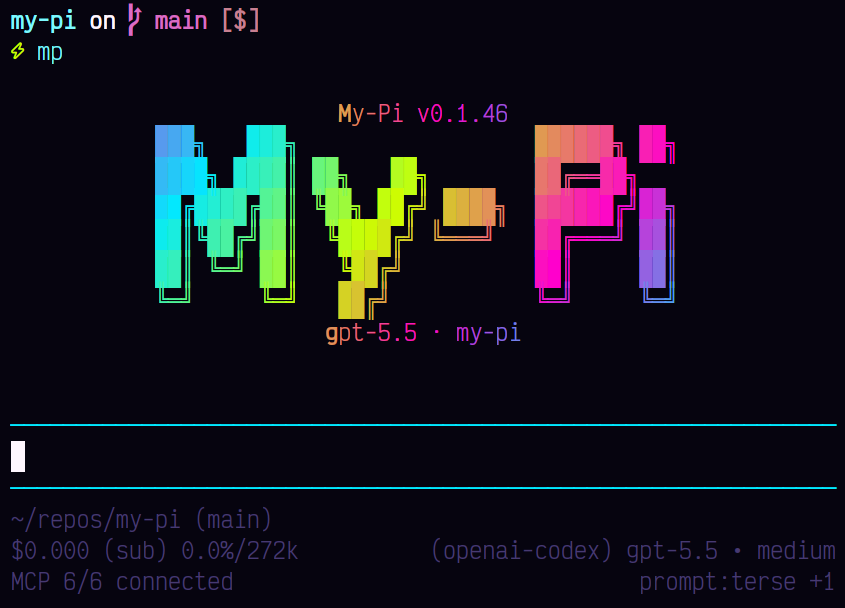
Bring your MCP servers into Pi as first-class agent tools. pi-mcp
discovers configured servers, exposes their tools safely, and keeps
large MCP responses manageable through Pi’s context sidecar
integration.
Installation
pi install npm:@spences10/pi-mcpLocal development from this monorepo:
pnpm --filter @spences10/pi-mcp run build
pi install ./packages/pi-mcp
# or for one run only
pi -e ./packages/pi-mcp
Configuration
The extension loads MCP server definitions from mcp.json files in
global and project locations. For compatibility with Claude Code, a
project-level .mcp.json is also accepted when that project has no
mcp.json. If both files exist, mcp.json takes precedence and the
extension warns that .mcp.json was ignored.
A typical project mcp.json (or compatible .mcp.json) looks like:
{
	"mcpServers": {
		"sqlite": {
			"command": "npx",
			"args": ["-y", "mcp-sqlite-tools", "./data.db"]
		}
	}
}
Global MCP config is loaded automatically. Project-local mcp.json is
untrusted by default because stdio servers can spawn local commands.
Interactive runs prompt before loading it; headless runs skip it
unless MY_PI_MCP_PROJECT_CONFIG=allow is set. Allow-once mode loads
project MCP tools but suppresses rich tool descriptions and schema
prose so untrusted server metadata cannot act as prompt injection. Use
MY_PI_MCP_PROJECT_CONFIG=trust to trust and remember the current
repo until the selected project config file's hash changes and expose
full metadata, or MY_PI_MCP_PROJECT_CONFIG=skip to force-disable
project MCP config.
Stdio MCP servers receive a restricted child-process environment by
default: baseline shell variables plus explicit per-server env
values. Use MY_PI_MCP_ENV_ALLOWLIST=NAME,OTHER_NAME or the shared
MY_PI_CHILD_ENV_ALLOWLIST to pass selected ambient variables
through.
Servers are not connected at session startup by default. Use
/mcp connect <server> or set MY_PI_MCP_EAGER_CONNECT=1 to connect
and discover tools eagerly.
Keep mcp.json portable by putting my-pi activation rules in a
separate policy file. Global policy lives at
~/.pi/agent/mcp-policy.json; project policy lives at
.pi/mcp-policy.json. Project policy is loaded only when project MCP
config passes the project trust decision. It may further restrict a
global policy, but cannot replace or widen one; when both scopes
define a server, both policies must match. A server with no policy
keeps the default behavior. A server with an activateWhen policy is
skipped entirely unless at least one criterion matches the current cwd
or GitHub remote.
{
	"servers": {
		"pm-platform": {
			"activateWhen": {
				"githubOrg": ["spences10"],
				"githubRepo": ["spences10/my-pi"],
				"cwdPrefix": ["/home/scott/repos/my-pi"]
			}
		}
	}
}
Server tools are registered as Pi tools using this naming format:
mcp__<server>__<tool>For example, a sqlite server tool named execute_read_query
becomes:
mcp__sqlite__execute_read_queryConstrained sampling
MCP tools opt into Pi's strict JSON Schema sampling only when their
server-owned schema is a conservative, fully required object schema.
Eligible schemas may contain nested objects, arrays, primitive types,
enums, constants, and descriptions. Every object node must explicitly
set additionalProperties: false; the schema is never rewritten.
Schemas remain on normal tool calling when they contain optional
properties, defaults, union types, non-object roots, missing or open
additionalProperties, references, composition keywords such as
anyOf, or other unsupported keywords. This avoids turning provider
differences into MCP failures; strict: "prefer" also lets Pi fall
back when the active provider or model lacks strict-tool support.
The /mcp server detail view reports only aggregate eligible/normal
counts and safe reason codes. It never displays schema content or tool
arguments as part of these diagnostics.
Commands
/mcp                         # open the TUI server manager
/mcp manage                  # same as /mcp
/mcp list
/mcp enable <server>
/mcp disable <server>
/mcp connect [server|all]
/mcp backup                  # backup global + project MCP config
/mcp restore [backup-file]   # restore from picker or filename/path
/mcp profile list
/mcp profile save [name]
/mcp profile load [name] [global|project]
/mcp profiles                # saved profile list and actions
Use /mcp to open a modal home menu for server management, read-only
summaries, backups, and profiles. Toggles update the current session
and persist a disabled/enabled flag in the winning mcp.json
entry. Backups are written under ~/.pi/agent/mcp-backups/ and
restore global/project MCP config exactly as captured after modal
confirmation. Profiles are saved under ~/.pi/agent/mcp-profiles/ as
reusable merged server sets that can be saved with a modal input and
loaded into global or project MCP config after modal confirmation.
What it does
- reads MCP server config
- connects to stdio or HTTP MCP servers on demand
- negotiates MCP
2026-07-28withserver/discoverand stateless per-request metadata, while falling back to the legacyinitializehandshake for older servers - sends the required modern Streamable HTTP routing headers without reusing legacy session IDs
- discovers tools via
tools/listand honors modernttlMscache hints - registers each discovered MCP tool with Pi
- updates Pi's active tools as servers connect or disconnect; current Pi applies those changes to the next provider request in the same agent run
- forwards model tool calls to the MCP server and accepts both modern
resultTyperesults and legacy results where the field is absent - disconnects idle connected servers after 15 minutes by default
(
MY_PI_MCP_IDLE_TIMEOUT_MS=0disables this globally; per-serveridle_timeout_msoverrides it) - truncates oversized MCP tool text output to the first 50 KiB or 2,000 lines
- when
@spences10/pi-contextis enabled, stores oversized full output in the local SQLite context sidecar and returns a searchable source id - otherwise saves truncated full output to a local
/tmp/my-pi-mcp-output-*.txtfile so it can be inspected withreadorrg - cleans up server processes on session shutdown
Using from a custom harness
import mcp from '@spences10/pi-mcp';

// pass `mcp` as an ExtensionFactory to your Pi runtime
my-pi imports this package directly and enables it as the built-in
MCP extension.
Development
Package scripts build transitive workspace dependencies first, then
run local tools through Vite+ with vp exec.
pnpm --filter @spences10/pi-mcp run check
pnpm --filter @spences10/pi-mcp run test
pnpm --filter @spences10/pi-mcp run build
License
MIT