
@steven-rothwell/pi-notifier
v1.0.3
Published
Notifications for Pi coding agent

Maintainers
 steven-rothwell
Readme
pi-notifier
Windows desktop notifications for Pi. Get notified when the agent finishes, when API errors occur, or when tools fail.
Features
- Agent Finished - Know when Pi is ready for your next input
- Provider Error - Instant alerts for HTTP 4xx/5xx errors (rate limits, auth failures, etc.)
- Tool Error - Get notified when any tool execution fails
- Focus Detection - Notifications are suppressed when Pi's terminal is already focused (no redundant popups)
- Custom Sounds - Choose from 13 Windows system sounds or disable sounds per notification type
- Dark/Light Theme - Stylish toast popups with a modern look
Screenshots
| | Agent Finished | Provider Error | Tool Error |
|---|---|---|---|
| Dark | 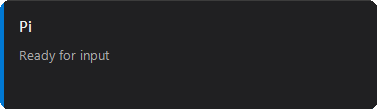 |
| 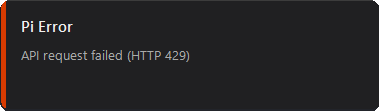 |
| 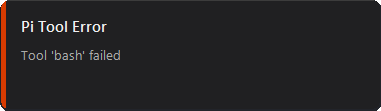 |
| Light |
|
| Light | 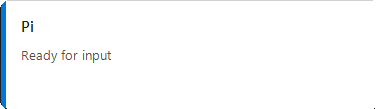 |
| 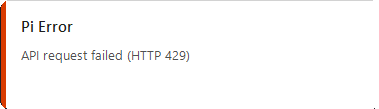 |
| 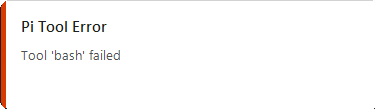 |
|
Install
pi install npm:@steven-rothwell/pi-notifierConfigure
Run the /notifier command in Pi's TUI to:
- Toggle notifications on/off per type
- Change notification sounds
- Switch between dark and light themes
- Test notifications before enabling
/notifierRequirements
- Windows - Uses PowerShell and WinForms for native notifications
- Pi - Requires
@earendil-works/pi-coding-agentand@earendil-works/pi-tui
Configuration File
Settings are stored in ~/.pi/notifier.json. You can edit this file directly:
{
  "theme": "dark",
  "notifications": {
    "agentFinished": {
      "enabled": true,
      "sound": "C:\\Windows\\Media\\Windows Notify Messaging.wav"
    },
    "providerError": {
      "enabled": true,
      "sound": "C:\\Windows\\Media\\Windows Error.wav"
    },
    "toolError": {
      "enabled": true,
      "sound": "C:\\Windows\\Media\\Windows Exclamation.wav"
    }
  }
}
How It Works
Pi-notifier hooks into three Pi events:
agent_end- Fires when the agent finishes processing and is waiting for inputafter_provider_response- Fires on HTTP 4xx/5xx responses from AI providerstool_execution_end- Fires when any tool execution fails (isError: true)
Before showing a notification, it checks if Pi's terminal is the foreground window. If it is, the notification is skipped since you're already looking at Pi.
License
MIT