
@strifero/contextengine
v1.3.2
Published
Auto-generate CLAUDE.md, .cursorrules, and copilot-instructions from your actual codebase. One command gives Claude Code, Cursor, and Copilot full project context.

Maintainers
 strifero
Readme
ContextEngine
Stop re-explaining your codebase to AI. Every. Single. Session.
npx @strifero/contextengine


Free. Open source. Runs entirely on your machine. No account required.
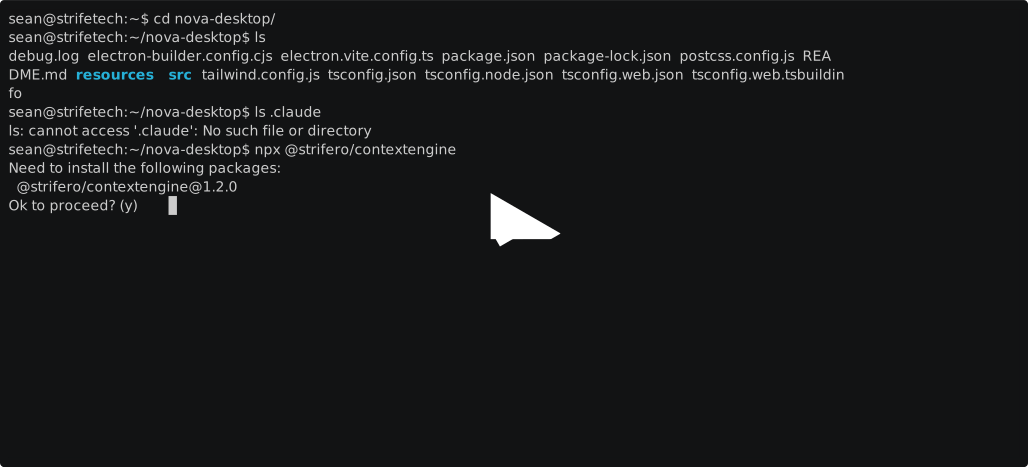
See It In Action
The Problem
Every AI coding session starts blank. You ask Claude Code to add an endpoint, and it suggests pages/api/ because it doesn't know you're on the App Router. You ask Cursor to write a query, and it ignores your Prisma setup. You spend 10 minutes re-establishing context before doing any real work.
CLAUDE.md, .cursorrules, and copilot-instructions.md fix this: your AI tool reads them automatically and starts with full context. But writing a good one is tedious.
ContextEngine generates them automatically from your actual codebase.
Before / After
Before (any agent, empty repo context):
You: Where should I add a new API endpoint?
Agent: Create pages/api/users.ts and export a default handler...
Wrong. This is an App Router project.
After. Run ContextEngine once. It reads your package.json,
tsconfig.json, prisma/schema.prisma, and friends, and writes a real
AGENTS.md at the project root. On a minimal Next.js 14 (App Router) +
Prisma + Tailwind repo, this is the actual file:
# nextjs-app

> AGENTS.md: instructions for AI coding agents working on this project.
> Human contributors: see README.md.

## Stack

- TypeScript 5.5.0
- Next.js (App Router) 14.2.0
- React 18.3.0
- Node.js
- Tailwind CSS 3.4.0
- Prisma 5.15.0
- Prettier
- Playwright

## Commands

- `npm run dev`: `next dev`
- `npm run build`: `next build`
- `npm run start`: `next start`
- `npm run lint`: `next lint`
- `npm run test`: `vitest`
- `npm run db:migrate`: `prisma migrate dev`

## Conventions

- App Router by default. Server Components unless the file declares `"use client"`.
- Database access lives in Server Components, Route Handlers, or Server Actions, never client code.
- Route Handlers at `app/<path>/route.ts` export named methods (GET, POST, etc.).
- Single PrismaClient instance at `lib/prisma.ts`. Import that, never `new PrismaClient()` in request paths.
- Schema changes go through `prisma migrate dev` locally and `prisma migrate deploy` in CI.
- Run with `strict: true` in tsconfig. Prefer `interface` for object shapes and `type` for unions.
- Role-based selectors (`getByRole`, `getByLabel`) before `getByTestId`. Avoid CSS selectors.
- Prettier is the source of truth for formatting. Run `prettier --write` or wire it into the editor.

## What to avoid

- `getServerSideProps` and `getStaticProps`. The App Router replaced them.
- Importing server-only modules from client components.
- `$executeRawUnsafe` with user input. Use `$executeRaw` tagged templates.
- `page.waitForTimeout`. Assert visibility or wait on a network response.
(Trimmed for brevity: the full file has a few more TypeScript and React bullets. Nothing is hand-written; every section above is derived from files in the repo.)
For Claude Code, --tool claude also writes .claude/CLAUDE.md plus a
skill library under .claude/skills/ (e.g. nextjs-app/SKILL.md,
prisma/SKILL.md) so Claude lazy-loads per-topic guidance on demand.
What's new in 1.3.1
A safety and hardening patch. The headline: ContextEngine will not overwrite or delete your files.
- Overwrite guards everywhere. Every target now skips files that already exist and reports the skips with a
--forcehint. A hand-writtenAGENTS.mdor.claude/CLAUDE.mdsurvives--tool agentsand--tool all. --updatedeletion is allowlisted. It only removes files ContextEngine itself can generate. Hand-written skills and agents under.claude/are never touched, even when they follow the standard layout.- Prompt-injection hardening. Strings read from the scanned repo (package name, script bodies, dependency versions) are sanitized before landing in generated markdown, so a hostile
package.jsoncannot inject instructions into your agent files. Untrusted file reads are capped at 5 MB and tsconfigextendsresolution is bounded to the project directory. - Detection correctness. tsconfig trailing commas parse,
strict: truesurvivesextendschains and diamond layouts, and specifiers likeworkspace:*orfile:render the tech name without a bogus version. - Stricter CLI. Typos (
--updat) and missing values (-dwith no path) exit with a clean error instead of being silently ignored. A malformedpackage.jsonproduces a visible warning instead of a silent empty detection.
Full release notes: v1.3.1.
What's new in 1.3.0
- AGENTS.md is a first-class target.
--tool agentsemits the cross-tool standard;--tool allbundles it. - Nine new agent targets: Windsurf, Aider, Gemini CLI, Cline, Roo Code, JetBrains Junie, Amazon Q, OpenCode, Zed.
- Deeper detection:
package.jsonscripts land in## Commandswith the right package-manager prefix. Next.js App Router and Pages Router are distinguished. TypeScriptstrictis surfaced correctly, including throughextendschains. Monorepos (Turbo, Nx, pnpm-workspaces, Lerna, Rush) get their own section. - Ten new stack detectors: Astro, SvelteKit, Remix, Nuxt, NestJS, FastAPI, Rails, Laravel, Flutter, Angular.
- Test frameworks and linters: Vitest, Jest, Playwright, Cypress ship as skills; ESLint flat + legacy, Biome, Prettier surface as conventions bullets.
- Windows fix:
--updateno longer overwrites your edits on Windows. CI now covers Ubuntu + Windows across Node 18 and 20.
Full release notes: v1.3.0.
What It Does
ContextEngine scans your project root, reads your actual config files and dependencies, and generates:
| Tool | Output | Reads AGENTS.md? | Auto-loaded? |
|------|--------|------------------|-------------|
| Claude Code | .claude/CLAUDE.md + skill files | no (uses CLAUDE.md) | ✅ Yes |
| Cursor | .cursor/rules/*.mdc | no | ✅ Yes |
| GitHub Copilot | .github/copilot-instructions.md | no | ✅ Yes |
| Codex CLI | AGENTS.md | yes | ✅ Yes |
| OpenCode | .opencode/AGENTS.md | yes | ✅ Yes |
| Aider | CONVENTIONS.md | yes (recent versions) | ✅ Yes |
| Windsurf | .windsurfrules | no | ✅ Yes |
| Gemini CLI | GEMINI.md | no (uses GEMINI.md) | ✅ Yes |
| Cline | .clinerules | no | ✅ Yes |
| Roo Code | .roo/rules.md | no | ✅ Yes |
| JetBrains (Junie) | .junie/guidelines.md | no | ✅ Yes |
| Amazon Q | .amazonq/rules/project.md | no | ✅ Yes |
| Zed | .rules | no | ✅ Yes |
AGENTS.md at the repo root is the cross-tool standard (agents.md). The column above reflects native support at the time of this release; the list is growing as more agents adopt the spec. For tools without native support, ContextEngine writes the body at the tool-specific path the agent expects.
One tool:
npx @strifero/contextengineAll tools at once:
npx @strifero/contextengine --tool allUsage
# Detect stack and generate context files for Claude Code (default)
npx @strifero/contextengine

# Emit the cross-tool AGENTS.md standard at the project root
npx @strifero/contextengine --tool agents

# Target any supported agent individually
npx @strifero/contextengine --tool cursor
npx @strifero/contextengine --tool windsurf
npx @strifero/contextengine --tool gemini
# Also supported: copilot, aider, cline, roo, junie, amazon-q, opencode, zed

# Write files for every supported agent at once
npx @strifero/contextengine --tool all

# Re-sync .claude/ after your stack changes (claude only, preserves your edits)
npx @strifero/contextengine --update

# Regenerate other targets from scratch (existing files are never
# overwritten without this flag)
npx @strifero/contextengine --tool agents --force

# Skip agent generation (Claude Code only)
npx @strifero/contextengine --no-agents

# Specific directory
npx @strifero/contextengine --dir /path/to/project
Run npx @strifero/contextengine --help for the full flag list (--dir, --tool, --update, --force, --no-agents, --version, --help).
Commit It
git add AGENTS.md .claude/ .cursor/ .github/copilot-instructions.md
git commit -m "add AI context files via contextengine"
Every contributor who clones the repo gets full AI context from day one. When the stack changes, re-run with --update for .claude/ (preserves your edits) or --force for the other targets (regenerates from scratch, so commit first if you've edited them).
Why auto-generate?
The honest critique of auto-generated context files: they rot, they inflate every session with boilerplate, and a stale CLAUDE.md is worse than none. ContextEngine treats its output as a starting point, not a finished document. On first run it scans your lockfiles, configs, and dependencies and writes AGENTS.md, CLAUDE.md, and the matching skill files. Everything past the detected-stack summary is yours to edit. For .claude/, --update reconciles on the next run instead of overwriting; for the other targets, existing files are never touched unless you pass --force.
The baseline context cost stays small. Skill files in .claude/skills/ are lazy-loaded by description match, so Claude Code only pulls in a skill when the task touches it. A dozen skills on disk costs you the CLAUDE.md header plus the one or two skills the agent actually selects. AGENTS.md and the tool-specific equivalents are single files capped at a few KB, biased toward stack-derived facts (versions, scripts, conventions) and away from prose. The generated file is short enough to read; the repo is still the source of truth.
Detected Stacks
Languages and runtimes. TypeScript · Node.js · Go · Python · Rust · PHP · C# · Bun
React family. Next.js (App Router and Pages Router, detected separately) · Remix · Vite · React
Other web frameworks. Vue · Nuxt · SvelteKit · Angular · Astro
Server / API frameworks. Express · NestJS · FastAPI · Django · Ruby on Rails · Laravel
Mobile. Swift / SwiftUI · Flutter
Data and infrastructure. Prisma · PostgreSQL · MongoDB · Docker · Azure · Stripe · Tailwind CSS
Testing. Vitest · Jest · Playwright · Cypress
Linters and formatters. ESLint (flat and legacy config) · Biome · Prettier
Package managers surfaced in the detected output. npm · pnpm · yarn · bun · bundler · composer · pub, plus a Python-tool annotation (poetry / uv / pip) on FastAPI conventions. Monorepos (Turbo, Nx, pnpm-workspaces, Lerna, Rush) get a dedicated section.
Don't see yours? Open an issue or submit a PR. Skills are plain markdown; detection is plain filesystem checks.
Requirements
- Node.js 18+
- Any project directory (any language or framework)
See Real Examples
Generated output files for common stacks: 👉 contextengine-examples
Contributing
Skills are plain markdown strings exported from src/skills.ts. To add a stack:
- Add the skill content to
src/skills.ts - Add detection to
src/detect.ts - Wire up in
src/registry.ts - Add a fixture under
tests/fixtures/and runnpm run test:update - Open a PR
See CONTRIBUTING.md for details.
License
MIT, by Strife Technologies