
@studiometa/playground
v0.4.0
Published
[](https://www.npmjs.com/package/@studiometa/playground/) [


Readme
@studiometa/playground




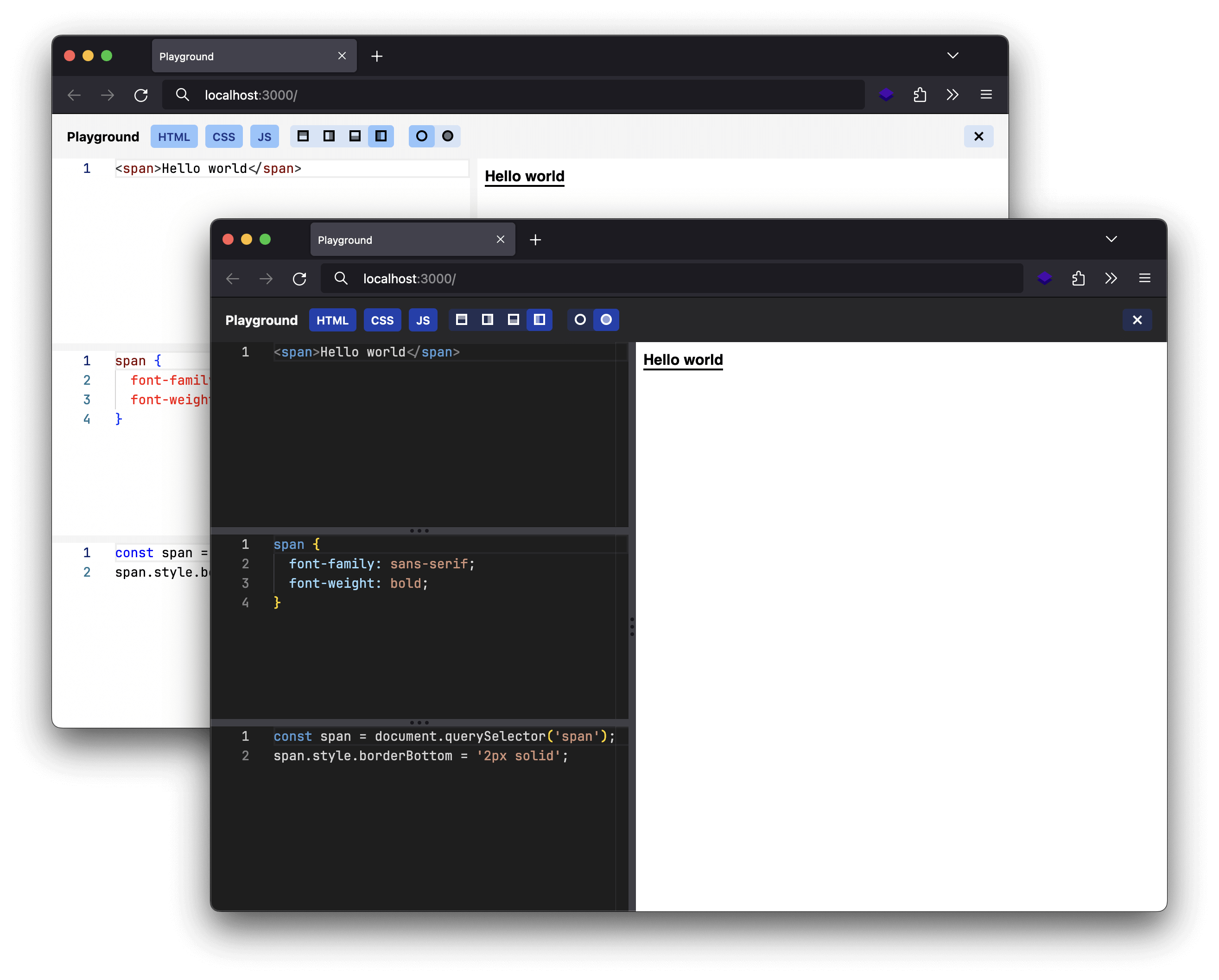
A packaged small code editor for shareable demo, deploy it in seconds.
Usage
Install the package:
npm install @studiometa/playgroundCreate the following files:
src/templates/pages/index.twig
{% include '@playground/pages/index.twig' %}meta.config.js
import { playgroundPreset, defineWebpackConfig } from '@studiometa/playground/preset';

export default defineWebpackConfig({
  presets: [playgroundPreset()],
});
tailwind.config.js
import { tailwindConfig } from '@studiometa/playground/tailwind';

export default tailwindConfig();
And then run npx meta dev and open http://localhost:3000.
You can configure the playground by passing a configuration object to the playgroundPreset function. Have a look at the demo for all available options.
When you are ready, run npx meta build and you can deploy the generated dist/ folder to any static hosting of your choice.
Import Map
Relative paths in the importMap option are automatically resolved to absolute URLs at runtime using window.location.origin. This allows build tools to use natural relative paths:
playgroundPreset({
  importMap: {
    '@studiometa/js-toolkit': '/static/js-toolkit/index.js',
  },
});
Dependencies
The dependencies option provides a declarative way to manage packages available in the script editor. It automatically generates import map entries and, for self-hosted dependencies, bundles them into .js + .d.ts files with tsdown.
esm.sh (default)
The simplest way to add a dependency is a plain string. It resolves via esm.sh, which serves proper ESM bundles with TypeScript types out of the box:
playgroundPreset({
  dependencies: ['deepmerge', '@motionone/easing'],
});
Versions are inferred from your package.json when available. You can also pin them explicitly:
playgroundPreset({
  dependencies: [{ specifier: 'deepmerge', version: '5.1.0' }],
});
Subpath imports are fully supported. The version is resolved from the package name and placed correctly in the esm.sh URL:
playgroundPreset({
  dependencies: [
    '@studiometa/js-toolkit',
    '@studiometa/js-toolkit/utils',
    // → https://esm.sh/@studiometa/js-toolkit@<version>/utils
  ],
});
Self-hosted
Adding a source field bundles the dependency with tsdown into a single ESM file (.js) and a bundled type declaration (.d.ts). All npm types are inlined in the .d.ts output so the browser-based TypeScript editor can resolve them without additional fetches.
The source field must be a local file path (relative, absolute, or glob). Bare npm package names (e.g. "morphdom") are not supported as source values — npm packages should use esm.sh resolution instead (omit the source field).
From local TypeScript sources:
The source field supports glob patterns. Use entry to specify the main entry point when the source is a glob:
playgroundPreset({
  dependencies: [
    {
      specifier: '@studiometa/ui',
      source: '../ui/**/*.ts',
      entry: '../ui/index.ts',
    },
  ],
});
Mixed (local sources re-exporting from npm):
Local TypeScript sources can re-export from npm packages — tsdown will inline the external types in the bundled .d.ts:
// lib/index.ts
export { greet, type GreetOptions } from './greeter.js';
export { isDefined } from '@studiometa/js-toolkit/utils';
playgroundPreset({
dependencies: [
{
specifier: 'demo-lib',
source: './lib/**/*.ts',
entry: './lib/index.ts',
},
],
});Note: Self-hosted dependencies require
tsdownas a devDependency. Install it withnpm install -D tsdown.
Bundle deduplication
Self-hosted bundles automatically externalize any specifier that already exists in the import map. This prevents inlining shared dependencies that the browser already resolves via esm.sh.
For example, if @studiometa/ui is self-hosted and depends on @studiometa/js-toolkit, and @studiometa/js-toolkit is also in the import map (via esm.sh), the bundled @studiometa/ui/index.js will contain import ... from "@studiometa/js-toolkit" instead of inlining it. The browser's import map resolves that to the esm.sh URL at runtime — no duplication.
playgroundPreset({
  dependencies: [
    '@motionone/easing',
    'deepmerge',
    'morphdom',
    '@studiometa/js-toolkit',
    '@studiometa/js-toolkit/utils',
    {
      specifier: '@studiometa/ui',
      source: '../ui/**/*.ts',
      entry: '../ui/index.ts',
    },
  ],
});
// @studiometa/ui bundle will NOT inline @studiometa/js-toolkit, deepmerge, etc.
Type resolution
The browser-based Monaco editor discovers type declarations via the x-typescript-types HTTP response header on .js files. The build emits a _headers file that maps each bundled .js to its .d.ts counterpart:
/static/deps/demo-lib/index.js
  x-typescript-types: /static/deps/demo-lib/index.d.ts
This file is natively supported by Cloudflare Pages and Netlify. For other hosting environments, configure your server to serve the same headers:
location ~ ^/static/deps/(.+)/index\.js$ {
  add_header x-typescript-types /static/deps/$1/index.d.ts;
}
<FilesMatch "^index\.js$">
<If "%{REQUEST_URI} =~ m#^/static/deps/(.+)/index\.js$#">
Header set x-typescript-types /static/deps/%1/index.d.ts
</If>
</FilesMatch>app.use('/static/deps', (req, res, next) => {
if (req.path.endsWith('/index.js')) {
res.set('x-typescript-types', req.path.replace(/\.js$/, '.d.ts'));
}
next();
});For local development, the demo includes a preview server (preview.js) that parses the _headers file and applies the headers automatically.
Combining with importMap
The dependencies option can be combined with the importMap option. Manual importMap entries take precedence over entries generated from dependencies:
playgroundPreset({
  dependencies: ['deepmerge'],
  importMap: {
    // This overrides the esm.sh URL for deepmerge
    deepmerge: '/static/custom/deepmerge.js',
  },
});