
@sulala-ai/agent-os
v0.1.50
Published
Lightweight Bun-based Agent Operating System — micro-agents, skills, workflows


Readme
Sulala Agent OS

Lightweight Bun-based Agent Operating System for graph-based, collaborative micro-agents — agents work together in workflows instead of a single-agent loop. It includes installable skills, workflows, and a web dashboard, and is designed to stay under 1 MB.
Showcase
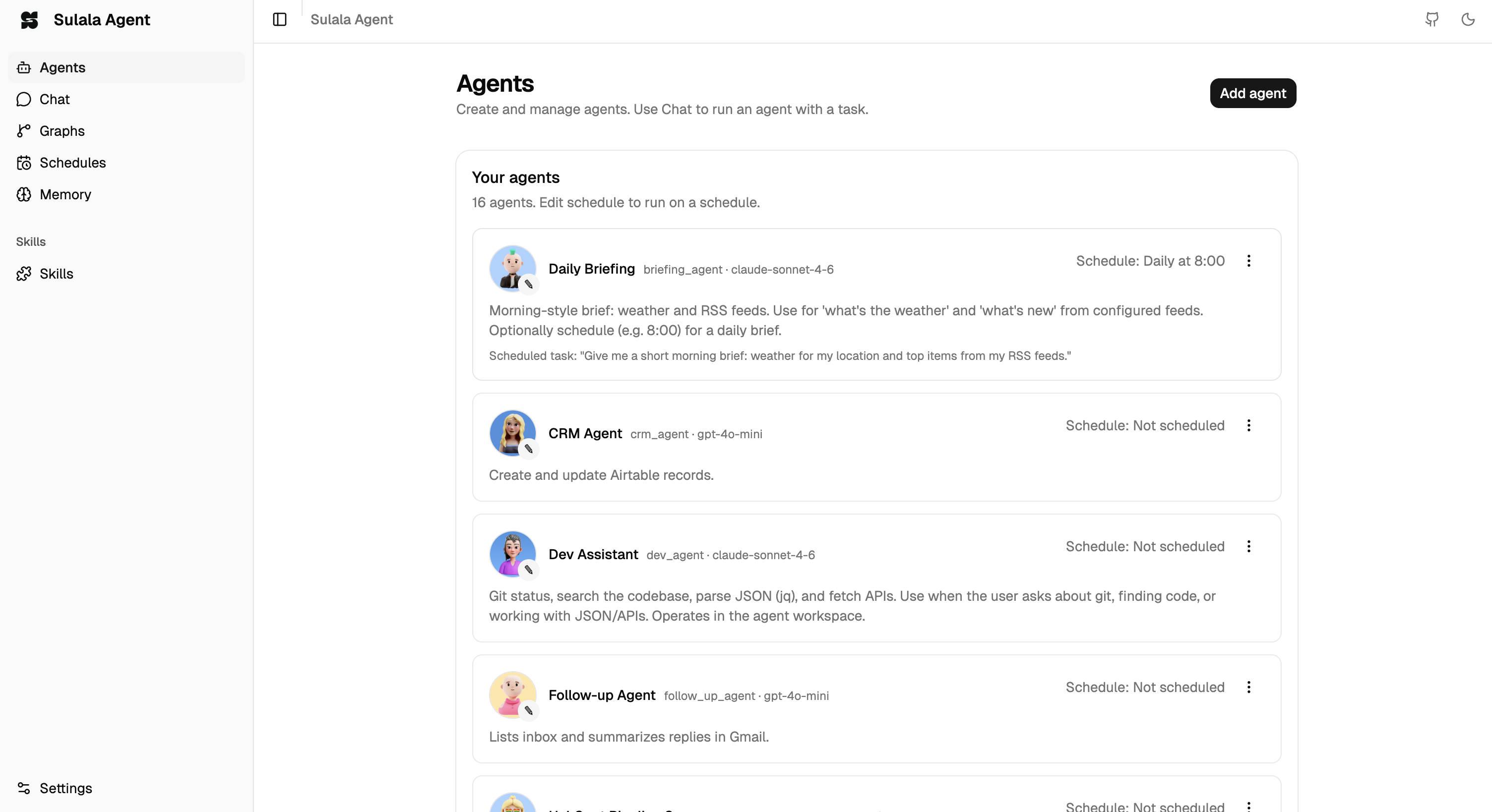
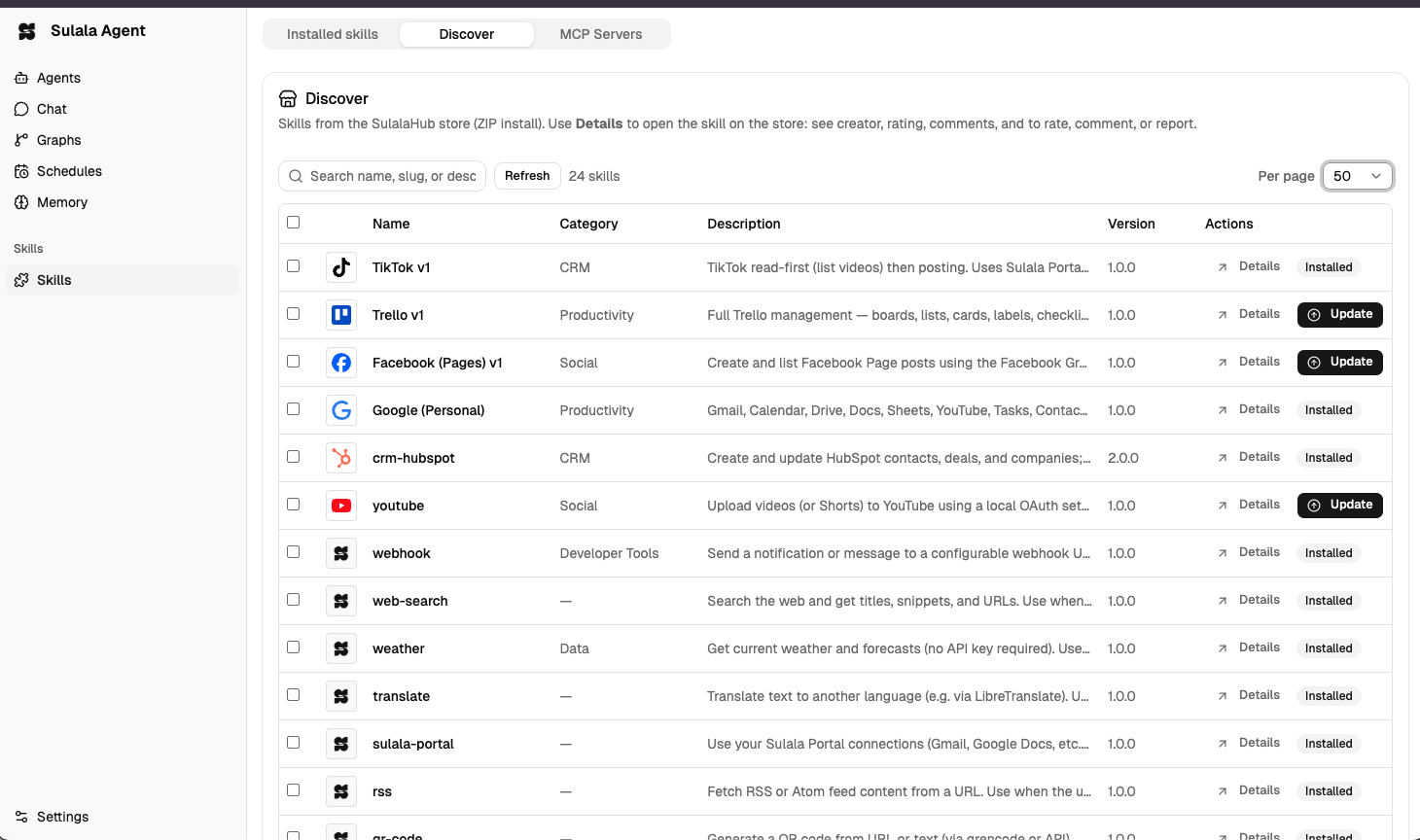
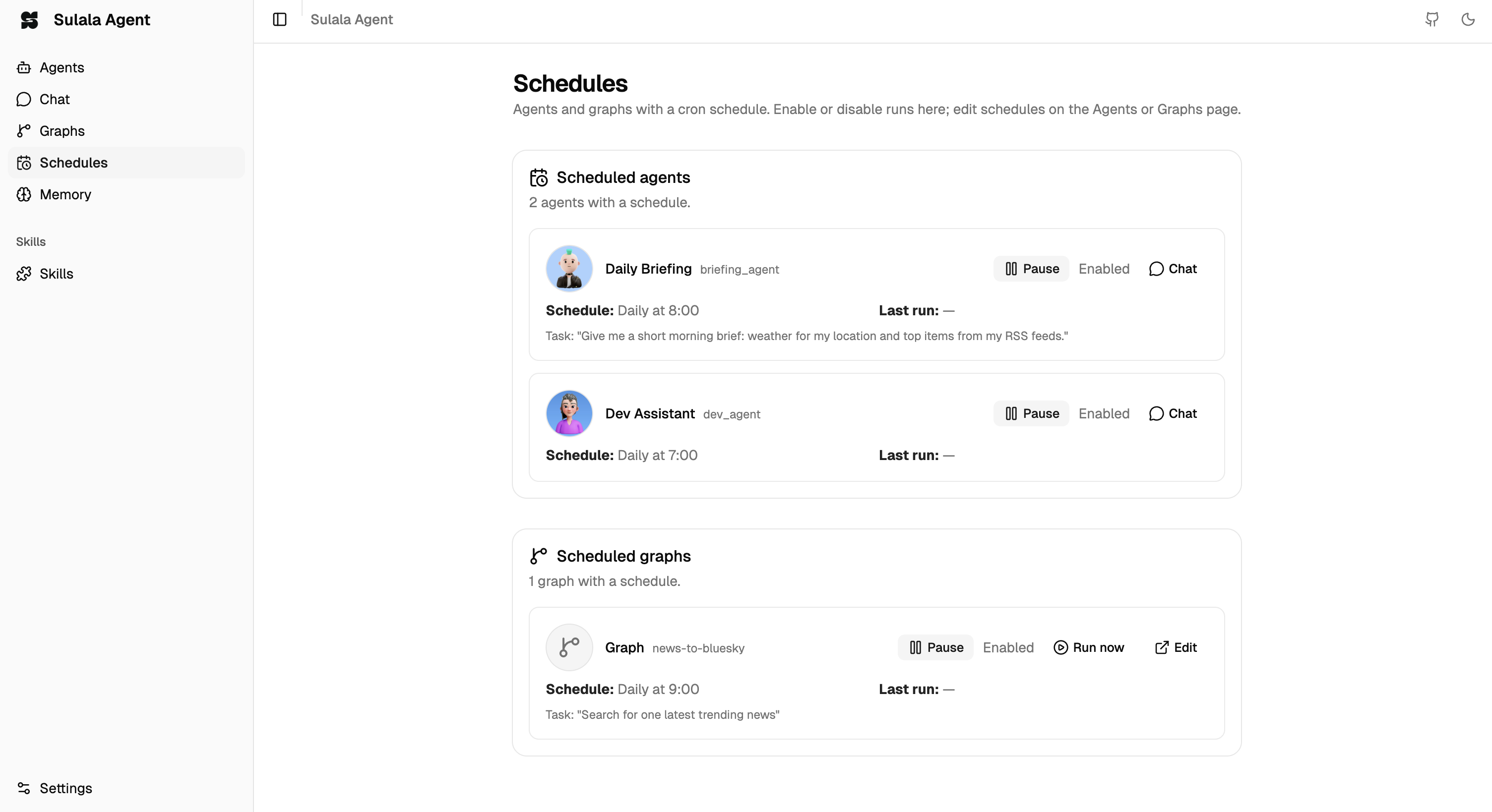
| Agents | Skills | Schedules |
| ------ | ------ | --------- |
|  |
 |
 |
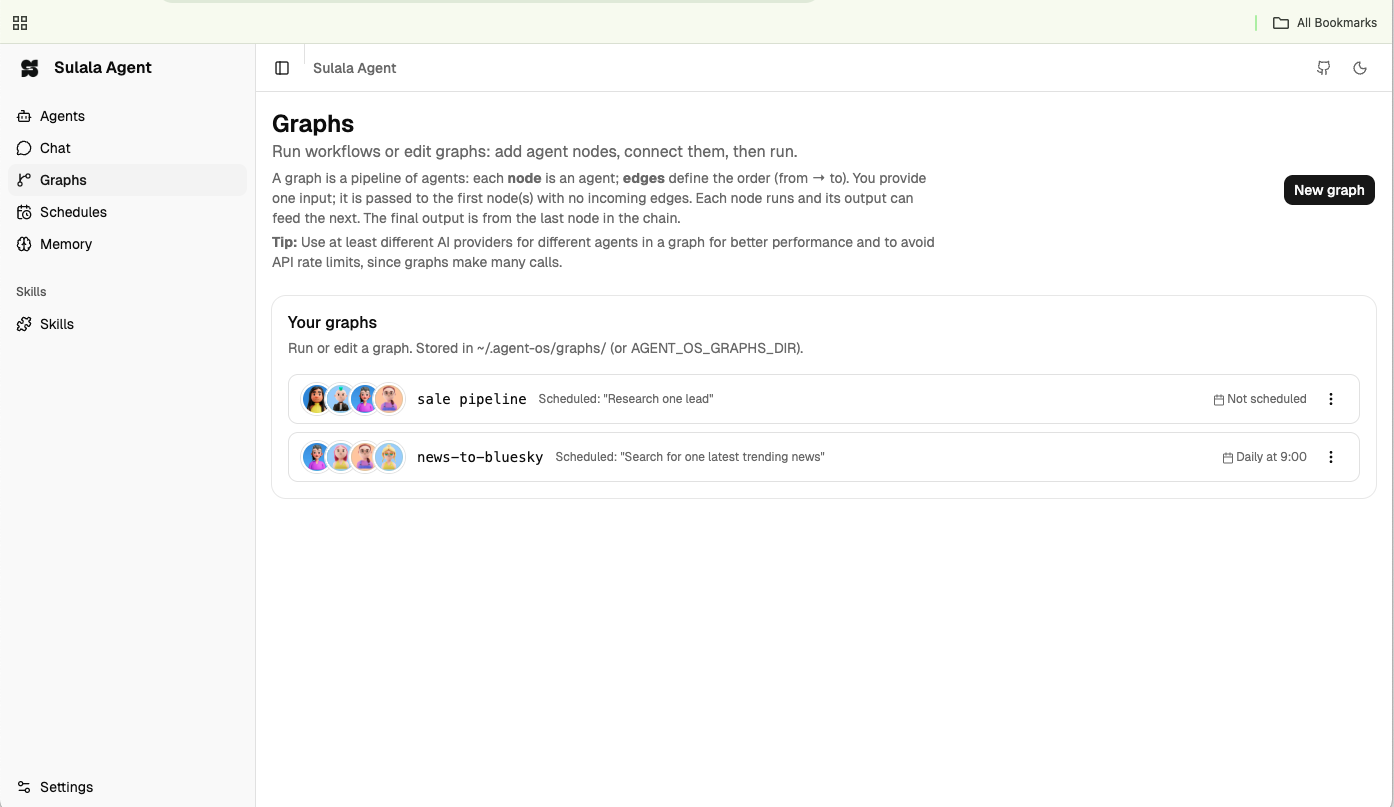
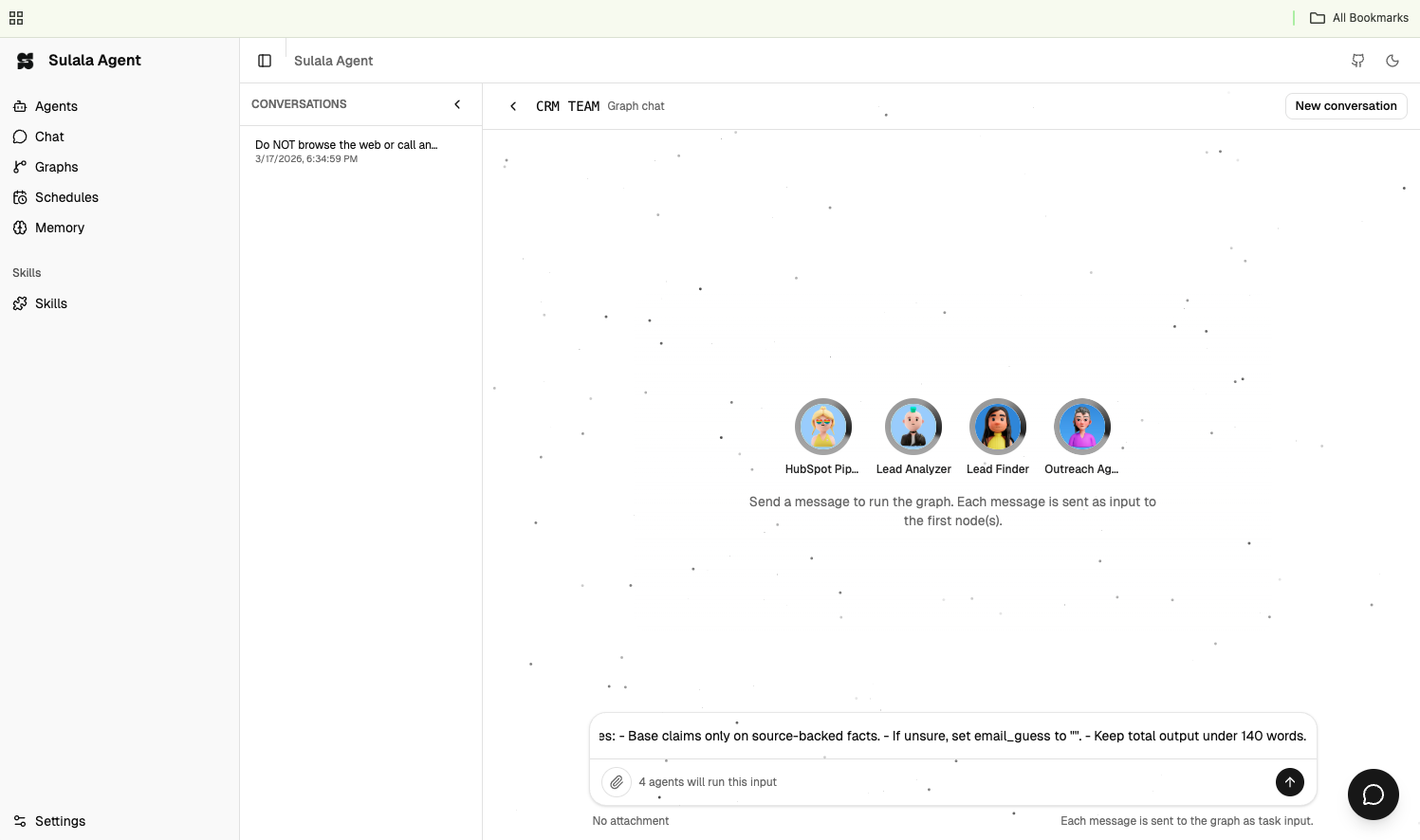
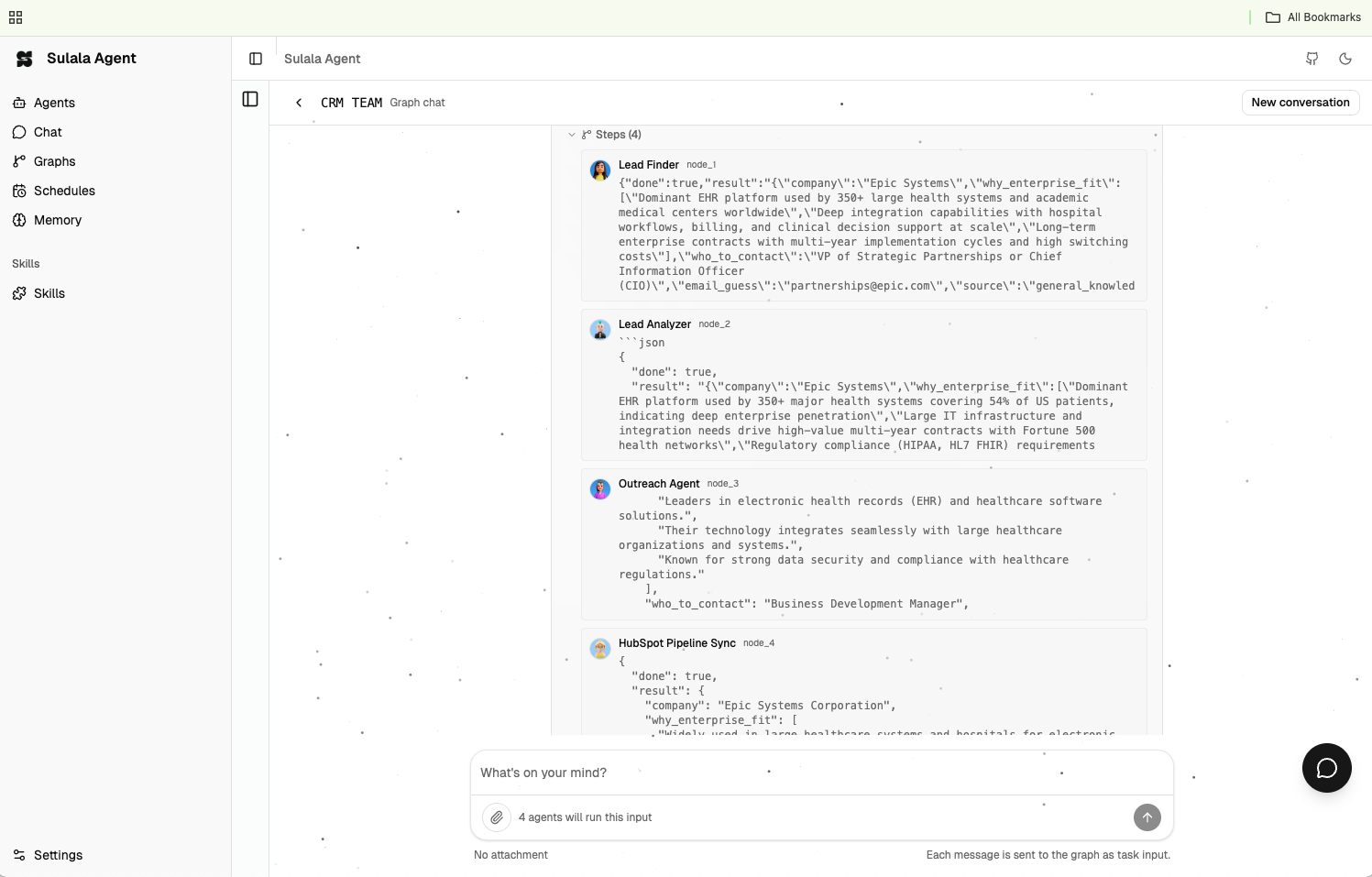
| Graphs | Graph agent | Graphs (chat) |
|
 |
 |
 |
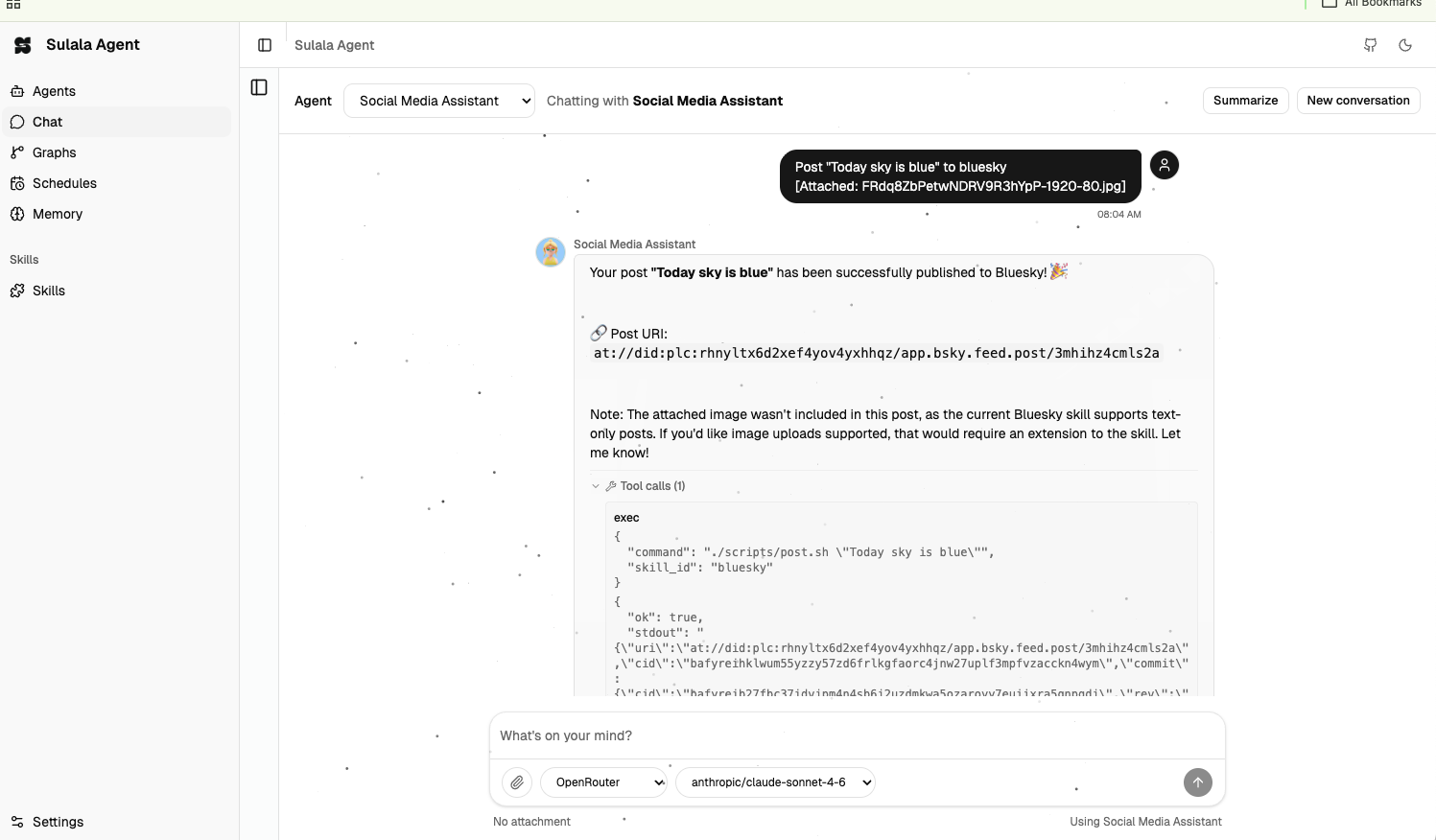
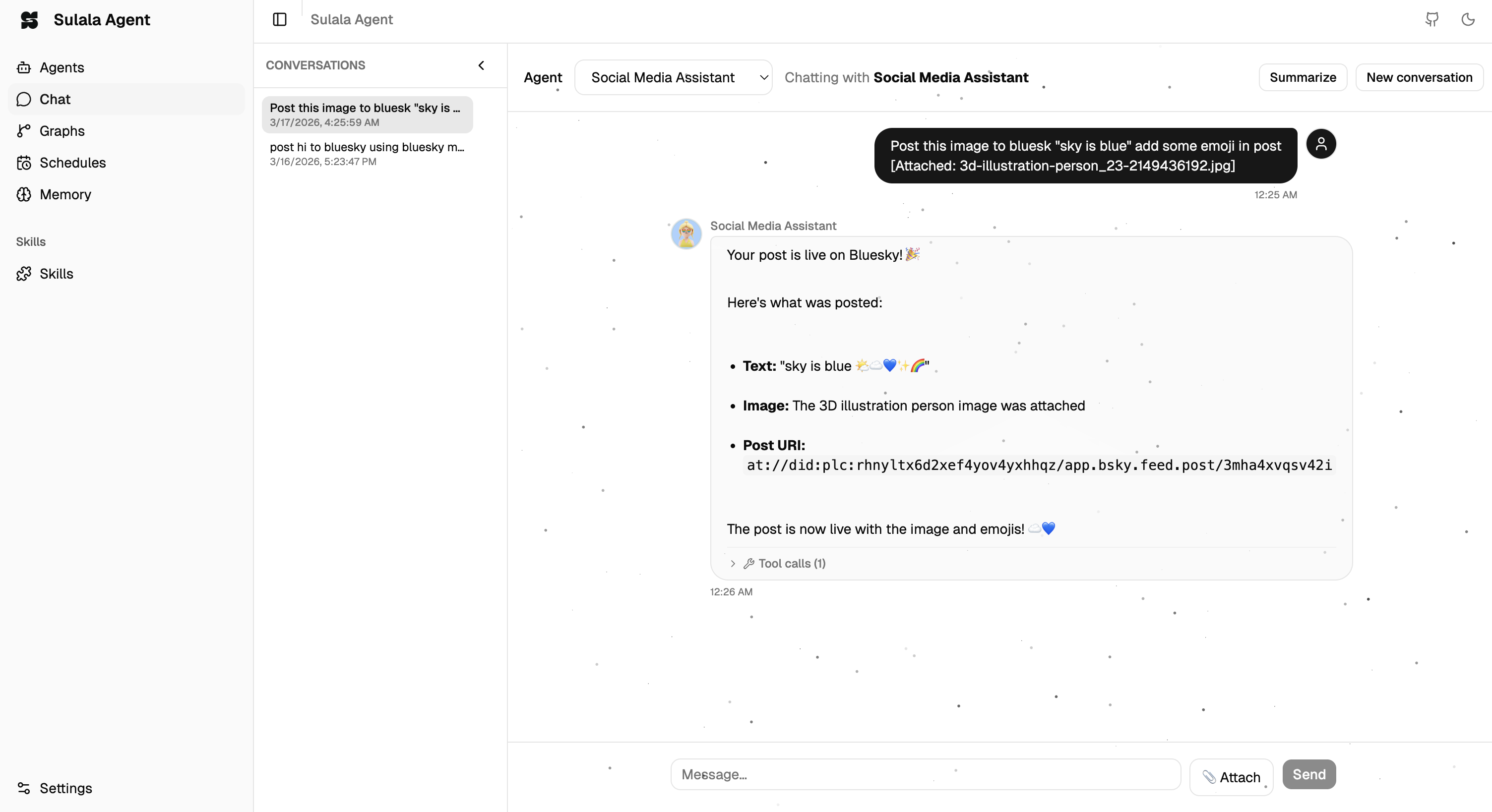
| Agent chat | Agent (social media) | Memory |
|
 |
 |
 |
| Dashboard access | Channels | Settings |
|
 |
 |
 |
| Tasks | Crypto analysis | |
|
 |
 | |
| Welcome (save token) | Onboarding (AI provider) | Local Ollama (settings) |
|
 |
 |
 |
How lightweight is Sulala?
Compared to typical AI agent frameworks, Sulala is extremely small — the core repo is only on the order of ~100 KB, and even with dependencies it stays around sub‑MB scale.
| Framework | Core size (approx.) | With dependencies (approx.) | | ----------- | ------------------- | ---------------------------- | | Sulala | ~100–150 KB | ~0.5–1 MB | | LangChain | tens of MB | 100+ MB | | CrewAI | few MB | 50–80 MB | | AutoGen | tens of MB | 150–300 MB | | AutoGPT | tens of MB | 200 MB+ |
Sulala stays tiny because it focuses on a minimal runtime:
- Core runtime + CLI + dashboard
- Graph-based multi-agent collaboration
- Agents, skills, channels, tools
- External AI providers (OpenAI, Anthropic, OpenRouter, etc.)
It does not bundle heavy Python stacks (numpy, vector DBs, complex orchestration engines), so it fits into the category of “minimal runtime agent frameworks”—closer to MicroGPT/SmolAgents than to large toolkits like LangChain.
Install
From npm (Bun or Node 18+):
bun add -g @sulala-ai/agent-os
# or: npm install -g @sulala-ai/agent-os
One-line install (macOS & Linux):
curl -fsSL --proto '=https' --tlsv1.2 https://sulala.ai/install.sh | bashWindows (PowerShell):
irm -useb https://sulala.ai/install.ps1 | iexAfter install, run sulala onboard to create config, seed agents, and open the dashboard. The installer prints a dashboard login token — copy it to log in at http://127.0.0.1:3010.
Run locally (from source)
# 1) Install dependencies (requires Bun 1.0+)
bun install

# 2) (Optional) Configure agents directory
# For dev, agents are loaded from ./data/agents (pre-configured).
# For production, copy to ~/.agent-os/agents/ or set AGENT_OS_AGENTS_DIR.

# 3) Set LLM API key (OpenAI, OpenRouter, Anthropic, or Google — or add in Dashboard → Settings)
export OPENAI_API_KEY=sk-...
# or: export OPENROUTER_API_KEY=sk-or-...

# 4) Start the dev server from the package root
bun run dev
Then open http://127.0.0.1:3010 for the dashboard. If the dashboard isn’t built yet, build it from the dashboard/ directory:
cd dashboard
npm install
npm run build
cd ..
Then restart bun run dev.
Dashboard
The web UI at http://127.0.0.1:3010 (or your PORT) lets you:
- Agents — Create, edit, and run agents
- Chat — Talk to an agent with streaming and attachments
- Graphs — Multi-agent workflows
- Skills — Install and configure skills from the marketplace
- Schedules — Cron-style runs
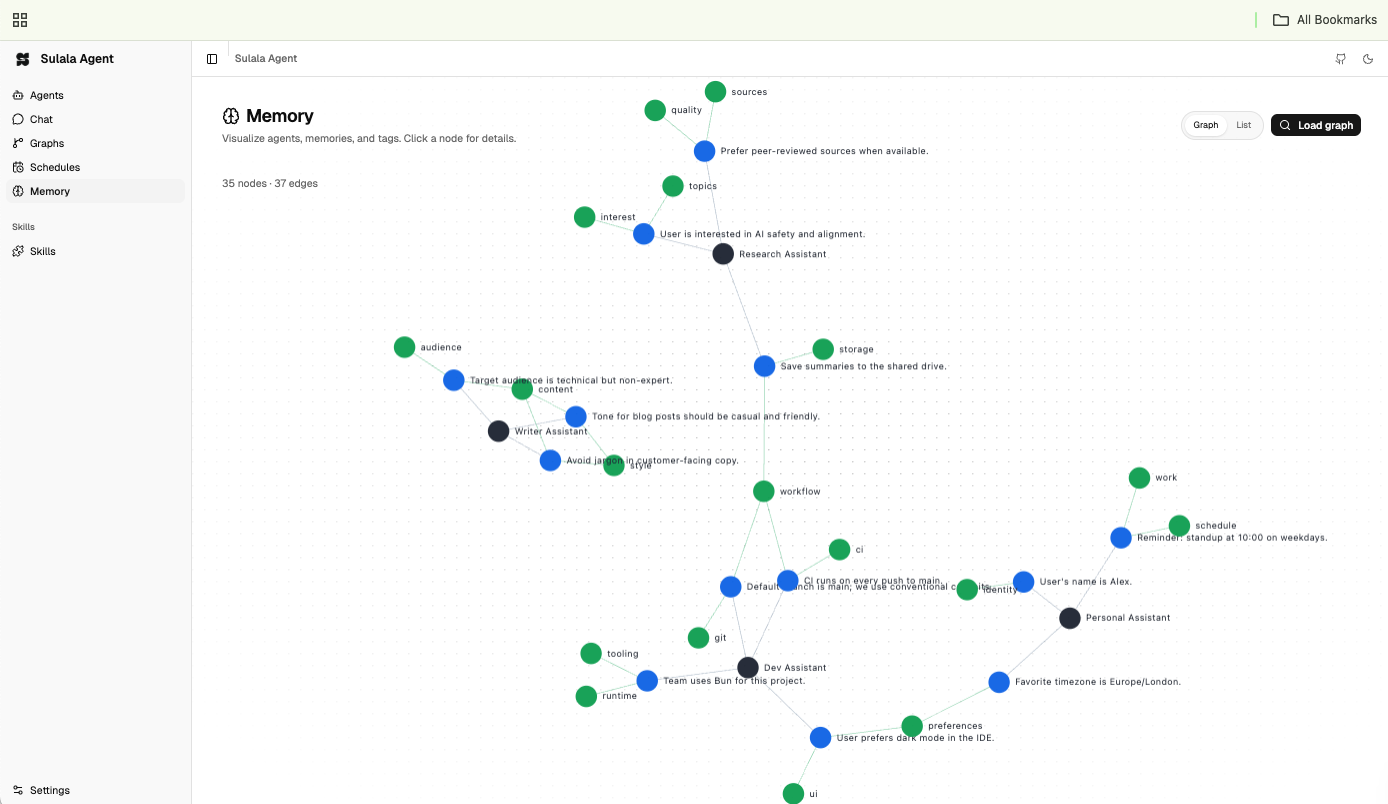
- Memory — View and search agent memory
- Settings — AI provider keys, Telegram/Slack/Discord/Viber, and dashboard access
Dashboard access (gateway token)
The server protects the dashboard with a gateway token (stored in ~/.agent-os/config.json or set via DASHBOARD_SECRET). To get or regenerate it:
# View current token (copy and paste in the dashboard login)
sulala dashboard-token

# Generate a new token (then restart the server)
sulala dashboard-token --regenerate
After sulala onboard, the token is printed in the terminal — copy it to log in. You can also regenerate the token from Settings → Dashboard access in the dashboard (restart the server for the new token to take effect).
CLI
When installed globally, the sulala CLI is available:
| Command | Description |
|--------|-------------|
| sulala start | Start the server (foreground) |
| sulala start --daemon | Start the server in the background |
| sulala stop | Stop the daemon (macOS/Linux) |
| sulala onboard | First-time setup: create config, seed agents, open dashboard |
| sulala dashboard-token | Show the dashboard login token |
| sulala dashboard-token --regenerate | Generate a new token (restart server after) |
| sulala run <agent_id> <task> | Run an agent with a one-off task |
| sulala update | Update package and system agents/skills |
| sulala version | Show version |
Example:
sulala run echo_agent "What is 2+2?"HTTP API
# List agents
curl http://127.0.0.1:3010/api/agents

# Run agent (HTTP). If the server uses a gateway token, add: -H "Authorization: Bearer <token>"
curl -X POST http://127.0.0.1:3010/api/agents/run \
  -H "Content-Type: application/json" \
  -d '{"agent_id":"echo_agent","task":"Hello, what can you do?"}'
Configuration
| Env | Description |
|-----|-------------|
| PORT | Server port (default: 3010) |
| HOST | Server host (default: 127.0.0.1) |
| AGENT_OS_HOME | Config and data directory (default: ~/.agent-os) |
| DASHBOARD_SECRET | Optional. Dashboard gateway token; if unset, a token is auto-generated and stored in config. View or regenerate: sulala dashboard-token |
| OPENAI_API_KEY | OpenAI API key |
| ANTHROPIC_API_KEY | Anthropic API key |
| GOOGLE_API_KEY | Google AI API key |
| OPENROUTER_API_KEY | OpenRouter API key |
| AGENT_OS_AGENTS_DIR | Override agents directory (default: ~/.agent-os/agents/) |
| AGENT_MEMORY_DB_PATH | SQLite path for memory (default: ~/.agent-os/database.db) |
| AGENT_OS_MAX_WORKERS | Max concurrent task workers (default: 2× CPU). Set to 1 to serialize queue runs and reduce 429 rate limits. |
| AGENT_OS_TASKS_DIR | Task log directory (default: ~/.agent-os/tasks) |
API keys can also be set in Dashboard → Settings → AI Provider and are stored in ~/.agent-os/config.json.
Request limit (429): The runtime retries LLM calls up to 3 times with backoff on rate limit. For pipelines, you can also run graphs from Schedules (enqueued) and set AGENT_OS_MAX_WORKERS=1 so only one task runs at a time.
Project structure
sulala/
  src/
    core/         # Agent registry, runtime, LLM, config
    http/         # API handlers, channels (Telegram, Slack, etc.)
    skills/       # Skill loader, tools
    tools/        # Built-in tools (exec, run-agent, etc.)
    server.ts     # HTTP API + dashboard static
    cli.ts        # sulala CLI
    index.ts      # Entry point
  dashboard/      # Vite + React dashboard (build → dashboard-dist)
  data/           # Agents, skills, templates
  install.sh      # One-line install (macOS/Linux)
  install.ps1     # One-line install (Windows)
  docs/           # Specs and setup guides
Built-in tools
| Tool | Description |
|--------|---------------------------|
| echo | Echo back text |
| time | Get current date/time |
Agents get all tools by default. Restrict via tools: ["echo"] in agent config.
Skills
Skills live under ~/.agent-os/skills/<name>/ (or AGENT_OS_SKILLS_DIR). Each skill is defined by SKILL.md only (no standalone skill.yaml or tools.yaml). You can add any supported script (e.g. shell, Python, Node) in a scripts/ folder; the agent runs them via the exec tool using the skill id. Example:
~/.agent-os/skills/weather/
  SKILL.md
  scripts/
    fetch.sh
Agents declare skills in their config; install default skills from the Dashboard → Skills marketplace. The skill loader reads SKILL.md (YAML frontmatter or a ```yaml block) for metadata and optional HTTP tools; scripts in scripts/ are invoked by the exec tool.
Channels (Telegram, Slack, Discord, …)
You can talk to your agent from Telegram, Slack, Discord, Signal, or Viber. Create a bot (e.g. @BotFather for Telegram), add the token and default agent in Dashboard → Settings, expose your server over HTTPS (e.g. ngrok), and set the webhook. Full steps for Telegram: doc/TELEGRAM_SETUP.md (if present).
Documentation
For full setup guides, advanced configuration, and examples, see the official docs at https://doc.sulala.ai.
License
MIT