
@supanadit/morse-web
v0.22.0
Published
Comfortable Pi Interface in your browser: the Morse host (Angular + NestJS) as one installable package. `npm i -g @supanadit/morse-web` then `morse start`.

Maintainers
 supanadit
Readme
@supanadit/morse-web


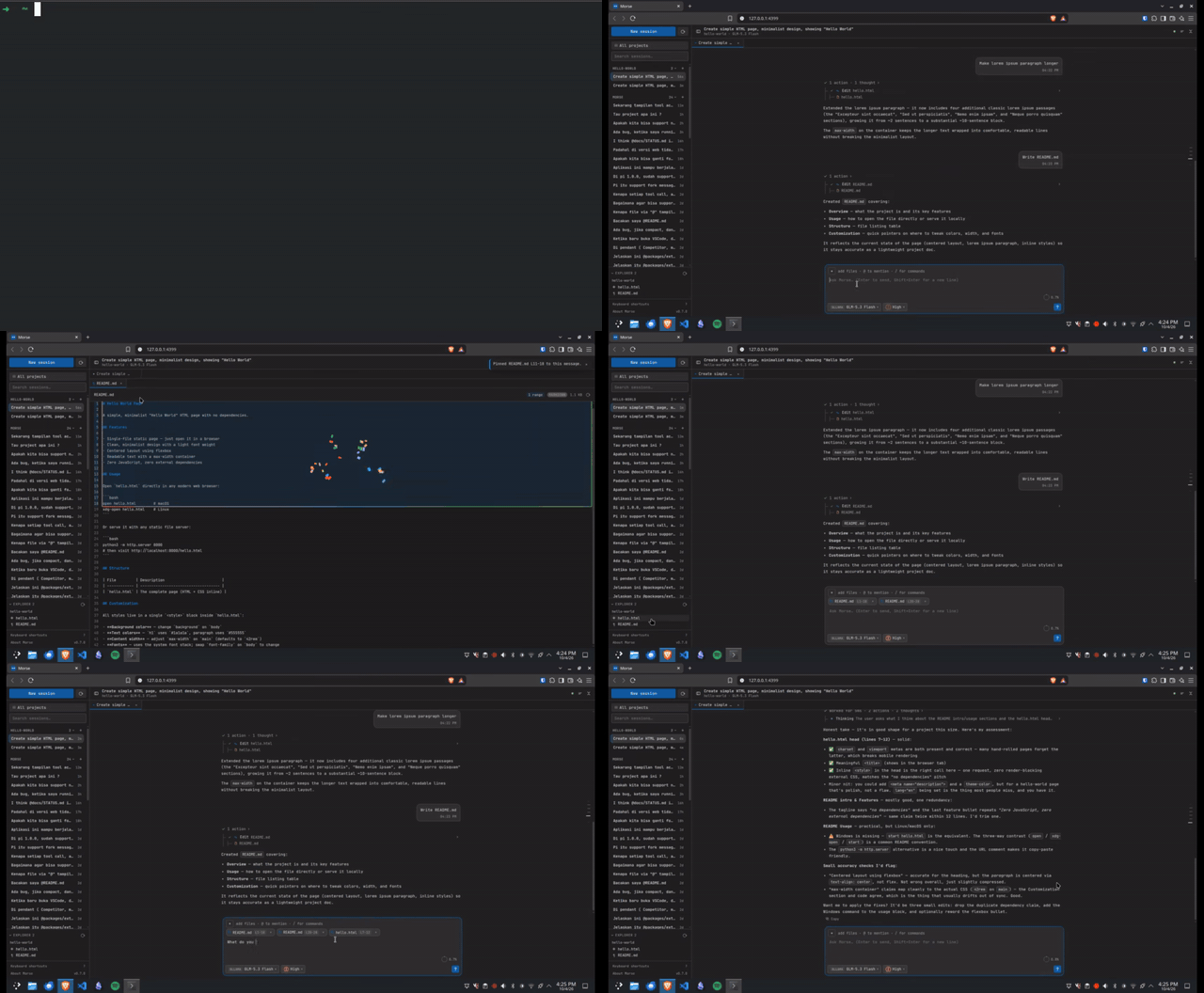
Morse in your browser, as one npm package. It serves the same Angular chat UI and drives the same Pi coding agent as the VS Code extension — no editor required. Start it, open the URL, and you get your existing pi models, credentials, tools and sessions in a real interface instead of a terminal TUI.
npm install -g @supanadit/morse-web
morse start
▲ Morse started
│
◆ port 4399 (PID: 20880)
│
● visit: http://127.0.0.1:4399/
● logs: morse logs
│
└ daemon running — the terminal can be closedThen open http://127.0.0.1:4399/. The server keeps running in the background; stop it with morse stop.
Why
- Your Pi, not a hosted service. Morse spawns
pi --mode rpcon your machine and reads and writes the same~/.pisessions. Nothing is re-implemented and no API key is stored by Morse. - No editor needed. A small NestJS host serves the UI on
127.0.0.1, so you can drive the agent from any browser — on a headless box, over SSH port-forwarding, or beside a remote dev machine. - One package. The frontend is prebuilt and the
@morse/*libraries are inlined into a single bundle, so there is nothing else to install beyond Node andpi. - Free, and it stays free. No account, no paid tier, no plan for one.
Features
- A chat that streams — answers, thinking and tool calls as they arrive, a compact expandable tool tree (with a one-click legacy timeline), paged history and context compaction.
- Sessions kept warm across projects — one
piprocess per session (LRU-capped,MORSE_HOT_SESSIONSdefault 4); reloading the page reattaches and replays the transcript instead of respawning. - The browser host's own tools — a git panel (commit list, branch graph, staged/unstaged changes, pull / push / commit / branch switch), a file Explorer with read-only previews and diff views, and a bottom panel with real terminals that survive a reload.
- Manage MCP servers — list every server pi sees for the project (state, tools, errors) and add, remove, enable or disable one, with per-project overrides.
- Model & thinking control that follows Pi — the thinking picker mirrors exactly the levels the current model
supports in Pi's TUI, and a model added to
models.jsonappears when you open the picker (no restart). - Attach context anywhere — drag, drop and paste files or images; uploaded files land next to the session as
@mentions, and a picked line range travels aspath:start-end. - A proper shell — session and file tabs, a resizable Explorer, and a command palette (
Ctrl+Alt+K) over commands, tabs, sessions, projects, files and the model. - Optional notifications — be told when a run finishes while the tab is elsewhere (off until you opt in).
Requirements
- Node.js 20+ (developed on 24).
- The
piCLI on yourPATHand already authenticated (pi --version), or a path viaMORSE_PI_PATH. Morse reuses your existing pi configuration: models, credentials, tools and sessions under~/.pi.
Commands
| Command | What it does |
|---|---|
| morse / morse start | Start the server as a background daemon and print the URL |
| morse start -f | Run in the foreground (systemd Type=simple, Docker) |
| morse stop | Stop the running server |
| morse restart | Stop, then start |
| morse status | Show PID, URL, workspace and uptime (--json for scripts) |
| morse logs | Print the server log (--follow to tail) |
| morse help, morse version | Help / version |
Options
-p, --port <n>       Web server port (default: 4399, next free if taken)
--host <addr>        Bind address (default: 127.0.0.1)
--lan                Bind 0.0.0.0 so the LAN can reach it
-f, --foreground     Run in the foreground
--workspace <dir>    Directory the agent works in (default: the current one)
--projects <list>    Comma/colon separated roots the agent may open
--open               Open the browser once healthy
--force              Replace a server this CLI already started
Environment
MORSE_HOME             Data directory (default: ~/.morse)
MORSE_PORT             Default port
MORSE_HOST             Default bind address
MORSE_WORKSPACE        Workspace the agent runs in
MORSE_PROJECTS         Roots the agent may open
MORSE_HOT_SESSIONS     How many pi processes stay alive (default: 4)
MORSE_PI_PATH          Path to the pi executable (default: pi on PATH)
MORSE_PI_ENTRY         Run a pi RPC entry with node instead of the binary
MORSE_UI_DIR           Override the served frontend directory
The full list, including the language-server, terminal and upload knobs, is in Configuration.
Security
morse start binds 127.0.0.1 by default. --lan exposes an unauthenticated chat UI to your network: only
do it on a trusted network, or put a TLS reverse proxy with auth in front of it.
How the single package is built
Everything lives in one tarball:
dist/server.mjs   NestJS host, with every @morse/* workspace package inlined
dist/cli.mjs      the `morse` lifecycle CLI
dist/ui/          the built Angular frontend, served as static assets
The @morse/* packages are private workspace libraries, so they cannot be installed from npm — bundling them
into server.mjs is what makes a single publishable artifact possible. The NestJS runtime (@nestjs/*, rxjs,
ws, reflect-metadata) stays external and is installed normally from dependencies.
Uninstall
morse stop
npm uninstall -g @supanadit/morse-web
rm -rf ~/.morse      # state and logs
Links
MIT © 2026 Supan Adit Pratama