
@synpuls/mbox
v0.2.0
Published
CodeMirror 6 based structured text editor with focused-line raw syntax editing.

Maintainers
 synpuls
Readme
mbox
A structured text editor built on CodeMirror 6. Only the focused line shows its raw syntax; every other line has its syntax hidden or replaced with a rendered representation, so the document always reads close to its finished form while you edit.
The four notations that ship — mbox's own, GFM, Scrapbox, Hatena — are each just a list of MboxPlugins. Yours would be too.
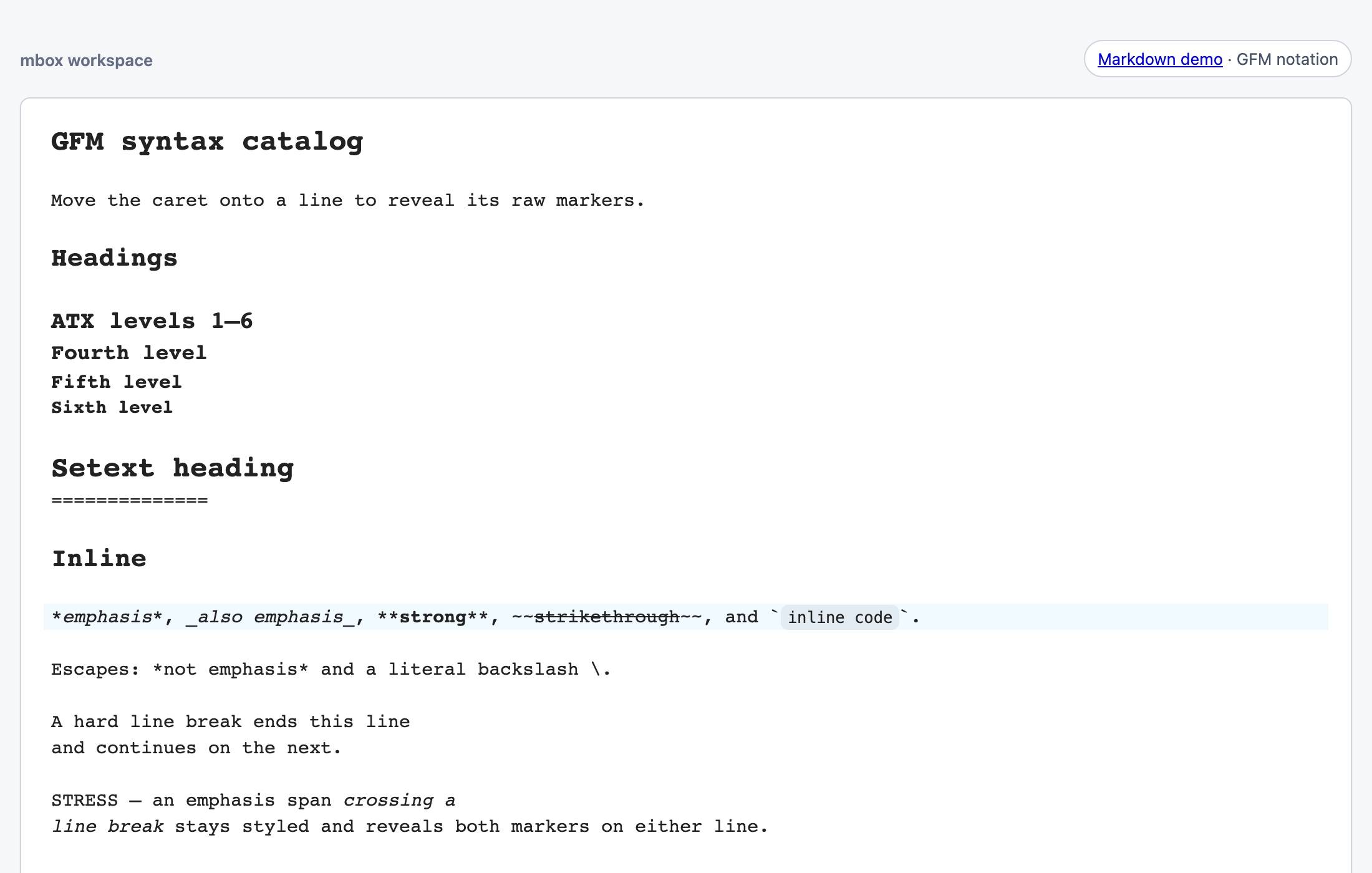
Live demo: mbox notation · GFM · Scrapbox · Hatena
Status: pre-1.0. The package's exports are supported API, but they may still change before the 1.0 release.
Install
npm install @synpuls/mboxCodeMirror packages are peer dependencies, installed automatically by npm 7+ and by pnpm's default autoInstallPeers; Yarn expects your project to provide them. ESM-only; the editor needs the DOM, so in SSR frameworks construct it client-side.
Quick start
import { createGfmEditor } from "@synpuls/mbox/gfm";

createGfmEditor({
  parent: document.querySelector("#editor")!,
  doc: "# Hello\n\nSome **GFM** text.",
});
Each notation lives at its own sub-path with the same API:
import { createGfmEditor } from "@synpuls/mbox/gfm";           // GitHub Flavored Markdown
import { createScrapboxEditor } from "@synpuls/mbox/scrapbox"; // Scrapbox notation
import { createHatenaEditor } from "@synpuls/mbox/hatena";     // Hatena notation
import { createMboxEditor } from "@synpuls/mbox";             // mbox's own notation
Going further
The guide covers the rest of the public API:
- Reacting to edits, React integration, and passing your own CodeMirror
extensions readOnly: true— a non-editing, always-rendered display mode, not a security boundary for untrusted input- Writing plugins and whole notations, and testing them with
@synpuls/mbox/testing - Styling: default presentation themes,
.mbox-*class names, CSS variables - What counts as supported API, and troubleshooting
For working on mbox itself, see CONTRIBUTING.md and TESTING.md.
Untrusted content
mbox parses and renders structured text, but hosts are responsible for the resource and navigation policies used when displaying untrusted documents. It provides no input-size, CPU, or interruption limits, and its document cache reparses the full document on every edit; apply limits before fetching, decoding, pasting, or programmatic updates.
The GFM namespace renders images by default, so it fetches the image URLs a
document contains. GitHub proxies those requests; mbox does not, so the
reader's browser contacts whatever host the document names. If that is not what
you want, pass image: { renderMode: "token" } explicitly — alt text only, no
network. The mbox and Scrapbox namespaces still default to "token".
Whichever mode you choose, apply your own URL, network, CSP, and privacy
policies. GFM links, including linkUrl results, are allowlist-checked; image
URLs and host resolver results remain the host's responsibility. Prefer an
explicit codeHighlight: { languages: [...] } allowlist over languages:
"all".
mbox puts no width limit on a rendered image except inside a GFM table cell, so an image is as large as the source file unless your CSS says otherwise. See the guide's "GFM images and how wide they get".
See SECURITY.md for the full guidance.