
@tawaship/pixim.js
v1.15.0
Published
Framework that wraps pixi.js.


Readme
@tawaship/pixim.js
"pixim.js" is a little useful "pixi.js" wrapper framework.


Setup
NPM
npm install --save pixi.js @tawaship/pixim.jsimport * as PIXI from 'pixi.js';
import * as Pixim from '@tawaship/pixim.js';Browser
git clone https://github.com/tawaship/Pixim.js<script src="https://cdnjs.cloudflare.com/ajax/libs/pixi.js/5.3.2/pixi.min.js"></script>
<script src="/path/to/dist/Pixim.min.js"></script>Usage
Basic
- Create content
Pixim.Content.create('test');
const Test = Pixim.Content.get('test');
or
const Test = Pixim.Content.create();- Define content settings and libraries
Test.setConfig({
	width: 300,
	height: 300
});

Test.defineLibraries({
	root: class Root extends Pixim.Container {
		constructor($) {
			super();

			this.addChild(new PIXI.Graphics())
				.beginFill(0xFFEEEE, 1)
				.drawRect(0, 0, $.width, $.height);

			this.addChild(new $.lib.main($))
		}
	},

	main: class Root extends Pixim.Container {
		constructor($) {
			super();

			this.addChild(new PIXI.Graphics())
				.beginFill(0xFFFFFF, 1)
				.drawRect(0, 0, 100, 100);
		}
	}
});- Create application
const app = new Pixim.Application({width: 300, height: 300});- Attach content to application and run application
app.attachAsync(new Test())
	.then(() => {
		app.play();
	});
Image assets to preload
Asset provided by this feature are instance of "PIXI.Texture", or dictionary of instance of "PIXI.Texture".
for class
- Define assets
Test.defineImages({
	image_1: 'img/image_1.png'
});

Test.defineSpritesheets({
	ss_1: 'img/ss_1.json'
});- Use assets
// in content library

this.addChild(new PIXI.Sprite($.resources.images.image_1));
this.addChild(new PIXI.Sprite($.resources.spritesheets.ss_1.ss_1_1)).y = 105;
this.addChild(new PIXI.Sprite($.resources.spritesheets.ss_1.ss_1_2)).x = 105;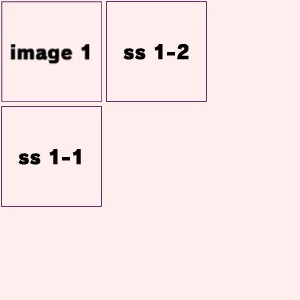
for instance
- Define assets
const test = new Test();

test.addImages({
	image_2: 'img/image_2.png'
});

test.addSpritesheets({
	ss_2: 'img/ss_2.json'
});- Use assets
// in content library

this.addChild(new PIXI.Sprite($.resources.images.image_2));
this.addChild(new PIXI.Sprite($.resources.spritesheets.ss_2.ss_2_1)).y = 105;
this.addChild(new PIXI.Sprite($.resources.spritesheets.ss_2.ss_2_2)).x = 105;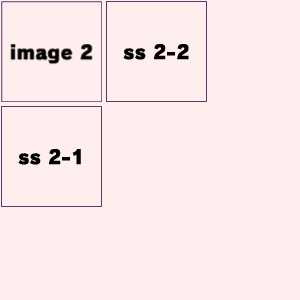
Sound assets to preload
Load "howler.js".
<script src="https://cdnjs.cloudflare.com/ajax/libs/howler/2.2.0/howler.min.js"></script>Asset provided by this feature are instance of "Howl".
for class
- Define assets
Test.defineSounds({
	a: 'sound/a.mp3'
});- Use assets
// in content library

$.resources.sounds.a.play();
for instance
- Define assets
const test = new Test();

test.addSounds({
	b: 'sound/b.mp3'
});- Use assets
// in content library

$.resources.sounds.b.play();
Task processing
If the library class inherits Pixim.Container, you can use tasks that are executed for each ticker process of the application.
// in content library

this.task.add([
	e => {
		this.x += e.delta;

		if (this.x > 100) {
			this.task.next();
		}
	},
	e => {
		this.y += e.delta;

		if (this.y > 100) {
			this.task.reset();
		}
	}
]);