
@telemetry-dev/stats
v0.1.5
Published
Local web dashboard for token usage across AI coding agents


Readme
@telemetry-dev/stats
Local web dashboard for token usage across AI coding agents. One command scans the agent logs on your machine, stores normalized usage in a local SQLite database, and opens a dashboard in your browser. Nothing leaves your machine.
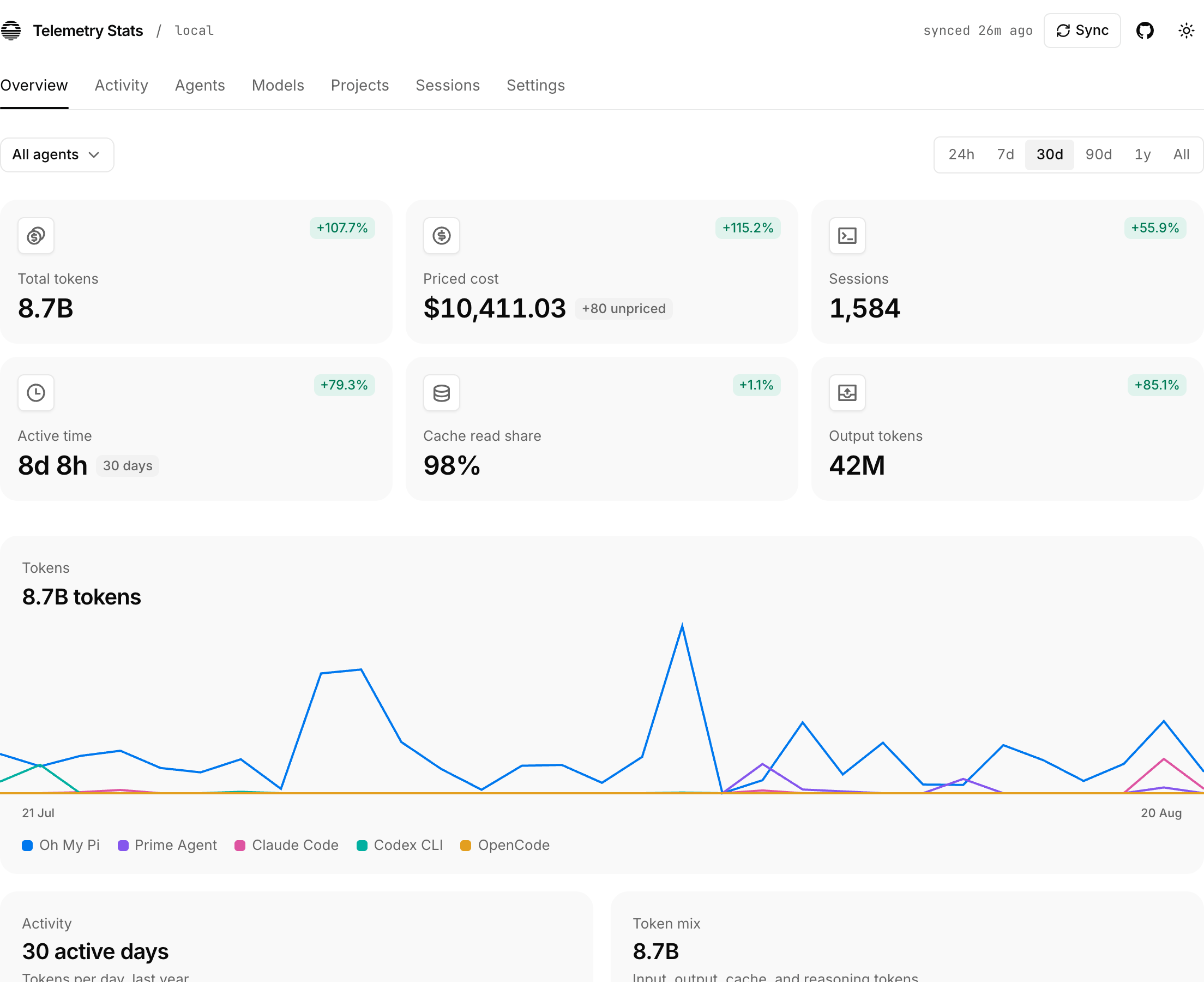
Usage
npx @telemetry-dev/stats            # sync, start the dashboard, open browser
npx @telemetry-dev/stats --json     # sync and print stats as JSON
npx @telemetry-dev/stats --sync     # sync and print a summary
Options: --port <n> (default 3847), --host <addr> (default 127.0.0.1),
--no-open, --help. A port held by another Telemetry Stats dashboard is
reused; a port held by anything else is skipped for the next free one.
Supported agents
Claude Code, Codex CLI (incl. Sakana Fugu), Gemini CLI, OpenCode, Amp, Droid, Pi, Oh My Pi, Qwen CLI, Kimi, Mux, Grok Build, OpenClaw, Prime Agent, Senpi, Kimchi, Reasonix, Gajae-Code, Jcode, Junie, Augment Code, OpenCodeReview, CodeBuddy, WorkBuddy, Cherry Studio, Command Code, DeepSeek Harness, Codebuff, Freebuff, Hermes, Kilo CLI, Goose, Zed, Kiro, Antigravity CLI, MiMo Code, ZCode, Devin CLI, Devin Desktop, Octofriend (incl. Synthetic), Crush, Cline, GitHub Copilot CLI, Roo Code, Kilo, and — via local usage caches — Cursor, Google Antigravity, Trae, Warp/Oz, and MiniMax Code.
Data and privacy
- Only usage metadata is stored: agent, model, provider, session id, project path, timestamps, token counts, and costs. Never prompts, completions, tool arguments, or credentials.
- Data lives in the platform data directory (
~/Library/Application
Support/telemetry-stats
on macOS,$XDG_DATA_HOME/telemetry-statson Linux,%LOCALAPPDATA%\telemetry-statson Windows). - Costs recorded by an agent are kept as reported. Other events are priced from a locally cached models.dev catalog and marked "estimated": exact provider+model first, then an unambiguous model id, then the rate tuple a strict plurality of providers agree on for that model id (aggregators republish delisted first-party models). Unresolved models stay "unpriced" and are never folded into a total silently.
Development
npm install
npm run dev        # vite dev server
npm test           # vitest
npm run typecheck
npm run build      # nitro server + client + headless CLI to .output/
node bin/telemetry-stats.mjs --no-open