
@the_blank/menumaker
v2.0.0
Published
Easily create menu for browser with this package.

Maintainers
 the_blank
Readme
Menu Maker
Easily create menu for browser
In order to use this package you will need to do the following:
Import the function from the module with import menuMaker from '@the_blank/menumaker';.
create a item DOM container for your menu items.
create a button for menu to load and unload.
Then you will need to call the menuMaker function with a config object.
The config object needs the following data:
- items: array of the items of the menu. The items should be objects containing details for the items
- text: the text shown as the menu item
- onclick(optional): function to execute when item is clicked
- href(optional): link to redirect when the item is clicked
- target(optional): the target parameter for the link. Example: '_blank' for new tab
- itemsClass: the styling class for each of the items
- itemContainer: container DOM element where the items will be pushed to
- multiline(optional): by default its value is true. If true, a
html<br>tag is added after each item
Example:
import menuMaker from '@the_blank/menumaker';

const menuContainer = document.querySelector('#dropdown');
const button = document.querySelector('#button');
const menu = menuMaker({
    itemContainer: menuContainer,
    items: [
        {text: 'Colors', onclick: () => {alert('hello xD')}},
        {text: 'Animals', href: 'https://github.com', target: '_blank'},
        {text: 'Birds', href: 'https://duckduckgo.com/?t=ffab&q=birds&iax=images&ia=images', target: '_blank'}
    ],

});

button.onclick = menu.toggleView;
Styling can be done to the items by refering to the anchor tags under the container. Example:
#dropdown {
    width: max-content;
    min-width: 5em;
    border: 1px solid black;
    z-index: 2;
    position: absolute;
    background-color: white;
}
#dropdown > a {
    margin:0;
}
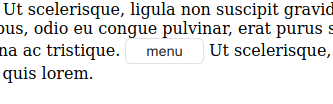
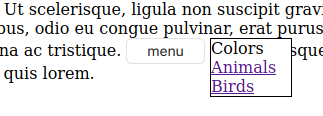
You can create a basic menu like below or modify it to be way better.
NOTICE: I apologize to those who downloaded it before version 2.0.0. It was incomplete and didnt work. I should have mentioned it in the README. I'm sorry for the inconvenience.