@thekarel/spiral
v1.0.5
Published
A tiny helper for Linear git workflow


Readme
Spiral
A tiny helper for Linear & Git Town workflow
Package Verification

This project is built with GitHub Actions and signed with artifact attestations for supply chain security.
- https://github.com/thekarel/spiral/attestations
- https://www.npmjs.com/package/@thekarel/spiral#provenance-details-header
Installation
npm install -g @thekarel/spiralThis will give you a CLI command named spiral.
You can also try using
npx @thekarel/spiralLinear API Key
Export your API key as LINEAR_API_KEY.
You can create one in your Linear account settings under Security & access. Permissions to add:
- by default you can just use a read-only token,
- if you want to use the status update feature, you need to add the "Read" and "Write all data" permissions (but not admin)
Git Town
Git Town needs to be installed.
What is this?
This tool slightly simplifies a very specific and repetitive workflow:
- Creating a new, clean branch from a Linear ticket using Git Town
- Work...
- Fill the commit message with the ticket information from Linear
- Publish the changes in a sane way using Git Town
If you've been doing git town hack and git town ship often you know what I mean.
The CLI has the following commands:
spiral hack abc-123: Create a new branch likeabc-123-title-of-ticketfrom a Linear ticket numberspiral ship: Pre-fill the commit message with the ticket information and rungit town shipspiral init: Creates an empty config file calledspiral.yamlif no config exitst yet (config file is completely optional)
Config file
You can have a config file at .spiral.yaml, spiral.yaml or at process.env.SPIRAL_CONFIG_FILE.
See the config example for all options.
Commands
hack
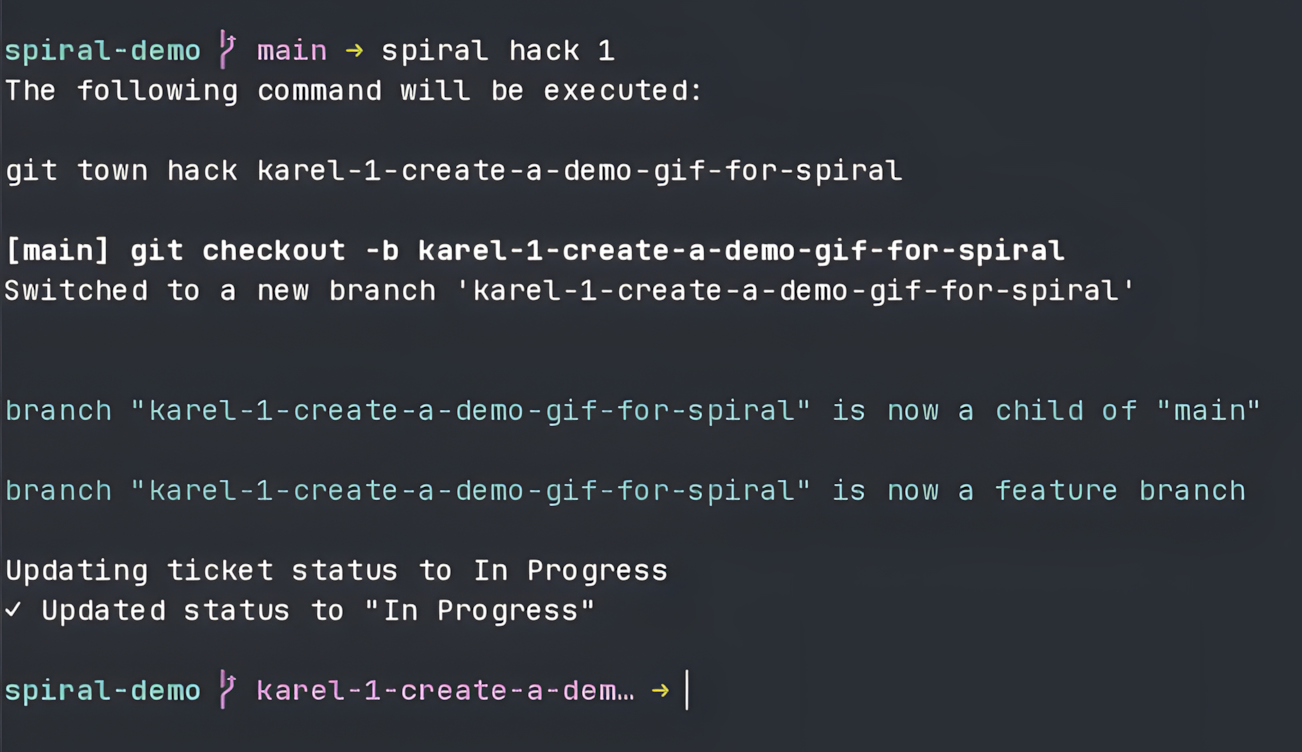
The hack command creates a new branch by reading the ticket title from the provided ticket number/id.
The format of the branch name is ticket-number-title-of-your-ticket, for example abc-123-exciting-the-new-feature.
Benefit: no need to hunt for the branch name in Linear or type it in manually. It's enough to remember the ticket number, the prefix is usually well known already.
Example:
# spiral hack --help
spiral hack abc-123
See the config example for more options.
ship
The ship command pre-fills the commit message with the ticket information,
allows you to edit the message and then runs git town ship.
By default the commit message looks like this:
fix: Title of your ticket (abc-123)

Fixes abc-123

https://link-to-your-ticket
Benefit: avoid copy-pasting all the bits and manually formatting the commit message into the expected format.
Example:
# spiral ship --help
spiral ship
After a successful ship the ticket can be moved into a status, either from the config file
(ship.status) or with the flag, which takes precedence:
spiral ship --status "Done"See the config example for more options.
Context:
- Linear: https://linear.app/
- Git Town: https://git-town.com/
Demo