
@thematica/prism
v0.1.6
Published
Prism is a terminal app that finds US-listed stocks behind an investment idea, ranks their exposure, and shows filing evidence.

Maintainers
 thematica-ben
Readme
Prism by Thematica
Prism turns your investment ideas into a list of stocks to research. It finds the US-listed stocks an idea touches, grades how much each one is exposed, and shows the companies' own words as proof.
Website: thematica.ai/prism · Pricing: thematica.ai/prism#cost · Help: [email protected]
Get started
You need macOS, Node.js 22 or newer, and a Google account. Anyone can sign up: your first
prism login creates your Thematica account.
Install Prism:
npm install -g @thematica/prismSign in. Prism opens Thematica in your browser. Confirm the code shown in your terminal, then come back. If the browser does not open, copy the link Prism prints.
prism loginStart, and type your thesis when Prism asks for it:
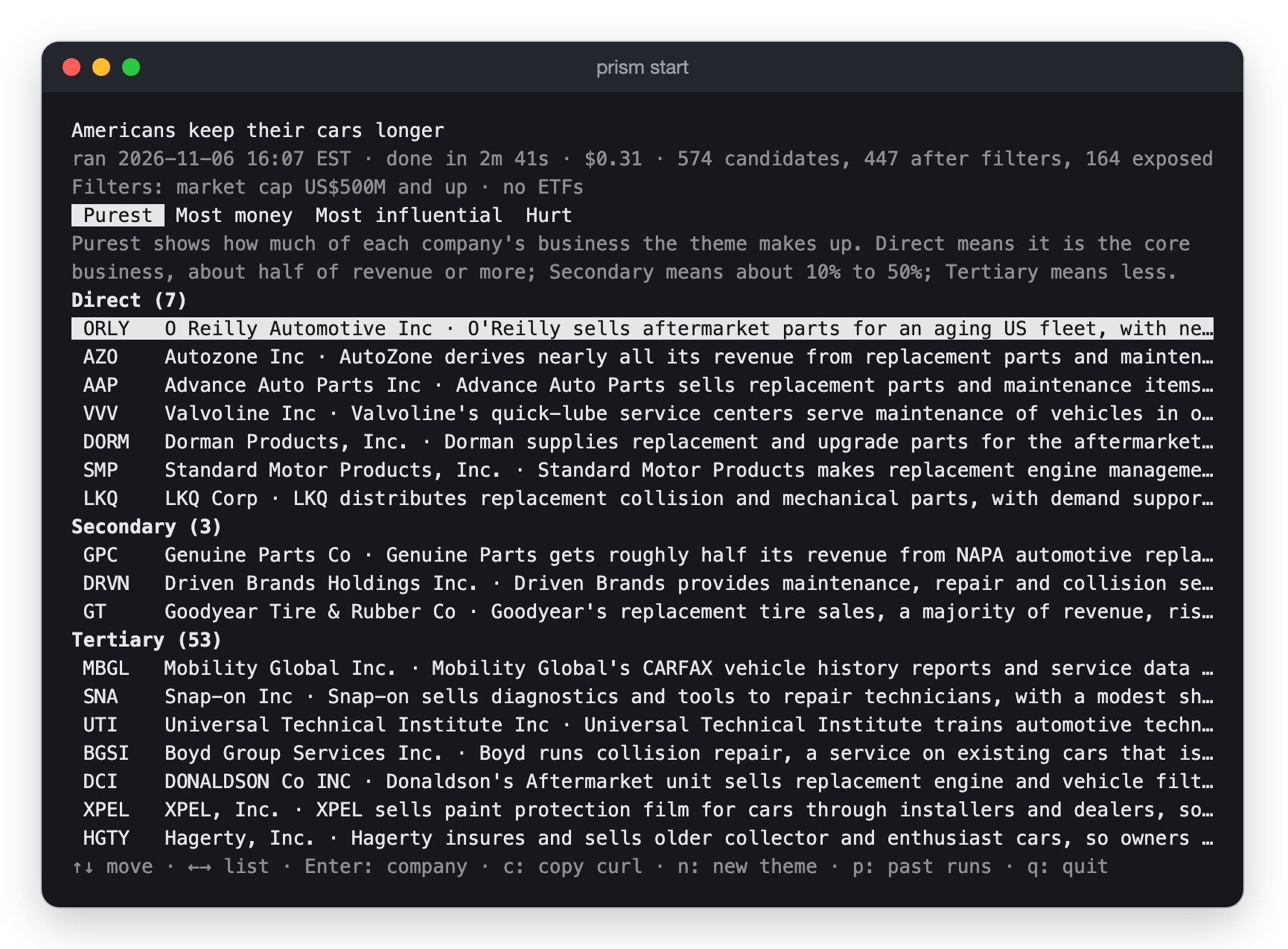
prism startFor example: Americans keep their cars longer. Prism then asks for optional detail; press Enter to skip it.
Only have a hunch? prism chat talks it through with you, turns it into a thesis, and starts the
run when you say so. Its few cents of AI cost are added to that run.
What you get
While it works, Prism shows each step, the time and what the run has cost you so far. It ends with four lists:
- Purest: how much of each company's business the theme makes up.
- Most money: each company's yearly revenue from the theme, from its filings or, when they give no figure, labeled as Prism's estimate.
- Most influential: how much the theme depends on each company.
- Hurt: the companies the theme hurts, by how much of their business it threatens.
Each list is sorted into bands, strongest first. Open a company to read about it, and press f
for every fact with its quote from the filings. A run keeps going if you quit; reopen it from
past runs.
What it costs
Pay for the research you run. Research costs about $0.45–$1.80 per run, depending on complexity. Some runs cost more. $1 buys $1 in credit. Add any amount, with a $5 minimum per top-up.
Runs are paid from your Thematica balance. Prism shows what each run costs you while it runs and when it finishes.
prism balance shows your balance and spending limits. prism add-credit opens Thematica's
wallet page. Payment happens on Thematica's website; the terminal never handles your card
details. If your balance or limit runs out before a waiting run starts, Prism pauses your
research queue: add credit or raise the limit, then run prism resume.
Commands
| Command | What it does |
|---|---|
| prism login | Open browser sign-in |
| prism start | Research a theme |
| prism chat | Turn a hunch into a thesis, then research it |
| prism balance | Check your Thematica balance and Prism limits |
| prism add-credit | Open Thematica to add credit |
| prism whoami | Check this computer's Prism account |
| prism resume | Resume your paused research queue |
| prism feedback | Tell us what broke or what you want |
| prism logout | Remove this computer's credential |
Your sign-in
You never paste a key. prism login gives this computer its own credential and saves it in a
private file, ~/.config/thematica-prism/credentials.json. It expires after seven days.
prism logout revokes it and deletes the file.
Something broke, or you want Prism to do more? Run prism feedback and tell us; we read every
message.
Using Prism means you accept the Terms of Service. The Privacy Policy says what Prism keeps and who sees it.
Not investment advice
Prism is a research tool. It shows which companies an idea touches and what their filings say. It is not investment advice and does not tell you to buy or sell anything.
Known limits
- Prism looks at US-listed companies worth US$500 million or more and leaves out funds. A size your thesis names, such as mid-cap or small-cap, sets the market cap range instead.
- To switch accounts, run
prism logoutand also sign out of Thematica in your browser. - Adding credit does not restart a paused queue by itself. Run
prism resumeafterwards. - Moving from the old package,
@thematica/prism-tui? Runnpm uninstall -g @thematica/prism-tuibefore you install this one. Removing it afterwards also removes theprismcommand; install@thematica/prismagain to get it back. - Stoplight's Prism (
@stoplight/prism-cli), an API testing tool, also installs aprismcommand, so npm installs only one of the two. To switch, uninstall the one you have first.