
@thinkvelta/claude-worktree-tools
v0.2.0
Published
Worktree lifecycle toolkit for parallel AI-agent development with Claude Code

Maintainers
 ruben_broekx
Readme
Claude Worktree Tools
A standalone, installable toolkit that gives any repo a complete worktree lifecycle for parallel AI-agent development with Claude Code.
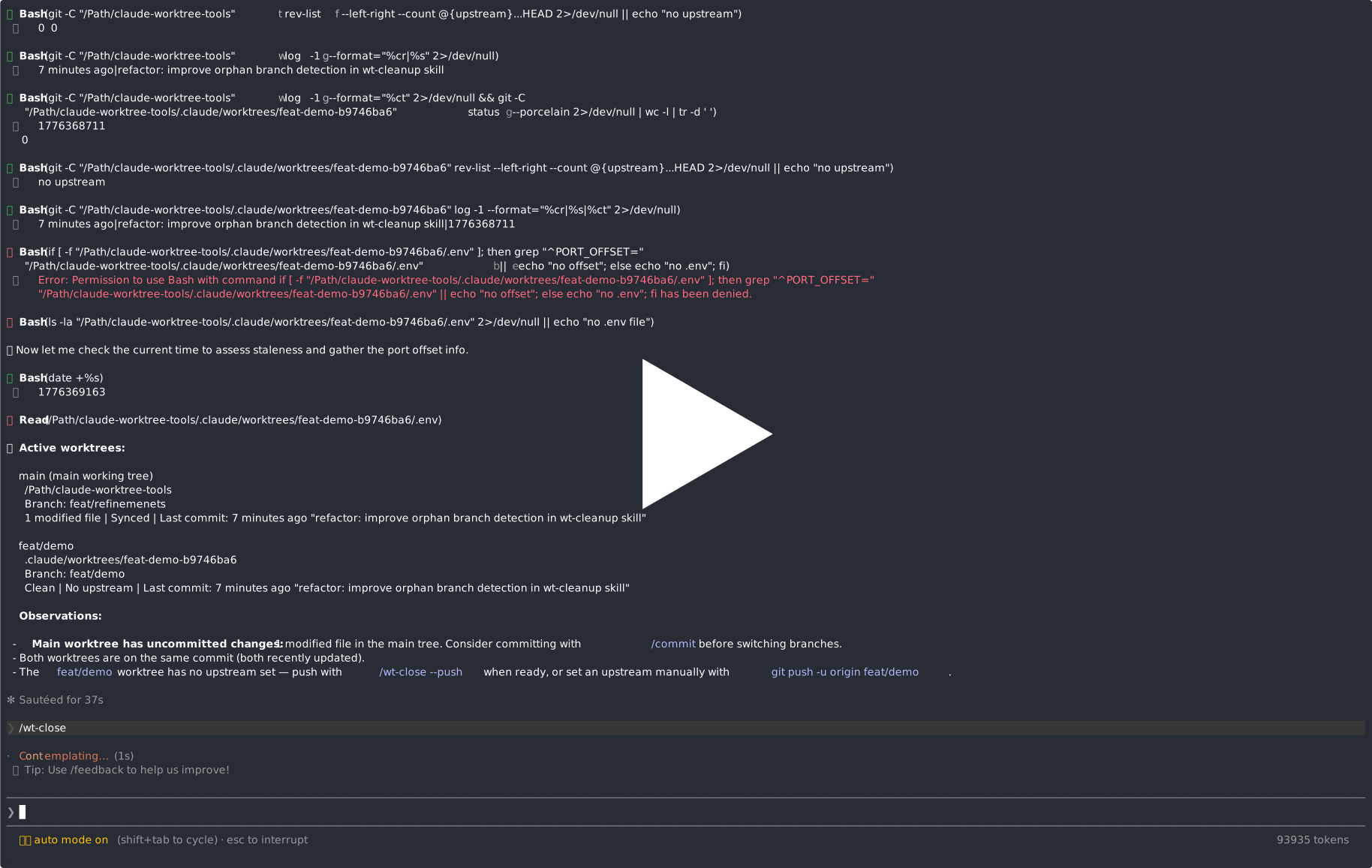
Why
When you run Claude Code in your repo, you share one working directory. Git worktrees give the agent its own directory on its own branch, but setting up a worktree means copying .env files, deriving ports, running install commands — 5-10 minutes of tax per worktree. This toolkit automates that to near-zero.
Two layers:
- A bash script handles everything Claude can't see: copying
.envfiles, deriving ports, running install commands. - Claude Code skills (
/wt-open,/wt-close,/wt-merge,/wt-list,/wt-cleanup,/wt-adopt,/wt-help) provide the orchestration layer: naming branches, deciding merge strategies, tracking worktree state.
Quick start
Both steps below are one-time per repo. After that, you just use the /wt-* skills from Claude Code.
1. Install
From anywhere inside your git repo:
npx @thinkvelta/claude-worktree-toolsThis writes scripts/wt-setup.sh, the .claude/skills/wt-*/ skill files, and appends .claude/worktrees to your .gitignore. Review the changes, then commit them.
Install flags
| Flag | Purpose |
| ---------------------- | ------------------------------------------------------------------------------------------------------------------------ |
| --force, -f | Overwrite existing files. Required for re-installs or updates. |
| --dry-run, -n | Print what would be written without touching the filesystem. |
| --skills-only | Install only the /wt-* skills under .claude/skills/. Skips wt-setup.sh and the .gitignore entry. See note below. |
| --scripts-dir <path> | Where to place wt-setup.sh relative to repo root (default: scripts). Must stay inside the repo. |
| --help, -h | Show CLI help. |
Updating later. Once you've customized
scripts/wt-setup.shfor your repo, you don't want a subsequent install to overwrite it. Usenpx @thinkvelta/claude-worktree-tools --skills-only --forceto refresh just the skill files.
2. Setup
Open Claude Code inside the repo and run:
/wt-adopt/wt-adopt reads your stack (package.json, pyproject.toml, Dockerfile, docker-compose, .env.example, Makefile, …) and rewrites scripts/wt-setup.sh to match — install commands, ports to offset, env files to copy. It also runs a health check that flags hardcoded ports and other worktree-unfriendly patterns.
Then tailor it to your project. /wt-adopt gets you 90% of the way there, but every repo has its quirks. Take a few minutes to:
- Open
scripts/wt-setup.shand adjust the install commands, port list, and any custom bootstrap steps (DB seeding, codegen, symlinks…) that the heuristic couldn't infer. - Skim the installed skill files under
.claude/skills/wt-*/SKILL.md. They're plain markdown — edit branch-naming conventions, default base branches, or merge strategies to match your team's workflow. - Commit the customizations so the rest of your team inherits them.
Once you're happy, create your first worktree:
/wt-open implement the auth refactor from issue 42What it installs
The installer writes the following files and appends .claude/worktrees to your .gitignore:
| File | Skill | Description |
| ------------------------------------ | ------------------------------------------------- | --------------------------------------------------------------------------------------------------------------------------------------------------------------------------------------------------------------------- |
| scripts/wt-setup.sh | — | Bash script that bootstraps a worktree (env files, ports, dependencies). This is the file you customize via /wt-adopt. |
| .claude/skills/wt-open/SKILL.md | /wt-open [branch \| description] | Create or reopen a worktree. Accepts a branch name (feat/auth) or a natural language description from which it derives one. Runs the setup script to copy .env files, derive ports, and install dependencies. |
| .claude/skills/wt-close/SKILL.md | /wt-close [branch] [--push] [--force] | Finish work in a worktree. Optionally pushes to origin, then lets you choose: remove worktree only, remove worktree + delete branch, or keep everything. |
| .claude/skills/wt-merge/SKILL.md | /wt-merge <branch> --into <target> [--no-close] | Local git merge of one worktree branch into another. Useful for batching small fixes into one branch or folding sub-features back into a parent before opening a single PR. |
| .claude/skills/wt-list/SKILL.md | /wt-list [--stale] | List active worktrees with branch, clean/dirty status, ahead/behind remote, last commit age, and staleness warnings. |
| .claude/skills/wt-cleanup/SKILL.md | /wt-cleanup [--dry-run] | Batch housekeeping: finds stale worktrees (7+ days inactive), missing directories, orphaned branches, and branches whose remote was deleted after a PR merge. Presents a report and lets you choose what to clean up. |
| .claude/skills/wt-adopt/SKILL.md | /wt-adopt [--check-only] | Reads your repo's stack and rewrites scripts/wt-setup.sh to match. Runs a health check that flags hardcoded ports, missing env templates, and other worktree-unfriendly patterns. |
| .claude/skills/wt-help/SKILL.md | /wt-help [question] | Quick overview of the toolkit, links to this repo, FAQ on VSCode integration, ports, env files, merge strategies, and more. Good starting point for new users. |
Requirements
- Node.js >= 18
- Git
- Unix-like environment (macOS, Linux, or WSL on Windows)
- GitHub CLI (
gh) — optional, used by/wt-mergefor PR creation
How it works
Worktrees are created under .claude/worktrees/<branch-name>/ inside your repo. Each worktree gets:
- Copied
.envfiles from the main repo (preserving directory structure), copied by a script not an LLM - Deterministic port offsets (0-99, derived from the worktree path hash) so each worktree runs services on different ports so you can compare them side-by-side
- Installed dependencies via the detected package manager, customized for your repo through
/wt-adopt
The same branch name always produces the same worktree path and port offset. Running /wt-open on an existing branch reopens rather than duplicates.
Design note: close ordering. When /wt-close removes a worktree and deletes its branch, both commands must run in a single Bash call chained with &&. Claude Code resolves the shell's cwd at the start of each Bash invocation — if the session is inside the worktree and you remove it in one call, the next call fails immediately ("No such file or directory") before any command can execute, orphaning the branch. Running git -C "$MAIN_REPO" worktree remove … && git -C "$MAIN_REPO" branch -d … in one shell avoids this: cwd is resolved once at launch, and both git commands operate from the main repo via -C.
Local development & testing
Try it on a real repo
try-install.sh is the local equivalent of npx @thinkvelta/claude-worktree-tools. It installs the toolkit files into any git repo:
./try-install.sh /path/to/your/repo
./try-install.sh /path/to/your/repo --dry-run   # preview without writing
./try-install.sh /path/to/your/repo --force      # overwrite existing files
Run the test suite
test.sh runs automated smoke tests (install, flags, idempotency, worktree creation):
./test.sh                    # uses a temp directory
./test.sh /tmp/my-test-repo  # uses the specified directory
make test                    # same thing via Makefile
make ci                      # lint + test
Publishing to npm
The package is published as @thinkvelta/claude-worktree-tools on the public npm registry. Only maintainers with access to the @thinkvelta scope can publish.
One-time setup
npm login                      # authenticate with your npm account
npm whoami                     # confirm you're logged in
Cut a release
- Make sure
mainis clean and CI is green (make ci). - Bump the version —
npm version patch|minor|majorupdatespackage.jsonand creates a git tag. - Verify the tarball contents before publishing:
npm pack --dry-run # lists files that would ship (should match the "files" field in package.json) - Publish:
npm publish --access public # --access public is required for the first publish of a scoped package - Push the bump commit and tag:
git push --follow-tags - Confirm the new version resolves:
npx @thinkvelta/claude-worktree-tools@latest --help
Versioning guidance
patch— bug fixes, skill wording tweaks, doc changes.minor— new skill, new CLI flag, new template file (backwards-compatible).major— breaking changes: renamed skills, changed default install paths, or manifest entries removed.
Test against a scratch repo with ./try-install.sh /tmp/scratch-repo before publishing — the installed output is what end users actually see.