@thomasbfrd/table
v1.0.4
Published
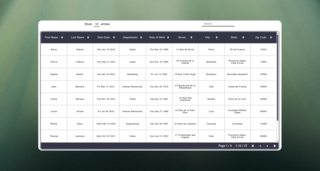
A simple, customizable and responsive React table component built with Typescript
Downloads
24

Maintainers
 thomasbfrd
Readme
React Table Component
A simple, customizable and responsive React table component built with Typescript




Installation
In your project, just copy and paste this line :
npm i @thomasbfrd/tableFeatures
- This table takes a generic object as input. The filtered and sorted types are strings, dates and numbers.
- You can sort data via each column header.
- You can filter data using the search input.
- The table is paginated, and you can display 10, 25 or 50 rows per page.
Usage
The props :
data: Array<T>; // Data to display in the table body.
headers: Array<Header>; // Data to display in the table header.
backgroundHeaderFooterColor?: string; // Color of the background table footer.
backgroundBodyTable?: string; // Color of the background table body.
activeColor?: string; // Color of active color (like active search input focused)
textPrimaryColor?: string; // Color of the primary text
textSecondaryColor?: string; // Color of the secondary color text
hoverColor?: string; // Color for the hover
Importation :
import { Table, TableProps } from "@thomasbfrd/table";
import "@thomasbfrd/table/dist/table.css";
Example of input data :
const headers = [
{ key: "name", label: "Name" },
{ key: "age", label: "Age" },
];

const data = [
{ name: "Alice", age: 28 },
{ name: "Bob", age: 34 },
];

<Table data={data} headers={headers} />
Customization
This table has default styles, but you can add your own colors in the respective props.
Demo