
@threert/scene
v0.1.1
Published
The ThreeRT scene API: three.js-style meshes, PBR materials, lights and glTF models, in physical units, for a hardware ray-traced renderer.

Maintainers
 doodlewind
Readme
@threert/scene
The scene API of ThreeRT: three.js-style code, hardware ray traced.


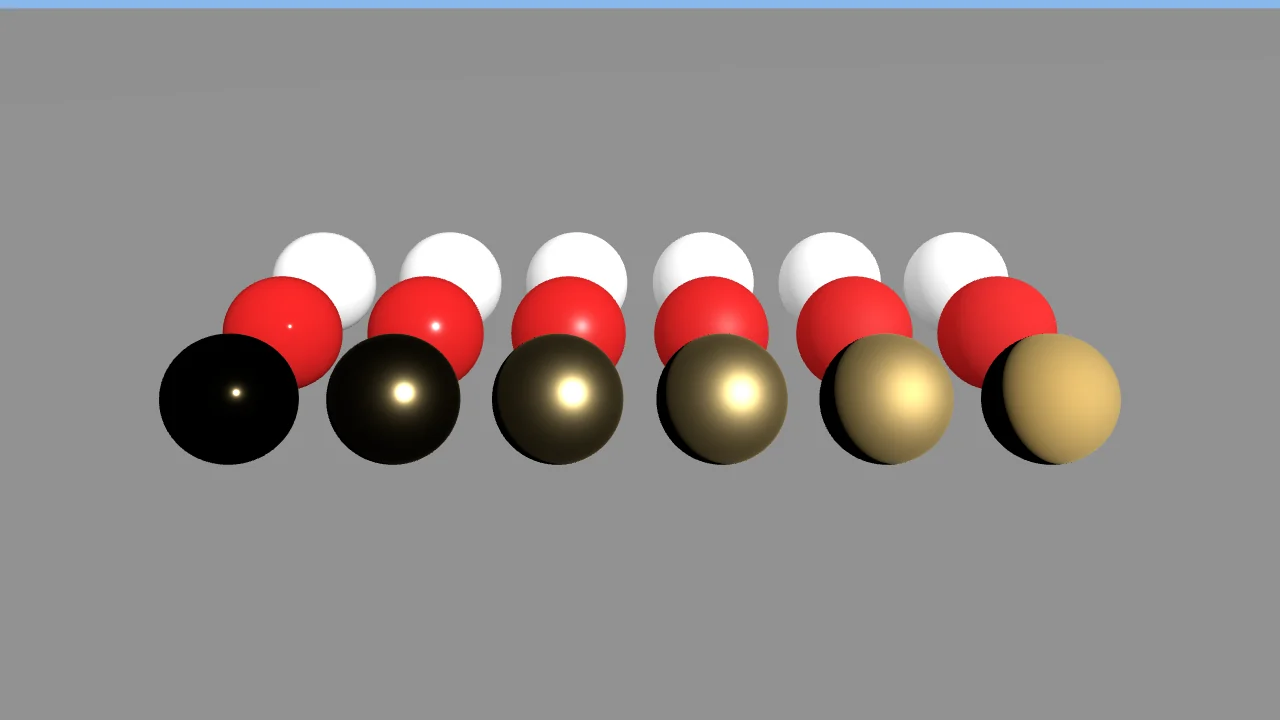
| three.js, as written | ThreeRT, every setting at its default |
|---|---|
|  |
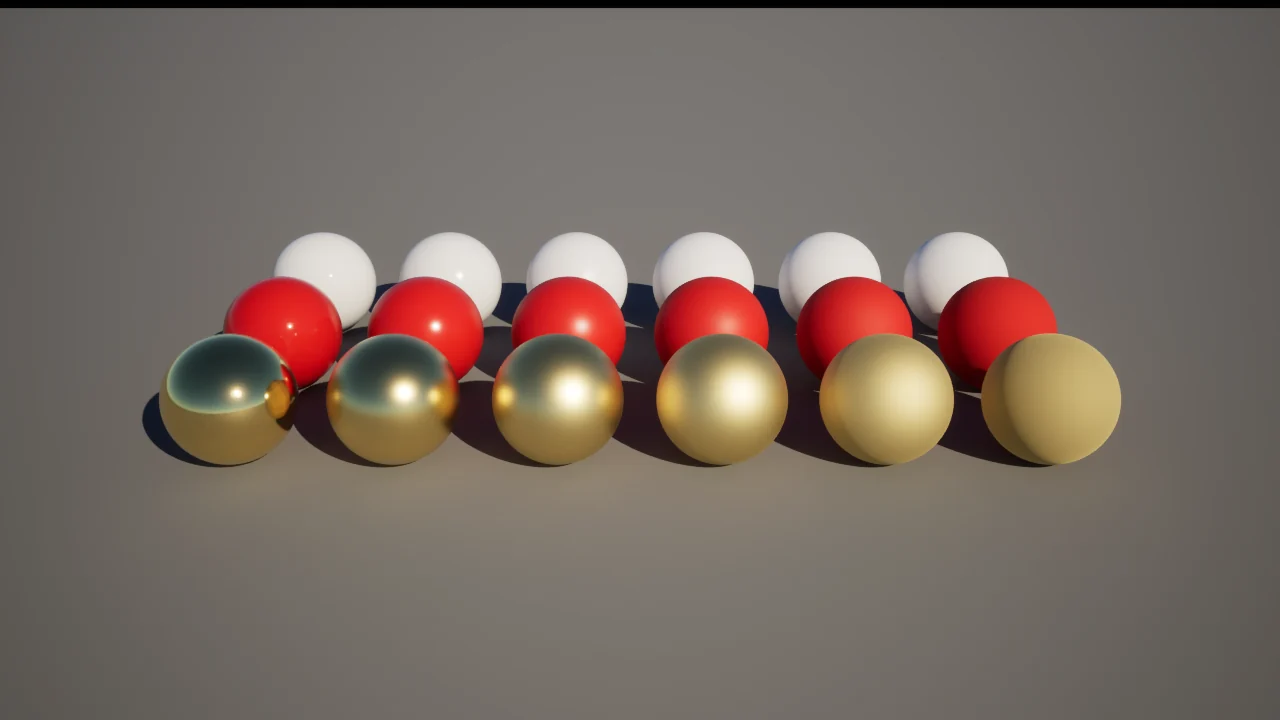 |
You write a scene the way you would in three.js: meshes, geometries, MeshStandardMaterial, lights, glTF models. ThreeRT path-traces it in real time with the GPU's hardware ray tracing, so the sky light, the soft shadows, the bounce light and the reflections come from the scene itself, not from settings. The same file also runs as plain three.js in any browser.
Install
npm install @threert/sceneA scene
import { Scene, PerspectiveCamera, Mesh, SphereGeometry, PlaneGeometry, MeshStandardMaterial, DirectionalLight, SkyAtmosphere, Color } from "@threert/scene";

export default function build() {
  const scene = new Scene();
  const sun = new DirectionalLight(0xffffff, 80000).setSunAngles(32, 35); // lux
  scene.add(sun);
  scene.environment = new SkyAtmosphere({ sun });

  const ground = new Mesh(new PlaneGeometry(60, 60), new MeshStandardMaterial({ color: 0x7a7a7a, roughness: 0.85 }));
  ground.rotation.x = -Math.PI / 2;
  scene.add(ground);

  const rows = [{ color: new Color(0xe8e8e8), metalness: 0 }, { color: new Color(0xc81e1e), metalness: 0 }, { color: new Color().setRGB(1.0, 0.766, 0.336), metalness: 1 }];
  const sphere = new SphereGeometry(0.42, 96, 64);
  rows.forEach((row, r) => {
    [0.05, 0.2, 0.35, 0.5, 0.7, 0.9].forEach((roughness, c) => {
      const ball = new Mesh(sphere, new MeshStandardMaterial({ color: row.color, metalness: row.metalness, roughness }));
      ball.position.set((c - 2.5) * 1.05, 0.42, (r - 1) * 1.15);
      scene.add(ball);
    });
  });

  const camera = new PerspectiveCamera(36, 16 / 9, 0.1, 500);
  camera.position.set(0, 3.4, 7.6);
  camera.lookAt(0, 0.25, 0.1);
  scene.add(camera);
  return { scene, camera };
}
Light is in physical units: the sun above is 80,000 lux, and an emissive surface is a light source. There are no shadow maps, light probes or lightmaps to set up.
Seeing it
This package builds the scene. A ThreeRT client draws it:
- ThreeRT for macOS and iPhone (download). The Mac app carries the
threertcommand line:threert create my-game && cd my-game && threert devbundles the file on every save and serves it to the clients on your network. Getting started. - The engine from source:
threert-renderin meshy-dev/ThreeRT (Rust and wgpu) renders a bundle to an image or plays it in a window. - three.js: the dev server and
threert packalso give the scene as a three.js page, for screens without ray tracing.
What is in it
- The three.js names you know:
Scene,Group,Mesh,InstancedMesh,BufferGeometryand the standard geometries,MeshStandardMaterialandMeshPhysicalMaterial, the lights,PerspectiveCamera,Raycaster,Vector3,Quaternion,Matrix4,Color. - Models and environments:
GLTFModel,HDRIEnvironment,SkyAtmosphere(a physical sky lit by the sun), height fog. - What a path tracer adds: emissive surfaces that light the room,
RectAreaLight, volumes (FogVolume,Fireball, smoke), water, material functions (a WGSL body run at every hit) and procedural geometry. - Physics:
mesh.physics = "dynamic", joints as objects,Raycaster.intersectPhysics,Shapecaster.
Games add state and input with @threert/gameplay; destructible voxel worlds use @threert/voxel.
Links
threert.dev · Docs · Showcase · GitHub
three.js is an independent open-source project; ThreeRT is not affiliated with it. MIT licence.