
@tiburon-security/jupyterlab_scheduler
v0.1.5
Published
UI for scheduling cron jobs

Maintainers
 jovanni-hernandez
Readme
jupyterlab_scheduler
A simple plugin for scheduling files for recurring execution using the cron utility within the Jupyter Lab UI. Use cases
Security Note: Cron jobs are executed under the permission set of the JupyerLab process; if you start jupyter as root (not recommended!) every job that is scheduled via the UI will also run as root.
Screenshots
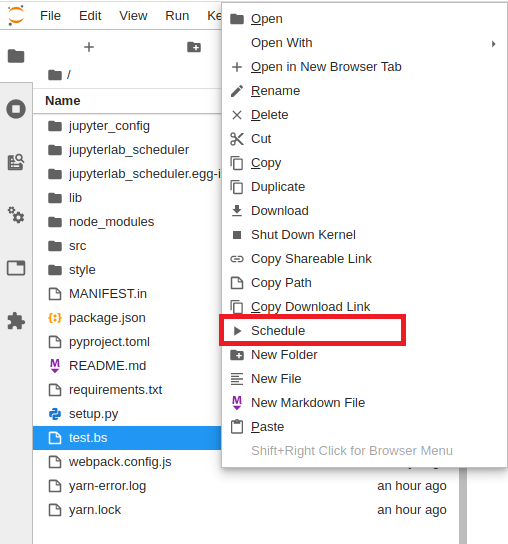
Scheduling a job
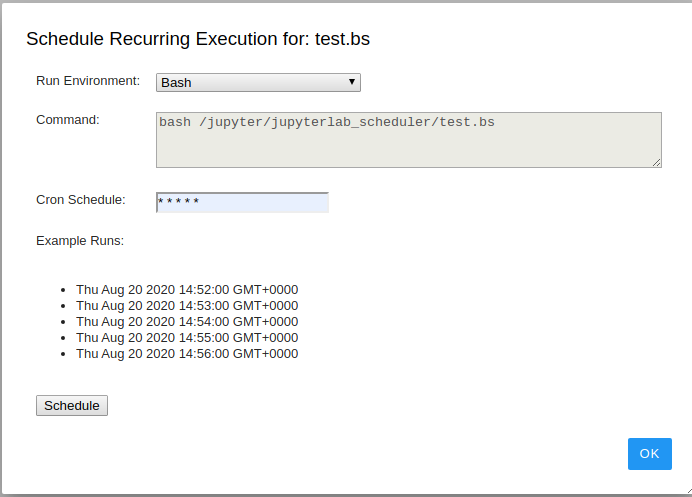
Viewing Scheduled Jobs


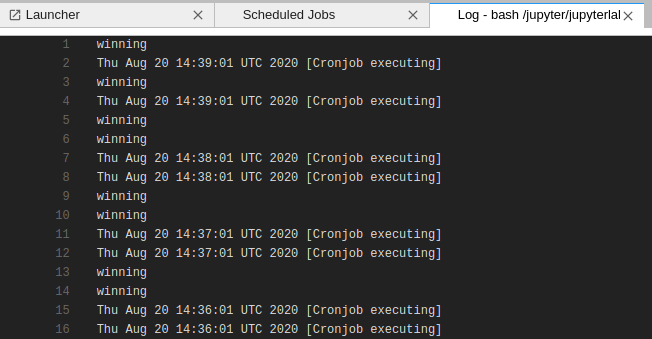
Viewing Run Logs
Prerequisites
- JupyterLab
- Cron installed on the JupyterLab host
Installation
To install using pip:
pip install jupyterlab_scheduler

jupyter labextension install jupyterlab_scheduler
Development
For a development install (requires npm version 4 or later), do the following in the repository directory:
# Clone the repo to your local environment
# Move to jupyterlab_scheduler directory
# Install dependencies
npm install

# Install your development version of the extension
jupyter labextension install .
You run JupyterLab in watch mode to watch for changes in the extension's source and automatically rebuild.
# Run jupyterlab in watch mode & compile JS on change
npm run watch & jupyter lab --watch
Now every change will be built locally and bundled into JupyterLab. Be sure to refresh your browser page after saving file changes to reload the extension (note: you'll need to wait for webpack to finish, which can take 10s+ at times).
# Run jupyterlab in auto reload mode & compile JS on change
npm run watch &  jupyter lab  --autoreload --NotebookApp.token='' --NotebookApp.password='' --no-browser
Works better when developing server extensions
Note: Make sure to close any old npm run watch jobs that may be running in the background.
Publishing
Update version number in:
- package.json
- jupyterlab_scheduler/_version.py
Update JavaScript files:
npm installBuild the server-side portion of the plugin for disitibution on Pypi:
python3 setup.py sdist bdist_wheel

python3 -m twine upload --repository pypi dist/*
Uninstall
jupyter labextension uninstall jupyterlab_scheduler