
@timio23/directus-boxicons-bundle
v1.1.0
Published
A Boxicons icon picker and display

Maintainers
 timio23
Readme
Directus Boxicons Bundle
A Directus extension bundle that adds:
- Interface: pick icons from the free Boxicons set
- Display: render the selected icon in Directus layouts and display templates
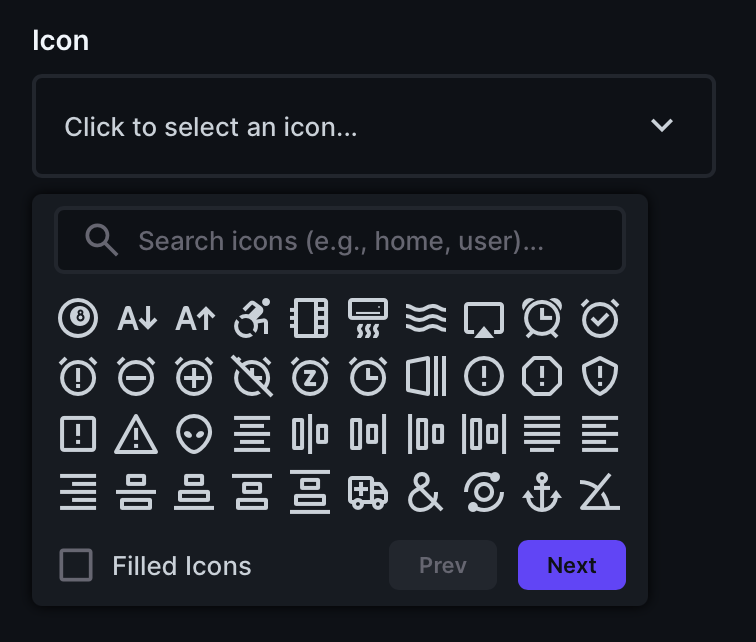
Includes icon search, pagination, and style toggle between basic (regular) and filled variants.
Interface Preview
Display Preview

Features
- Browse free Boxicons in Directus
- Search icons by name
- Paginated icon list for faster navigation
- Toggle icon style:
- Basic
- Filled
- Render selected icon with a matching Directus display extension
- Bundle-friendly structure for Directus extension ecosystems
Installation
Install this extension from the Directus Marketplace for via NPM.
npm install @timio23/directus-boxicons-bundleOnce installed, create the field in your collection:
- Choose the Boxicons interface from the list of options (usually near the bottom).
- Click on Advanced and go to the Display section.
- Choose the Boxicons display from the list.
Usage
- Create or edit a record in the collection that contains a boxicons field.
- Click on the field to open the icon list.
- Choose an icon from the list or browse the iconset using the Next button.
- (Optional) Search for icons using the search field
- (Optional) Toggle the icon style at the bottom
- Click on an icon to add it to the field.
- Save changes
Storage
The selected icon is stored in a JSON string with the following structure:
{
  "name": "8-ball",
  "type": "bxf",
  "content": "\f123",
}
An example of a frontend implementation:
`<i class="${icon.type} bx-${icon.name}"></i>`;Or you can use the unicode character if needed.
Notes
- This package uses the free Boxicons library assets bundled in the extension.
- Brands CSS is included in the source tree; availability in the picker.
- Field storage type is a JSON.
- Frontend implementations will need to use the Boxicons library.
License
MIT (see LICENSE)