
@tomkapa/tayto
v0.9.0
Published
CLI tool for task management - for solo devs and AI agents
Downloads
54

Maintainers
 tranthanhhai171198
Readme


Stop losing tasks between AI sessions. Stop drowning in Jira fields you don't need.
A local-first task manager built for solo developers who work with AI coding agents. CLI for agents. TUI for humans. One SQLite database. Zero configuration.
Install • Workflow • Agent Integration • Claude Code Skills
Why Tayto
Every project management tool out there assumes you're on a team. They want you to configure sprints, assign story points, set due dates, and fill out fifteen fields before you can track a single task.
If you're a solo dev shipping with AI agents like Claude Code, you need something different:
- You forget things. A quick idea during a coding session, a tech debt note from an AI-generated feature, a bug you noticed but can't fix right now. Without a fast capture tool, these vanish.
- AI generates work faster than you can track it. Your agent builds five features in an afternoon. Each one leaves behind edge cases, missing tests, and shortcuts. That debt is invisible until it bites you.
- Priority fields are a lie. When you're the only one executing, all that matters is order: what's first, what's next. Row 1 in the task list is what you do now. That's it.
- Your AI agent can't use Jira. It needs a CLI that speaks JSON. Your existing tools weren't built for this.
Tayto solves exactly this: a CLI for agents and a TUI for humans, sharing the same local SQLite database. No server. No login. No internet required.
Install
npm install -g @tomkapa/taytoRequires: Node.js >= 22
Demo
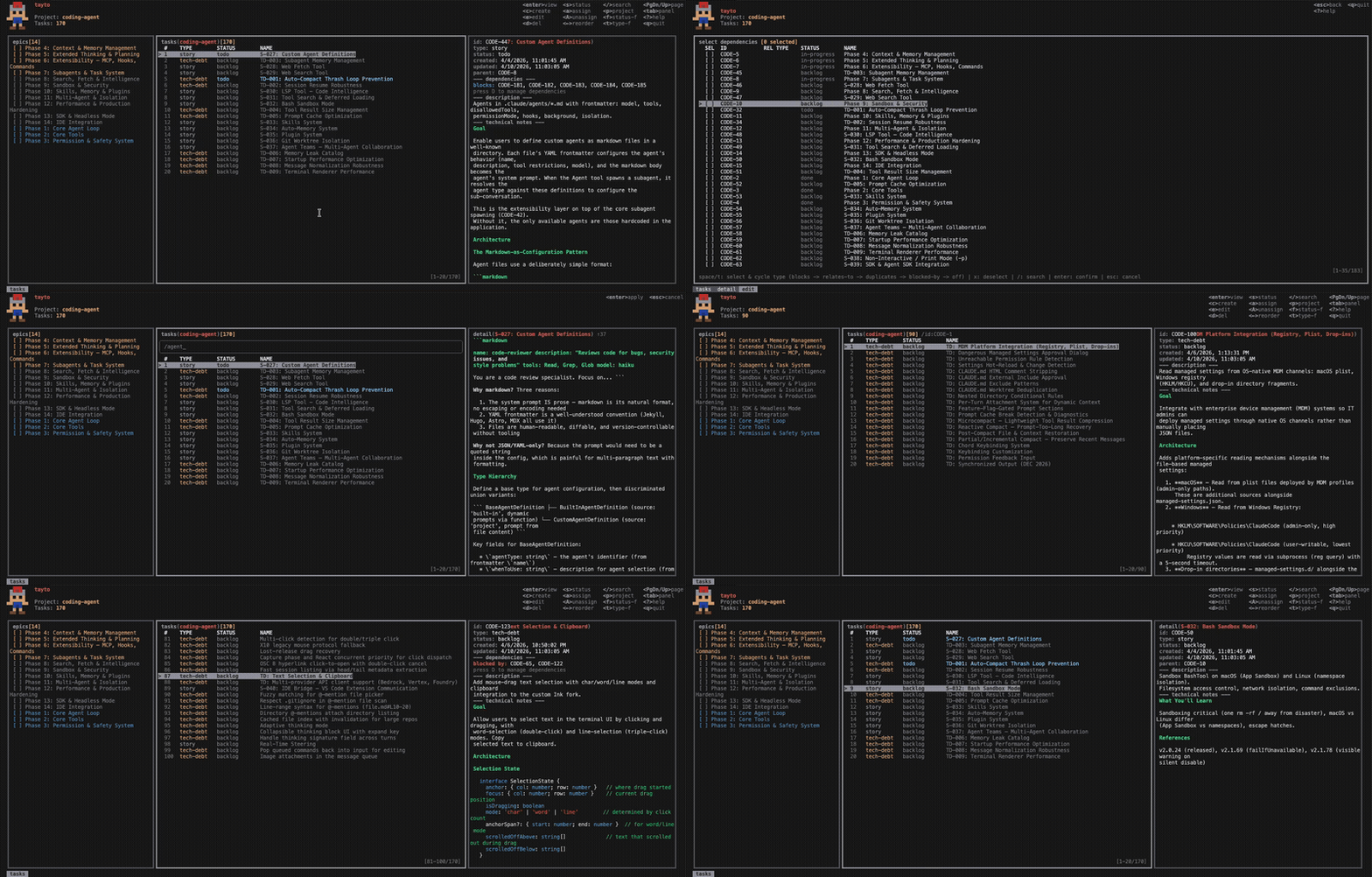
Workflow

1. Capture — AI generates tasks from feature plans, records tech debt, logs bugs.
2. Prioritize — You drag tasks into execution order. No story points. Just: what's first?
3. Enrich — AI researches the codebase and writes implementation-ready technical notes.
4. Review — You read the plan. Approve, adjust, or send it back.
5. Execute — AI implements the top todo task. You review the code. Cycle repeats.
Works With Every Coding Agent
Tayto's CLI outputs structured JSON to stdout — any agent with shell access can manage your tasks.
// Every command returns a consistent envelope
{ "ok": true, "data": { ... } }
No plugins. No API keys. Just install Tayto and your agent can tayto task list, tayto task create, and tayto task update out of the box.
Claude Code Skills
Tayto ships with Claude Code skills for the full AI-assisted workflow — no prompt engineering required.
/tayto
Manage projects and tasks directly from conversation. Create tasks, search the backlog, re-rank priorities, manage dependencies — all without leaving Claude Code.
/enrich-task
Picks the next backlog task, researches the codebase for relevant patterns and architecture, then writes self-contained technical notes with implementation steps, acceptance criteria, and package recommendations. Splits out future enhancements as tech-debt tasks automatically.
/implement-task
Picks the highest-priority todo task, reads its technical notes, checks dependencies, then implements the feature step by step. Verifies the implementation against acceptance criteria before marking done.
Adding skills to your project
Install from the community registry:
npx skills add tomkapa/taytoOr from the Claude Code marketplace:
/plugin marketplace add tomkapa/tayto
/plugin install tayto
Analytics
Two read-only commands expose productivity metrics over a rolling time window. Designed to be consumed by a scheduled agent (e.g. Claude Cowork) at a set interval.
tayto analytic summary
Returns a JSON productivity summary for the given period.
tayto analytic summary --period <day|week> [-p <project>]Sample output:
{
  "ok": true,
  "data": {
    "period": "day",
    "windowStart": "2026-04-22T06:00:00.000Z",
    "windowEnd": "2026-04-23T06:00:00.000Z",
    "completed": { "total": 3, "byType": { "story": 2, "bug": 1, "tech-debt": 0, "release": 0 } },
    "created":   { "total": 5, "byType": { "story": 4, "bug": 1, "tech-debt": 0, "release": 0 } },
    "current":   { "total": 12, "byStatus": { "backlog": 5, "todo": 3, "in-progress": 2, "review": 1, "done": 1, "cancelled": 0 }, "byType": { ... } },
    "backlogDelta": 2,
    "throughputPerDay": 3
  }
}backlogDelta=created.total − completed.total(positive means backlog is growing)throughputPerDay=completed.total / periodDays- All
byTypeandbyStatusmaps always include every key (zero-filled) for stable agent parsing
Caveat:
completedcounts tasks whoseupdated_atfalls within the window. Because any edit bumpsupdated_at, a done task edited later will reappear. A propercompleted_atcolumn is tracked as a separate tech-debt item.
tayto analytic completed
Returns the raw list of completed tasks within a rolling window.
tayto analytic completed --since <duration> [-p <project>]Duration format: <positive integer><unit> where unit is m (minutes), h (hours), d (days), or w (weeks). Examples: 24h, 7d, 2w. Maximum: 365d.
Sample output:
{
  "ok": true,
  "data": [
    { "id": "PROJ-12", "name": "Fix auth bug", "type": "bug", "status": "done", "updatedAt": "2026-04-23T05:12:00.000Z", ... }
  ]
}
Results are ordered by updated_at DESC. Invalid --since values return a VALIDATION error on stderr with exit code 1.
Configuration
| Variable | Default | Description |
|---|---|---|
| TASK_DB_PATH | ~/.task/data.db | SQLite database path |
| TASK_DATA_DIR | ~/.task | Data directory |
| TASK_LOG_LEVEL | info | debug / info / warn / error |
| OTEL_EXPORTER_OTLP_ENDPOINT | — | OpenTelemetry collector |
Database is created automatically on first run. All data stays on your machine.
License
MIT