
@tomtom-org/maps-sdk
v0.55.1
Published
TomTom maps, search, geocoding, routing, isochrones, EV and traffic for JavaScript — typed GeoJSON services and a MapLibre GL JS map.


Readme
TomTom Maps SDK for JavaScript
🎮 Examples | 📖 Documentation | 📋 API Reference | 🐙 GitHub

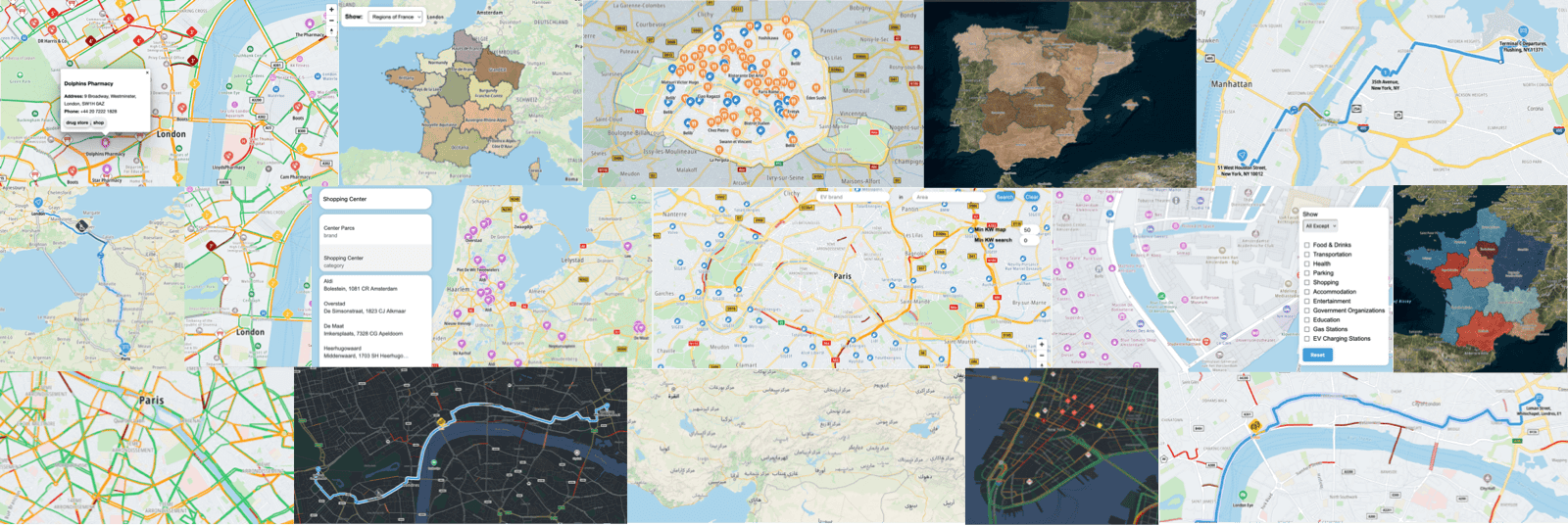
TomTom Maps SDK for JavaScript is a JavaScript library for building applications using TomTom location maps and services.
It leverages the power of MapLibre GL JS and GeoJSON to seamlessly integrate TomTom maps and services with convenient out-of-the-box support, while staying highly customizable and extensible.
⚠️ Public Preview Notice
We have released some capabilities in the Maps SDK under Public Preview to collect feedback from the community.
- While our goal is to keep the design of the interface stable, breaking changes will occur, particularly in the earlier versions.
- The versions will follow a 0.MAJOR.MINOR pattern for the time being.
- Stay tuned with our release
CHANGELOG.mdfiles.
🚀 Getting Started
# npm and Yarn install the peer dependencies for you
npm i @tomtom-org/maps-sdk

# pnpm does not, unless you ask it to
echo "auto-install-peers=true" >> .npmrc && pnpm add @tomtom-org/maps-sdkRequirements: a TomTom API key · Node.js 24+ at install time (the package's engines floor, browser target or not) · a WebGL-capable browser for the Map bundle.
Peer dependencies, installed by the commands above: maplibre-gl v6 (rendering), @turf/turf v7 (geospatial analysis), lodash-es v4, zod v4.
TypeScript declarations ship with the package — no @types/… to install, and the types are the primary API documentation.
🧭 What you can build
Map (@tomtom-org/maps-sdk/map, browser) — an interactive vector map in seven TomTom styles (standardLight, standardDark, monoLight, monoDark, drivingLight, drivingDark, satellite), switchable at runtime, plus:
- Search results and markers —
PlacesModule, with base-map POI icons fromPOIsModule - Routes, waypoints and route sections —
RoutingModule - Polygons, administrative boundaries and reachable-range areas —
GeometriesModule - Your own GeoJSON (BYOD) —
CustomGeoJSONModule - Traffic — flow (
TrafficFlowModule), incidents (TrafficIncidentsModule,TrafficIncidentOverlayModule) and area analytics (TrafficAreaAnalyticsModule) - Terrain shading —
HillshadeModule - Click, hover and context-menu events, one typed surface per module —
module.events.on(…)
Services (@tomtom-org/maps-sdk/services, browser + Node.js + React Native) — typed GeoJSON from TomTom APIs, usable with or without a map:
- Search —
search,searchOne,autocompleteSearch,alongRouteSearch,explorationSearch,placeById,getPOICategories - Geocoding and reverse geocoding —
geocode,geocodeOne,reverseGeocode - Routing —
calculateRoute, with up to five alternatives, turn-by-turn guidance, toll/ferry/traffic sections and vehicle restrictions - Isochrones (reachable range) —
calculateReachableRange,calculateReachableRanges, by time, distance, fuel or electric-energy budget - EV charging —
evChargingStationsAvailability,getPlaceWithEVAvailability - Traffic —
trafficIncidentDetails,trafficAreaAnalytics - Geometry data —
geometryDatafor administrative boundaries
🗺️ Coming from MapLibre GL JS or Mapbox GL JS
The map is a MapLibre map. TomTomMap wraps a MapLibre Map, adds TomTom styles, data modules and services, and keeps the instance reachable — so MapLibre code you already have keeps working:
map.mapLibreMap.addLayer({ id: 'my-layer', type: 'line', source: 'my-source' });
map.mapLibreMap.on('moveend', () => console.log(map.mapLibreMap.getCenter()));
Cameras, sources, layers and style expressions stay MapLibre's. See About MapLibre.
🤖 AI Coding Agent Skill
Install the SDK skill for AI coding agents (Claude Code, Cursor, GitHub Copilot, Windsurf, and many more) to get SDK-specific assistance in your coding agent:
npx skills add tomtom-international/maps-sdk-js --skill tomtom-maps-sdk-jsKeep the --skill flag: the other skills in the repository are for contributing to the SDK itself, not for building with it. AI coding with the SDK lists the topics it covers and how to invoke them.
Other machine-readable entry points, for agents and for the people configuring them:
- Bundled
.d.tsdeclarations — the API surface an editor and an agent complete against - Context7 index — this repository, indexed for agents using the Context7 MCP server
examples/— 95 runnable apps, the best code to copy from
How it works
The SDK is split into three cooperating bundles — Map, Services, and Core. Services call TomTom APIs and return typed GeoJSON that Map modules consume directly. Core provides the shared config and types that bridge them. See How the SDK Works for a deeper dive.
import { TomTomConfig } from '@tomtom-org/maps-sdk/core';
import { TomTomMap, PlacesModule, RoutingModule } from '@tomtom-org/maps-sdk/map';
import { search, calculateRoute } from '@tomtom-org/maps-sdk/services';

// Configure once — all services and the map use this key
TomTomConfig.instance.put({ apiKey: 'YOUR_API_KEY' });

const map = new TomTomMap({ mapLibre: { container: 'map', center: [4.9, 52.4], zoom: 12 } });

// Services return GeoJSON — map modules consume it directly
const places = await PlacesModule.create(map);
places.show(await search({ query: 'coffee' }));

const routing = await RoutingModule.create(map);
routing.showRoutes(await calculateRoute({ locations: [[4.9, 52.4], [13.4, 52.5]] }));
📚 Documentation & Examples
- Live Examples — try the SDK in your browser
- Getting Started — introduction and project setup
- API Reference — complete API documentation
- Release Notes — what's new and breaking changes
📦 Bundles
| Bundle | Import path | Platforms |
|--------|-------------|-----------|
| Map — interactive maps in styles, with POIs, traffic, places, routes and geometries | @tomtom-org/maps-sdk/map | web |
| Services — GeoJSON services for places, routing, geocoding and more | @tomtom-org/maps-sdk/services | web, Node.js, React Native |
| Core — shared config, types and utilities; no separate install needed | @tomtom-org/maps-sdk/core | web, Node.js, React Native |
📄 License
This repository uses a dual-licensing model.
SDK Packages and plugins - Proprietary License
The SDK packages (@tomtom-org/maps-sdk/* - core, services, map) and plugins (@tomtom-org/maps-sdk-plugin-*) are distributed under a proprietary license.
📜 LICENSE.txt - Full license terms
These packages require a TomTom API key and agreement to our terms of service.
Examples - Apache V2.0 License
All example code in the examples/ directory is open-source under the Apache V2.0 License.
📜 examples/LICENSE - Apache V2.0 License
The examples can be freely copied, modified, and used in your projects.
Source-Available Repository
This repository is source-available for transparency and learning. This is a read-only mirror - see CONTRIBUTING.md for how to provide feedback through issues and discussions.