
@tosspayments/n8n__chat
v0.52.0
Published
This is an embeddable Chat widget for n8n. It allows the execution of AI-Powered Workflows through a Chat window.

Maintainers
 kimyouknow
 kimseongtoss
 ykd1217
 payments.frontend
 daejin.oh
 toss-core
 moreso
 node-chapter-bot
 woojo.kim
 jh.yang
 sh.park
 toss_sunghyun
 bh.yang
 jangho.choi
 eunko
eunko gatosspayments
Keywords
Readme
n8n Chat
This is an embeddable Chat widget for n8n. It allows the execution of AI-Powered Workflows through a Chat window.
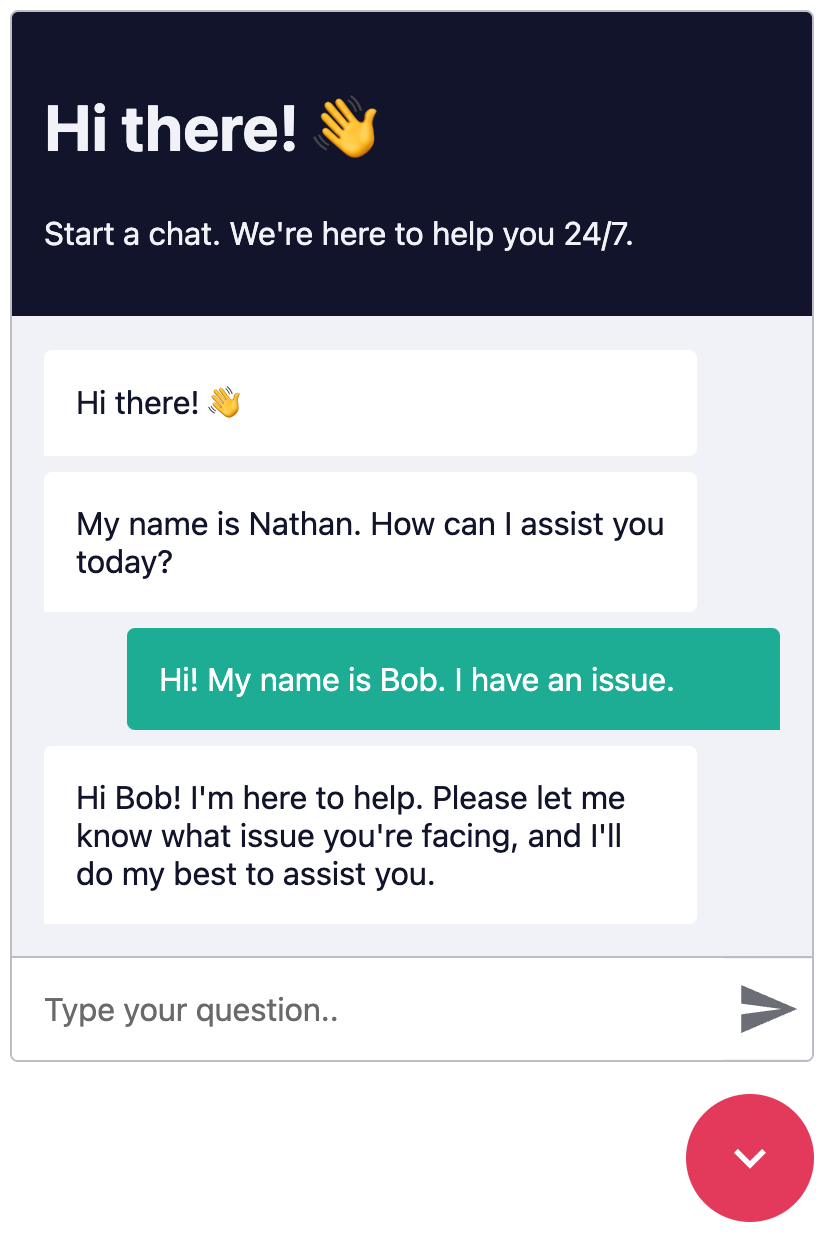
Windowed Example
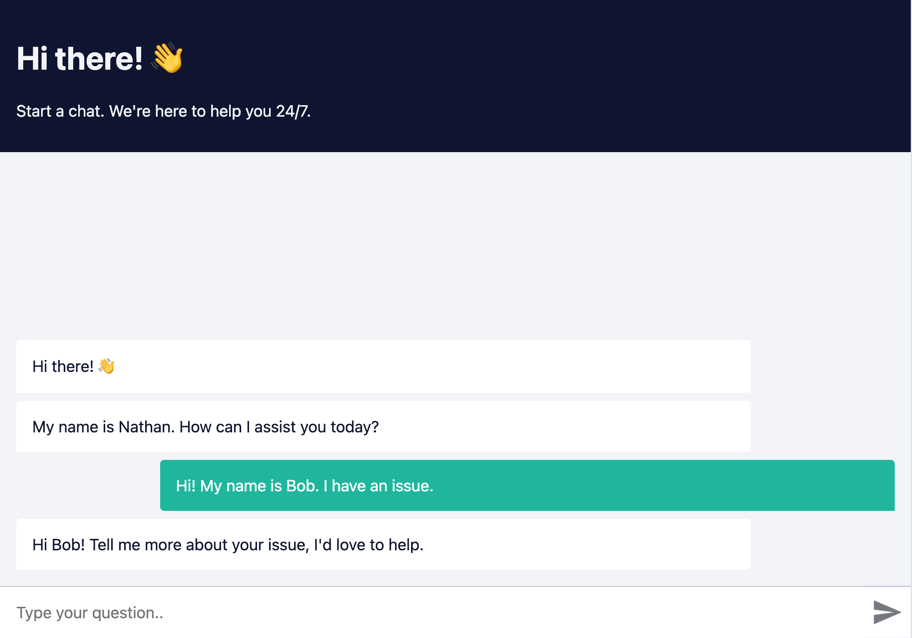
Fullscreen Example
Prerequisites
Create a n8n workflow which you want to execute via chat. The workflow has to be triggered using a Chat Trigger node.
Open the Chat Trigger node and add your domain to the Allowed Origins (CORS) field. This makes sure that only requests from your domain are accepted.
To use streaming responses, you need to enable the Streaming response response mode in the Chat Trigger node. See example workflow with streaming
Make sure the workflow is Active.
How it works
Each Chat request is sent to the n8n Webhook endpoint, which then sends back a response.
Each request is accompanied by an action query parameter, where action can be one of:
loadPreviousSession- When the user opens the Chatbot again and the previous chat session should be loadedsendMessage- When the user sends a message
Installation
Open the Webhook node and replace YOUR_PRODUCTION_WEBHOOK_URL with your production URL. This is the URL that the Chat widget will use to send requests to.
a. CDN Embed
Add the following code to your HTML page.
<link href="https://cdn.jsdelivr.net/npm/@n8n/chat/dist/style.css" rel="stylesheet" />
<script type="module">
	import { createChat } from 'https://cdn.jsdelivr.net/npm/@n8n/chat/dist/chat.bundle.es.js';

	createChat({
		webhookUrl: 'YOUR_PRODUCTION_WEBHOOK_URL'
	});
</script>
b. Import Embed
Install and save n8n Chat as a production dependency.
npm install @n8n/chatImport the CSS and use the createChat function to initialize your Chat window.
import '@n8n/chat/style.css';
import { createChat } from '@n8n/chat';

createChat({
	webhookUrl: 'YOUR_PRODUCTION_WEBHOOK_URL'
});
Vue.js
<script lang="ts" setup>
// App.vue
import { onMounted } from 'vue';
import '@n8n/chat/style.css';
import { createChat } from '@n8n/chat';

onMounted(() => {
	createChat({
		webhookUrl: 'YOUR_PRODUCTION_WEBHOOK_URL'
	});
});
</script>
<template>
	<div></div>
</template>
React
// App.tsx
import { useEffect } from 'react';
import '@n8n/chat/style.css';
import { createChat } from '@n8n/chat';

export const App = () => {
	useEffect(() => {
		createChat({
			webhookUrl: 'YOUR_PRODUCTION_WEBHOOK_URL'
		});
	}, []);

	return (<div></div>);
};
Options
The default options are:
createChat({
	webhookUrl: '',
	webhookConfig: {
		method: 'POST',
		headers: {}
	},
	target: '#n8n-chat',
	mode: 'window',
	chatInputKey: 'chatInput',
	chatSessionKey: 'sessionId',
	loadPreviousSession: true,
	metadata: {},
	showWelcomeScreen: false,
	defaultLanguage: 'en',
	initialMessages: [
		'Hi there! 👋',
		'My name is Nathan. How can I assist you today?'
	],
	i18n: {
		en: {
			title: 'Hi there! 👋',
			subtitle: "Start a chat. We're here to help you 24/7.",
			footer: '',
			getStarted: 'New Conversation',
			inputPlaceholder: 'Type your question..',
		},
	},
	enableStreaming: false,
});
webhookUrl
- Type:
string - Required:
true - Examples:
https://yourname.app.n8n.cloud/webhook/513107b3-6f3a-4a1e-af21-659f0ed14183http://localhost:5678/webhook/513107b3-6f3a-4a1e-af21-659f0ed14183
- Description: The URL of the n8n Webhook endpoint. Should be the production URL.
webhookConfig
- Type:
{ method: string, headers: Record<string, string> } - Default:
{ method: 'POST', headers: {} } - Description: The configuration for the Webhook request.
target
- Type:
string - Default:
'#n8n-chat' - Description: The CSS selector of the element where the Chat window should be embedded.
mode
- Type:
'window' | 'fullscreen' - Default:
'window' - Description: The render mode of the Chat window.
- In
windowmode, the Chat window will be embedded in the target element as a chat toggle button and a fixed size chat window. - In
fullscreenmode, the Chat will take up the entire width and height of its target container.
- In
showWelcomeScreen
- Type:
boolean - Default:
false - Description: Whether to show the welcome screen when the Chat window is opened.
chatInputKey
- Type:
string - Default:
'chatInput' - Description: The key to use for sending the chat input for the AI Agent node.
chatSessionKey
- Type:
string - Default:
'sessionId' - Description: The key to use for sending the chat history session ID for the AI Memory node.
loadPreviousSession
- Type:
boolean - Default:
true - Description: Whether to load previous messages (chat context).
defaultLanguage
- Type:
string - Default:
'en' - Description: The default language of the Chat window. Currently only
enis supported.
i18n
- Type:
{ [key: string]: Record<string, string> } - Description: The i18n configuration for the Chat window. Currently only
enis supported.
initialMessages
- Type:
string[] - Description: The initial messages to be displayed in the Chat window.
allowFileUploads
- Type:
Ref<boolean> | boolean - Default:
false - Description: Whether to allow file uploads in the chat. If set to
true, users will be able to upload files through the chat interface.
allowedFilesMimeTypes
- Type:
Ref<string> | string - Default:
'' - Description: A comma-separated list of allowed MIME types for file uploads. Only applicable if
allowFileUploadsis set totrue. If left empty, all file types are allowed. For example:'image/*,application/pdf'.
enableStreaming
- Type: boolean
- Default: false
- Description: Whether to enable streaming responses from the n8n workflow. If set to
true, the chat will display responses as they are being generated, providing a more interactive experience. For this to work the workflow must be configured as well to return streaming responses.
Customization
The Chat window is entirely customizable using CSS variables.
:root {
	--chat--color-primary: #e74266;
	--chat--color-primary-shade-50: #db4061;
	--chat--color-primary-shade-100: #cf3c5c;
	--chat--color-secondary: #20b69e;
	--chat--color-secondary-shade-50: #1ca08a;
	--chat--color-white: #ffffff;
	--chat--color-light: #f2f4f8;
	--chat--color-light-shade-50: #e6e9f1;
	--chat--color-light-shade-100: #c2c5cc;
	--chat--color-medium: #d2d4d9;
	--chat--color-dark: #101330;
	--chat--color-disabled: #777980;
	--chat--color-typing: #404040;

	--chat--spacing: 1rem;
	--chat--border-radius: 0.25rem;
	--chat--transition-duration: 0.15s;

	--chat--window--width: 400px;
	--chat--window--height: 600px;

	--chat--header-height: auto;
	--chat--header--padding: var(--chat--spacing);
	--chat--header--background: var(--chat--color-dark);
	--chat--header--color: var(--chat--color-light);
	--chat--header--border-top: none;
	--chat--header--border-bottom: none;
	--chat--header--border-bottom: none;
	--chat--header--border-bottom: none;
	--chat--heading--font-size: 2em;
	--chat--header--color: var(--chat--color-light);
	--chat--subtitle--font-size: inherit;
	--chat--subtitle--line-height: 1.8;

	--chat--textarea--height: 50px;

	--chat--message--font-size: 1rem;
	--chat--message--padding: var(--chat--spacing);
	--chat--message--border-radius: var(--chat--border-radius);
	--chat--message-line-height: 1.8;
	--chat--message--bot--background: var(--chat--color-white);
	--chat--message--bot--color: var(--chat--color-dark);
	--chat--message--bot--border: none;
	--chat--message--user--background: var(--chat--color-secondary);
	--chat--message--user--color: var(--chat--color-white);
	--chat--message--user--border: none;
	--chat--message--pre--background: rgba(0, 0, 0, 0.05);

	--chat--toggle--background: var(--chat--color-primary);
	--chat--toggle--hover--background: var(--chat--color-primary-shade-50);
	--chat--toggle--active--background: var(--chat--color-primary-shade-100);
	--chat--toggle--color: var(--chat--color-white);
	--chat--toggle--size: 64px;
}
Caveats
Fullscreen mode
In fullscreen mode, the Chat window will take up the entire width and height of its target container. Make sure that the container has a set width and height.
html,
body,
#n8n-chat {
	width: 100%;
	height: 100%;
}
License
You can find the license information here