
@transifex/angular
v8.0.3
Published
i18n Angular framework using Transifex Native

Maintainers
 transifex
Readme
Transifex Native SDK: Angular i18n
Angular library for localizing Angular application using Transifex Native.
Related packages:
Learn more about Transifex Native in the Transifex Developer Hub.
How it works
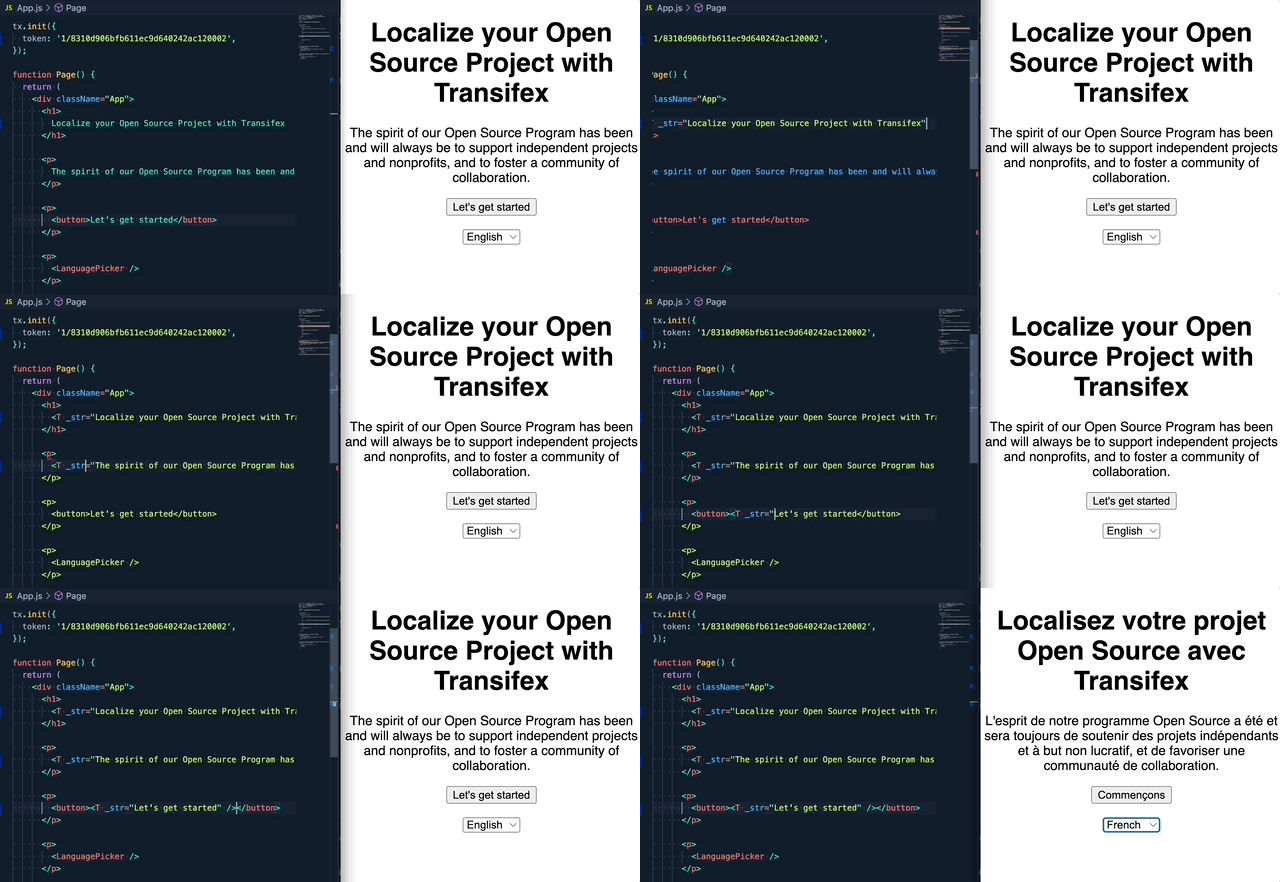
Step1: Create a Transifex Native project in Transifex.
Step2: Grab credentials.
Step3: Internationalize the code using the SDK.
Step4: Push source phrases using the @transifex/cli tool.
Step5: Translate the app using over-the-air updates.
No translation files required.
Upgrade to v2
If you are upgrading from the 1.x.x version, please read this migration guide, as there are breaking changes in place.
Table of Contents
Requirements
Angular 19 and Node.js >= 18.19 are required. If you are using Angular 16, please use the 7.1.x version of
Transifex Native related packages. If you are using Angular 14 or 15, please use the 6.x.x version.
If you are using Angular 12 or 13, please use the 5.x.x version.
If you are using Angular 11, please use the 1.x.x version.
Other Angular versions are not officially supported at the moment.
Installation
Install the library and its dependencies using:
npm install @transifex/native @transifex/angular --saveUsage
Initialization
In order to use the TX Native object globally, it is necessary to initialize the library in the Angular application bootstrap.
All components, directives, and pipes in this SDK are standalone, so they can be imported directly where needed. A backward-compatible TxNativeModule is still provided for NgModule-based applications.
TranslationService and the @T decorator: @T uses the same root TranslationService instance as Angular DI (including any extra instances registered for <tx-instance>). The property is translated when it is read (lazy), not when the class is loaded. TxNativeModule.forRoot() registers provideTxNativeEagerTranslationService() so that service exists during app startup. If you use bootstrapApplication (no forRoot()), add provideTxNativeEagerTranslationService() to your root providers whenever you use @T, so the root service is created before the first @T access—especially if your first screen might not inject TranslationService yet.
Standalone applications
Import the components you need directly in your standalone components or in the imports array of your app configuration.
If you use the @T property decorator, register the eager provider in your application root (typically main.ts):
import { bootstrapApplication } from '@angular/platform-browser';
import { provideTxNativeEagerTranslationService } from '@transifex/angular';
import { AppComponent } from './app/app.component';

bootstrapApplication(AppComponent, {
  providers: [provideTxNativeEagerTranslationService()],
}).catch((err) => console.error(err));
Example root component:
import { Component } from '@angular/core';
import { TranslationService, TComponent, LanguagePickerComponent } from '@transifex/angular';

@Component({
  standalone: true,
  selector: 'app-root',
  imports: [TComponent, LanguagePickerComponent],
  templateUrl: './app.component.html',
  styleUrls: ['./app.component.scss']
})
export class AppComponent {
  constructor(private translationService: TranslationService) {
    translationService.init({
      token: '----- here your TX Native token ------',
    });
  }

  async ngOnInit() {
    await this.translationService.getLanguages();
    await this.translationService.setCurrentLocale('el');
  }
}
NgModule
If your application uses NgModules, import TxNativeModule.forRoot() in your root module:
@NgModule({
  declarations: [
    AppComponent,
    LoginComponent,
    TermsComponent,
    HomeComponent,
    PrivacyComponent
  ],
  imports: [
    AppRoutingModule,
    BrowserModule,

    // TX Native module declaration
    TxNativeModule.forRoot(),
  ],
  providers: [],
  bootstrap: [AppComponent]
})
Then initialize the SDK in your root component:
import { Component } from '@angular/core';
import { TranslationService } from '@transifex/angular';

@Component({
  selector: 'app-root',
  templateUrl: './app.component.html',
  styleUrls: ['./app.component.scss']
})
export class AppComponent {
  constructor(private translationService: TranslationService) {
    translationService.init({
      token: '----- here your TX Native token ------',
    });
  }

  async ngOnInit() {
    await this.translationService.getLanguages();
    await this.translationService.setCurrentLocale('el');
  }
}
T Component
  <p>
    <label>
      <T str="Password" key="label.password"></T>
    </label>
    <input type="password" name="password" />
  </p>
Available optional props:
| Prop | Type | Description | |------------|---------|---------------------------------------------| | context | String | String context, affects key generation | | key | String | Custom string key | | comment | String | Developer comment | | charlimit | Number | Character limit instruction for translators | | tags | String | Comma separated list of tags | | escapeVars | Boolean | If escaping should be applied to ICU variables | | sanitize | Boolean | Safe render of the HTML result after translation takes place | | vars | Object | ICU variables to render in the string |
The T component can sanitize the translated result if HTML is involved, using the parameter sanitize, ie this would be possible:
<p>
    <T
      str="By proceeding you agree to the {terms_of_services} and {privacy_policy}."
      key="text.agree_message"
      [sanitize]=true
      [vars]="{ terms_of_services: '<a href=\'terms\'>' + terms + '</a>',
        privacy_policy: '<a href=\'privacy\'>' + privacy + '</a>'
      }">
    </T>
  </p>
This will render like this in English:
<span>By proceeding you agree to the <a href="terms">terms of service</a> and <a href="privacy">privacy policy</a>.</span>And like this in Greek:
<span>Συνεχίζοντας, αποδέχεστε τους <a href="terms">όροι χρήσης</a> και τους <a href="privacy">πολιτική απορρήτου</a>.</span>The same block without the sanitize option would be like this, for Greek:
Συνεχίζοντας, αποδέχεστε τους <a href='terms'>όροι χρήσης</a> και τους <a href='privacy'>πολιτική απορρήτου</a>.The main thing to keep in mind is that the str property to the T component
must always be a valid ICU message format template.
If it is nested into a tx-instance tag, then the T component will use the new instance to fetch the translation. Check the TX Instance Component section for more information about additional instances.
UT Component
<p>
<UT
str="Copyright {year} by Transifex."
key="text.copyright"
[inline]=false
comment="This is the current year"
[vars]="{ year: '© 2020' }">
</UT>
</p>
UT has the same behaviour as T, but renders source string as HTML inside a
div tag or a span tag if inline property is true. By default this property
is set to false.
Available optional props:
| Prop | Type | Description |
|------------|---------|---------------------------------------------|
| inline | Boolean | If should wrap the translation with span (true) or with div (false) |
If it is nested into a tx-instance tag, then the UT component will use the new instance to fetch the translation. Check the TX Instance Component section for more information about additional instances.
TranslationService service
This is the main service exposed from the SDK in order to intialize the TX Native object.
In your bootstrap entry point in the Angular application, you should initialize the SDK, like this:
import { Component } from '@angular/core';
import { TranslationService } from '@transifex/angular';

@Component({
  selector: 'app-root',
  templateUrl: './app.component.html',
  styleUrls: ['./app.component.scss']
})
export class AppComponent {
  title = 'TX Native Angular Demo';

  constructor(private translationService: TranslationService) {
    translationService.init({
      token: '----- here your TX Native token ------',
    });
  }

  async ngOnInit() {
    await this.translationService.getLanguages();
    await this.translationService.setCurrentLocale('el');
  }
}
The translation service is a singleton instance so the initialization will be shared across the whole application.
It keeps also a collection of additional TX Native instances which can be added to the default instance for specific purposes.
Each addional instance should have the following configuration:
ITXInstanceConfiguration {
  token: string;
  alias: string;
  controlled: boolean;
}
See the section TX Instance Component for more details.
The additional instances can be added and retrieved using exposed methods addInstance and getInstance.
The translation service also offers the possibility to retrieve translations that match a given list of tags, this way it's possible to fetch groups of translations in batches, at different times or for lazy loading. This can be achieved using the fetchTranslations method.
Exposes the following methods and properties:
| Method | Parameters | Description | |------------------|------------------|---------------------------------------------------| | init | config 1 | Initializes the TX Native object | | setCurrentLocale | locale | Set the current locale in the TX Native object | | getCurrentLocale | none | Returns the current locale of the TX Native object| | getLanguages | none | Returns an array of available languages | | translate | translate params 2 | Returns the translation for a string with given translation params | | localeChanged | none | Returns an observable for monitoring the locale changed event | | translationsFetched | none | Returns an observable for monitoring the fetch translations event | | addInstance | ITXInstanceConfiguration | Returns true if the new TX Native instance was added succesfully and false otherwise | | getInstance | string | Returns the TX Native instance with the given alias. If the operation is not possible the default one is returned as fallback. | | fetchTranslations | array | Returns a collection of translations that match a given list of tags. |
(1) Initialization config
export interface ITranslationServiceConfig {
  token: string;
  cdsHost?: string;
  filterTags?: string;
  filterStatus?: string;
  cache?: () => void;
  missingPolicy?: IPolicy;
  errorPolicy?: IPolicy;
  stringRenderer?: IStringRenderer;
}cache,missingPolicy,errorPolicyandstringRendererare set by default by@transifex/nativepackage but you can provide if you wish custom functions of your own, or use another policy provided by the@transifex/nativepackage.
Please check the documentation related to this on@transifex/native package here.
(2) Translation params
str: string // string to be translated
params: Record<string, unknown> // an object with the params and variables
The params should follow the interface:
export interface ITranslateParams {
  _context?: string;
  _comment?: string;
  _charlimit?: number;
  _tags?: string;
  _key?: string;
  _escapeVars?: boolean;
  _inline?: boolean;
  sanitize?: boolean;
}
@T Decorator
This is a decorator for using inside classes and components in order to have properties with the translation and used them in code and templates.
Use TxNativeModule.forRoot() or provideTxNativeEagerTranslationService() in standalone apps (see Initialization) so the root TranslationService is available the first time an @T property is read. You do not need a separate TranslationService instance for the decorator; it shares the one from DI.
Client-only / single-root-app constraint. Because a property decorator has no Angular injection context,
@Tresolves theTranslationServicethrough a process-wide reference rather than per-injector. It assumes a single root app per process and is not intended for server-side rendering (Angular Universal) or for multiple bootstrapped apps / micro-frontends on one page, where concurrent requests or apps would share (and overwrite) that reference. This also reflects that the default instance is backed by the globaltxsingleton from@transifex/native, so per-request locale isolation is not available for the default instance regardless. For SSR or multi-app scenarios, use the DI-based primitives instead — theT/UTcomponents, thetranslatepipe, or injectingTranslationServicedirectly — all of which resolve the correct instance per-injector.
An example of use is the following:
import { Component, OnInit } from '@angular/core';
import { Router } from '@angular/router';
import { T, TranslationService } from '@transifex/angular';

@Component({
  selector: 'app-login',
  templateUrl: './login.component.html',
  styleUrls: ['./login.component.scss']
})
export class LoginComponent implements OnInit {
  // Translations using decorator
  @T('Monday', { _key: 'text.monday' })
  weekday: string;
  @T('terms of service', { _key: 'text.terms_of_service' })
  terms: string;
  @T('privacy policy', { _key: 'text.privacy_policy' })
  privacy: string;

  constructor(
    private translationService: TranslationService,
    private router: Router) {}

  login() {
    this.router.navigateByUrl('home');
  }
}
and the use of the properties in the template:
  <p>
    <T
      str="By proceeding you agree to the {terms_of_services} and {privacy_policy}."
      key="text.agree_message"
      [sanitize]=true
      [vars]="{ terms_of_services: '<a href=\'#/terms\'>' + terms + '</a>',
        privacy_policy: '<a href=\'#/privacy\'>' + privacy + '</a>'
      }"
    ></T>
  </p>
An instance configuration can be passed to the decorator in order to use an alternative instance instead of the main TX Native one.
See TX Instance Component for more information.
Example of alternative instance:
const INSTANCE_CONFIG = {
  token: 'XXXXXXXXXXXXXXXXXXXXXXXXXXXX',
  alias: 'mycmppage',
  controlled: true,
};

@Component({
  selector: 'my-component',
  templateUrl: './my.component.html',
  styleUrls: ['./my.component.scss']
})
export class MyComponent implements OnInit {
  @T('My string', { _key: 'text.my_string' }, INSTANCE_CONFIG)
  myString: string;
translate Pipe
You have available a translate pipe for inline strings translations, the only limitation that it has is that
you cannot translate strings with embedded HTML.
These examples will work:
  {{ 'Copyright {year} by Transifex' | translate:{ _key: 'text.copyright' } }}

  <p [matTooltip]="'A paragraph' | translate">A paragraph</p>
this example will not work, as it has HTML embedded:
{{ 'A string with <b>HTML embedded</b>' | translate }}If it is nested into a tx-instance tag, then the pipe will use the new instance to fetch the translation. Check the TX Instance Component section for more information about additional instances.
Language Picker Component
Renders a <select> tag that displays supported languages and switches the
application's selected language on change.
Uses Translation Service internally.
The html selector is tx-language-picker.
This is an example of use for the language picker component:
<tx-language-picker
  className="placeBottomLeft"
  (localeChanged)="onLocaleChanged($event)"></tx-language-picker>
and the event for locale changed inside the component could be:
import { Component, OnInit } from '@angular/core';
import { Router } from '@angular/router';
import { T, TranslationService } from '@transifex/angular';

@Component({
  selector: 'app-login',
  templateUrl: './login.component.html',
  styleUrls: ['./login.component.scss']
})
export class LoginComponent implements OnInit {
  onLocaleChanged(event) {
    // here we can do any action when locale changes
  }
}
Accepts properties:
className: The CSS class that will be applied to the<select>tag
Returns:
localeChanged: event for handling the change of locale
You always can implement a language picker of your choice, injecting
the TranslationService and using the different methods provided,
such as getLanguages.
TX Instance Component
Creates a new TX Native instance with the given configuration and adds it to the TX Native main instance. All the nested components will use the new instance in order to fetch the translations. This applies to components:
- T/UT
- translate pipe
- Language Picker
Uses Translation Service internally to add the instance and provides a scoped TxInstanceContext so that nested components automatically resolve the correct instance. See the TxInstanceContext section for details on how this works.
The html selector is tx-instance.
This is an example of use for the instance component:
this.instanceConfig = {
      token: 'XXXXXXXXXXXXXXXXXXXXXXXXXXXXXXXXXX',
      alias: 'homepage',
      controlled: true,
    };
<tx-instance
[token]="instanceConfig?.token"
[alias]="instanceConfig?.alias"
[controlled]="instanceConfig?.controlled"
(instanceReady)="onInstanceReady($event)"
>
<T str="My brand new string"></T>
</tx-instance>Accepts properties:
token: The token for the new instance.alias: A string identifier of the instance, should be unique. If the identifier already exists, the existing instance with the given alias is used, and no new instance is created.controlled: If the new instance is controlled (locale) by the main TX Native instance.
Returns:
instanceReady: event for handling the readiness of the new instance.
Exposes:
instanceIsReady: observable for listening the readiness of the new instance.
TxInstanceContext
TxInstanceContext is an injectable service that acts as a lightweight handle for the active TX Native instance alias. It is the mechanism that allows standalone components (T, UT, LanguagePickerComponent, TranslatePipe) to know which instance they should use for translations, without requiring a direct reference to the TXInstanceComponent.
How it works
A root-level TxInstanceContext is provided application-wide (via providedIn: 'root'). Its alias defaults to an empty string, which tells components to use the main TX Native instance.
When you wrap components inside a <tx-instance> element, that component provides its own TxInstanceContext at the component level. Angular's dependency injection will resolve the closest TxInstanceContext in the injector hierarchy, so nested components automatically see the alias of the wrapping instance.
AppModule / root injector
 └─ TxInstanceContext  (alias = '', main instance)
      │
      ├─ <T str="Uses main instance">
      │
      └─ <tx-instance alias="homepage" ...>
           └─ TxInstanceContext  (alias = 'homepage', scoped)
                │
                ├─ <T str="Uses homepage instance">
                └─ {{ 'A string' | translate }}
Using TxInstanceContext directly
In most cases you do not need to interact with TxInstanceContext yourself — wrapping components in <tx-instance> handles everything automatically. However, if you need to read or react to instance readiness programmatically, you can inject it:
import { Component } from '@angular/core';
import { TxInstanceContext, TranslationService } from '@transifex/angular';

@Component({
  standalone: true,
  selector: 'my-custom-component',
  template: `...`
})
export class MyCustomComponent {
  constructor(
    private translationService: TranslationService,
    private txContext: TxInstanceContext,
  ) {}

  getTranslation(str: string): string {
    const instance = this.translationService.getInstance(this.txContext.alias);
    return instance.translate(str);
  }
}
API
| Property / Method | Type | Description |
|-------------------------|--------------------------|-------------------------------------------------------------------------------------------------------|
| alias | string | The alias of the active TX Native instance. Empty string means the main instance. |
| instanceIsReady | Observable<boolean> | Emits when the associated instance has finished initializing and fetching translations. |
| notifyInstanceReady() | (ready: boolean) => void | Called internally by TXInstanceComponent to signal readiness. Not typically called by application code. |
txLoadTranslations Directive
This directive can be used within any html or angular tag in order to force a group of translations to be fetched, using a list of tags to retrieve the translations that match.
This is an example of use:
  <p class="small-text" [txLoadTranslations]="'menu'">
    <a href="#/home">
      <UT str="home" key="text.home" inline=true></UT>
    </a>
    <a href="#/terms">
      <UT str="terms of service" key="text.terms_of_service" inline=true></UT>
    </a>
    <a href="#/privacy">
      <UT str="privacy policy" key="text.privacy_policy" inline=true></UT>
    </a>
    <a class="align-right" href="#/login">
      <UT str="logout" key="text.logout" inline=true></UT>
    </a>
  </p>
All the translations with the tag menu will be fetched using the current selected locale and instance, if the translations are already cached, they are not fetched again.
This way we can fetch the translations related with the part of the component's template when the component is first used and not from the beginning when instance is initialized (in the initialization we can use the filterTags param in order to fetch an initial set of translations and then use the lazy loading and improve the performance).
License
Licensed under Apache License 2.0, see LICENSE file.