
@ulaytau/mario-js
v1.0.1
Published
A JavaScript recreation of Super Mario Bros. built with HTML5 Canvas

Maintainers
 ulaytau
Readme
 #Mario
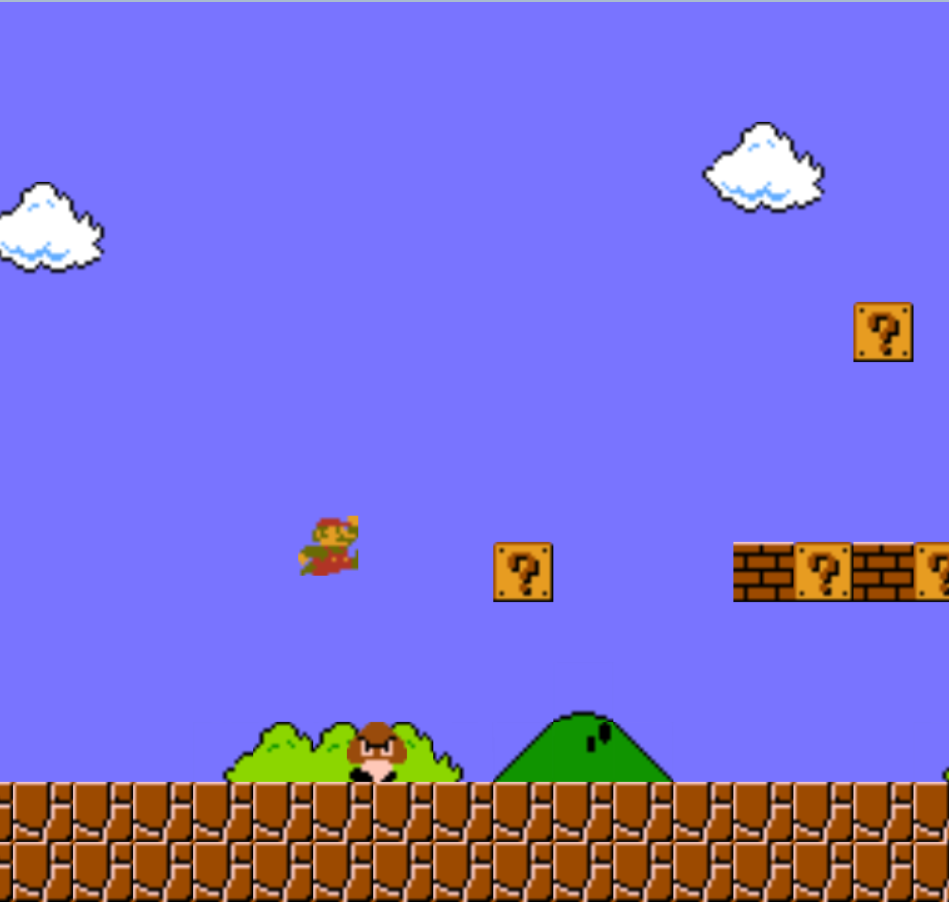
Mario.js is a clone of Super Mario Bros. for the Nintendo Entertainment System, implemented in Javascript. It implements a hand-built game engine using the HTML5 Canvas.
#Mario
Mario.js is a clone of Super Mario Bros. for the Nintendo Entertainment System, implemented in Javascript. It implements a hand-built game engine using the HTML5 Canvas.
Disclaimer: This project is for demonstration only. If you really want to play Mario, please do it on a console. The graphics, sounds, and original design of Super Mario Bros. are all owned by Nintendo.
#Engine
##Game Flow The main loop tries to render at 60fps. Each frame, we go through a few steps to update the game, and then render.
First, we get the controls. Depending on what the player is pressing, we make some changes to the player object.
Then, we update each entity, and the general game state. Entities are game objects which have data about their position, movement, collision boxes, and sprite, as well as functions for updating that state, and rendering to the canvas.
Scrolling is implemented using a viewport position that increases as Mario travels to the right. We only render or do calculations on objects that are close enough to the left edge of the screen. As in the original game, enemies become active slightly before they appear on screen.
The update function contains all of the logic for mutating the object's state without data from other entities. Once each object has updated, we check collisions. Independent movement, such as coins popping out of blocks, or Mario grabbing the flag and running out of the stage, are controlled here.
##Collision For obstacles such as walls, the ground, and the various blocks, they are indexed by their position in the game, so each entity only needs to check the area around itself for collision with those.
Then, each entity iterates through the other active entities to determine collision with moving objects, calling functions to update positions and state as appropriate.
The player object only checks collision with terrain. Enemies and items check their collision with the player and tell it how to update.
Note that collision boxes are separate from the display position of the entity's sprite. This was the case in the original game as well. Generally speaking, making the collision slightly more generous improves game feel.
##Rendering Once everything is in its proper place, we call each object's render function. Since the canvas doesn't implement a z-axis, the layering effect is handled entirely by rendering the objects in this order:
Background Props Items Enemies Projectiles Terrain Player Pipes
Each object in the game holds a reference to a sprite object. Sprites identify which slice of what image to use, and data about which other frames in the sheet are part of the current animation, and how fast it should animate.
Sprites assume that the entire animation is contained on a single row of the sheet. For the few exceptions, we force the sprite into the correct frame in the entity's update function.
Similarly, entities which need to face left and right replace the image reference in their sprite object with a flipped counterpart.
#Level Generation Each level object is created with references to the sprites to use for each type of object in the game. In this case, there are only a few tile sets, so individual levels could inherit from level subclasses for overworld, underground, castle, etc.
The level is constructed using a series of calls to functions that populate the tables of objects in the game world.
Pipes work by setting up the animation, and then calling a function to load the new level. Exit pipes use the same code for moving Mario, but with another callback that puts the player into position after setting up the stage.
Known Bugs and Features to Come
-Scaling sprites makes them appear with awkward borders. Some fiddling helps this (as you can see in the live version), but they are still not quite perfect. -A rare case that causes invincibility from getting hit to never end. -Goombas don't animate in sync with each other. -Sometimes goombas can get stuck inside each other. I'm not entirely sure what causes this. -Some sounds might not work due to format compatibility, especially in IE. Yes, IE doesn't support Microsoft's own file format. Really.
All of the features to be implemented are the actual features of the game! Namely, a score counter, more types of enemies, and 1up mushrooms.
And more levels!
Also, it should be possible to scale the game to any size, although in order to preserve sprite dimensions changing the actual size of the play area will be necessary for widescreen. For now, the game is rendered in 768x720.
Beyond that, it would be nice to recreate the original game in even more detail, including the precise replication of the 21-frame rule, and glitches such as well-ejection errors, alternate pipes, and various simultaneous left+right input shenanigans.