
@underactive/pi-startup-splash
v0.2.2
Published
A Pi extension that replaces the default startup header with an informative splash screen and optionally adds an interactive startup gate menu
Downloads
774


Readme
[!WARNING] This project is deprecated. Use pi-topping-splash instead.
pi-startup-splash
Pi extension that replaces the default startup header with an edge-to-edge full-color splash and adds an interactive startup gate menu to the session launch flow.
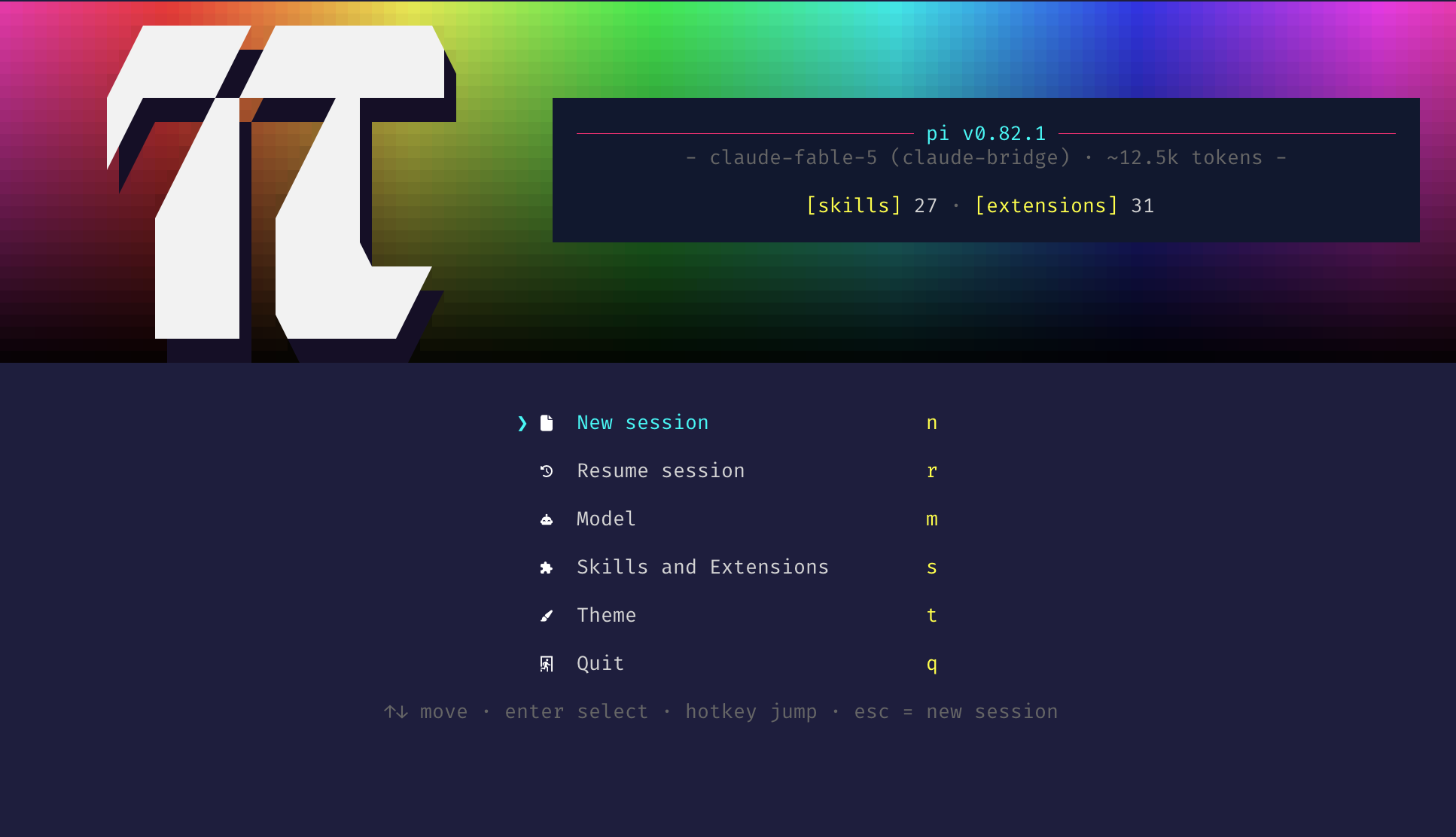
- displays the pi version, active model, system prompt size, and the loaded context files, skills
and extensions in a dark info panel beside the logo, each list under a
[context] 2/[skills] 24/[extensions] 40heading. The context files are exactly the sources pi's/loadedContext section lists — the SYSTEM.md/APPEND_SYSTEM.md system-prompt sources (project.pi/when trusted, else agent dir) and the AGENTS.md/CLAUDE.md files — discovered and displayed with the same cwd-relative/~-shortened logic as pi's own. The extensions and skills are likewise pi's actual loaded set: extensions come from the settingspackagesandextensionslists plus agent/project.pi/extensionsauto-discovery (with+/-overrides and--extension/--no-extensionshonored), labeled with pi's own compact labels (pkg:srcfor package entries, shortest unique path suffix otherwise); skills are theskill:-prefixed commands pi registers. If the terminal is too small — splash over 60% of the height, or a name too long to fit — the lists collapse to a single[context] 2 · [skills] 24 · [extensions] 40counts line - optionally shows a blocking startup gate menu on launch (New session, Resume session, Model, Skills and Extensions, Theme, Quit), each item with an icon and a single-letter hotkey
Splash without the gate menu
/startup-splash menuGate:on— show the startup gate menu below the splash (the default)/startup-splash menuGate:off— keep the splash but skip the gate menu
The choice persists for every subsequent pi launch and takes effect from the next one onward, since
the gate is decided during startup. It is stored in pi-startup-splash.json inside pi's agent
directory (~/.pi/agent unless PI_CODING_AGENT_DIR says otherwise); delete that file to return to
the default (menuGate:on).
Install
pi install npm:@underactive/pi-startup-splashRestart Pi (or run /reload) to pick it up.
Troubleshooting
Splash or gate not showing?
- Ensure Pi is running in TUI mode (
--no-tuidisables the splash). - Both the splash and the gate are skipped when the environment variable
PI_SPLASH_GATE_DONE=1is set — an internal guard the extension sets on sessions it relaunches so the gate cannot re-trigger in a loop; relaunched sessions start on a clean screen. - Splash shows but the gate does not?
/startup-splash menuGate:offwas run at some point — that choice persists across launches, so run/startup-splash menuGate:onto bring the menu back. - On
reloadevents the gate is intentionally skipped — only a genuinestartupreason triggers it. - Check that the package is installed under
~/.pi/agent/npm/node_modules/@underactive/pi-startup-splashand thatpi --verboselists the loaded extension (it overridesquietStartup). - Truecolor (24-bit color) support in your terminal is required for the rainbow swatch backdrop and shimmer effect. On non-truecolor themes the shimmer and panel styling fall back to a plain render; the backdrop's truecolor escapes are left to the terminal's own handling.