
@upgpt/vision-test-harness
v0.3.2
Published
AI-powered visual testing for Chrome extensions, WordPress plugins, and web apps

Maintainers
 upgpt
upgptReadme
Vision Test Harness

Give AI eyes to see and fix your UI.
Write YAML test suites. Playwright captures screenshots. AI diagnoses what's broken and tells you how to fix it.
Works with websites, web apps, Chrome extensions, WordPress plugins, Shopify apps — anything with a UI.
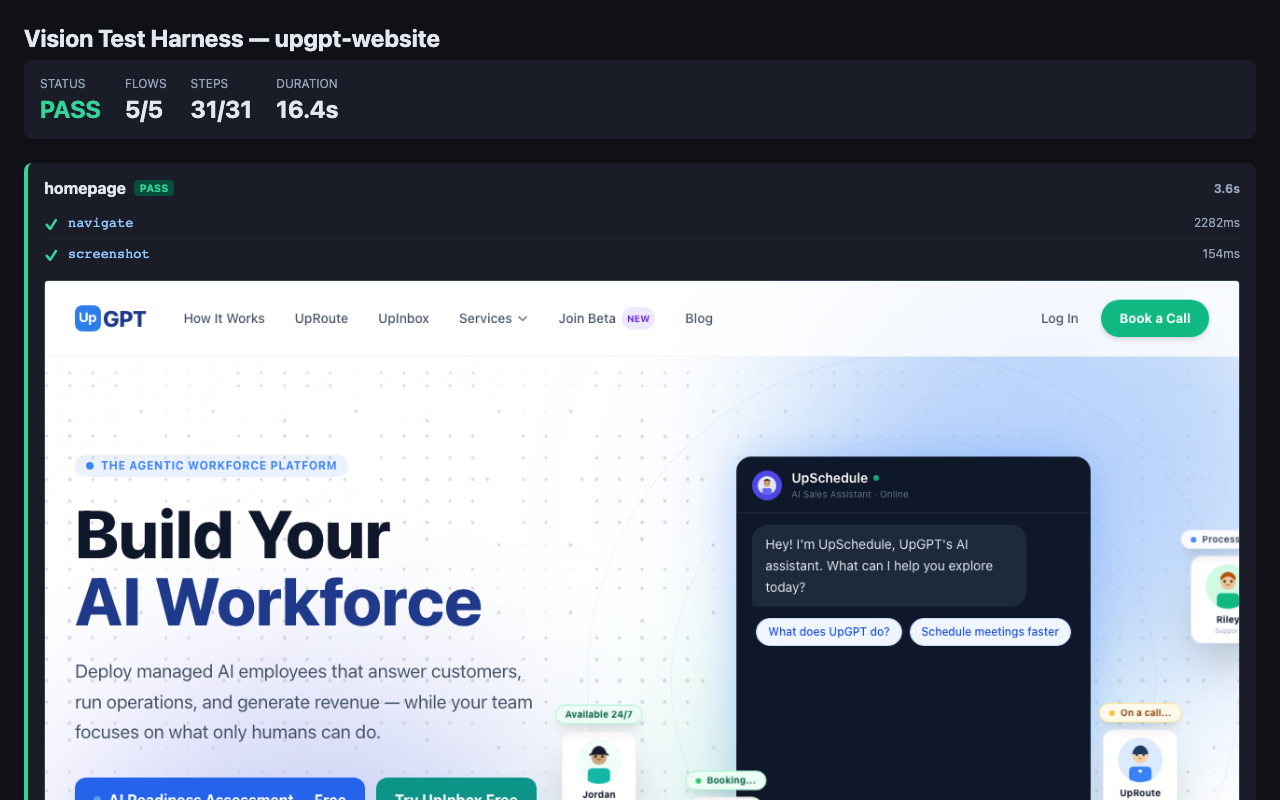
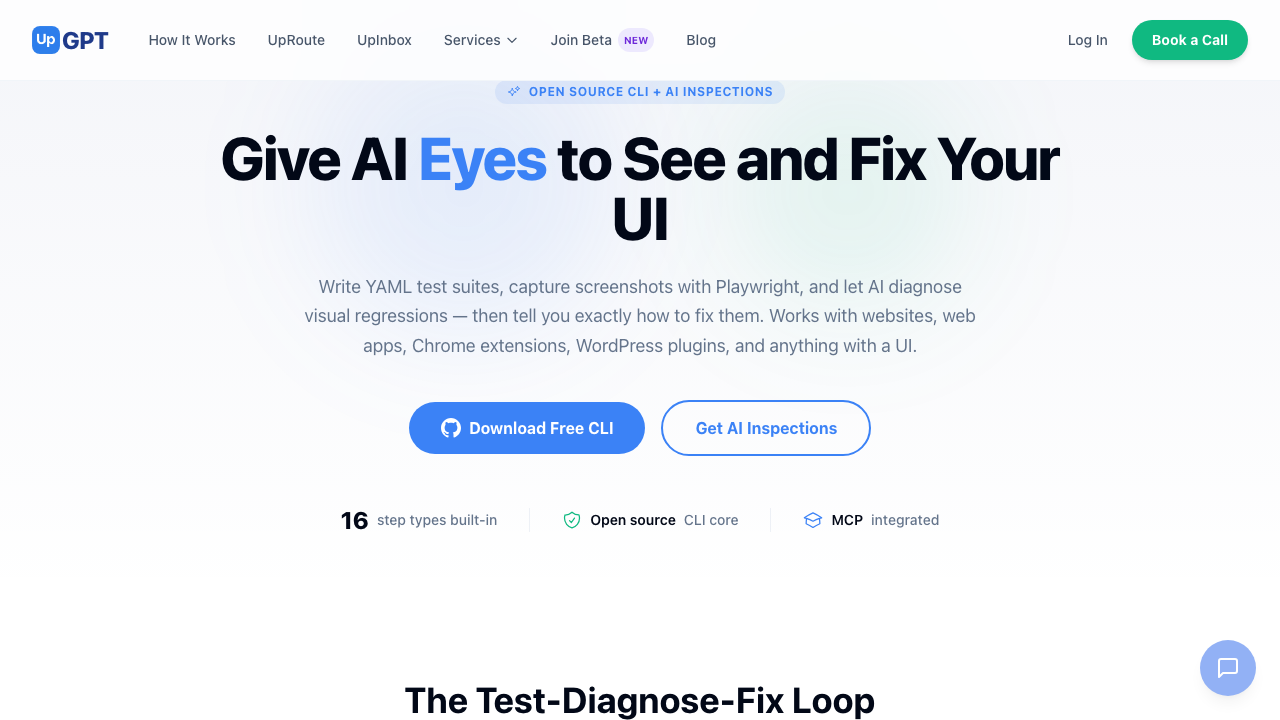
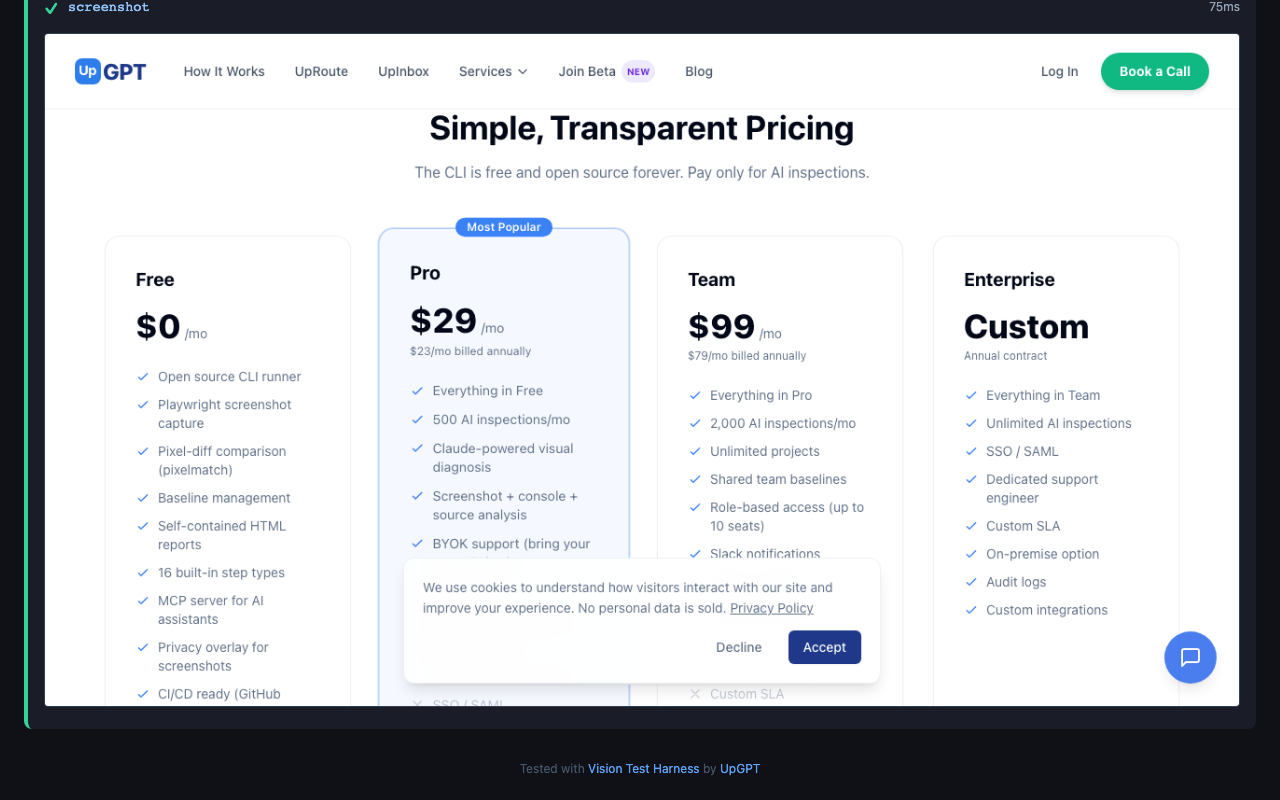
This README was tested by the tool it describes. The screenshots below were captured by Vision Test Harness running against its own product page. The report screenshot shows the tool's results from testing the UpGPT website — 5 flows, 31 steps, all passing. A tool that tests and documents itself.
npm install -g @upgpt/vision-test-harness
npx playwright install chromium
Screenshots
The test harness testing its own product page:
The product page it tested:
The Test-Diagnose-Fix Loop
- Write a YAML test suite — describe what your UI should look like
- Run tests — Playwright captures screenshots, diffs against baselines
- AI diagnoses failures (Pro) — Claude reads your screenshot + console + source and tells you the fix
- You fix it, re-run — repeat until green
This is the loop that caught 12 bugs in 4 rounds during our own development. The AI doesn't just say "something changed" — it tells you which file, which line, and why.
Quick Start
# my-app.test.yaml
name: my-extension
type: chrome-extension
extension_path: ./dist
viewport: { width: 400, height: 600 }

flows:
  - name: dashboard
    steps:
      - action: navigate
        url: sidebar/index.html
      - action: wait
        ms: 2000
      - action: screenshot
        name: dashboard-view
      - action: assert_element
        selector: "[data-testid='main-content']"
        state: visible
# website.test.yaml
name: my-website
type: web-app
base_url: https://mysite.com
flows:
- name: homepage
steps:
- action: navigate
url: /
waitUntil: networkidle
- action: screenshot
name: homepage
- action: assert_element
selector: "nav"
visible: true# Run as MCP server (for Claude Code / AI assistants)
vision-test-harness
# Run directly from CLI
vision-test-harness run my-app
# Run a specific flow
vision-test-harness run my-website homepage
# Capture marketing screenshots from real Chrome
vision-test-harness capture gmail
# Generate a badge for your README
vision-test-harness badge markdownWhat You Can Test
| Platform | How It Works |
|----------|-------------|
| Websites & Landing Pages | Set base_url, navigate pages, screenshot at any viewport |
| Web Applications | Multi-step flows: login, navigate, interact, assert |
| Chrome Extensions | Localhost sidebar server, chrome.storage polyfill, content script testing |
| WordPress Plugins & Sites | 9 built-in WordPress steps — login, plugin management, post/page creation, frontend verification, WooCommerce, plugin settings validation |
| Shopify Apps | Admin iframe navigation, storefront verification |
| Marketing Screenshots | Real Chrome + privacy overlay to replace user data with demo content |
Features
Free (MIT License)
- 21 step types: navigate, click, type, wait, assert, screenshot, compare, evaluate, privacy overlay, 9 WordPress steps, and more
- Chrome extension testing with localhost sidebar server
- WordPress testing suite — 9 dedicated steps covering admin login, plugin management, post/page CRUD, frontend verification, WooCommerce product creation, and plugin settings validation
- Pixel-diff screenshot comparison via pixelmatch
- Self-contained HTML reports with embedded screenshots
- Privacy overlay for marketing screenshots (replaces real data with demo content)
- Chrome storage polyfill for automated testing
- IndexedDB seeding for SPA state injection
- MCP server integration (works with Claude Code, Cursor, etc.)
- CI/CD ready (GitHub Actions workflow included)
- Badge generation for your README
Pro
- AI Vision Inspection — Claude analyzes screenshots + console + source
- Self-debugging loop: run tests, AI diagnoses, you fix, repeat
- BYOK (bring your own Claude/OpenAI key)
- Attribution-free reports
- Shared team baselines
- Unlimited projects
- Priority support
See upgpt.ai/tools/test-harness for plans and pricing.
How It Works
The test harness runs as an MCP server with 7 tools:
| Tool | What It Does |
|------|-------------|
| list_test_suites | Discover available YAML test suites |
| test_run | Execute a test suite, return results + screenshots |
| inspect_view | AI sees screenshot + console + source + feature spec |
| screenshot | Capture a screenshot of the current page |
| compare_screenshots | Pixel-diff two screenshots |
| generate_cws_assets | Generate Chrome Web Store listing images |
| seed_test_data | Inject test data into browser storage |
CLI Commands
| Command | What It Does |
|---------|-------------|
| vision-test-harness | Start MCP server (default) |
| vision-test-harness run <suite> [flow] | Run a test suite |
| vision-test-harness list [directory] | List available test suites |
| vision-test-harness connect | Connect to real Chrome via CDP |
| vision-test-harness capture <preset> | Marketing screenshots with privacy overlay |
| vision-test-harness badge [markdown\|svg] | Generate a README badge |
| vision-test-harness login <email> <password> | Log in to your account |
| vision-test-harness logout | Log out |
| vision-test-harness status | Show account status |
Test Modes
| Mode | Use Case | Command |
|------|----------|---------|
| run | Automated CI/CD testing | vision-test-harness run <suite> |
| connect | Test with real Chrome + real APIs | vision-test-harness connect |
| capture | Marketing screenshots with privacy overlay | vision-test-harness capture <preset> |
Step Types
- action: navigate        # Go to a URL (absolute or relative to base_url)
- action: click           # Click an element
- action: type            # Type text into an input
- action: wait            # Wait for selector or duration
- action: assert_text     # Assert text content
- action: assert_element  # Assert element state (visible/hidden/attached)
- action: screenshot      # Capture screenshot (viewport, fullPage, clip, selector)
- action: compare         # Compare against baseline screenshot
- action: evaluate        # Run JavaScript (async supported)
- action: open_side_panel         # Open Chrome extension side panel
- action: wait_for_content_script # Wait for content script injection
- action: privacy_overlay         # Replace real data with demo content
- action: wp_login                # WordPress admin login
- action: wp_activate_plugin      # Activate a plugin by slug
- action: wp_navigate_admin       # Navigate to any wp-admin path
- action: wp_assert_notice        # Verify success/error notices
- action: wp_create_post          # Create a post (Gutenberg or Classic)
- action: wp_edit_page            # Edit an existing page by ID
- action: wp_check_frontend       # Verify a published page renders correctly
- action: wp_woocommerce_add_product  # Add a WooCommerce product
- action: wp_verify_plugin_settings   # Validate plugin settings page values
WordPress Testing
Vision Test Harness has first-class WordPress support — 9 dedicated steps that understand WordPress admin UI, handle both Gutenberg and Classic Editor, and work with WooCommerce.
# wordpress-plugin.test.yaml
name: my-wp-plugin
type: web-app
base_url: https://my-staging-site.com

flows:
  - name: install-and-verify
    steps:
      - action: wp_login
        username: admin
        password: $WP_ADMIN_PASSWORD
      - action: wp_activate_plugin
        plugin_slug: my-plugin
      - action: wp_assert_notice
        text: "Plugin activated"
      - action: wp_verify_plugin_settings
        plugin_slug: my-plugin
        expected:
          api_key: "sk-test-123"
          enabled: true
      - action: wp_create_post
        title: "Test Post with Plugin Shortcode"
        content: "[my-plugin-shortcode]"
        publish: true
      - action: wp_check_frontend
        slug: test-post-with-plugin-shortcode
      - action: screenshot
        name: frontend-with-shortcode

  - name: woocommerce-integration
    steps:
      - action: wp_login
        username: admin
        password: $WP_ADMIN_PASSWORD
      - action: wp_woocommerce_add_product
        name: "Premium Widget"
        price: "49.99"
        sku: "WDG-001"
      - action: wp_check_frontend
        slug: premium-widget
      - action: screenshot
        name: woo-product-page
Use cases:
- Plugin developers: Test your plugin across WordPress versions, verify activation, check settings persistence, validate shortcode rendering
- Theme developers: Verify page layouts, test template rendering, check responsive breakpoints
- WooCommerce stores: Test product creation, checkout flows, payment gateway integration
- Site builders: Validate page builder output, test form submissions, check SEO elements
- WordPress agencies: Automated regression testing across client sites after core/plugin updates
CI/CD
# .github/workflows/visual-regression.yml
- uses: actions/setup-node@v4
  with: { node-version: 20 }
- run: npx playwright install chromium
- run: npx @upgpt/vision-test-harness run my-suite
Privacy Overlay
Capture marketing screenshots from a real browser session with automatic PII replacement:
- action: privacy_overlay
  preset: gmail          # gmail, wordpress-admin, shopify-admin, generic
  hide_profile: true
Replaces sender names, email subjects, snippets with demo data. Preserves injected UI elements (sparklines, badges). Your real data never appears in screenshots.
Auth & Account
A free account is required to run tests via the MCP server or CLI. Create one at upgpt.ai/tools/test-harness/signup.
vision-test-harness login [email protected] yourpassword
vision-test-harness status
Free accounts include all CLI features. AI visual diagnosis requires a Pro subscription.
License
MIT - Free to use, modify, and distribute.
Attribution required on free tier: reports include "Tested with Vision Test Harness by UpGPT" footer. Remove with a Pro or Team subscription.
Built by UpGPT | Product Page