
@uplab/vendure-plugin-unified-slug
v0.2.2
Published
Vendure plugin that keeps one slug per product and collection, identical in every language — on the server and in the dashboard


Readme
@uplab/vendure-plugin-unified-slug



One slug per product and collection, identical in every language — enforced on the server for every API client, and shown in the React dashboard as a single slug field instead of one per language tab.
Vendure stores a slug on every translation row, so each language can have its own. A storefront
rarely wants that: findOneBySlug matches a slug in any language, so per-language slugs are only
more URLs to keep in sync. And the dashboard's stock slug field generates a slug only when an entity is
created — add a language to an existing collection and the new translation is saved with
slug: '' (vendurehq/vendure#5476). This plugin
closes that gap on both sides.
Not for shops that intentionally give each language its own slug (/uk/sukni, /en/dresses).
The plugin overwrites a divergent slug with the canonical one on every write, and there is no
per-language switch.
Compatible with Vendure ^3.7.0.
Contents
Install · Usage · What it looks like · How it works · Options · Custom slug strategy · GraphQL surface · Backfilling existing rows · Limitations
Install
npm install @uplab/vendure-plugin-unified-slug
# or
pnpm add @uplab/vendure-plugin-unified-slug
@vendure/core and @nestjs/* are peer dependencies — the plugin uses the copies already in your
project. The dashboard extension additionally uses @vendure/dashboard and the React libraries it
ships with; those peers are optional, so a server without the React dashboard needs none of them.
Usage
import { VendureConfig } from '@vendure/core';
import { UnifiedSlugPlugin } from '@uplab/vendure-plugin-unified-slug';

export const config: VendureConfig = {
  // ...
  plugins: [UnifiedSlugPlugin.init()],
};
That is all: no entities, so no migration; no jobs; no environment variables. If you use the React
dashboard, its Vite plugin (vendureDashboardPlugin) discovers the extension from the package on its
own — restart the dashboard dev server or rebuild it.
What it looks like
The product and collection detail pages get one slug field. Whichever content language is active, it shows the same value, and a change made in any language is written to all of them.
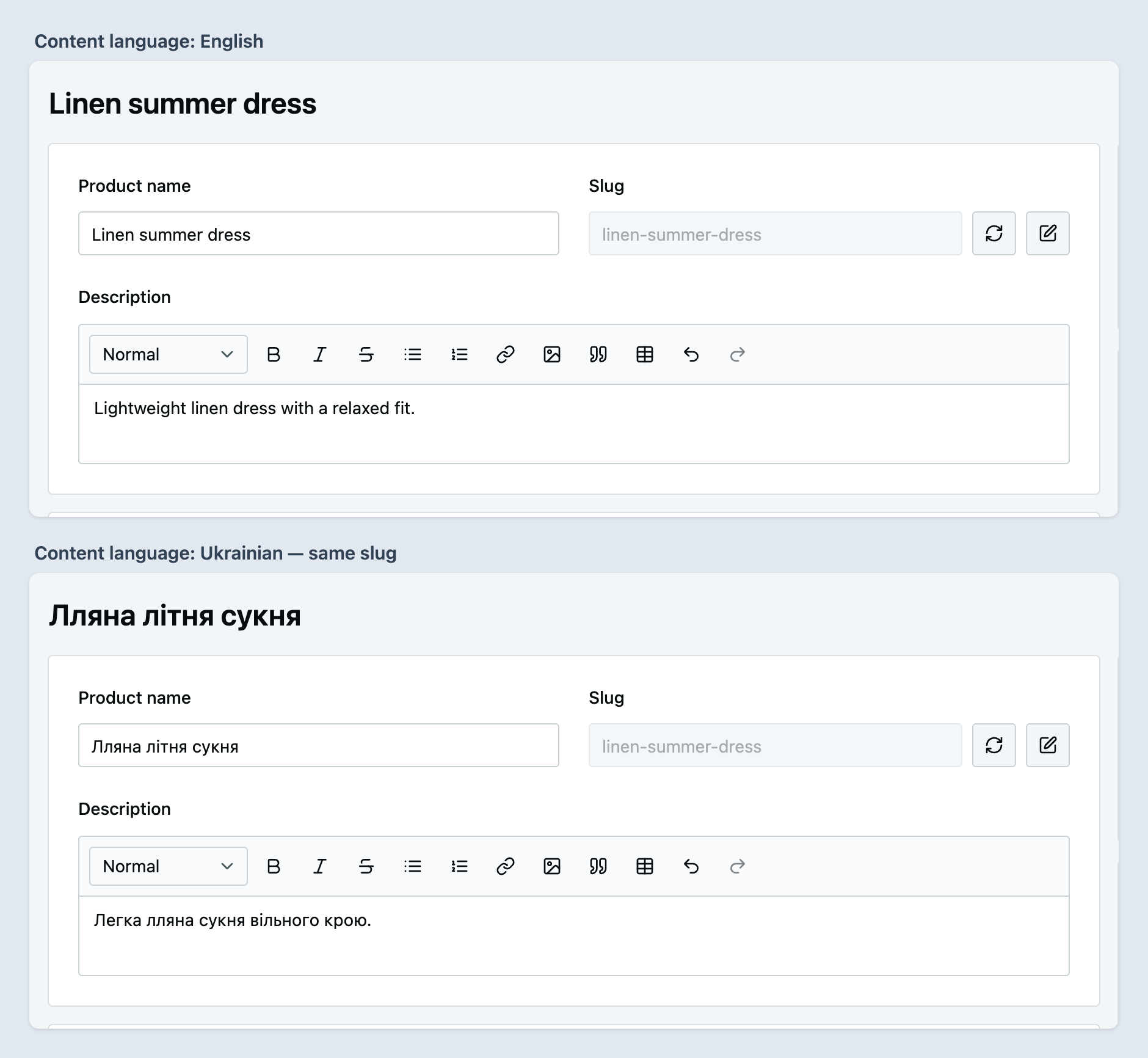
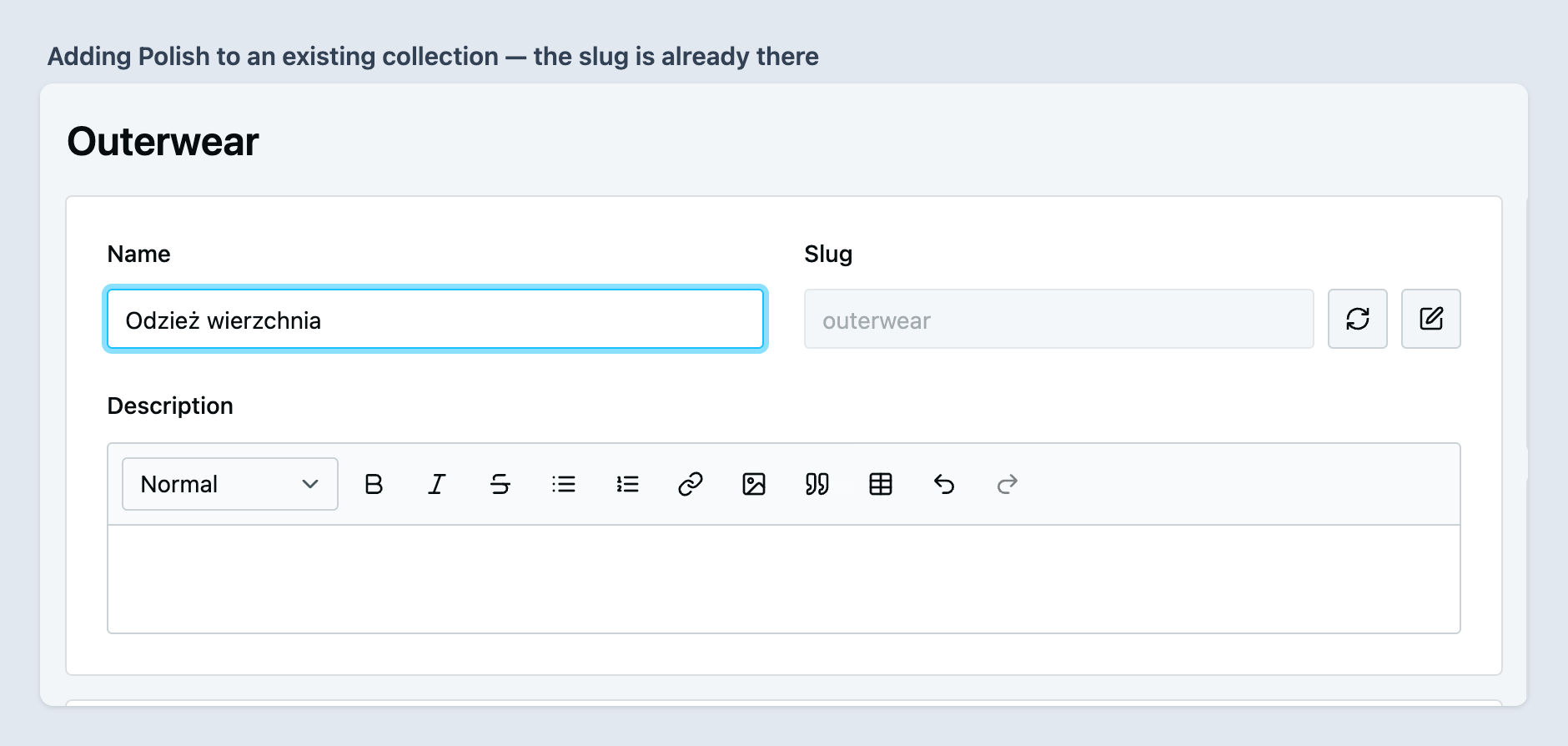
Adding a language to an existing collection: the new translation already carries the slug and is saved
with it. With the stock field, it would be saved with slug: ''.
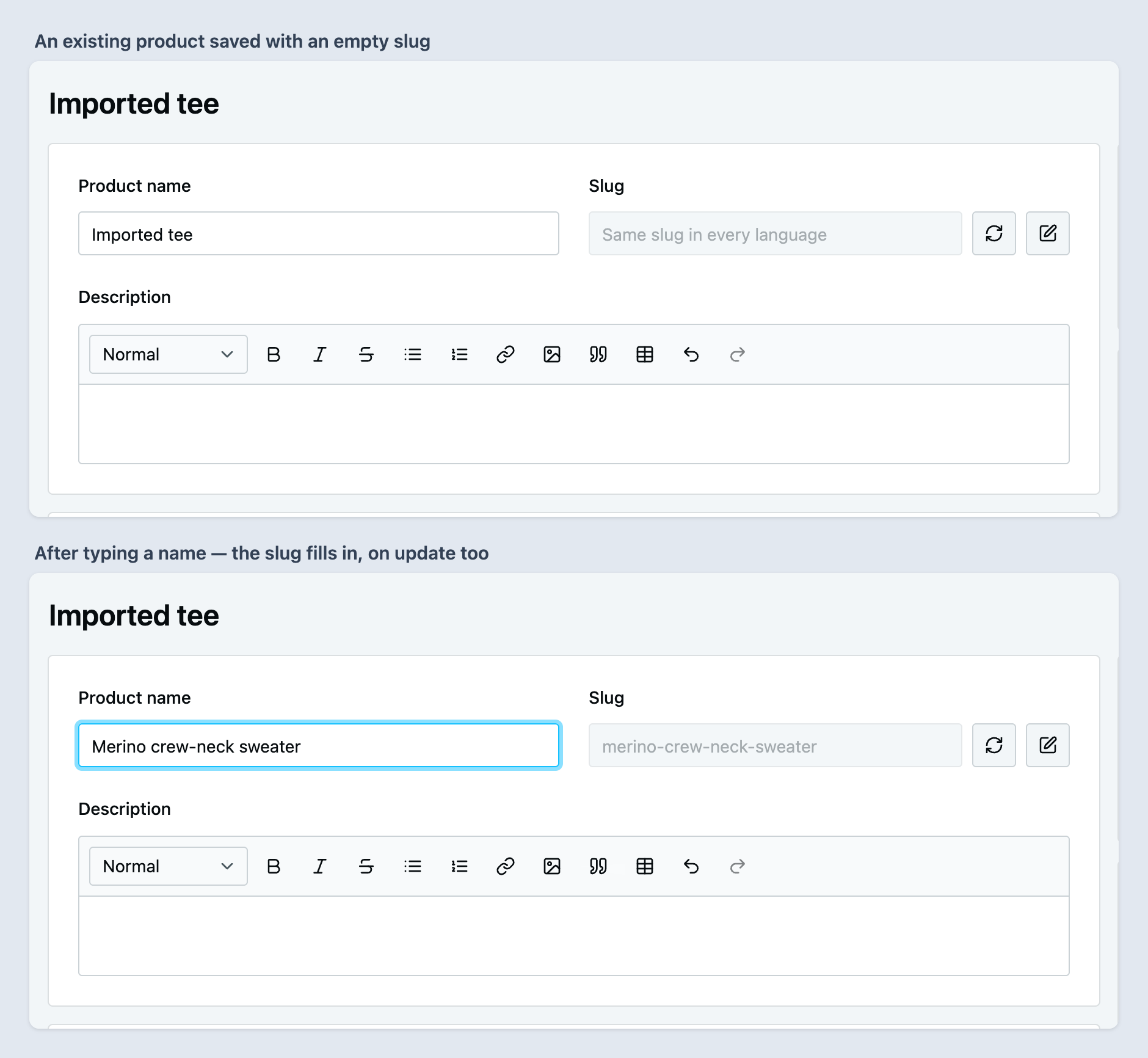
Unlike the stock field, it also generates a slug on an existing entity: a product imported or saved without one gets a slug as soon as its name is edited.
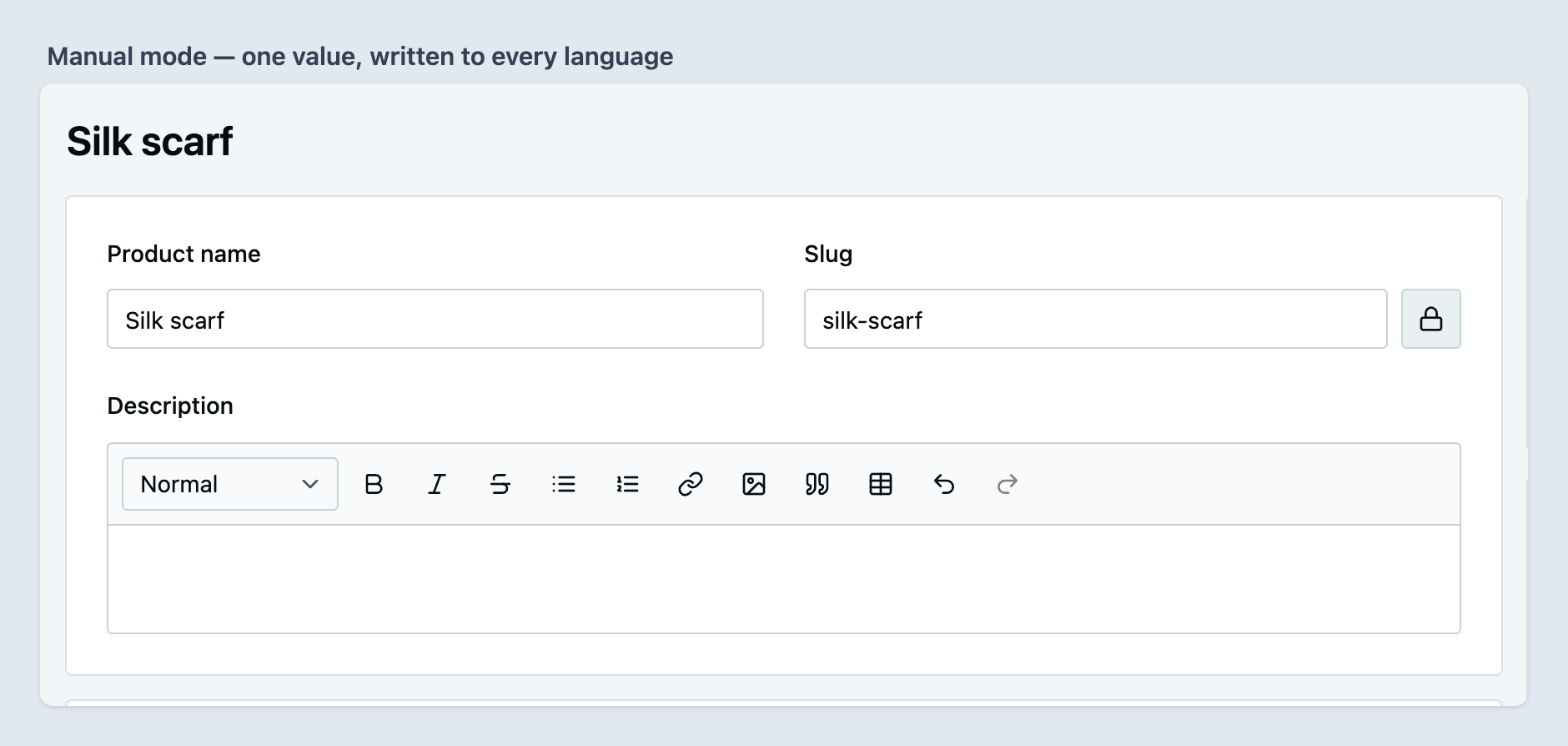
The edit button switches the field to manual entry (the lock switches it back); the refresh button regenerates the slug from the current name, also on an entity that has no slug yet.
How it works
Server
A global interceptor acts on five Admin API mutations — createProduct, updateProduct,
updateProducts, createCollection and updateCollection — and rewrites input.translations
before the core resolver runs. The unified slugs travel in the mutation's own transactional write:
no follow-up write, no event subscriber, no job, and nothing to undo if the mutation fails.
The canonical slug is, in order:
- the input translation for the channel's default language, if its slug is non-empty;
- otherwise the first input translation with a non-empty slug;
- update only — otherwise the existing row for the channel's default language, else the first
non-empty existing row in
languageCodeorder; - otherwise nothing: the input passes through untouched and core validation decides. A slug is never invented.
Every translation in the input gets the canonical slug, including one that arrived with a different
non-empty slug. On update, every existing row whose language is not in the input and whose slug
differs gets a slug-only { languageCode, slug } translation appended. That changes the slug and
nothing else: name, description and custom fields of that row stay as they are, and a language
left out of the input is never deleted.
Worth knowing:
- An empty or whitespace-only slug counts as empty. The canonical slug is trimmed.
- An update without a
translationskey — togglingenabled, say — costs no query. Neither does a create. - An update with
translations: []reads the existing rows and pulls any that drifted apart back onto one slug. That is the cheapest way to repair one entity. - If reading the existing rows fails, the mutation fails: letting it through could write a divergent slug.
- The channel's default language is resolved from the request's channel token. If that lookup fails, input order decides — still one slug.
- The plugin never normalises a slug itself. Core's
SlugValidatorruns afterwards and normalises every translation identically, so unified slugs stay unified.
Dashboard
The extension replaces the slug input on the product and collection detail pages. The field:
- shows one value on every language tab — the channel default language's slug, else the first non-empty one;
- writes a change into every translation in play: the tab being edited, translations saved in the database, and translations the admin has typed into. The dashboard drops the others before it submits (vendure#4885), and writing into them would save them with an empty name. A language filled in later gets the slug from the server at that write;
- while the entity has no saved slug and the field is in automatic mode, generates it from the channel default language's name (else the name on the tab being edited) each time the admin stops typing for 500 ms — on update as well as on create. A saved slug is never regenerated on its own;
- keeps the stock field's lock/edit toggle and regenerate button. A failed regenerate shows an error toast.
The field asks the server once per session which form fields the slug strategy watches. If that query fails, no fields are watched; auto-generation still works.
Slug generation
The field asks this plugin's unifiedSlugGenerate query instead of core's slugForEntity. The
configured slug strategy builds the base; core's EntitySlugService — the same service behind
slugForEntity — passes it through your core SlugStrategy and appends -1, -2… until it is
unique. With the default strategy the answer is exactly what slugForEntity would give.
SlugGenerationService is exported, so an importer or another plugin can produce the same slug the
dashboard would:
const slug = await slugGenerationService.generate(ctx, {
  entityName: 'Product',
  name: 'Summer dress',
  context: {},
});
Options
UnifiedSlugPlugin.init(options):
| Option | Type | Default | Description |
| -------------- | --------------------- | ---------------------------------- | -------------------------------------------------------------------------------------- |
| slugStrategy | UnifiedSlugStrategy | new DefaultUnifiedSlugStrategy() | What a generated slug says. The default is the name, as core's slugForEntity has it. |
Custom slug strategy
Implement UnifiedSlugStrategy when a generated slug should say more than the name. The strategy
returns the slug's base; normalising and uniqueness stay core's.
import { RequestContext } from '@vendure/core';
import { UnifiedSlugBaseInput, UnifiedSlugPlugin, UnifiedSlugStrategy } from '@uplab/vendure-plugin-unified-slug';

/** "summer-dress-acme": product slugs carry the brand custom field. */
class BrandSlugStrategy implements UnifiedSlugStrategy {
  // Detail-form paths the dashboard sends along. It also regenerates an empty slug when one changes.
  readonly watchFormFields = ['customFields.brand'];

  generateBase(ctx: RequestContext, { entityName, name, context }: UnifiedSlugBaseInput): string {
    const brand = entityName === 'Product' ? context['customFields.brand'] : undefined;
    return typeof brand === 'string' && brand ? `${name} ${brand}` : name;
  }
}

UnifiedSlugPlugin.init({ slugStrategy: new BrandSlugStrategy() });generateBasemay be async. Return''when there is nothing to build a slug from — the plugin then answers''rather than inventing one.watchFormFieldsare react-hook-form paths in the product / collection detail form. For a relation custom field the form holds the id undercustomFields.<name>Id. Values arrive incontextkeyed by path; a caller without a form (an importer, a script) passes whatever it has, or{}.- The base is passed through your core
SlugStrategyafterwards. The default one lower-cases, strips diacritics, drops every character outsidea-z,0-9, spaces and hyphens, and turns spaces into hyphens — so a name in Cyrillic yields an empty slug. If your catalogue is named in Ukrainian or another non-Latin script, transliterate ingenerateBase(with a library such asslugifyorslug) and return Latin text. - The strategy is an
InjectableStrategy: the plugin callsinit(injector)on bootstrap anddestroy()on shutdown, so it can resolve services such asTransactionalConnection.
GraphQL surface
Admin API only. Both queries are gated by Permission.Authenticated — the same gate as core's
slugForEntity, which the dashboard field replaces.
input UnifiedSlugGenerateInput {
  entityName: String! # 'Product' or 'Collection'; anything else is a UserInputError
  name: String!
  entityId: ID # excluded from the uniqueness check, so an entity never collides with itself
  context: JSON # passed to the slug strategy verbatim
}

type UnifiedSlugSettings {
  watchFormFields: [String!]!
}

extend type Query {
  unifiedSlugGenerate(input: UnifiedSlugGenerateInput!): String!
  unifiedSlugSettings: UnifiedSlugSettings!
}
No mutations: the slug itself is still written through core's createProduct, updateCollection and
the rest.
Backfilling existing rows
The plugin fixes rows when they are written; rows already in your database keep what they hold until
their entity is saved again. To fix one entity, send updateProduct / updateCollection with
translations: []. To fix them all, run backfillUnifiedSlugs once from a script next to your
Vendure config:
// scripts/backfill-slugs.ts
import { backfillUnifiedSlugs } from '@uplab/vendure-plugin-unified-slug';
import { config } from '../src/vendure-config';

backfillUnifiedSlugs(config, { dryRun: process.argv.includes('--dry-run') });
npx ts-node scripts/backfill-slugs.ts --dry-run # report only, writes nothing
npx ts-node scripts/backfill-slugs.ts # applyIt boots Vendure headless from your config (bootstrapWorker, no API server, job queue not started),
so your UnifiedSlugPlugin and slug strategy are the ones used; it fails if the plugin is not in
config.plugins. It applies the same rule as the interceptor, with the default
language of the default channel, to every product and collection. Options: entityName ('Product'
or 'Collection') to do only one kind, channelToken for another channel's default language, and
logger to receive the report lines instead of console.log. In a running app,
runSlugBackfill(app, options) does the same without booting.
It prints the counts, then one line per entity that is not already on one slug, with the slugs it had:
Unified slug backfill (dry run, nothing written): 10 scanned, 3 filled, 2 rewritten, 1 generated, 1 conflicts, 1 without slug
  Product 3: REWRITTEN coat (was en=coat uk=palto)
  Product 6: CONFLICT belt (was en=belt uk=∅) taken by Product 7
| Outcome | Meaning |
| ----------- | ------------------------------------------------------------------------------------------------------------------------------------------------------------------------------- |
| FILLED | Empty slugs get the slug a sibling translation already has. No URL changes. |
| REWRITTEN | A non-empty slug is replaced by the canonical one, so that URL changes. The old one is in the line if your storefront needs a redirect. |
| GENERATED | No translation had a slug; one is generated by the slug strategy, with an empty context, from the default-language name, else the first name it has. |
| CONFLICT | Another entity owns the slug in a language that would get it, even after this run. Left unchanged — decide by hand. |
| NO_SLUG | No translation had a slug and the name yields none (e.g. a Cyrillic name under the default strategy). Left unchanged. |
The same report is returned as a SlugBackfillReport. Soft-deleted products and the root collection
are skipped, and a slug that the run itself rewrites away no longer counts as taken.
A real run is one transaction: it applies every non-conflicting change or none. It writes the
translation rows directly, so no product or collection events are published — if your search index
stores slugs, reindex afterwards (e.g. the reindex mutation of the default search plugin). A second
dry run should list only conflicts and NO_SLUG entities. Run it while the catalogue is quiet: it
takes no row locks, so an edit saved during the run can be overwritten or missed.
Limitations
- Two write paths bypass the interceptor.
duplicateEntityand the CSV importer call the services directly. Both stay consistent in practice: the duplicators derive each language's slug from that language's own source row (slug + '-copy'), so a copy of a unified entity is unified, and an import is as unified as its input file. - Uniqueness can re-split one entity. Core's
SlugValidatorchecks uniqueness per language. If a different entity already owns the slug in some languages but not others, core suffixes only those (dresses-2inen,dressesinuk). The next write through the plugin pulls them back together; a backfill dry run finds any that are currently apart. - The backfill checks uniqueness across all channels. Core checks it per channel, so in a
multi-channel shop the backfill can report a
CONFLICTthat core would have allowed. - Only products and collections. Facets, facet values and other translatable entities are untouched.
Changelog
See CHANGELOG.md.
License
MIT © Uplab