
@valkyrianlabs/payload-markdown-docs
v1.0.5
Published
Git-backed Markdown documentation sync for Payload CMS, powered by payload-markdown.

Maintainers
 cooperlarson
Readme
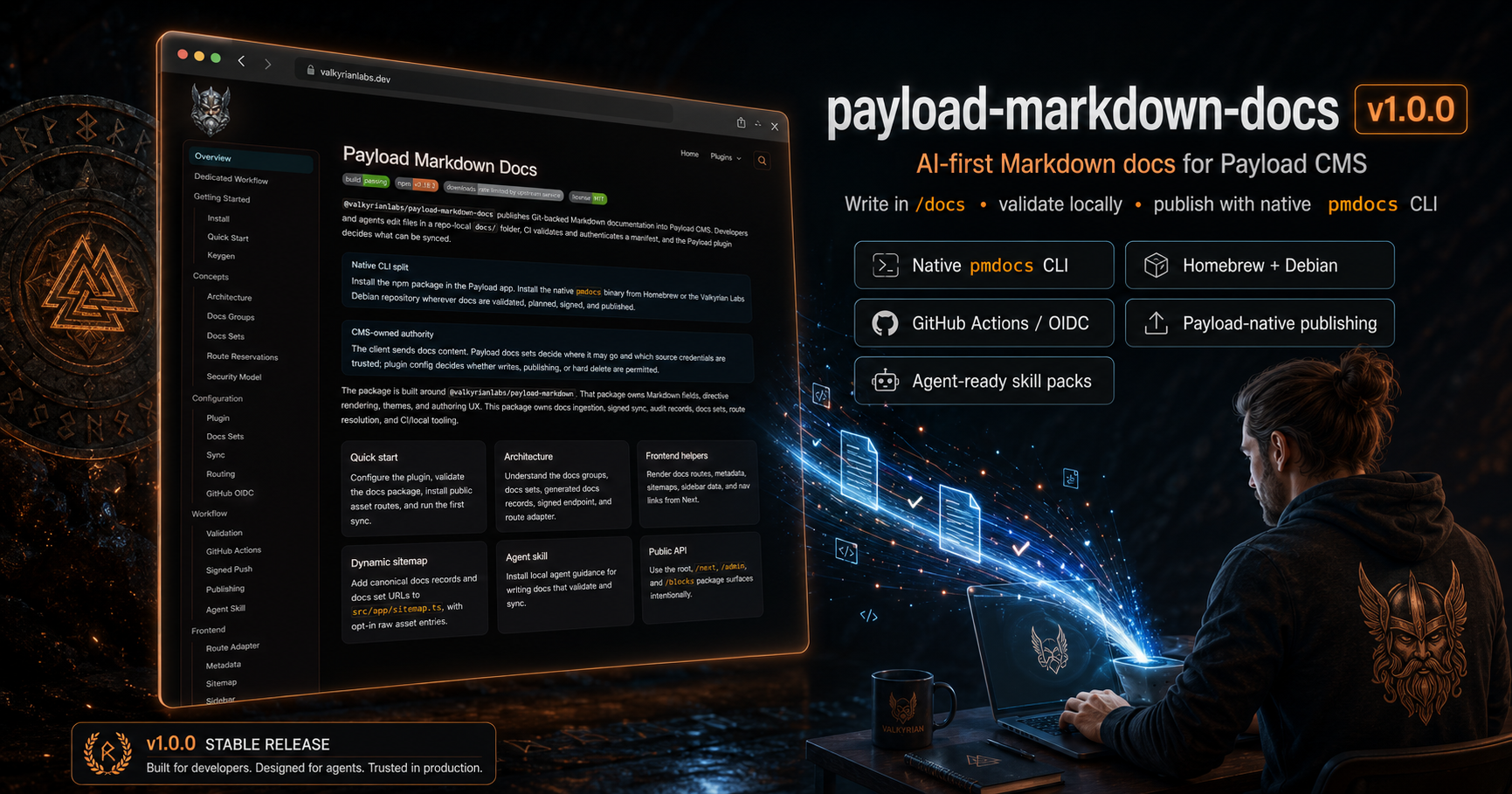




AI-first Markdown documentation generation, sync, and publishing for Payload CMS.
@valkyrianlabs/payload-markdown-docs turns a repo-local /docs tree into
Payload-native documentation that can be generated with AI, reviewed as plain
Markdown, validated locally, synced through GitHub Actions, and rendered in your
Next/Payload site with @valkyrianlabs/payload-markdown.
It is the documentation delivery pipeline for teams who want docs to move as fast as the code they describe.
📖 Explore the Docs
Getting Started
Install the Payload plugin package in the Payload app:
pnpm add @valkyrianlabs/payload-markdown-docsThe npm package is the Payload plugin/runtime integration only. It does not
install a supported CLI. Install the native pmdocs binary separately for docs
validation, planning, route installation, key generation, and publishing.
Debian/Ubuntu
sudo install -d -m 0755 /etc/apt/keyrings
sudo curl -fsSL https://apt.valkyrianlabs.com/pubkey.gpg \
  -o /etc/apt/keyrings/valkyrianlabs.gpg
sudo chmod 0644 /etc/apt/keyrings/valkyrianlabs.gpg

echo "deb [arch=amd64 signed-by=/etc/apt/keyrings/valkyrianlabs.gpg] https://apt.valkyrianlabs.com stable main" | \
  sudo tee /etc/apt/sources.list.d/valkyrianlabs.list > /dev/null

sudo apt update
sudo apt install -y pmdocs

pmdocs --version
Homebrew
brew install valkyrianlabs/tap/pmdocs
pmdocs --version
Why no native Windows CLI?
Alright, I already know what you're thinking:
"This guy doesn't respect Windows as an operating system."
And you would be correct.
Jokes aside: For v1, pmdocs targets macOS developer machines and Debian/Ubuntu Linux CI/server environments. Windows users should use WSL2 or a Linux CI runner.
Native CLI Philosophy
The split is intentional: npm installs the Payload plugin/runtime package, and
the operating system installs the pmdocs operator CLI. That keeps Payload app
dependencies focused on runtime code while CI jobs, docs-only repos, local
machines, and release runners can validate and publish docs without a Node
dependency install.
The practical result is simpler operations. Install the plugin where Payload
runs. Install pmdocs where docs are authored, checked, signed, and pushed.
Homebrew and Debian packages give the CLI a predictable system path, native
dependencies, and the same workflow in CI as on a developer machine.
Windows
Native Windows packages are not a v1 target. Use WSL2 with the Debian install flow, or publish docs from Linux/macOS developer machines and CI runners.
The Pitch
Most documentation tools make you choose between three bad options:
- write everything manually and fall behind,
- let AI generate unstructured Markdown slop,
- or wire your project into a hosted docs platform that does not understand your app.
payload-markdown-docs is built for a different workflow:
analyze codebase
  -> generate docs with a repo-local AI skill
  -> write plain Markdown into /docs
  -> validate and plan the docs tree
  -> sync through GitHub OIDC or Ed25519
  -> render inside your Payload/Next site
The docs stay as plain Markdown files. The native CLI handles local validation, planning, signing, and upload. The Payload plugin owns server authority, route-aware metadata, syncing, publishing, and rendering.
AI gets the speed. Humans keep the control. Payload owns the output.
AI-First, Not AI-Only
This plugin is designed around AI-assisted documentation from the ground up.
Install a native agent skill:
pmdocs install skill --agent codex
pmdocs install skill --agent claude
Then ask Codex or Claude to inspect your codebase and generate or maintain your
docs using the installed payload-markdown-docs and payload-markdown skill
instructions.
The installed skills give the agent repo-local guidance for:
- documentation tree structure,
- frontmatter,
- sync safety rules,
- validation,
- route-derived docs metadata,
- Markdown authoring patterns,
- and @valkyrianlabs/payload-markdown directive usage through the companion
payload-markdownskill.
You can still write every document by hand. In fact, you should review and tune important docs by hand. But the workflow is optimized for AI to build the first pass, maintain large sections, and keep documentation moving with the codebase.
Codex and Claude skill packs are included today. The canonical
payload-markdown-docs skill artifacts live in this package. The companion
payload-markdown skill is copied from the installed
@valkyrianlabs/payload-markdown package during native CLI packaging.
Why This Exists
Payload CMS is excellent for building serious content-backed applications, but documentation delivery usually becomes a side quest:
- Where do generated docs live?
- How do they become Payload records?
- How do you trust CI to publish them?
- How do you preview and edit them without a hosted docs SaaS?
- How do AI agents learn your docs format instead of hallucinating structure?
- How do you ship docs from your editor to production without babysitting a CMS?
This package answers those questions with a boringly powerful primitive:
human docs in /docs
agent workflow packs in /skills
server-generated AI discovery in /llms.txt and /llms-full.txt
Your docs live in the repo. The native pmdocs CLI validates and publishes
them. GitHub Actions or Ed25519 signs the request. Payload stores and renders
the output. Your site owns the final output.
What You Get
- AI-first documentation generation workflow.
- Codex and Claude skill installer for repo-local agent guidance.
- Plain Markdown source of truth in
/docs. - Native skill artifacts in
<group...>/<doc-set>/skills/<agent>. - Generated root and docs-set AI discovery files from synced docs and skills.
- GitHub Actions publishing with OIDC.
- Ed25519 signed local publishing for advanced on-demand workflows.
- Payload admin collections for docs sets, groups, trusted owners, and keys.
- Next.js helpers for resolving and rendering docs routes.
- Next.js sitemap helpers for canonical docs pages, with opt-in raw asset entries.
- Drop-in docs navbar and headless navigation helpers.
- Native
pmdocscommands for validation, manifest generation, sync planning, route installation, key generation, and publishing. - Rendering powered by
@valkyrianlabs/payload-markdown.
Install
pnpm add @valkyrianlabs/payload-markdown-docs @valkyrianlabs/payload-markdownThe npm package installs the Payload plugin and runtime helpers. It does not
ship the supported operator CLI. Use the Debian/Ubuntu or Homebrew install
above for the native pmdocs binary.
Configure Payload
import { payloadMarkdownDocs } from '@valkyrianlabs/payload-markdown-docs'
import { buildConfig } from 'payload'

export default buildConfig({
  plugins: [
    payloadMarkdownDocs({
      auth: {
        githubOidc: true,
      },
      target: {
        enableDrafts: true,
      },
      sync: {
        allowWrites: true,
        allowPublish: true,
      },
    }),
  ],
})
Public API
The package surface is intentionally split by runtime:
@valkyrianlabs/payload-markdown-docs: Payload plugin/config API only.@valkyrianlabs/payload-markdown-docs/next: Next rendering, metadata, sitemap, nav, route, and asset route helpers.@valkyrianlabs/payload-markdown-docs/admin:DocsSetManagerfor Payload import maps.@valkyrianlabs/payload-markdown-docs/blocks: optional Payload block schemas and field helpers.
Manual block installation imports from /blocks:
import { DocsCTABlock } from '@valkyrianlabs/payload-markdown-docs/blocks'This adds the Docs Globals admin collections:
Sets: documentation packages. The setslugis the sync source and OIDC audience.Groups: optional route nesting. Routes are derived from group slugs.Access: GitHub OIDC trust records and Ed25519 public keys for publishing.
The sync endpoint is:
/api/documentation/syncThe sync endpoint is an implementation endpoint. Public raw AI asset URLs such
as /llms.txt and /plugins/<docs-set>/skills/<agent> require committed Next
route files; install those once with pmdocs install routes.
Create Admin Records
Create a docs set:
title: Payload Markdown Docs
slug: payload-markdown-docs
branch: main
group: plugins
With the plugins group, the generated route becomes:
/plugins/payload-markdown-docsCreate a trusted GitHub owner:
owner: valkyrianlabs
limitRepos: false
When limitRepos is disabled, any repository owned by that GitHub owner can
publish to a matching docs set from the configured branch.
Enable limitRepos when you want to explicitly list the allowed repositories.
Create A Docs Tree
A minimal docs tree can look like this:
docs/
  index.md
  getting-started/
    quick-start.md
  configuration/
    plugin-config.md
  workflow/
    ci-github-actions.md
  reference/
    cli.md
skills/
  payload-markdown-docs/
    codex/
      SKILL.md
    claude/
      SKILL.md
The Markdown files are the source of truth. Native agent workflow packs live
outside the docs tree under skills/payload-markdown-docs/<agent>/.
/llms.txt, /llms-full.txt, and docs-set llms files are generated by the
plugin from synced docs, docs set metadata, dependencies, and skills.
The plugin does not require generated-only docs, hidden storage, or a hosted documentation service. AI can create the tree, but humans can edit it like any other Markdown project.
Install An Agent Skill
In the repository that owns the docs tree:
pmdocs install skill --agent codex
pmdocs install skill --agent claude
The Codex installer writes both skill packages:
.agents/skills/payload-markdown-docs/
.agents/skills/payload-markdown/
The Claude installer writes both skill packages:
.claude/skills/payload-markdown-docs/
.claude/skills/payload-markdown/
The installer does not sync docs, call Payload, or publish content. It only
installs agent-facing guidance so AI agents can understand the documentation
rules inside your repo. The payload-markdown-docs skill covers package
structure and sync behavior. The companion payload-markdown skill covers
renderer directives and Markdown authoring.
A typical prompt after installing the skill:
Use the installed payload-markdown-docs skill.

Analyze this repository and generate a complete documentation tree under /docs.
Use route-aware frontmatter and payload-markdown-compatible Markdown. Validate
the tree with pmdocs when finished.
That is the magic trick: the AI does not just write random docs. It writes docs for a known renderer, known metadata format, known CLI, and known publishing pipeline.
Validate Locally
Before syncing, validate the docs tree:
pmdocs validate --source payload-markdown-docsGenerate a manifest:
pmdocs manifest \
  --source payload-markdown-docs \
  --pretty
Preview the sync plan:
pmdocs plan --source payload-markdown-docsPass --source explicitly in CI. It must match the docs set slug in Payload
Admin. The CLI can derive it from GITHUB_REPOSITORY when the docs set slug
matches the repository name, but explicit source ids make workflow intent
auditable and avoid publishing the wrong docs set.
Publish From GitHub Actions
This is the default documentation CI workflow.
GitHub Actions signs the publish request with OIDC. Payload verifies the trusted owner, repository, branch, and docs set before accepting the sync.
permissions:
  contents: read
  id-token: write

steps:
  - uses: actions/checkout@v4

  - name: Install pmdocs
    run: |
      sudo install -d -m 0755 /etc/apt/keyrings
      sudo curl -fsSL https://apt.valkyrianlabs.com/pubkey.gpg \
        -o /etc/apt/keyrings/valkyrianlabs.gpg
      sudo chmod 0644 /etc/apt/keyrings/valkyrianlabs.gpg
      echo "deb [arch=amd64 signed-by=/etc/apt/keyrings/valkyrianlabs.gpg] https://apt.valkyrianlabs.com stable main" | \
        sudo tee /etc/apt/sources.list.d/valkyrianlabs.list > /dev/null
      sudo apt-get update
      sudo apt-get install -y pmdocs

  - run: pmdocs --version

  - run: pmdocs validate --source payload-markdown-docs

  - run: |
      pmdocs push \
        --endpoint "$DOCS_SYNC_ENDPOINT" \
        --source payload-markdown-docs \
        --github-oidc \
        --publish
OIDC authentication does not require --repository, --branch, or --commit.
Payload verifies the trusted owner, repository, branch/ref, commit SHA, and
docs set audience from GitHub's OIDC token claims. Those CLI flags only add
optional source metadata to the manifest and are usually unnecessary in GitHub
Actions workflows.
push defaults to sync mode and publishes the conventional package layout:
human docs from ./docs and native skill artifacts from ./skills/<source> when
that directory exists. Projects do not need to ship skills; a missing default
./skills directory is skipped. AI discovery files are generated at request
time; root llms.txt files are only needed when you intentionally provide
custom static fallback assets.
Sync writes require:
sync: {
  allowWrites: true,
}
--publish also requires:
sync: {
  allowPublish: true,
},
target: {
  enableDrafts: true,
}
This is the normal “CI for your documentation” path: commit docs, validate docs, push docs, publish docs.
Local Ed25519 Push
For advanced on-demand workflows, use Ed25519 signed pushes.
This is useful when you want to publish from your editor, local machine, internal tooling, or a non-GitHub environment without waiting on a GitHub workflow.
Generate a keypair:
pmdocs keygen --out .docs-syncAdd the public key in Payload Admin:
Docs Globals > AccessThen push with the private key:
pmdocs push \
  --endpoint "$DOCS_SYNC_ENDPOINT" \
  --source payload-markdown-docs \
  --key-id local-docs \
  --private-key-file .docs-sync/docs-sync-private.pem
For immediate publishing:
pmdocs push \
  --endpoint "$DOCS_SYNC_ENDPOINT" \
  --source payload-markdown-docs \
  --key-id local-docs \
  --private-key-file .docs-sync/docs-sync-private.pem \
  --publish
That is the operator workflow: edit locally, validate locally, push directly, and review the rendered docs on your Payload site.
CLI Migration
Before v1, docs publishing used the npm package binary:
pnpm exec payload-markdown-docs push ...Use the native binary instead:
pmdocs push ...Keep @valkyrianlabs/payload-markdown-docs installed in the Payload app for the
plugin/runtime integration. Install pmdocs from Homebrew or the Valkyrian
Labs Debian repository anywhere you run operator commands.
Render In Next
The plugin does not mutate your Pages collection and does not register public frontend routes.
Resolve docs from the same slug route that renders your normal Pages collection. Render docs first when they match, then fall back to your existing Pages query.
import config from '@payload-config'
import {
  PayloadMarkdownDocsPage,
  getPayloadMarkdownDocsRoutePath,
  resolvePayloadMarkdownDocsRoute,
} from '@valkyrianlabs/payload-markdown-docs/next'
import { notFound } from 'next/navigation'
import { getPayload } from 'payload'

export const dynamic = 'force-dynamic'

export default async function Page({ params }: { params: Promise<{ slug?: string[] }> }) {
  const { slug = [] } = await params
  const path = getPayloadMarkdownDocsRoutePath({ path: slug })
  const payload = await getPayload({ config })

  const resolved = await resolvePayloadMarkdownDocsRoute({
    payload,
    path,
  })

  if (resolved) {
    return <PayloadMarkdownDocsPage resolved={resolved} />
  }

  const page = await queryPageByPath({ path })

  if (page) {
    return <RenderPage page={page} />
  }

  notFound()
}
queryPageByPath and RenderPage are placeholders for your app's existing
Pages loader and renderer.
path accepts a normalized route string, a single [slug] string, or a
[...slug] / [[...slug]] string array. The older slug option remains
supported, but path is clearer for new route integrations.
Use a catch-all route such as app/(frontend)/[[...slug]]/page.tsx when
possible. If an existing [slug] route must stay in place, use the same
resolver-first flow there and add a [...slug] route for nested docs pages. For
@payloadcms/plugin-nested-docs, query fallback Pages by a stored full path
such as fullPath; otherwise keep using the route field your Pages collection
already uses.
See Route Adapter for complete integration notes and metadata examples.
Docs Navigation
Use the drop-in navbar when you want the plugin to own the docs menu UI:
import { PayloadMarkdownDocsNavbar } from '@valkyrianlabs/payload-markdown-docs/next'
import type { Payload } from 'payload'

export async function HeaderDocsNav({ payload }: { payload: Payload }) {
  return (
    <PayloadMarkdownDocsNavbar currentPath="/plugins/payload-markdown-docs" payload={payload} />
  )
}
The navbar reads docs groups and docs sets, renders nested docs navigation, and
accepts classNames and renderLink overrides for app-specific Tailwind,
routing, and analytics.
If you already have a site header, use the Header adapter to append top-level docs groups and top-level ungrouped docs sets without exceeding your existing menu cap:
import { appendPayloadMarkdownDocsHeaderNavItems } from '@valkyrianlabs/payload-markdown-docs/next'

const navItems = await appendPayloadMarkdownDocsHeaderNavItems({
  existingItems: header.navItems ?? [],
  maxItems: headerNavItemsMaxRows,
  payload,
})
The adapter defaults to custom URL links, so it does not require CMSLink changes.
Use mode: 'relationship' only when your renderer understands docs-groups
and docs-sets relationships.
For fully custom navigation, use the headless nav builder:
import { getPayloadMarkdownDocsNavItems } from '@valkyrianlabs/payload-markdown-docs/next'

const docsNav = await getPayloadMarkdownDocsNavItems({
  availableSlots: 4,
  payload,
})
Serve Raw AI Assets
The canonical agent artifacts are normal files under skills/. push syncs
them as raw asset records by convention. Synced assets are stored separately
from docs records. Skill files are not docs records and do not need docs
frontmatter. AI discovery files are generated by the plugin; checked-in
llms.txt and llms-full.txt files are only custom static fallbacks.
Payload owns the asset storage and handlers, but a Next App Router site still needs filesystem route files so public root URLs reach those handlers instead of the frontend catch-all. Install the exact public Next route files once:
pmdocs install routes --payload-app "src/app/(payload)"Use --payload-app "app/(payload)" for apps without src/. The route files
delegate to the plugin-owned asset handlers and prevent generated /llms.txt
and skill URLs from being swallowed by a frontend catch-all.
The /api/... asset URLs are implementation/internal fallback URLs. They are
useful for debugging, but the public canonical routes are outside /api.
When push includes skill assets or custom static assets, the CLI warns if
those public route files are missing from the current app. Use
--strict-routes in CI to fail the publish before deploying assets that would
only be reachable under /api.
Useful stable paths include:
/llms.txt
/llms-full.txt
/plugins/payload-markdown-docs/llms.txt
/plugins/payload-markdown-docs/llms-full.txt
/plugins/payload-markdown-docs/skills/codex
/plugins/payload-markdown-docs/skills/codex/SKILL.md
/plugins/payload-markdown-docs/skills/codex.zip
/plugins/payload-markdown-docs/skills/codex/reference
/plugins/payload-markdown-docs/skills/claude
/plugins/payload-markdown-docs/skills/claude/SKILL.md
/plugins/payload-markdown-docs/skills/claude.zip
/plugins/payload-markdown-docs/skills/codex/reference/workflow.md
/skills/<agent> is a generated Markdown directory index for the synced skill
bundle. /skills/<agent>/<directory> is also generated as a Markdown index when
that directory exists. Raw files remain available at
/skills/<agent>/SKILL.md and /skills/<agent>/<path...>.
Skill ZIP routes are generated on demand from synced text skill artifacts in
./skills/<sourceId>/<agent>/.... They are not uploaded or stored as static ZIP
assets. Archives expand to <sourceId>/SKILL.md plus supporting files.
Auto-resolved skill CTAs point to the ZIP route.
Generated llms.txt links use the public app origin when configured, preferring
NEXT_PUBLIC_SERVER_URL, then public site/Vercel URL environment values before
falling back to request headers or Payload serverURL. Production output should
not emit localhost when a public origin is configured.
Generated sitemap output includes canonical human docs pages by default. Raw
AI-facing routes like llms.txt, llms-full.txt, and native skill Markdown are
publicly served but are not listed in sitemap.xml unless explicitly requested
with includeLlms or includeSkills. Synced static assets are also hidden
unless includeAssets is enabled; includeAssets does not include llms or
skills. Use additionalRoutes for static routes that are not generated or
synced:
import { getDocsForSitemap } from '@valkyrianlabs/payload-markdown-docs/next'

const sitemap = await getDocsForSitemap({
  payload,
  siteUrl,
  additionalRoutes: [{ path: '/agent-index.txt' }],
})
sitemap.xml is crawler discovery. llms.txt is an AI-readable entrypoint.
Skills are native agent workflow artifacts.
The source split is intentional: /docs contains human documentation, while
/skills contains agent-native workflow packages.
Advanced Security
You do not need this for normal docs publishing.
Each docs set has an advanced security section for exact GitHub workflow refs.
Leave it disabled to allow any workflow from a trusted owner/repository on the configured branch.
When enabled, add every allowed workflow ref explicitly. An empty list rejects all workflow publishing for that docs set.
More Docs
Related Packages
License
MIT