
@vanillagreen/pi-claude-bridge
v4.0.0
Published
Pi provider bridge that runs Claude Code through the Claude Agent SDK, with opt-in forwarding for Pi prompt context.

Maintainers
 vanillagreencom
Readme
pi-claude-bridge
Works with OAuth subscription, no API key, no errors.
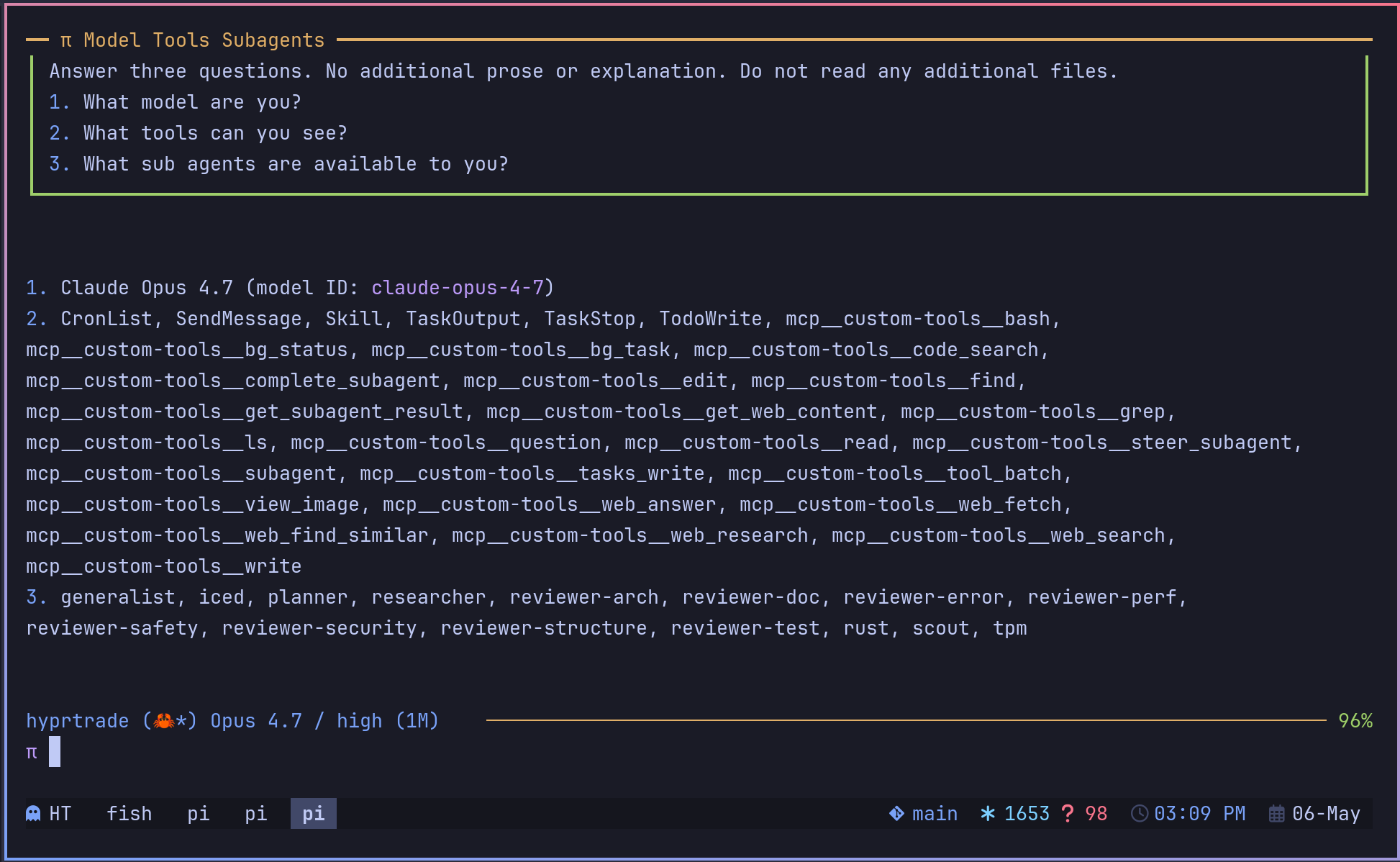
Run Claude Code as the pi-claude Pi provider while keeping Pi's tools and TUI.
Forked from elidickinson/pi-claude-bridge. This fork removes the AskClaude tool and adds opt-in forwarding for Pi prompt context.
Highlights
pi-claude/claude-fable-5, Opus 5, Opus 4.8, Opus 4.7, Opus 4.6, Sonnet 5, Sonnet 4.6, and Haiku in/model./model opusselects Opus 5; older Opus releases stay selectable by full ID.- Pi tool calls run on Pi; Claude Code handles reasoning.
- Tool-use turns block until Pi-delivered tool results reach Claude Code, including persistent subagent panes.
- Parallel conversations and subagents keep independent request, abort, tool-loop, and Claude-session state.
- Session continuity across normal turns,
/compact, tree navigation, abort recovery, and account-profile changes. - Optional companion integration for usage-aware subscription account rotation without copying the bridge engine.
- Thinking-level forwarding with summarized Opus thinking display.
- Optional Claude effort overrides (
xhigh→maxfor Opus 4.8). - MCP isolation and Claude cloud-MCP suppression to keep tokens lean.
- Optional access to your Claude account's connectors — Gmail, Calendar, Drive, Slack, Jira, Confluence — read-only by default.
- Opt-in forwarding of
APPEND_SYSTEM.mdand recognized Pi prompt hooks.
Install
Requires pi ≥ 0.81 (bridge 2.x registers through pi's native provider API, so pi shows the Claude models only while a Claude account is actually connected). On older pi, install @vanillagreen/[email protected] instead.
Via npm:
pi install npm:@vanillagreen/pi-claude-bridgeVia kendex:
cargo install --git https://github.com/vanillagreencom/kendex.git kendex
kendex add vanillagreencom/kendex --pi-extension pi-claude-bridge --harness pi -y
Restart Pi after installation.
Prompt context
Default behavior matches upstream: append your context file plus Pi's skills block to Claude Code's claude_code preset prompt. The context file is the nearest one found walking up from the working directory, falling back to <PI_CODING_AGENT_DIR>/AGENTS.md. Within each directory the bridge follows Pi's own order — AGENTS.override.md, then AGENTS.md, then AGENTS.MD — so an AGENTS.override.md replaces AGENTS.md in the same directory, exactly as it does for Pi itself. CLAUDE.md is deliberately not forwarded: Claude Code already loads it natively, so forwarding it would apply the same context twice.
Extra Pi context is off by default. Enable per item in the extension manager when you want Claude Code to see prompt blocks that other Pi extensions add to your session. Forwarded blocks are wrapped in explicit XML tags so Pi 0.75+ project-context boundaries do not bleed into adjacent sections.
Settings
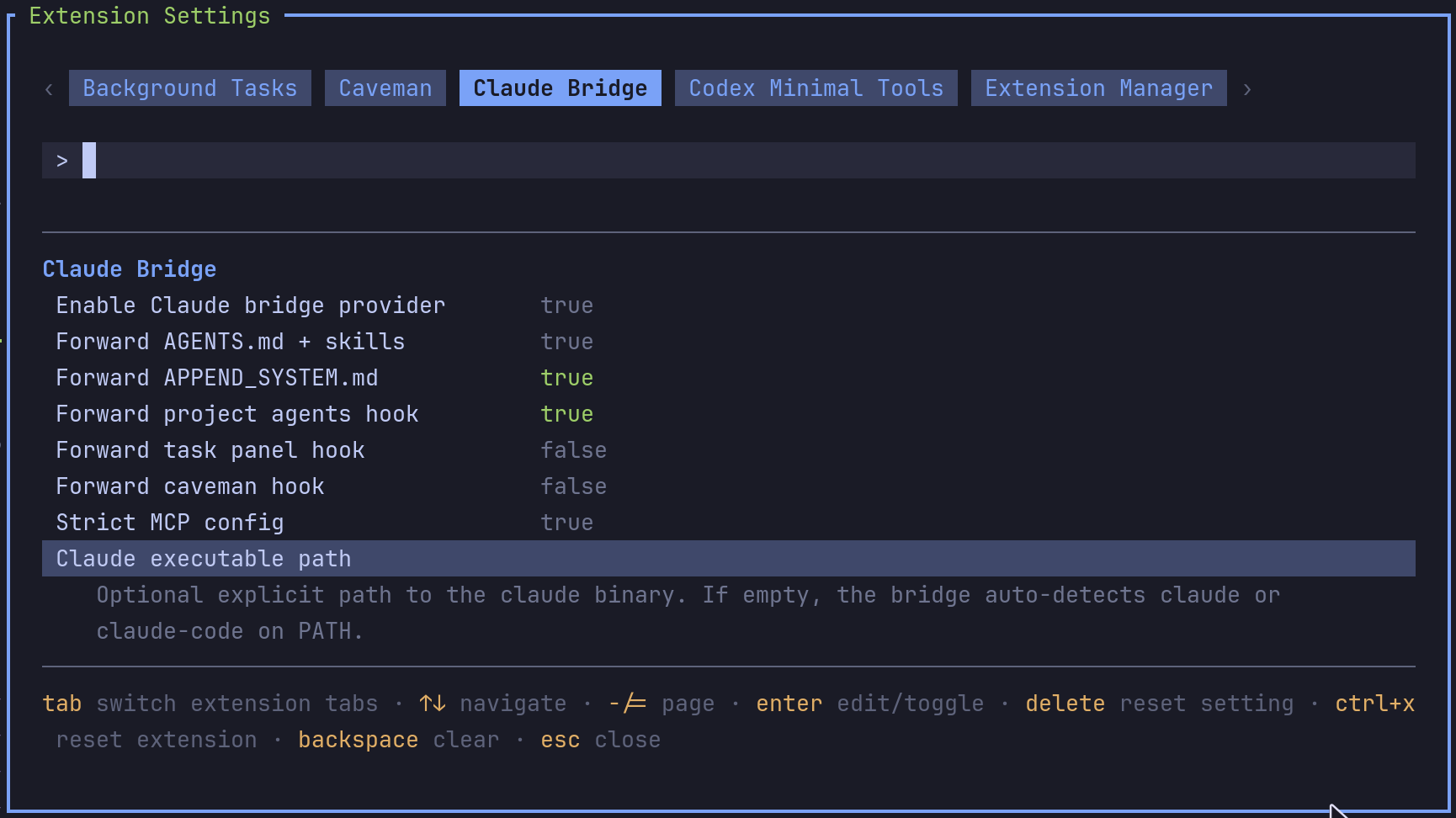
Open /extensions:settings; settings appear under the Pi Claude tab. Project settings in .pi/settings.json apply only after Pi marks the workspace trusted; before trust, kendex Pi extensions read user/global settings only. The bridge also reads claude-bridge.json (~/.pi/agent/claude-bridge.json, and .pi/claude-bridge.json in a trusted project). Settings the bridge takes from one of those files are shown with the file that supplies them, so the editor reports the value the bridge resolves rather than the default. Changing the setting in the editor writes Pi settings, which take precedence over claude-bridge.json.
| Group | Setting | What it does |
| --- | --- | --- |
| General | Enable Pi Claude provider | Register pi-claude/* models. Reload required. |
| Base prompt | Forward AGENTS.md + skills | Append the nearest context file (AGENTS.override.md, AGENTS.md, or AGENTS.MD) and Pi's skills block. |
| Pi prompt context | Forward APPEND_SYSTEM.md | Forward project/global APPEND_SYSTEM.md content. |
| Pi prompt hooks | Forward project agents hook | Forward pi-agents-tmux Project Agents/Subagents list. |
| Pi prompt hooks | Forward task panel hook | Forward pi-task-panel workflow reminders. |
| Pi prompt hooks | Forward caveman hook | Forward pi-caveman response-style directives. |
| Claude Code | Strict MCP config | Block filesystem MCP auto-loads; Pi owns tools. |
| Claude Code | Fast mode | Enable Claude Code fast mode for bridge requests when the selected model and account support it. |
| Claude Code | Force Claude effort | Override Pi's thinking-level mapping for every Pi Claude request. none keeps Pi's selected level; max sends Claude Code --effort max. |
| Claude Code | Model effort overrides | JSON object mapping model IDs to Claude Code efforts, e.g. {"claude-opus-4-8":"max"}. Per-model entries beat the global force setting. |
| Claude Code | Claude executable path | Explicit claude binary path; empty auto-detects. |
Pi 0.80.6 and newer expose native max thinking. Fable 5, Opus 5, and Sonnet 5 bridge metadata forward both xhigh and max; the generic bridge fallback also maps max directly. Force Claude effort and Model effort overrides remain available when one bridge model needs a different fixed effort — for example {"claude-opus-4-8":"max"} to force only Opus 4.8. Keys may be bare model IDs (claude-opus-4-8), pi-claude/<id>, or * for all bridge models. Values are low, medium, high, xhigh, or max.
Connectors
Turn this on and the model can use whatever your Claude account already has connected — the same connectors you use in the Claude app, now inside Pi:
Gmail (search mail, read threads and messages), Google Calendar (check calendars and events), Google Drive (find and read files), Slack (search and read channels, threads, canvases, and people), Jira and Confluence (search and read issues, pages, and spaces). Anything else on the account (Figma, org-specific connectors) works the same way — nothing to configure per connector.
Sessions are read-only by default: the model can look things up, but cannot send, post, or change anything unless you explicitly turn writes on. Search/read/fetch/list tools stay available while mutating tools are denied, fail-closed across every connector on the account.
Connector tools run inside Claude Code rather than in Pi, so Pi shows the model's answer but no tool card for the lookup itself. Each lookup is still recorded in the session file as a claude-bridge-connector-call entry — the tool name, whether it succeeded, and how many bytes came back, never the contents. So "did it really look that up?" has an answer even though nothing is drawn in the transcript.
/pi-claude:connectors lists the Claude account's installed claude.ai connectors by asking the account, not the model, so the answer is complete by construction.
Extension-manager settings use flat package-scoped keys under kendex.extensionManager.config["@vanillagreen/pi-claude-bridge"] in settings.json. Legacy claude-bridge.json configuration nests these options under provider (prompt-context flags under promptContext); the flat keys are accepted there too. Environment variables work with either format. Connectors remain off by default so Pi owns tool execution.
| Extension-manager key | Env var | Values | Default | What it does |
| --- | --- | --- | --- | --- |
| enableConnectors | CLAUDE_BRIDGE_ENABLE_CONNECTORS | true/false | off | Expose the account's connectors to the model (env OR config enables). |
| connectorWriteMode | CLAUDE_BRIDGE_CONNECTOR_WRITE | deny/allow | deny | When connectors are enabled, whether their WRITE tools are exposed. |
For both, the env var wins over config. connectorWriteMode only matters when connectors are enabled. Any value other than exactly allow is treated as deny (fail-closed); set allow only for a one-shot write-executor session that has already obtained explicit user approval — never for an interactive connector chat.
User scope + env only. These two keys are resolved from user-scope configuration (
<PI_CODING_AGENT_DIR>/settings.json,<PI_CODING_AGENT_DIR>/claude-bridge.json) and the env vars — never from a project's checked-in.pi/settings.jsonor.pi/claude-bridge.json, even when the project is trusted for ordinary options. Connectors expose live account data (mail, calendar, files), so a repo you clone must not be able to switch them on or un-gate their writes just by being the cwd.
Connectors mode also makes the child Claude Code resolve its filesystem settings (with them off, the child runs fully isolated). Only user-scope settings are loaded; project/local scope (a checkout's .claude/settings.json) is deliberately excluded. Setting provider.settingSources in bridge config still overrides this verbatim, but listing "project"/"local" there reopens that surface — only do it for checkouts you trust.
Fable 5 and Opus 5 caveat
The bridge registers pi-claude/claude-fable-5, pi-claude/claude-opus-5, pi-claude/claude-sonnet-5, and pi-claude/claude-opus-4-8 even when Pi's Anthropic model registry has not shipped those entries yet. Fable 5 and Opus 5 both run classifiers that can decline a turn, so for each of them the bridge asks Claude Code to use Opus 4.8 as the availability fallback and preserves Claude Code's content-safety fallback events so Pi labels rerouted turns as Opus 4.8. Content-safety fallback still depends on Claude Code's own Fable 5 support; use Claude Code 2.1.170 or newer, and set ANTHROPIC_DEFAULT_FABLE_MODEL / ANTHROPIC_DEFAULT_OPUS_MODEL yourself when routing provider-specific model IDs through Bedrock, Vertex, or Foundry.
Multiple subscription profiles
An optional companion extension can provide account profiles through the bridge's versioned account-router integration. For each fresh Claude request, the bridge launches the Agent SDK subprocess with the selected profile's CLAUDE_CONFIG_DIR; Claude session files, connector inventory, and resume IDs remain account-scoped. When an account reports a rejected rate limit (or another classified pre-output failure), the bridge rebuilds the Claude session from Pi history under the next profile and retries the prompt — but never once text, thinking, a Pi tool call, or a child-executed connector call has begun, so a request cannot duplicate tool side effects on another account. The companion owns profile metadata, utilization ranking, and cooldown persistence; the bridge remains the SDK/stream/session engine.
Account usage and rate limits
Extra Usage is owned by Claude's account settings. The bridge neither changes that setting nor blocks Claude Code's native account behavior — if the account has Extra Usage enabled on claude.ai, the child Claude Code uses it normally. If Claude rejects a request because the current allowance is exhausted, a managed account router treats it as a model-scoped limit and can try another account.
When Claude Code reports a rate-limit reset time, the bridge shows one clear [rate-limit] warning with timezone context and avoids repeating the same error line. If pi-qol is installed, it can use the reset time to resume later. Allowed-warning rate-limit events are filtered before user notification: the bridge shows a neutral warning at 80%+ utilization instead of claiming an unverified % used value. Check Claude Code /usage for exact allowed-warning utilization.
If Claude Code accepts a turn but produces no visible output, the bridge returns a retryable assistant error with a backoff hint instead of leaving Pi stuck waiting. Tune the first-output timeout with CLAUDE_BRIDGE_STREAM_IDLE_TIMEOUT (bare numbers are seconds; suffixes ms, s, and m are accepted). Default: 90s; set 0 to disable.
Debugging
Set CLAUDE_BRIDGE_DEBUG=1 to write bridge logs to <agent dir>/claude-bridge.log and per-query Claude Code CLI logs under <agent dir>/cc-cli-logs/, where <agent dir> is PI_CODING_AGENT_DIR when set, else ~/.pi/agent. Override the exact files with CLAUDE_BRIDGE_DEBUG_PATH / CLAUDE_BRIDGE_DIAG_PATH. Startup failures include the resolved Claude executable and working directory, which makes missing binaries and wrong launch directories easier to fix.
Tool-result integrity problems always surface as a Pi error notification plus a claude-bridge-integrity custom entry in the pi session transcript (compact metadata only — never tool output), so lost or mismatched tool output stays analyzable from the session file alone. The on-disk diagnostic file (<agent dir>/claude-bridge-diag.log) is written only with CLAUDE_BRIDGE_DEBUG=1 — like every other bridge disk log, it is opt-in.
Embedding hosts, contributor-facing stream/tool-result/startup diagnostics, and the host-side connector APIs are documented in DEVELOPMENT.md.