
@vanillagreen/pi-extension-manager
v3.0.1
Published
Pi package manager and settings editor with native oh-my-pi plugin inventory and enable controls.

Maintainers
 vanillagreencom
Readme
@vanillagreen/pi-extension-manager
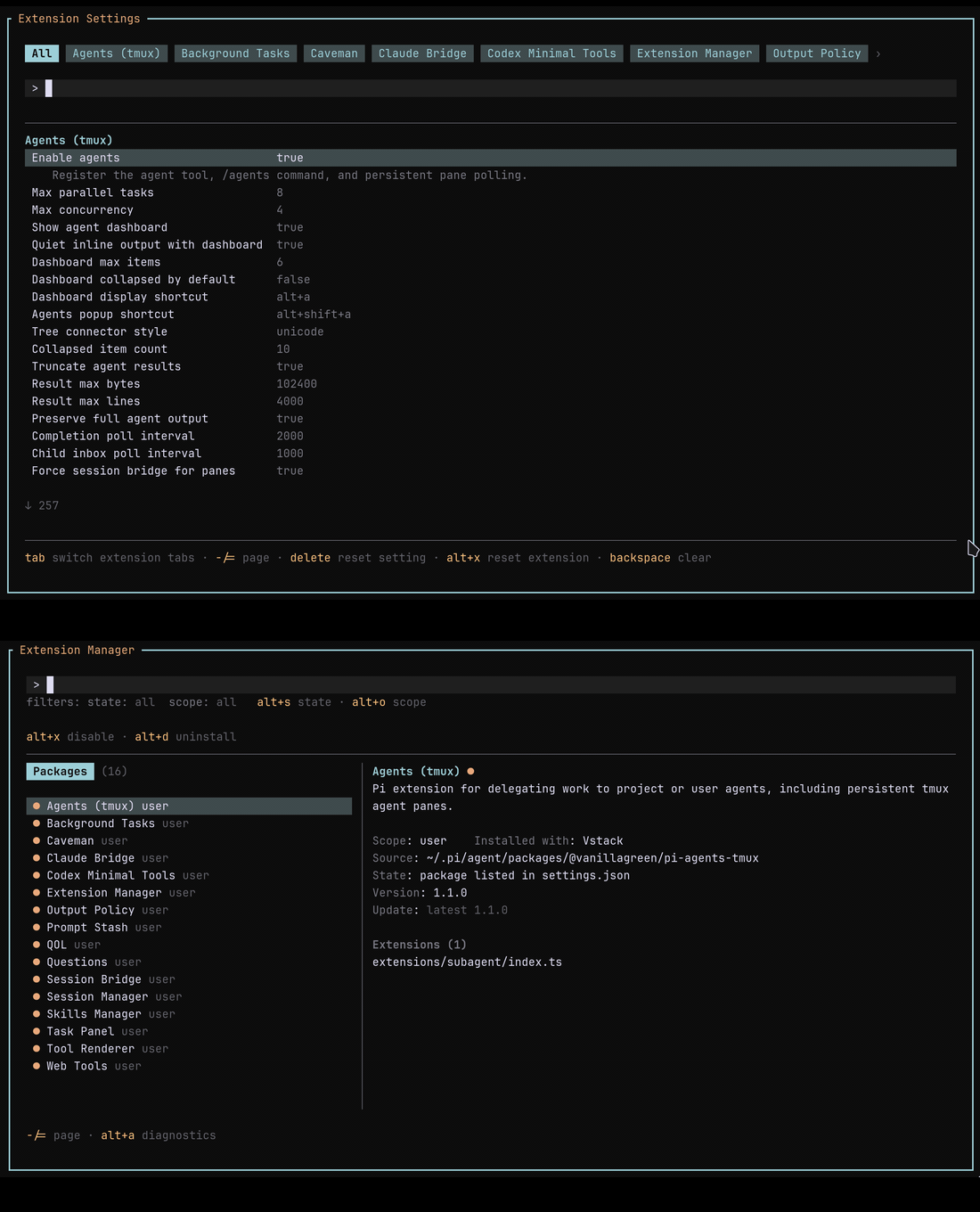
A package browser for Pi and oh-my-pi (OMP). It includes a settings editor for kendex Pi packages and for the manager itself on OMP.
Install
- Pi:
pi install npm:@vanillagreen/pi-extension-manager. - OMP 18.1.11 or later:
omp plugin install @vanillagreen/pi-extension-manager. - kendex, for Pi only: add the declaration below to the project's
kendex.toml, or to~/.config/kendex/kendex.tomlfor user scope. Runkendex update-pi.
[pi-extensions."@vanillagreen/pi-extension-manager"]
source = "kendex"
Restart the host after installation.
Features
- Browse installed Pi packages or native OMP plugins, including disabled plugins.
- Enable or disable packages. On OMP this controls the whole plugin, including its non-extension contributions.
- Update or uninstall Pi packages and notify you about available updates.
- Edit kendex package settings on Pi, or the manager's own settings on OMP.
How it works
- Open
/extensionson Pi, or/kendex:extensionson OMP, which keeps its own built-in/extensionscommand. - The manager reads Pi's package settings, or OMP's record of the plugins it has installed.
- It lists each package together with the extension files that package declares.
- On OMP it keeps packages installed for your user apart from packages installed for the project, and offers its own settings only for the copy that is running.
- Restart Pi or OMP after you turn a package on or off.
On OMP the manager cannot toggle a plugin's modules, update or uninstall a plugin, or edit another extension's settings. Use OMP's own controls for those actions, for a plugin's optional features, and for a project override that stops a plugin being enabled. The manager also does not run a Pi package's commands or its append-system scripts on OMP.
Settings
Open /extensions:settings on Pi or /kendex:extensions:settings on OMP. Values are stored under kendex.extensionManager.config["@vanillagreen/pi-extension-manager"].
Pi uses user and project settings.json files. OMP uses the active agent directory's config.yml, retaining config.yaml when that is the existing file. OMP project settings come from the current directory's .omp/settings.json and .omp/config.yml; YAML overrides JSON when both exist. The first project-scoped edit creates .omp/config.yml in a trusted OMP project when neither file exists. Host directory resolvers determine the active user paths, including OMP profiles and XDG storage. Settings writes preserve unknown fields, but YAML formatting and comments are not retained.
enabled: a global-only setting, even for a project-installed manager. Display, edits and resets use the global value; project values are ignored. If disabled, the host-specific manager command's:enableaction restores it; restart or reload afterward.defaultSaveScope: where an edit is written when the scope is ambiguous.notifyOnUpdates: Pi's session-start update notification; unavailable on OMP.glyphStyle: Unicode or ASCII symbols. On Pi, the Tool Renderer tab'sglobalGlyphStyleOverridecan override this setting.
On Pi, editing a value supplied by a package's own config file writes a manager override. Resetting that value names its source file instead, because no manager override exists to delete. See DEVELOPMENT.md for the external config resolver contract and host integration boundaries.