
@vanillagreen/pi-prompt-stash
v3.0.1
Published
Pi package for per-session prompt stash history with alt+s stash/restore workflow.

Maintainers
 vanillagreencom
Readme
@vanillagreen/pi-prompt-stash
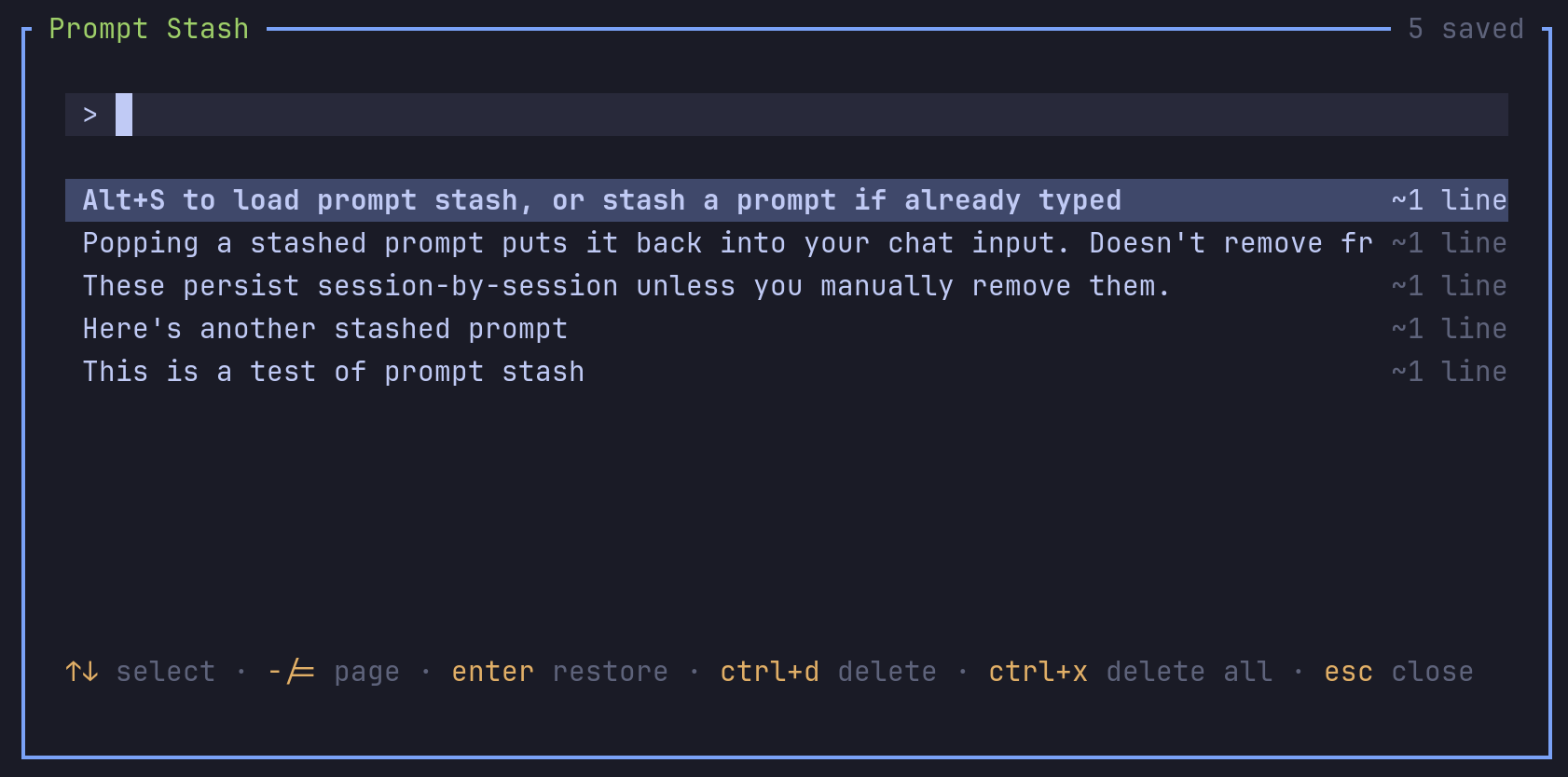
A Pi extension for saving prompt drafts. You can save unfinished text, write another prompt and restore the draft later.
Install
- npm:
pi install npm:@vanillagreen/pi-prompt-stash. - kendex: add the declaration below to the project's
kendex.toml, or to~/.config/kendex/kendex.tomlfor user scope. Runkendex update-pi.
[pi-extensions."@vanillagreen/pi-prompt-stash"]
source = "kendex"
Restart Pi after installation. Use kendex update-pi --check to preview the installation.
Features
- Save editor text with a shortcut.
- Search, restore and delete saved drafts in a popup.
- Keep drafts when the session resumes.
- Optionally remove duplicate drafts.
How it works
The shortcut saves the current editor text in the session's draft file. With an empty editor, the shortcut opens the saved drafts. You select a draft to restore its text to the editor. The session keeps its draft file across restarts.
Settings
The settings editor writes project values to .pi/settings.json. The default user file is ~/.pi/agent/settings.json. PI_CODING_AGENT_DIR changes the user directory. Package values are stored under kendex.extensionManager.config["@vanillagreen/pi-prompt-stash"].
Open /extensions:settings; settings appear under the Prompt Stash tab. Project settings in .pi/settings.json apply only after Pi marks the workspace trusted. glyphStyle picks unicode or ascii symbols, and @vanillagreen/pi-tool-renderer's globalGlyphStyleOverride wins when set.
enabled: package toggle.shortcut: the stash-or-open shortcut.storeFile: the file name inside the session's stash folder.deduplicate: drop older entries with identical text.popupWidth,popupMaxHeight,listRows: popup size.