
@vanillagreen/pi-skills-manager
v1.1.2
Published
Polished Pi skills manager with a dedicated /skill menu for browsing, previewing, inserting, creating, editing, renaming, deleting, and toggling skills while preserving native /skill:name invocation.

Maintainers
 vanillagreencom
Readme
pi-skills-manager
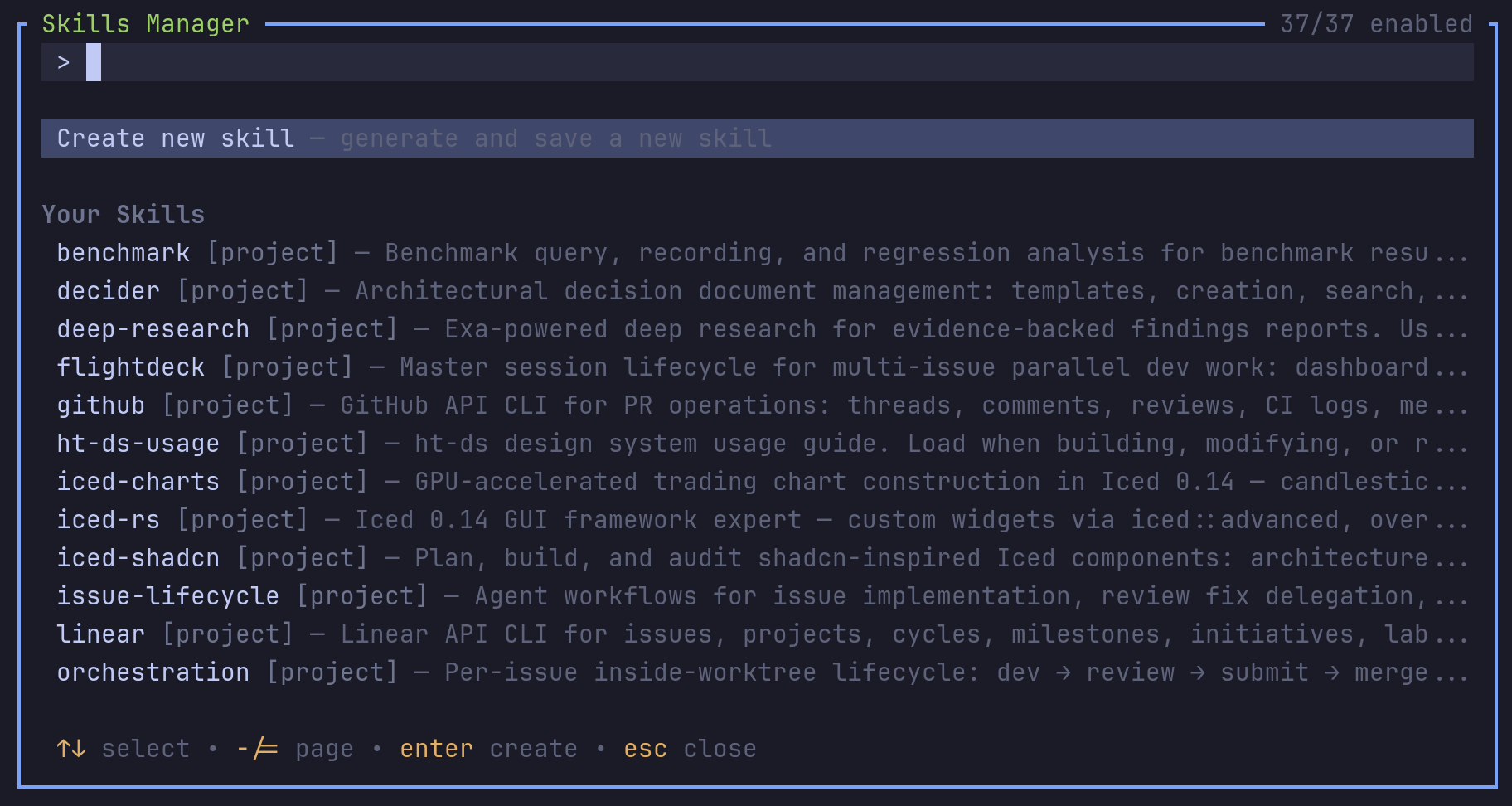
Dedicated skills manager. Browse, preview, create, edit, rename, delete, and toggle skills from one /skill view while keeping Pi's native /skill:<name> invocation.
Highlights
- Project, global, and package skills shown separately.
- Search by name, description, source, scope, and path.
- enter inserts the enabled skill as a native
/skill:<name>command into the editor. - tab previews frontmatter and rendered content.
- Create new project or global skills using the current model. Falls back to a deterministic template when the model is unavailable.
- Edit, rename, and delete your own top-level skills. Package skills stay preview/toggle/insert only.
- Hides Pi's startup
[Skills]block so skill discovery lives in the manager.
Install
Via npm:
pi install npm:@vanillagreen/pi-skills-managerVia vstack:
cargo install --git https://github.com/vanillagreencom/vstack.git vstack
vstack add vanillagreencom/vstack --pi-extension pi-skills-manager --harness pi -y
Restart Pi after installation.
Commands
| Command | Action |
| --- | --- |
| /skill | Open the manager. |
| /skill disable | Disable the feature toggle. Run /reload to unload. |
| /skill:enable | Recovery command when disabled. |
| /skill:<name> | Native Pi skill invocation (handled by Pi). |
Each view (browse, preview, edit) documents its own keys in the footer.
Create: name (normalized to a lowercase slug), trigger-focused description, visibility (project .pi/skills/<name>/SKILL.md or global ~/.pi/agent/skills/<name>/SKILL.md).
Settings
Open /extensions:settings; settings appear under the Skills Manager tab.
Project settings in .pi/settings.json apply only after Pi marks the workspace trusted; before trust, vstack Pi extensions read user/global settings only.
| Setting | What it does |
| --- | --- |
| Hide startup skills block | Hide Pi's built-in startup [Skills] list. |
| AI skill generation | Use the current model to draft new SKILL.md files. Falls back to a deterministic template. |
| Default create location | project or global. |
| Popup width | Number of columns or 82%-style percentage. |
| Popup max height | Number of rows or percentage. |
| Visible list rows | Maximum rows shown before scrolling; short terminals shrink this so controls remain visible. |
Glyph style: each package exposes glyphStyle (unicode default, ascii for terminal-safe chrome). @vanillagreen/pi-tool-renderer.globalGlyphStyleOverride=ascii forces ASCII chrome across vstack Pi extensions while leaving tool/model/user content unchanged.
Notes
Native /skill:<name> registration is controlled by Pi's enableSkillCommands setting (/settings → Skill commands). This manager doesn't change it.
Attribution
Locally owned by vstack, based on ideas from the MIT-licensed @kmiyh/pi-skills-menu. See THIRD_PARTY_NOTICES.md.